




 here!
I’m your shopping assistant for PC builds, upgrades, and everything tech.
Got questions? Ask away!
Start a conversation
here!
I’m your shopping assistant for PC builds, upgrades, and everything tech.
Got questions? Ask away!
Start a conversation



Any questions? Ask CelesteSM will help you find out quickly.


GLOTRENDS specializes in developing high-performance PCIe adapters and riser cables for computer engineers and DIY enthusiasts.
The products mainly include 2 series: PCIe adapters (M.2 SSD Adapter, SATA Card, WiFi/Ethernet Card, USB Card, etc) and PCIe 5.0/4.0/3.0 extension cables.
The goal of GLOTRENDS is to provide quality-assured and cost-effective products to customers worldwide. Customized production is welcome.


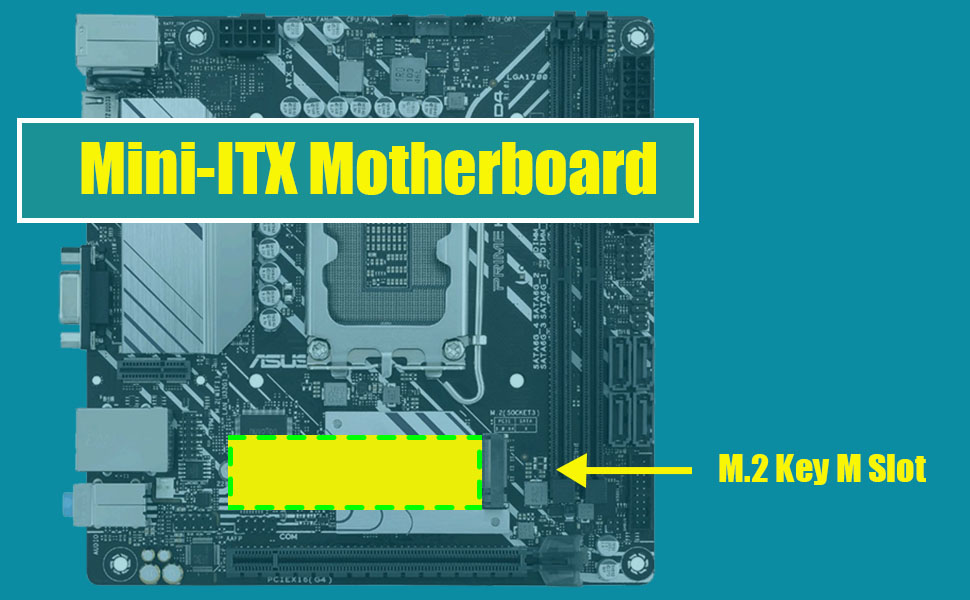
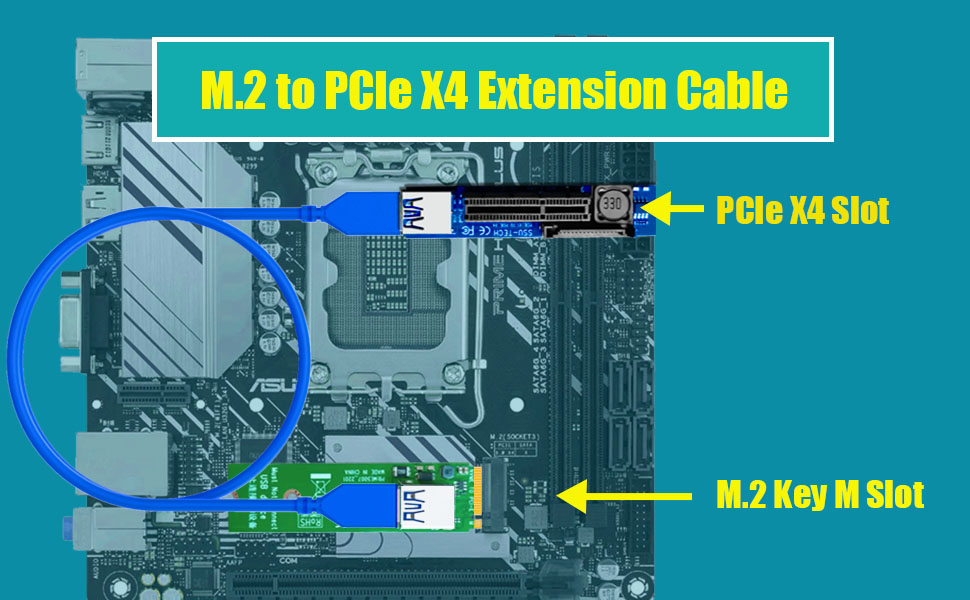
This M.2 to X4 extension cable can convert to PCIe X4 interface, and extends to 23.6 Inch/60cm far away
It features with the following advantages:
Overall, this M.2 Key M to PCIe X4 extension cable is a reliable and practical solution that can perfectly solve your problems
Noted: although converting to PCIe X4 slot, speed bandwidth is PCIe 3.0 X1 at max
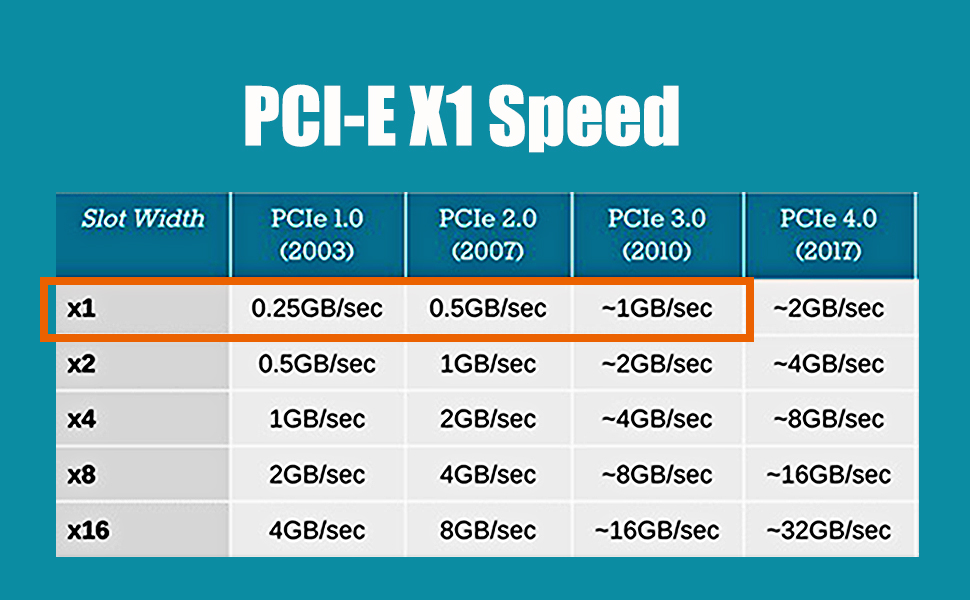
With PCI-E 4.0 hardware condition (PCI-E devices and motherboard and CPU all supports PCI-E 4.0):
With PCI-E 3.0 hardware condition (PCI-E devices and motherboard and CPU all supports PCI-E 3.0):
With PCI-E 2.0 hardware condition (PCI-E devices and motherboard and CPU all supports PCI-E 2.0):
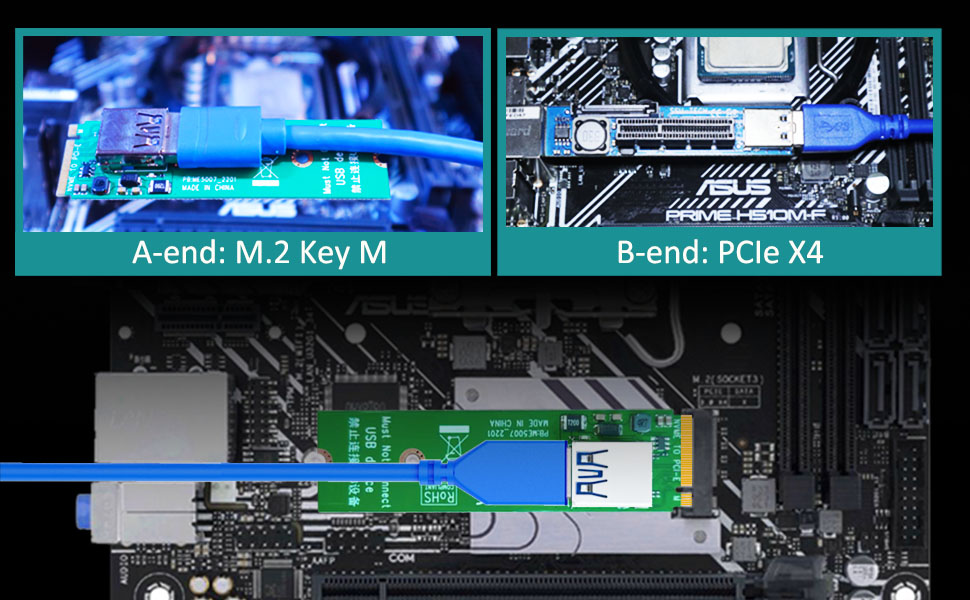
Noted:
| A-end | M.2 Key M |
| B-end | PCI-Express X4 (Female) |
| Speed Bandwidth | PCIe 3.0 X1 |
| Power Supply | 10W/12V |
| Length | 23.6inch/600mm |
This M.2 to X4 extension cable can convert to PCIe X4 interface, and extends to 23.6 Inch/60cm far away
It features with the following advantages:
Overall, this M.2 Key M to PCIe X4 extension cable is a reliable and practical solution that can perfectly solve your problems
Noted: although converting to PCIe X4 slot, speed bandwidth is PCIe 3.0 X1 at max
With PCI-E 4.0 hardware condition (PCI-E devices and motherboard and CPU all supports PCI-E 4.0):
With PCI-E 3.0 hardware condition (PCI-E devices and motherboard and CPU all supports PCI-E 3.0):
With PCI-E 2.0 hardware condition (PCI-E devices and motherboard and CPU all supports PCI-E 2.0):
Noted:
GLOTRENDS specializes in developing high-performance PCIe adapters and riser cables for computer engineers and DIY enthusiasts.
The products mainly include 2 series: PCIe adapters (M.2 SSD Adapter, SATA Card, WiFi/Ethernet Card, USB Card, etc) and PCIe 5.0/4.0/3.0 extension cables.
The goal of GLOTRENDS is to provide quality-assured and cost-effective products to customers worldwide. Customized production is welcome.


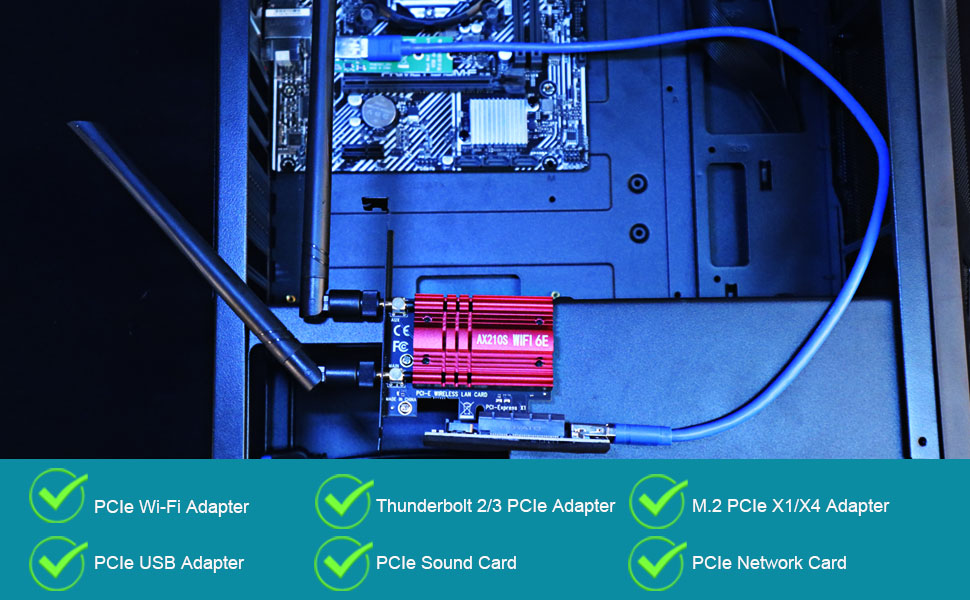
GLOTRENDS UEX108 600mm M.2 to PCIe X4 Riser Cable (PCIe 3.0 X1 Speed),for PCIe WiFi Card, M.2 PCIe Card, USB PCIe Card, Sound Card, etc
| Brand | GLOTRENDS |
| Hardware Interface | PCI Express x4 |
| Style | 600mm M.2 to PCIe X4 Riser Cable |
| Item Weight | 0.09 kg |
| Compatible Devices | Firewire Card, M.2 PCIe Adapter, PCIe WiFi Card, Sound Card, USB PCIe Card |
| Model Number | UEX108 |
| Number of Items | 1 |
| Number of Packs | 1 |
| Manufacturer | glotrends |
| Unit Count | 1 Count |
| Built-In Media | PCIe Riser Cable |
| Mfr Part Number | UEX108 |
| Operating System | Windows/Mac OS/Linux/NAS |
| Style Name | 600mm M.2 to PCIe X4 Riser Cable |


