Your Browsing History
- Free 30-day Returns
$89.03
Meet Your Seller
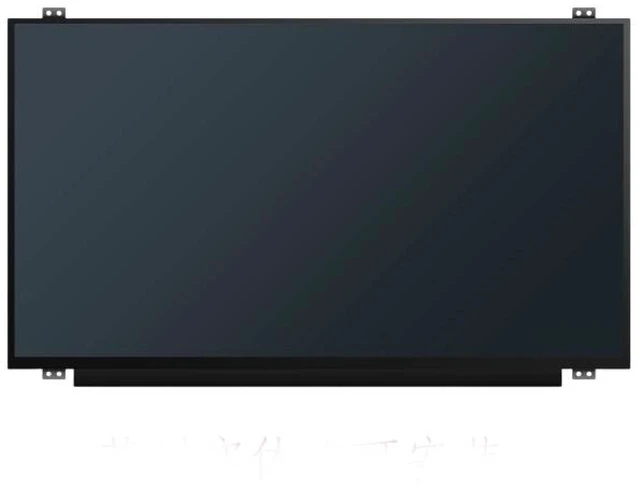
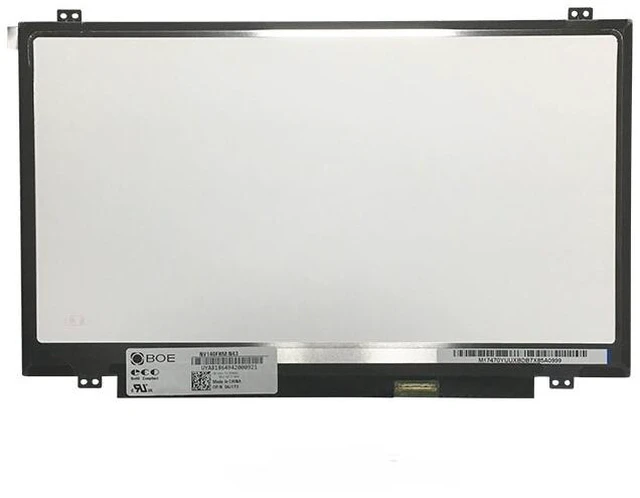
New 14.0" FHD IPS LCD Screen for Lenovo ThinkPad T480S E485 E480 T490 L480 R480 1920x1080 30-Pin eDP 60Hz Matte 12-Month Warranty
- Crystal-Clear FHD IPS Visuals Replace or upgrade your ThinkPad screen with a premium 14.0-inch 1920x1080 IPS display. Featuring a 16:9 aspect ratio, 60Hz refresh rate, and anti-glare matte finish, enjoy sharp text, vibrant colors, and reduced eye strain for all-day productivity.
- Wide Compatibility for Classic ThinkPad Models A direct drop-in replacement for Lenovo ThinkPad T480S, E485, E480, T490, L480, and R480 series. Most models share the same 14" size, FHD (1920x1080) resolution, and 30-pin eDP interface.
- Superior Color & Matte Finish Experience true-to-life visuals with 45% NTSC color gamut and ~200 nits brightness. The matte, anti-glare surface effectively reduces reflections and eye strain in bright environments perfect for long work sessions. Brightness may vary by panel manufacturer (AUO, BOE, Innolux, LG).
- Critical Verify Your Connector These laptops use a 30-pin eDP connector located on the bottom right of the screen. For T490 models, some units may use a 40-pin connector please verify your original screen's connector type before ordering. Panels are shipped without brackets, cables, or screws reuse your original hardware.
- 100% Tested & 12-Month Warranty Each screen is meticulously tested to ensure zero dead pixels, bright dots, or lines. Backed by a full 12-month warranty and 30-day hassle-free returns for your peace of mind.
+
+
Overview
Specs
Reviews
Any questions? Our AI mode will help you find out quickly.
Try me now
A cracked, faded, or low-resolution display can make your reliable ThinkPad feel outdated. Official repairs can be costly, but the solution is simpler than you think. This premium 14.0 -inch FHD IPS panel is a direct, drop-in replacement for many popular Lenovo ThinkPad models, restoring your device's visual clarity and transforming your user experience.
Compatible Laptop Models:
Lenovo ThinkPad T480S (20L7, 20L8)
Lenovo ThinkPad T490 (20N2, 20N3, 20Q9, 20QH)
Lenovo ThinkPad E480 / E485
Lenovo ThinkPad L480
Lenovo ThinkPad R480
CRITICAL Verify Your Connector Before Ordering
Lenovo is known for fitting different screen types to the same laptop model. These compatible models use a 30-pin eDP connector located on the bottom right of the screen (when viewed from the back), with a 0.5 mm pitch. This is not compatible with 40-pin eDP connectors.
Important: The ThinkPad T490 may ship with either a 30-pin or 40-pin eDP connector depending on the configuration. Please remove your old screen and verify the connector type (30-pin vs. 40-pin), size ( 14.0" ), and resolution (1920x1080) before ordering.
Specification Detail
Screen Size 14.0 inches
Resolution 1920 x 1080 (Full HD / FHD)
Refresh Rate 60Hz
Panel Type IPS (45% NTSC)
Interface 30-pin eDP (bottom right, 0.5 mm pitch)
Surface Matte / Anti-Glare
Brightness ~200 nits
Touch Non-Touch
Mounting Top/Bottom
Compatible FRU 01YN143, 01LW087, 01YN154, 01LW393, and others
Why Choose Our Screen:
Premium IPS Panel Not a low-quality copy; a screen that meets or exceeds OEM specifications.
FHD High Resolution Crisp, detailed visuals with 157 PPI pixel density.
Matte Anti-Glare Finish Reduces reflections for comfortable viewing in various lighting conditions.
Easy DIY Installation Standard 30-pin eDP interface with a simple drop-in design. No soldering, no complex modifications.
100% Tested Each screen is inspected before shipping to ensure it is free from defects like dead pixels, bright dots, or lines.
12-Month Warranty Buy with confidence. If anything goes wrong, we've got you covered.
Installation Note:
Disconnect the battery and all power sources.
Remove the bezel (frame) around the screen.
Unscrew the mounting screws on the sides of the screen.
Gently disconnect the 30-pin eDP cable from the back of the screen (connector is on the bottom right).
Attach the cable to the new screen.
Secure the screen with the screws and replace the bezel.
Caution: The display assembly is delicate. We strongly recommend testing the new screen before fully securing it connect the screen, power on the laptop, and verify it displays correctly. Professional installation is recommended if you are not comfortable with DIY repairs. Tools are not included.
What's Included:
1 x Replacement LCD Screen ( 14.0", FHD, IPS, 30-pin eDP)

Compatible Laptop Models:
Lenovo ThinkPad T480S (20L7, 20L8)
Lenovo ThinkPad T490 (20N2, 20N3, 20Q9, 20QH)
Lenovo ThinkPad E480 / E485
Lenovo ThinkPad L480
Lenovo ThinkPad R480
CRITICAL Verify Your Connector Before Ordering
Lenovo is known for fitting different screen types to the same laptop model. These compatible models use a 30-pin eDP connector located on the bottom right of the screen (when viewed from the back), with a 0.5 mm pitch. This is not compatible with 40-pin eDP connectors.
Important: The ThinkPad T490 may ship with either a 30-pin or 40-pin eDP connector depending on the configuration. Please remove your old screen and verify the connector type (30-pin vs. 40-pin), size ( 14.0" ), and resolution (1920x1080) before ordering.
Specifications
:Specification Detail
Screen Size 14.0 inches
Resolution 1920 x 1080 (Full HD / FHD)
Refresh Rate 60Hz
Panel Type IPS (45% NTSC)
Interface 30-pin eDP (bottom right, 0.5 mm pitch)
Surface Matte / Anti-Glare
Brightness ~200 nits
Touch Non-Touch
Mounting Top/Bottom
Compatible FRU 01YN143, 01LW087, 01YN154, 01LW393, and others
Why Choose Our Screen:
Premium IPS Panel Not a low-quality copy; a screen that meets or exceeds OEM specifications.
FHD High Resolution Crisp, detailed visuals with 157 PPI pixel density.
Matte Anti-Glare Finish Reduces reflections for comfortable viewing in various lighting conditions.
Easy DIY Installation Standard 30-pin eDP interface with a simple drop-in design. No soldering, no complex modifications.
100% Tested Each screen is inspected before shipping to ensure it is free from defects like dead pixels, bright dots, or lines.
12-Month Warranty Buy with confidence. If anything goes wrong, we've got you covered.
Installation Note:
Disconnect the battery and all power sources.
Remove the bezel (frame) around the screen.
Unscrew the mounting screws on the sides of the screen.
Gently disconnect the 30-pin eDP cable from the back of the screen (connector is on the bottom right).
Attach the cable to the new screen.
Secure the screen with the screws and replace the bezel.
Caution: The display assembly is delicate. We strongly recommend testing the new screen before fully securing it connect the screen, power on the laptop, and verify it displays correctly. Professional installation is recommended if you are not comfortable with DIY repairs. Tools are not included.
What's Included:
1 x Replacement LCD Screen ( 14.0", FHD, IPS, 30-pin eDP)
Warranty & Returns
Warranty, Returns, And Additional Information
Warranty
- Please contact the Seller directly for warranty information. Warranty information may also be found on the Manufacturer's website.
- CONTACT
Return Policies
- Return for refund within: 30 days
- Return for replacement within: 30 days
- This item is covered by Ebuy limited Return Policy
Manufacturer Contact Info
- For a directory of all our manufacturers, please click below.
- Manufacturers Directory
LOADING...