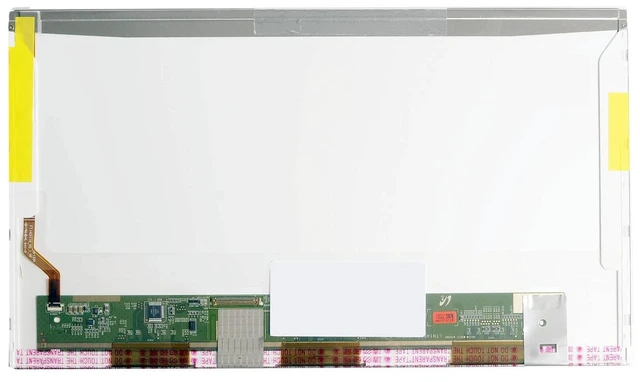
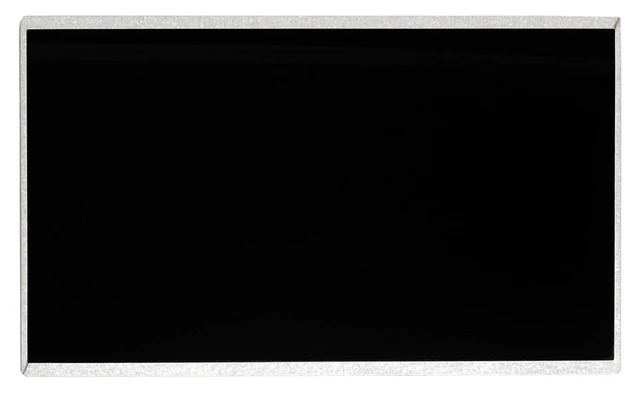
A cracked, faded, or flickering display can make your classic ASUS laptop frustrating to use. Official repairs are no longer available for these older models, but the solution is simpler than you think. This 14.0 -inch HD LED screen is a direct, drop-in replacement for a wide range of ASUS laptops, restoring your device to its original visual quality without breaking the bank.
Compatible Laptop Models:
ASUS A40D
ASUS A42F / A42F-VX
ASUS A43S / A43S Series
ASUS F83SE / F83SE-1B
ASUS F83CR / F83E335CR-SL
ASUS F8S Series
ASUS K43 / K43S (same panel)
Other ASUS 14-inch models using 40-pin LVDS connector
CRITICAL Verify Your Connector Before Ordering
These laptops use a 40-pin LVDS connector located on the bottom left of the screen (when viewed from the back).
This is not compatible with:
30-pin LVDS connectors
30-pin eDP connectors (used in newer laptops)
40-pin eDP connectors
Please remove your old screen and verify the connector type (40-pin LVDS), pin count (40), and connector position (bottom left) before ordering. Installing a screen with the wrong connector will not work. Panels are shipped without brackets, cables, screws, or other mounting hardware please reuse your original parts.
Specifications
:
Specification Detail
Screen Size 14.0 inches
Resolution 1366 x 768 (HD / WXGA)
Refresh Rate 60Hz
Panel Type TN (Twisted Nematic)
Surface Finish Glossy
Backlight LED
Interface 40-pin LVDS (Bottom Left)
Input Voltage 3.3V
Onboard EDID Yes
What a Cracked or Failing Screen Costs You:
Poor visual experience Distracting lines, dead pixels, or faded colors hinder productivity.
Eye strain Flickering or dim screens cause fatigue during long sessions.
Reduced productivity A damaged screen limits your ability to work effectively.
No OEM support These models are no longer supported by ASUS for official repairs.
Why Choose Our Screen:
Premium Replacement Panel A genuine-grade replacement that meets original specifications.
Glossy Finish Delivers vibrant, punchy colors with rich contrast.
LED Backlight Bright, energy-efficient illumination for clear viewing.
Easy DIY Installation Standard 40-pin LVDS interface with a simple plug-and-play design. No soldering, no complex modifications.
100% Tested Each screen is inspected before shipping to ensure it is free from defects like dead pixels, bright dots, or lines.
12-Month Warranty Buy with confidence. If anything goes wrong, we've got you covered.
Installation Note:
Disconnect the battery and all power sources.
Remove the bezel (frame) around the screen.
Unscrew the mounting screws on the sides of the screen.
Gently disconnect the 40-pin LVDS cable from the back of the screen (connector is on the bottom left).
Attach the cable to the new screen.
Secure the screen with the screws and replace the bezel.
Caution: The display assembly is delicate. We strongly recommend testing the new screen before fully securing it connect the screen, power on the laptop, and verify it displays correctly. Professional installation is recommended if you are not comfortable with DIY repairs. Tools are not included.
What's Included:
1 x Replacement LCD Screen ( 14.0", HD, 40-pin LVDS)





 here!
here!