Your Browsing History
- Free 30-day Returns
$259.99
Meet Your Seller
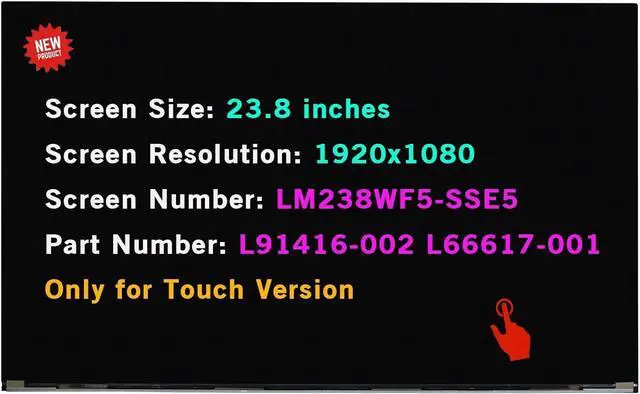
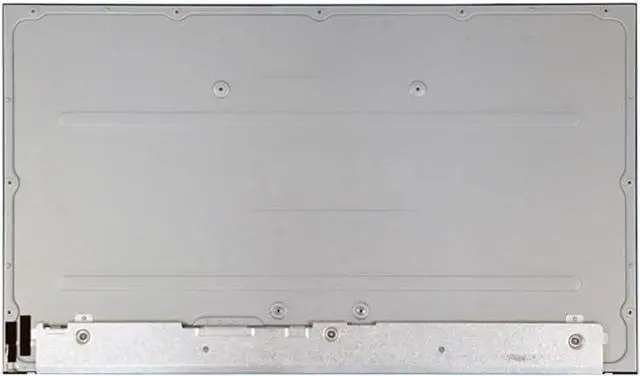
23.8" LCD Screen Replacement LM238WF5-SSE5 for HP 24-dp0014 24-dp1280 24-dp0124 24-dp0161 24-dp0224 24-dp0140z 24-dp0158qe 24-dp0160 24-dp0180 LM238WF5 SS E5 Touch Display Panel 1920x1080 FHD
- Screen Size: 23.8 inch; Backlight: LED LCD; Laptop LCD Screen Resolution: 1920x1080 FHD
- Screen Number: for HP 24-D 24-dp0014 24-dp1280 24-dp0124 24-dp0161 24-dp100la 24-dp0224 24-dp0140z 24-dp0158qe 24-dp0160 24-dp0180 24" Borderless LCD Screen All-in-One Touchscreen 23.8" FHD
- Warranty period: 3 months;Screen Number: LM238WF5-SSE5 LM238WF5(SS)(E5) LM238WF5 SS E5
- Before buying, please check the model and size resolution to make sure 100% this is the correct item you need.
- Please refer to the following instructions, compatible, if you have any problems with the installation, you can contact us
+
+
Overview
Specs
Reviews
Any questions? Our AI beta will help you find out quickly.
Try me now
Purchase instructions:
1. You must verify that your specific laptop model is listed in our title or description. Buying the wrong model can damage your laptop;
2. You must verify your parameters (including maximum resolution: UHD, QHD, FHD or HD; Whether it has touch function; The connector is either 30pin or 40pin; Refresh rate 60Hz, 120Hz, 144Hz, 165Hz, 240HZ or other. After double checking the above information, you will receive the correct product.
3. The following is a method to query the maximum resolution
My Laptop - Display - Maximum Resolution
4. The following is a method for querying refresh rates
Please Check PC Refresh Rate: Right click on your desktop > Go to the Display settings > Click Advanced display settings > Display information - Refresh rate (Hz)

1. You must verify that your specific laptop model is listed in our title or description. Buying the wrong model can damage your laptop;
2. You must verify your parameters (including maximum resolution: UHD, QHD, FHD or HD; Whether it has touch function; The connector is either 30pin or 40pin; Refresh rate 60Hz, 120Hz, 144Hz, 165Hz, 240HZ or other. After double checking the above information, you will receive the correct product.
3. The following is a method to query the maximum resolution
My Laptop - Display - Maximum Resolution
4. The following is a method for querying refresh rates
Please Check PC Refresh Rate: Right click on your desktop > Go to the Display settings > Click Advanced display settings > Display information - Refresh rate (Hz)
Warranty & Returns
Warranty, Returns, And Additional Information
Warranty
- Please contact the Seller directly for warranty information. Warranty information may also be found on the Manufacturer's website.
- CONTACT
Return Policies
- Return for refund within: 30 days
- Return for replacement within: 30 days
- This item is covered by Fix-Repairer Return Policy
Manufacturer Contact Info
- For a directory of all our manufacturers, please click below.
- Manufacturers Directory
LOADING...