• $109.90
  • Free 30-day Returns
  • Price alert
    Shop it at NeweggBusiness.

    Meet Your Seller

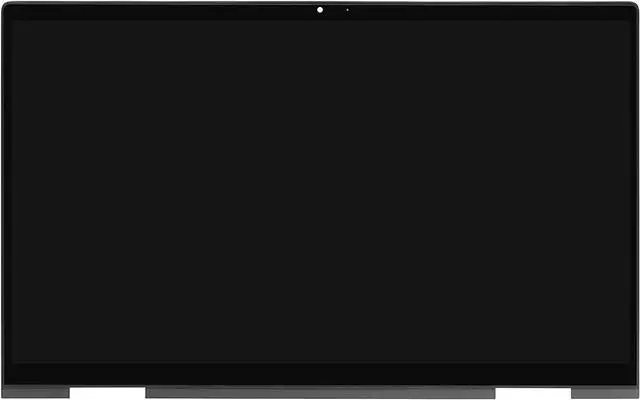
    13.3" Screen Replacement for HP Envy x360 13-ay 13z-ay0xx 13z-ay1xxx 13-AY0055CL 13-ay0021nr 13-ay0075nr L94493-001 L94495-001 LCD Display Touch Screen Digitizer Assembly Bezel with Board (1920x1080)

    • Warning: In order to prevent customers from damaging the touch control board during the installation process, the touch control board has been improved and fixed. Please ignore the difference of the touch control board. Please refer to the installation video in the last product image.
    • Not support stylus & active pen! Compatible Model : Replacement L94494-001 L94493-001 L94495-001 for HP ENVY X360 13Z-AY 13-AY 13Z-AY000 13Z-AY000 13-AY0006CA 13-AY0008CA 13-AY0010CA 13-AY0021NR 13-AY0055CL 13Z-AY000 13-ay0001la 13-ay0002la 13-ay0101la 13-ay0102la 13-ay0103la 13-ay0162la 13-ay0005AU 13-ay0043AU 13-ay0044AU 13-ay0051AU 13-ay0052AU 13-ay0054AU 13-ay0055AU 13-ay0056AU 13-ay0057AU 13-ay0065AU 13-ay0066AU 13-ay0067AU 13-ay0068AU 13-ay0069AU 13-ay0070AU 13-ay0071AU 13-ay0078AU
    • Resolution: 1920x1080 -IPS (Not for 3840x2160); Screen Size : 13.3"; EDP 30pins (Not for 40Pins); Backlight: LED LCD
    • Please install it Very Professionally, if Not, Please Do Not Try. Before purchasing, please reconfirm whether the product you choose is the model you need.
    • It will be tested and packed carefully before shipping. Please turn off the power before assembly. And we provide a 3-month warranty for quality problems, if you have any doubts, please contact us in time.
    +
    +
    Overview
    Specs
    Reviews
    avatar

    Any questions? Our AI beta will help you find out quickly.

    Purchase instructions:
    1. You must verify that your specific laptop model is listed in our title or description. Buying the wrong model can damage your laptop;
    2. You must verify your parameters (including maximum resolution: UHD, QHD, FHD or HD; Whether it has touch function; The connector is either 30pin or 40pin; Refresh rate 60Hz, 120Hz, 144Hz, 165Hz, 240HZ or other. After double checking the above information, you will receive the correct product.
    3. The following is a method to query the maximum resolution
    My Laptop - Display - Maximum Resolution
    4. The following is a method for querying refresh rates
    Please Check PC Refresh Rate: Right click on your desktop > Go to the Display settings > Click Advanced display settings > Display information - Refresh rate (Hz)

    Warranty & Returns

    Warranty, Returns, And Additional Information

    Warranty

    • Please contact the Seller directly for warranty information. Warranty information may also be found on the Manufacturer's website.
    • CONTACT

    Return Policies

    Manufacturer Contact Info

    LOADING...