Your Browsing History
- Free 30-day Returns
$111.13
Best Sellers
- $111.03
- + FREE SHIPPING
Meet Your Seller
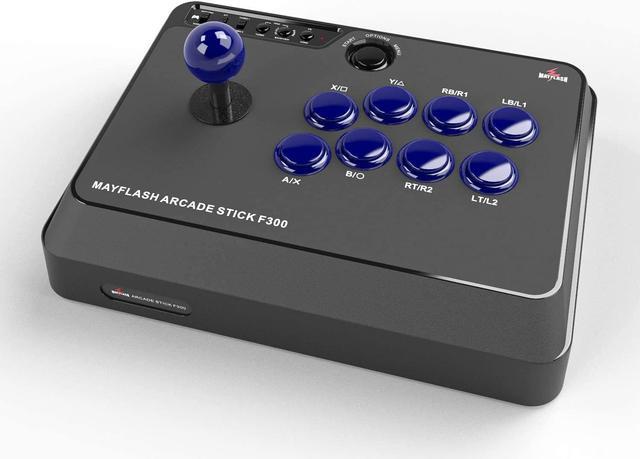
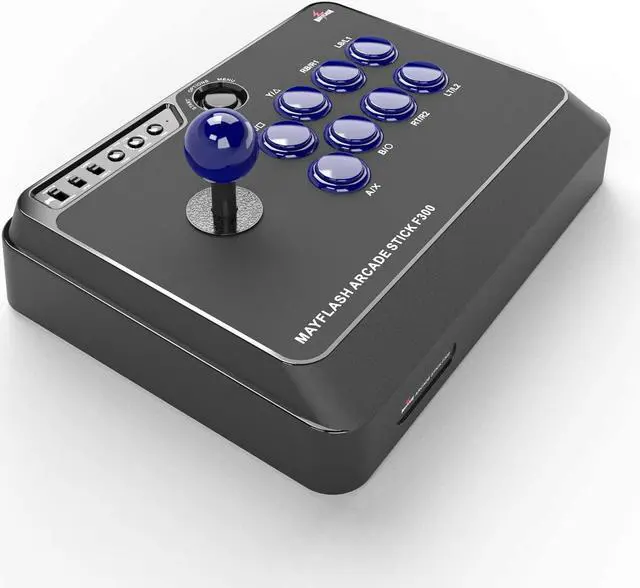
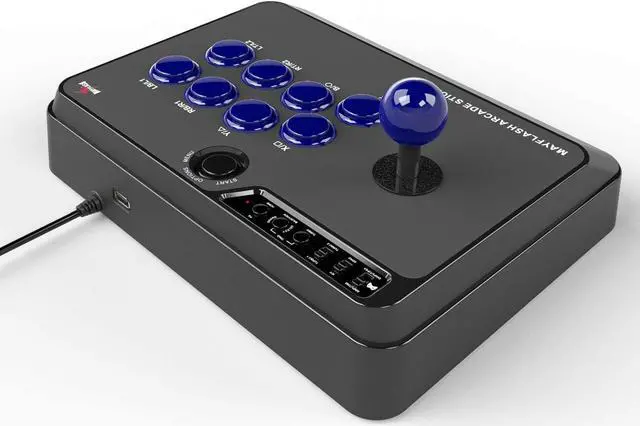
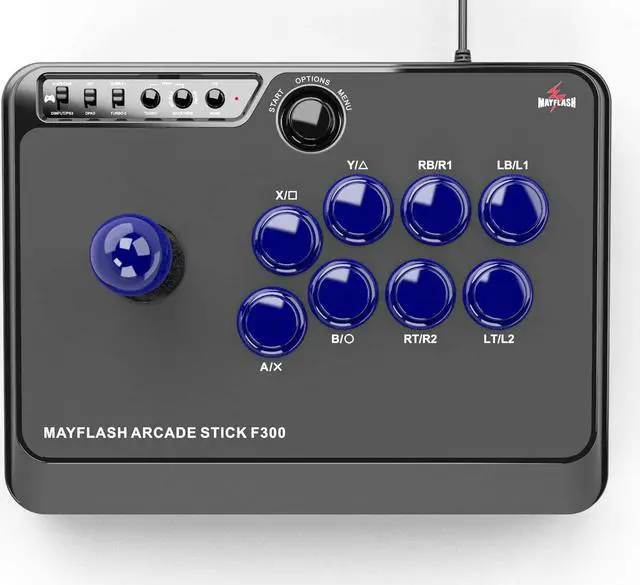
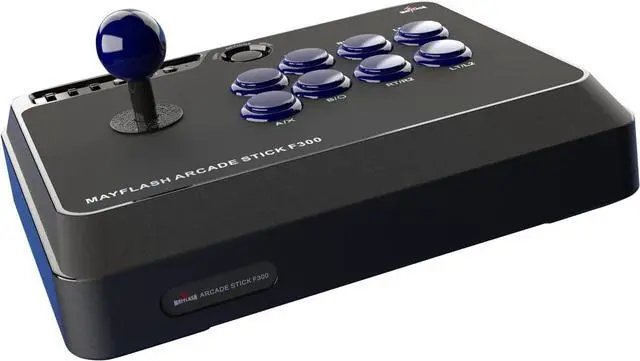
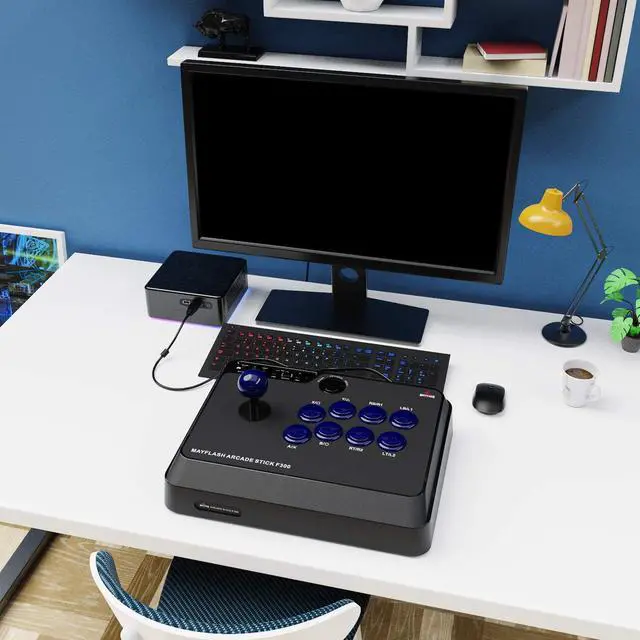
F300 Arcade Fight Stick Joystick for Switch, Xbox Series X, PS4,PS3, Xbox One, Xbox 360, macOS, Windows, Steam Deck, NeoGeo mini, NeoGeo Arcade Stick Pro
- Compatible with Switch, PS4, PS3, Xbox Series S/X, Xbox One, Xbox 360, PC Windows, macOS, Steam Deck, Android, NeoGeo mini.
- Compatible with Sanwa Denshi buttons and joystick that is perfect for customization
- Supports the XINPUT and DINPUT when being used on PC
- Supports the Turbo functions with different speed settings.
- F300 is compatible with PS5 by MAYFLASH Magic-S Ultimate adapter or third party PS4 Controllers.
+
+
Overview
Specs
Reviews
Any questions? Our AI beta will help you find out quickly.
Try me now
* Update your Xbox Seires S/X controller to the latest version if you have any issues connecting with Xbox controllers.
System Compatibility: PS4, PS3, Switch, Xbox Series S/X, Xbox One, Xbox 360, PC Windows, macOS, Steam Deck, Android, NEOGEO mini, SEGA MEGA DRIVE, SEGA GENESIS.
More Supports
- Supports the XINPUT and DINPUT when being used on PC.
- Supports the Turbo functions with different speed settings.
- The D-Pad and X/Y Analog Axis mode can be exchanged.
- Compatible with Sanwa Denshi buttons and joystick that is perfect for customization.
- Update to the latest firmware.
Package
1 x MAYFLASH Arcade Stick F300
1 x Manual
1 x One meter USB Cable
1 x USB Type-C Cable
1 x Octagonal gate
1. XINPUT/NS, GAME CONSOLE and DINPUT/PS3
- XINPUT/NS: Supports PC Xinput and Switch.
- GAME CONSOLE: Compatible with PS4, Xbox One, Xbox 360.
- DINPUT/PS3: Supports PC Dinput and PS3.
2. X/Y and Dpad
If the switch is set to the "X/Y, the stick works as the "Left Joystick.
If settingthe switch to "DPAD, the stick works as "POV.
3. TURBO-1 and TURBO-2
- TURBO-1: The Turbo speed is 15 times/ second.
- TURBO-2: The Turbo speed is 25 times/second.
4. TURBO
- The 8 function buttons (A/X, B/O, X/, Y/, RB/R1, RT/R2, LB/L1, LT/L2)can be set for TURBO.
- See the user manual to get more details about Turbo function.
Quick Start
- Please make sure you plug the wired controller to the arcade stick when you use it on PS4, Xbox One and Xbox 360.
- The wireless controller that comes with your console will become a wired controller by simply connecting a standard USB cable (with exception of Xbox 360 which requires an official wired Xbox 360 controller). For best results, it is recommended that you use genuine Xbox or PlayStation controllers and quality certified USB cables.
Joystick and Buttons
MAYFLASH Joystick
It's compatible with Sanwa Stick Model TP-8YT
MAYFLASH Buttons
- 8 blue buttons are compatible with Sanwa Buttons Model OBSF-30
- 1 black button is compatible with Sanwa Button Model OBSF-24
USB Port
The USB port is used for plugging the wired controllers.

System Compatibility: PS4, PS3, Switch, Xbox Series S/X, Xbox One, Xbox 360, PC Windows, macOS, Steam Deck, Android, NEOGEO mini, SEGA MEGA DRIVE, SEGA GENESIS.
More Supports
- Supports the XINPUT and DINPUT when being used on PC.
- Supports the Turbo functions with different speed settings.
- The D-Pad and X/Y Analog Axis mode can be exchanged.
- Compatible with Sanwa Denshi buttons and joystick that is perfect for customization.
- Update to the latest firmware.
Package
1 x MAYFLASH Arcade Stick F300
1 x Manual
1 x One meter USB Cable
1 x USB Type-C Cable
1 x Octagonal gate
1. XINPUT/NS, GAME CONSOLE and DINPUT/PS3
- XINPUT/NS: Supports PC Xinput and Switch.
- GAME CONSOLE: Compatible with PS4, Xbox One, Xbox 360.
- DINPUT/PS3: Supports PC Dinput and PS3.
2. X/Y and Dpad
If the switch is set to the "X/Y, the stick works as the "Left Joystick.
If settingthe switch to "DPAD, the stick works as "POV.
3. TURBO-1 and TURBO-2
- TURBO-1: The Turbo speed is 15 times/ second.
- TURBO-2: The Turbo speed is 25 times/second.
4. TURBO
- The 8 function buttons (A/X, B/O, X/, Y/, RB/R1, RT/R2, LB/L1, LT/L2)can be set for TURBO.
- See the user manual to get more details about Turbo function.
Quick Start
- Please make sure you plug the wired controller to the arcade stick when you use it on PS4, Xbox One and Xbox 360.
- The wireless controller that comes with your console will become a wired controller by simply connecting a standard USB cable (with exception of Xbox 360 which requires an official wired Xbox 360 controller). For best results, it is recommended that you use genuine Xbox or PlayStation controllers and quality certified USB cables.
Joystick and Buttons
MAYFLASH Joystick
It's compatible with Sanwa Stick Model TP-8YT
MAYFLASH Buttons
- 8 blue buttons are compatible with Sanwa Buttons Model OBSF-30
- 1 black button is compatible with Sanwa Button Model OBSF-24
USB Port
The USB port is used for plugging the wired controllers.
Warranty & Returns
Warranty, Returns, And Additional Information
Warranty
- Please contact the Seller directly for warranty information. Warranty information may also be found on the Manufacturer's website.
- CONTACT
Return Policies
- Return for refund within: 30 days
- Return for replacement within: 30 days
- This item is covered by Group Can Trading Limited Return Policy
Manufacturer Contact Info
- For a directory of all our manufacturers, please click below.
- Manufacturers Directory
LOADING...
LOADING...