

Your Browsing History
- Free 30-day Returns
$94.99

Meet Your Seller

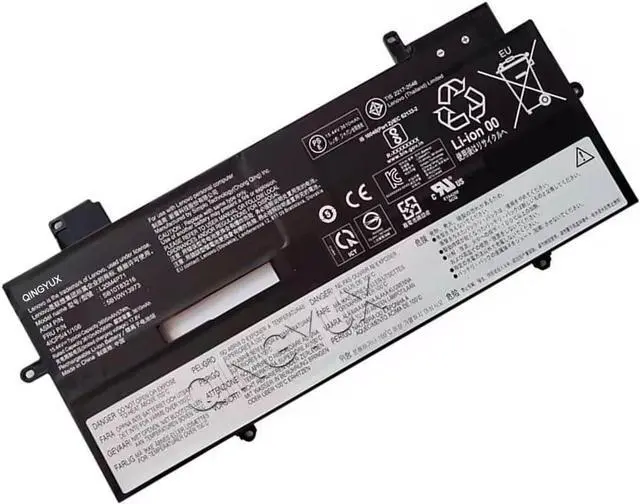
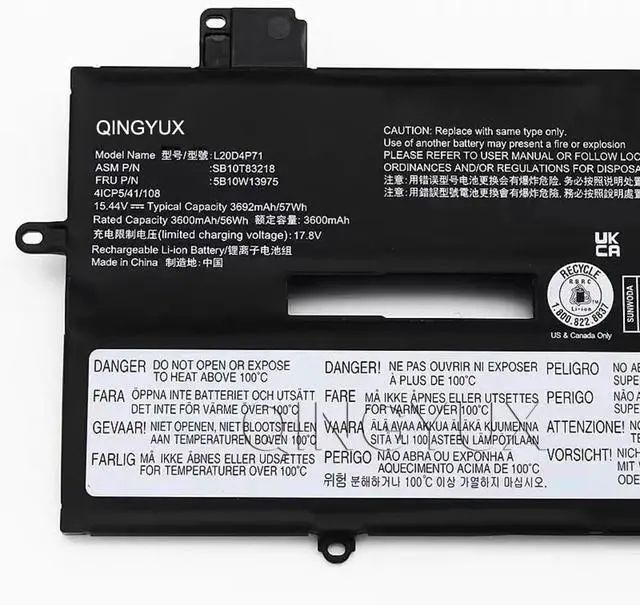
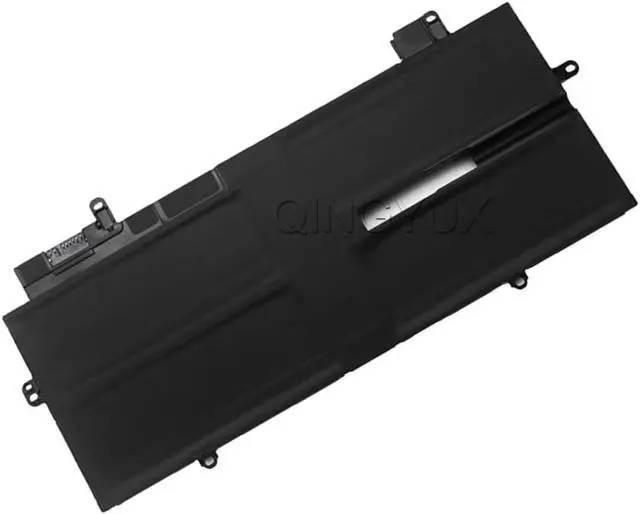


L20D4P71 L20C4P71 L20L4P71 L20M4P71 Laptop Battery Compatible with Lenovo ThinkPad X1 Carbon 9th Gen 9 2021 10th Gen X1 Yoga 6th Gen 7th Gen 2022 Series 15.44V 57Wh
- Condition: New Voltage: 15.44V Capacity: 57Wh/3692mAh Color: Black
- Replacement for Part Number: L20D4P71 L20L4P71 SB10T83215 5B10W13972 L20M4P71 SB10T83216 5B10W13973 L20C4P71 SB10T83217 5B10W13974 SB10T83218 5B10W13975 4ICP5/41/108
- Fit For: forLenovo ThinkPad X1 Carbon 9th Gen (X1 Carbon 2021) Series, Fit for Lenovo ThinkPad X1 Carbon 10th Gen (X1 Carbon 2022) Series, Fit for Lenovo ThinkPad X1 Yoga 6th Gen (X1 Yoga 2021) Series, Fit for Lenovo ThinkPad X1 Yoga 7th Gen (X1 Yoga 2022) Series, Fit for Lenovo ThinkPad X1 Carbon Gen 9 2021, Fit for Lenovo ThinkPad X1 Carbon G9-20XW
- The Package Includes: 1X L20D4P71 battery. Before purchasing, please open the back cover of the laptop to confirm the battery model and capacity.
- Raise the battery life:1:After receiving the battery,Please charge it fully, then discharge it to around 10% ,and do it as three times. 2:If you don't use the battery for a long time, please charge and discharge it once a month.
+
+
Overview
Specs
Reviews

Any questions? Our AI mode will help you find out quickly.
Try me now
Condition: New Voltage: 15.44V Capacity: 57Wh/3692mAh Color: Black
Replacement for Part Number: L20D4P71 L20L4P71 SB10T83215 5B10W13972 L20M4P71 SB10T83216 5B10W13973 L20C4P71 SB10T83217 5B10W13974 SB10T83218 5B10W13975 4ICP5/41/108
Fit For: forLenovo ThinkPad X1 Carbon 9th Gen (X1 Carbon 2021) Series, Fit for Lenovo ThinkPad X1 Carbon 10th Gen (X1 Carbon 2022) Series, Fit for Lenovo ThinkPad X1 Yoga 6th Gen (X1 Yoga 2021) Series, Fit for Lenovo ThinkPad X1 Yoga 7th Gen (X1 Yoga 2022) Series, Fit for Lenovo ThinkPad X1 Carbon Gen 9 2021, Fit for Lenovo ThinkPad X1 Carbon G9-20XW
The Package Includes: 1X L20D4P71 battery. Before purchasing, please open the back cover of the laptop to confirm the battery model and capacity.
Raise the battery life:1:After receiving the battery,Please charge it fully, then discharge it to around 10% ,and do it as three times. 2:If you don't use the battery for a long time, please charge and discharge it once a month.
Replacement for Part Number: L20D4P71 L20L4P71 SB10T83215 5B10W13972 L20M4P71 SB10T83216 5B10W13973 L20C4P71 SB10T83217 5B10W13974 SB10T83218 5B10W13975 4ICP5/41/108
Fit For: forLenovo ThinkPad X1 Carbon 9th Gen (X1 Carbon 2021) Series, Fit for Lenovo ThinkPad X1 Carbon 10th Gen (X1 Carbon 2022) Series, Fit for Lenovo ThinkPad X1 Yoga 6th Gen (X1 Yoga 2021) Series, Fit for Lenovo ThinkPad X1 Yoga 7th Gen (X1 Yoga 2022) Series, Fit for Lenovo ThinkPad X1 Carbon Gen 9 2021, Fit for Lenovo ThinkPad X1 Carbon G9-20XW
The Package Includes: 1X L20D4P71 battery. Before purchasing, please open the back cover of the laptop to confirm the battery model and capacity.
Raise the battery life:1:After receiving the battery,Please charge it fully, then discharge it to around 10% ,and do it as three times. 2:If you don't use the battery for a long time, please charge and discharge it once a month.
Warranty & Returns
Warranty, Returns, And Additional Information
Warranty
- Please contact the Seller directly for warranty information. Warranty information may also be found on the Manufacturer's website.
- CONTACT
Return Policies
- Return for refund within: 30 days
- Return for replacement within: 30 days
- This item is covered by E-Transit Limited Return Policy
Manufacturer Contact Info
- For a directory of all our manufacturers, please click below.
- Manufacturers Directory
LOADING...