shipping Holiday Shipping Details & Extended Holiday Returns
  • $99.99
  • Free 30-day Returns
  • Price alert
    Shop it at NeweggBusiness.

    Meet Your Seller

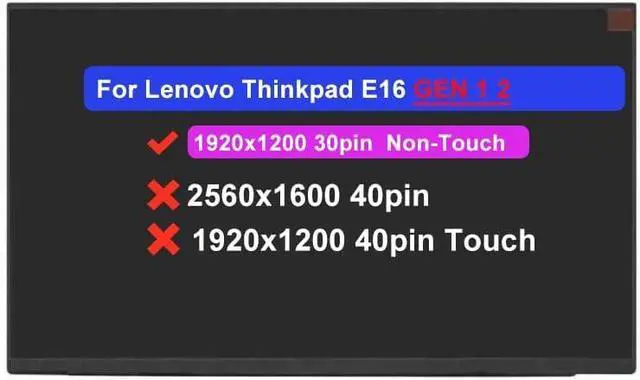
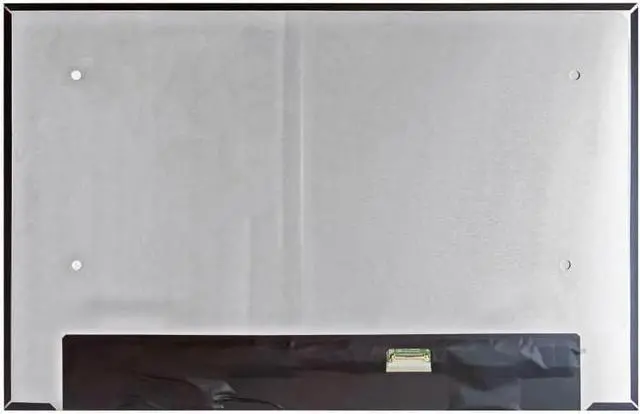
    16.0" Screen Replacement for Lenovo Thinkpad E16 GEN 1 2 Type 21JN 21JQ 21JT 21JU 21M5 21M6 21MA 21MB 5D10V82439 5D10V82440 5D10V82408 LCD Non-Touch Screen (FHD+ 30pin 1920x1200)

    • Compatible Model : Screen Replacement for Thinkpad E16 GEN 1 2 Type 21JN 21JQ 21JT 21JU 21M5 21M6 21MA 21MB 5D10V82439 5D10V82440 5D10V82408
    • Data Cable Pins: 30 pins ; Max Resolution: FHD+ 1920x1200
    • Note : Computer screen models are numerous and complex , some internal screen models are compatible with each other , Please kindly check your model and resolution again before you purchase . If you are not sure whether it is the correct item you need , please contact us with specific model and pictures of your original screen .
    • Note : NO instructions are followed , Please install it Very Professionally , You need to Pull Off the Power Adapter & Battery Cable when install . Please keep your original parts . Package includes LCD Screen Only ( Not a laptop )
    • Note : When you find that the computer replacement screen does not work , please do not immediately return products , we are able to provide you with some technical support .
    +
    +
    Overview
    Specs
    Reviews
    avatar

    Any questions? Our AI beta will help you find out quickly.

    Purchase instructions: 1. You must verify that your specific laptop model is listed in our title or description. Buying the wrong model can damage your laptop;
    2. You must verify your parameters (including maximum resolution: UHD, QHD, FHD or HD; Whether it has touch function; The connector is either 30pin or 40pin; Refresh rate 300Hz, 165Hz, 140Hz, 383Hz or other. After double checking the above information, you will receive the correct product.
    3. The following is a method to query the maximum resolution
    My Laptop - Display - Maximum Resolution
    The following is a method for querying refresh rates
    4.
    Please Check PC Refresh Rate: Right click on your desktop > Go to the Display settings > Click Advanced display settings > Display information - Refresh rate (Hz)

    Warranty & Returns

    Warranty, Returns, And Additional Information

    Warranty

    • Please contact the Seller directly for warranty information. Warranty information may also be found on the Manufacturer's website.
    • CONTACT

    Return Policies

    Manufacturer Contact Info

    LOADING...