OUT OF STOCK
This item is currently out of stock and it may or may not be restocked.
Price alert
Shop it at NeweggBusiness.

Meet Your Seller

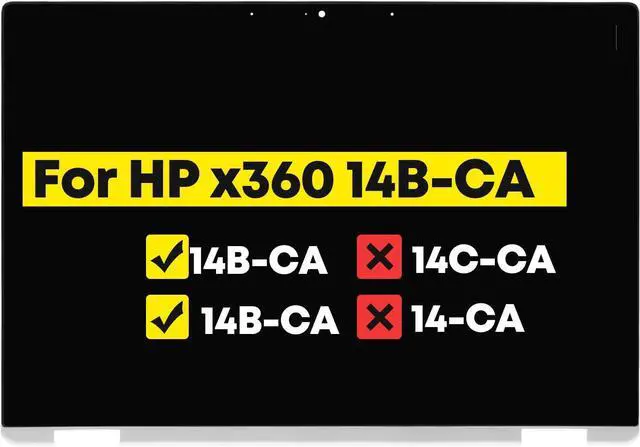
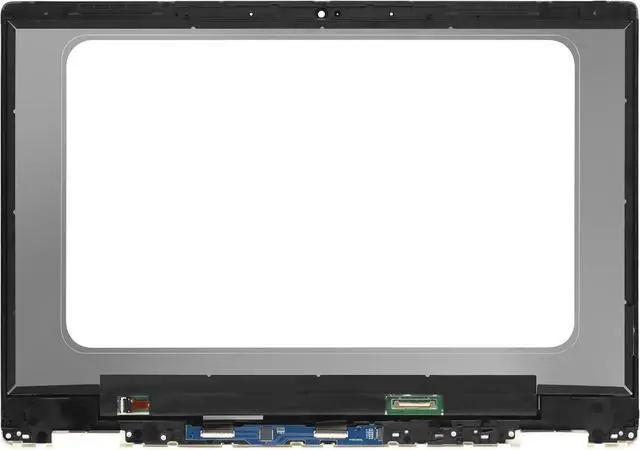
14.0" Digitizer Assembly for HP Chromebook x360 14B-CA 14b-ca0xxx 14b-ca0013dx 14b-ca0023dx 14b-ca0010nr 14b-ca0036nr 14b-ca0645cl 14b-ca0025cl 14b-ca0015cl 14b-ca0061wm LCD Touch Screen Replacement

  • [Important] Compatible Model : LCD Touch Screen Digitizer Display Assembly for HP Chromebook x360 Chromebook x360 14B-CA 14b-ca0xxx 14b-ca0013dx 14b-ca0023dx 14b-ca0010nr 14b-ca0036nr 14b-ca0645cl 14b-ca0025cl 14b-ca0015cl 14b-ca0061wm FHD 1920x1080 IPS
  • [Important] Please check that the original screen resolution ,Data Cable Pins, Touch or non-touch functions and screen inches are same as described on the link.
  • [Important] After purchasing, We suggest you remove the screen from the computer ,there is a small sticker on the back of the screen, the sticker says the screen model,then take a picture and send it to us.
  • [Important] Please install it Very Professionally , if Not , Please Do Not Try . (You need to Pull Off the Power Adapter & Battery Cable when install) .Package includes LCD Screen Only (NOT a laptop).
  • [Important] All products we provide are compatible based on our test. we will send you Depending on our stock.
+
+
Overview
Specs
Reviews
avatar

Any questions? Our AI beta will help you find out quickly.

Purchase instructions: 1. You must verify that your specific laptop model is listed in our title or description. Buying the wrong model can damage your laptop;
2. You must verify your parameters (including maximum resolution: UHD, QHD, FHD or HD; Whether it has touch function; The connector is either 30pin or 40pin; Refresh rate 300Hz, 165Hz, 140Hz, 383Hz or other. After double checking the above information, you will receive the correct product.
3. The following is a method to query the maximum resolution
My Laptop - Display - Maximum Resolution
The following is a method for querying refresh rates
4.
Please Check PC Refresh Rate: Right click on your desktop > Go to the Display settings > Click Advanced display settings > Display information - Refresh rate (Hz)

Warranty & Returns

Warranty, Returns, And Additional Information

Warranty

  • Please contact the Seller directly for warranty information. Warranty information may also be found on the Manufacturer's website.
  • CONTACT

Return Policies

Manufacturer Contact Info

LOADING...