• $89.89
  • Free 30-day Returns
  • Price alert
    Shop it at NeweggBusiness.

    Meet Your Seller

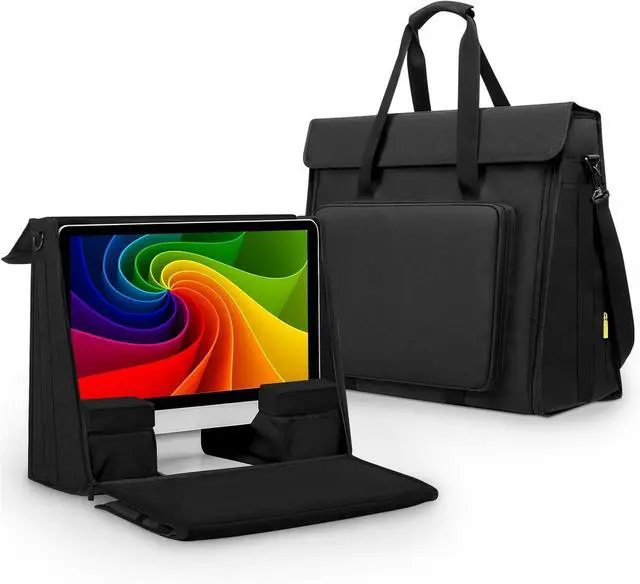
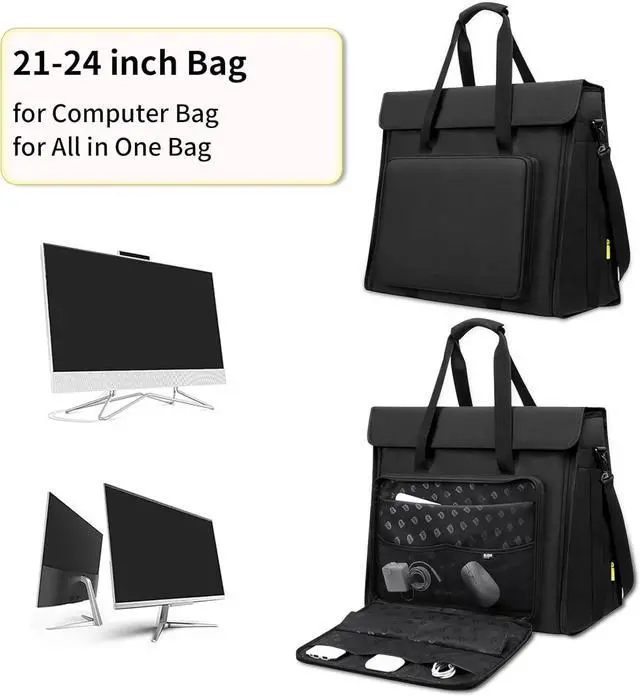
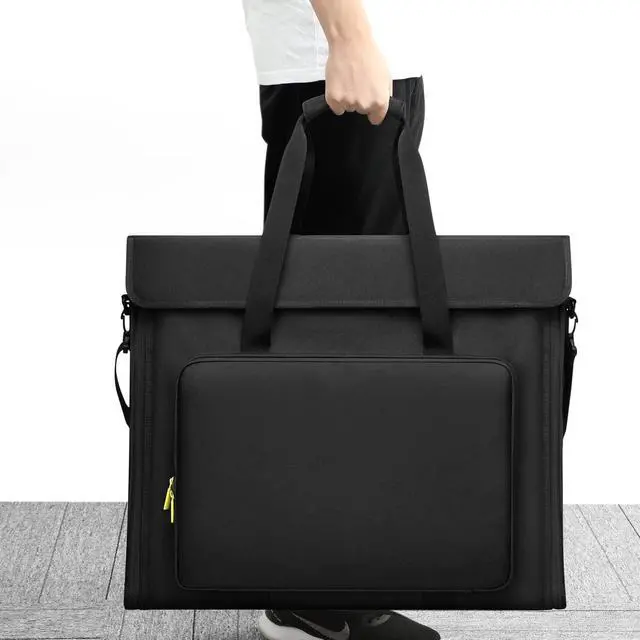
    21/24 inch LCD Screen Computer Tote Bag Compatible with iMac All in One Desktop Monitor Computer Bag Travel Storage Carrying with Shoulder Strap

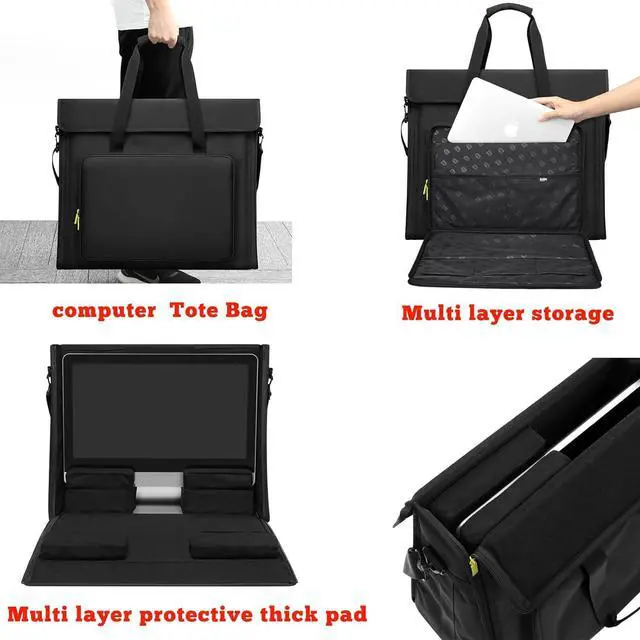
    • compatible with iMac All in One 21-24 inch LCD Screen Display Desktop Computer Carry bag Tote Bag , with Shoulder Strap .
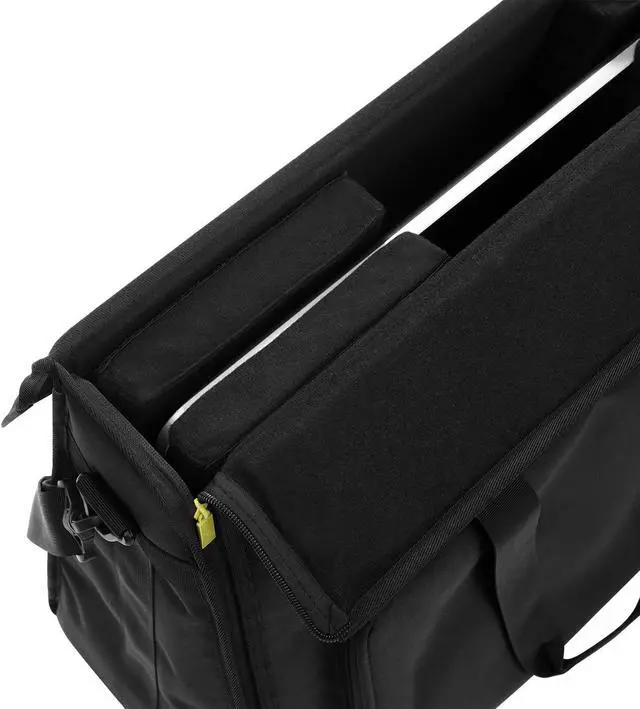
    • EXCELLENT PROTECTION: The outer material is strong, tear-resistant and water-repellent nylon, and the inner is a soft velvet lining, plus a padded PE foam pad. All-round protection of your screen from scratches and bumps.
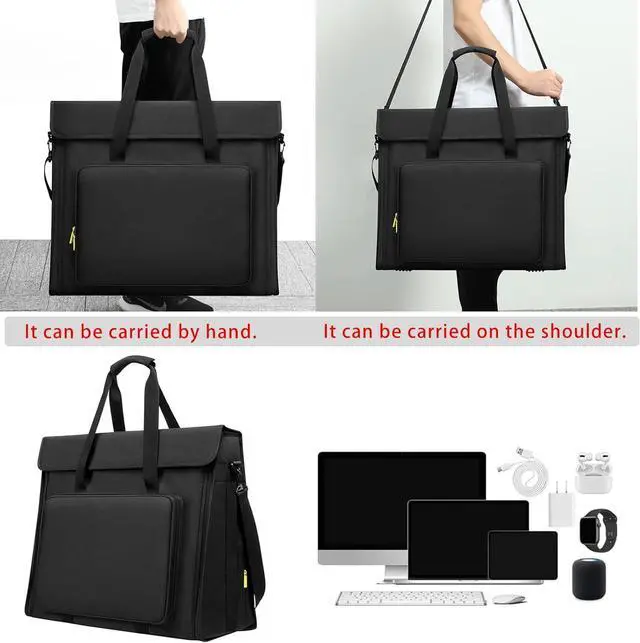
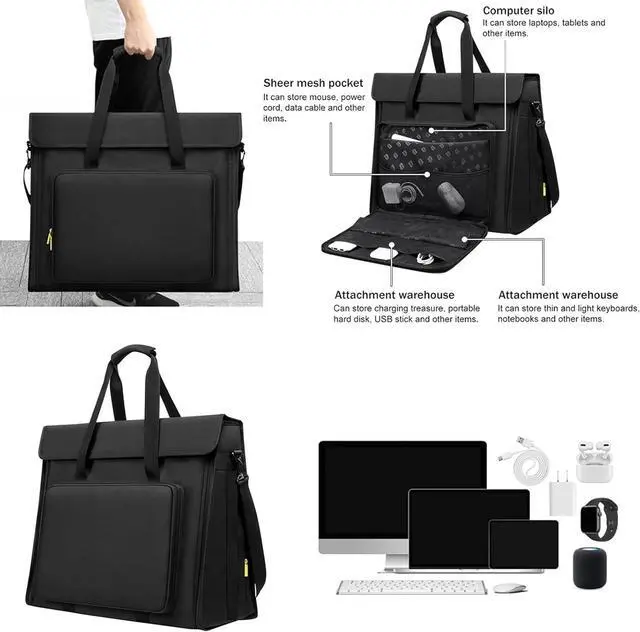
    • Large capacity design: There is also a sponge compartment in the middle of main compartment, which you can hold for other items.The front compartment can put your for All in One peripherals, like keyboard, headphone, mouse, trackpad, etc.
    • Humanized design : Rubber feet and PVC protection on bottom of bag.Removable adjustable carry strap and padded handle let it more easier to carry your for All in One desktop computer everywhere.
    • Safe and secure: Sturdy, durable hard panel reinforcement in front flap for extra screen protection.[After Sell Service] Enjoy Your Hobby A Like Without The Burden Of Defective Products!
    +
    +
    Overview
    Specs
    Reviews
    avatar

    Any questions? Our AI beta will help you find out quickly.

    Purchase instructions: 1. You must verify that your specific laptop model is listed in our title or description. Buying the wrong model can damage your laptop;
    2. You must verify your parameters (including maximum resolution: UHD, QHD, FHD or HD; Whether it has touch function; The connector is either 30pin or 40pin; Refresh rate 300Hz, 165Hz, 140Hz, 383Hz or other. After double checking the above information, you will receive the correct product.
    3. The following is a method to query the maximum resolution
    My Laptop - Display - Maximum Resolution
    The following is a method for querying refresh rates
    4.
    Please Check PC Refresh Rate: Right click on your desktop > Go to the Display settings > Click Advanced display settings > Display information - Refresh rate (Hz)

    Warranty & Returns

    Warranty, Returns, And Additional Information

    Warranty

    • Please contact the Seller directly for warranty information. Warranty information may also be found on the Manufacturer's website.
    • CONTACT

    Return Policies

    Manufacturer Contact Info

    LOADING...