

Your Browsing History
- Free 30-day Returns
$83.99

Meet Your Seller

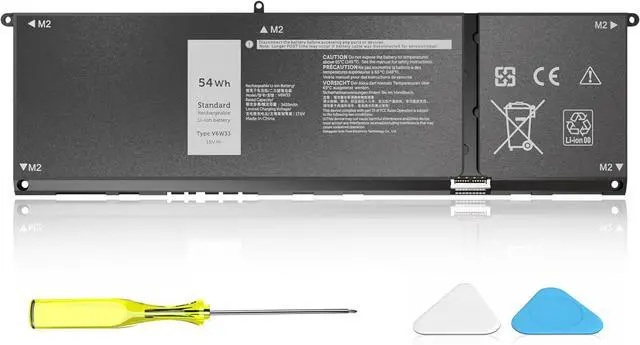
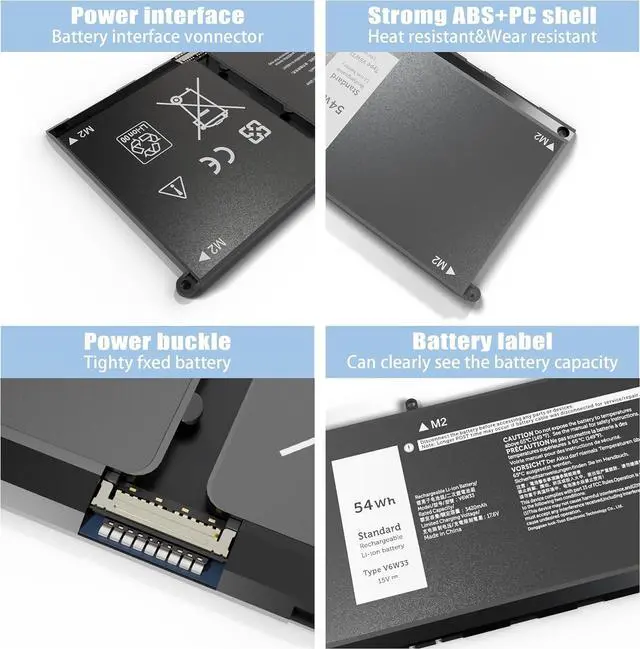
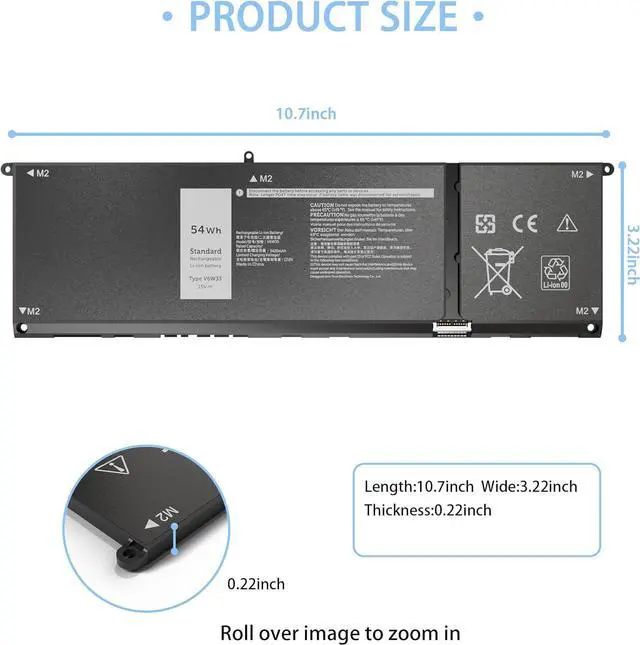
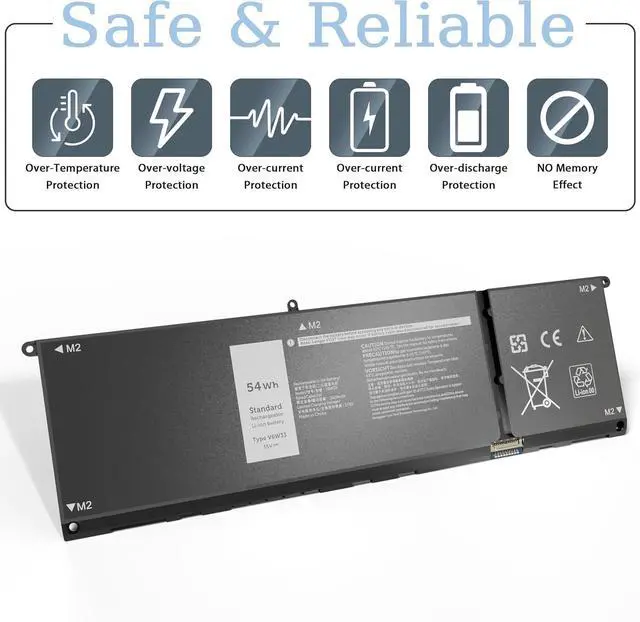




54Wh V6W33 Battery Replacement for Dell Inspiron 3511 3520 3515 3510 5510 5515 5518 5310 5635 5625 5630 Latitude 3320 3330 3420 3520 Vostro 3515 3525 Series
- Specifications: Model: V6W33, Voltage: 15V Capacity: 54Wh ; Cells: 4-cell; Color: Black, Packages includes: 1x V6W33 Battery, Free Screwdrivers,1x Instruction for V6W33 Laptop Battery
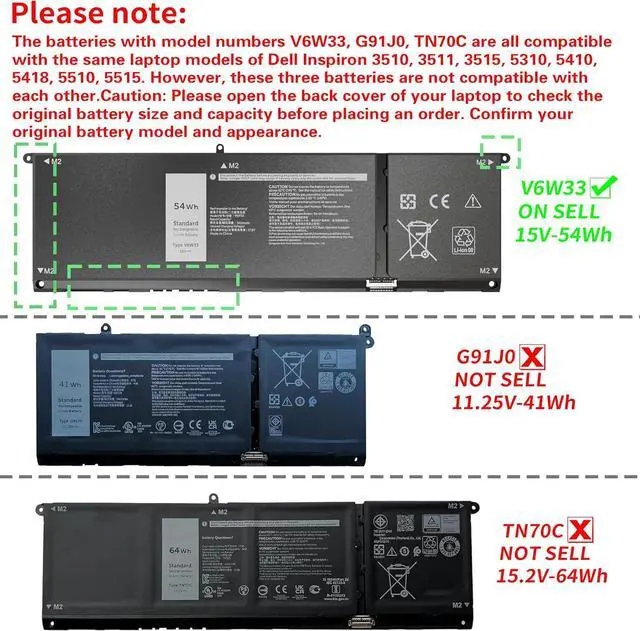
- Compatible Laptop Models: 54Wh V6W33 Battery Replacement For Dell Inspiron 15 3510 3511 3515 3520 3525 3530 3535, Inspiron 13 5310 5320 5330,Inspiron 14 5410 5415 5418 5420 5425 5430 5435, Inspiron 14 Plus 7420, Inspiron 15 5510 5515 5518, Inspiron 16 5625 5630 5635, Inspiron 14 5410 2-in-1, Inspiron 14 7415 2-in-1, Inspiron 14 7420 2-in-1 ,Inspiron 14 7425 2-in-1,Inspiron 14 7430 2-in-1,Inspiron 14 7435 2-in-1, Inspiron 16 7620 2-in-1 Series Laptop
- Compatible with: V6W33 Battery Replacement For Dell Vostro 15 3510 3511 3515 3520 3525 , Vostro 13 5310 5320 ,Vostro 14 3420 3425 5410 5415 , Vostro 15 5510 5515 Series,Vostro 5620 5625 Series.Note: There are 3 batteries (41Wh-G91J0, 54Wh-V6W33 and 64Wh-TN70C) for the above laptops. Please choose which one you are going to replace, based on the original bat
+
+
Overview
Specs
Reviews

Any questions? Our AI mode will help you find out quickly.
Try me now
Compatible ModelsReplacement For Dell Inspiron 3510 3511 3515 5310 5410 series NotebookCompatible ModelsReplacement For Dell Inspiron 5415 5418 5510 5515 5518 series NotebookCompatible ModelsReplacement For Dell Inspiron 5410 2-in-1 Series NotebookCompatible ModelsReplacement For Dell Inspiron 15 5515 R1508STW R1608STW R1708STW series NotebookCompatible ModelsReplacement For Dell Latitude 3320 3520 3420 series NotebookCompatible ModelsReplacement For Dell Vostro 3510 3515 3511 5510 5515 5410 5415 series NotebookReplacement Part NumberV6W33 / G91J0 / TN70C / 0WV3K8 / 0VKYJX / 0MVK11 / 0XDY9K / PG8YJ / 0PG8YJ / 927N5 / 0927N5 / FH3K2 / 0FH3K2 / MGCM5 / 0MGCM5 / N9XX1 / JGCCT How should I do if we received the item doesn't work?
Our item have 12 months replace a new one and 60 days moeny back guarrante. Vnyunqwe Inc 24/7 email. Any questions please contact seller
What do we need to pay attention to using batteries for the first time?
1.The battery must be full charged before first use
2.You need to turn off your laptop and disconnect the power when you install a new battery
3.Do Discharge the new battery use to 5%/7%(not to 0%) and then charge to 95%, and cycle 3-4 times
How should I do if the battery is not recognized?
When the computer is turned on, if it is not recognized, it is recommended to update the BIOS settings or please disconnecting the old battery, and holding down the power button for 20 seconds, then connect the new battery
How should I charge my laptop battery?
It is suggested to charge the battery before the power runs out completely. It is best to charge when the remaining power is about 5-10%, and the battery should be charged in a relatively dry place
How should I preserve my laptop battery when I dont use it?
The ideal preservation method is to charge the battery to about 40%.the battery should be used once a month, which can not only good preservation of the battery but also prevent the battery from being damaged by the complete loss of power
1.Within 60 days of purchase, we offer a no-questions-asked return policy. Additionally, for 12 months from the date of purchase, If the product fails, we will replace it with a new one.
2. We have warehouses in NY, making sure that you could have a high-quality service.
3. Please rest assured, we take responsibility for every product we sold.
1. Change your laptop power plan settings, select an energy saving plan. Then change advanced power settings, scroll down to find processor power management. Click on the On-battery option and lower the processor status to 20%.
2. Always keep your laptop tidy. Dust can easily enter the hardware through the vents, which are designed to dissipate the heat generated by various computer components.
3. Turn off Wi-Fi, Bluetooth and other settings. This can help your computer save precious battery life.
1. Using battery for the first time,please discharge it to 5%(not to 0%) and then charge to 95%, and cycle 3-4 times to activate the batterys maximum capacity. Takeing about 7-8 hours in order to activate lithium ion fully to maximun space.
2. In daily using,please recharge immediately when the battery reduced to 5%.
3. If you remove battery for a long time, please charge more than 80% at least one time within one month.
4. If you connect external power to use for a long time, please remove the battery.
Please kindly noted that the battery must be full charged before first use
1.You need to turn off your laptop and disconnect the power
2.Turn the laptop to the back, install a new battery, and fix it with tool
3.When the computer is turned on, if it is not recognised, it is recommended to update the BIOS settings or please disconnecting the old battery, and holding down the power button for 20 seconds, then connect the new battery
4.Do Discharge the new battery use to 5%/7%(not to 0%) an
Our item have 12 months replace a new one and 60 days moeny back guarrante. Vnyunqwe Inc 24/7 email. Any questions please contact seller
What do we need to pay attention to using batteries for the first time?
1.The battery must be full charged before first use
2.You need to turn off your laptop and disconnect the power when you install a new battery
3.Do Discharge the new battery use to 5%/7%(not to 0%) and then charge to 95%, and cycle 3-4 times
How should I do if the battery is not recognized?
When the computer is turned on, if it is not recognized, it is recommended to update the BIOS settings or please disconnecting the old battery, and holding down the power button for 20 seconds, then connect the new battery
How should I charge my laptop battery?
It is suggested to charge the battery before the power runs out completely. It is best to charge when the remaining power is about 5-10%, and the battery should be charged in a relatively dry place
How should I preserve my laptop battery when I dont use it?
The ideal preservation method is to charge the battery to about 40%.the battery should be used once a month, which can not only good preservation of the battery but also prevent the battery from being damaged by the complete loss of power
1.Within 60 days of purchase, we offer a no-questions-asked return policy. Additionally, for 12 months from the date of purchase, If the product fails, we will replace it with a new one.
2. We have warehouses in NY, making sure that you could have a high-quality service.
3. Please rest assured, we take responsibility for every product we sold.
1. Change your laptop power plan settings, select an energy saving plan. Then change advanced power settings, scroll down to find processor power management. Click on the On-battery option and lower the processor status to 20%.
2. Always keep your laptop tidy. Dust can easily enter the hardware through the vents, which are designed to dissipate the heat generated by various computer components.
3. Turn off Wi-Fi, Bluetooth and other settings. This can help your computer save precious battery life.
1. Using battery for the first time,please discharge it to 5%(not to 0%) and then charge to 95%, and cycle 3-4 times to activate the batterys maximum capacity. Takeing about 7-8 hours in order to activate lithium ion fully to maximun space.
2. In daily using,please recharge immediately when the battery reduced to 5%.
3. If you remove battery for a long time, please charge more than 80% at least one time within one month.
4. If you connect external power to use for a long time, please remove the battery.
Please kindly noted that the battery must be full charged before first use
1.You need to turn off your laptop and disconnect the power
2.Turn the laptop to the back, install a new battery, and fix it with tool
3.When the computer is turned on, if it is not recognised, it is recommended to update the BIOS settings or please disconnecting the old battery, and holding down the power button for 20 seconds, then connect the new battery
4.Do Discharge the new battery use to 5%/7%(not to 0%) an
Warranty & Returns
Warranty, Returns, And Additional Information
Warranty
- Please contact the Seller directly for warranty information. Warranty information may also be found on the Manufacturer's website.
- CONTACT
Return Policies
- Return for refund within: 30 days
- Return for replacement within: 30 days
- This item is covered by E-Transit Limited Return Policy
Manufacturer Contact Info
- For a directory of all our manufacturers, please click below.
- Manufacturers Directory
LOADING...