Your Browsing History
- Free 30-day Returns
$90.99
Meet Your Seller
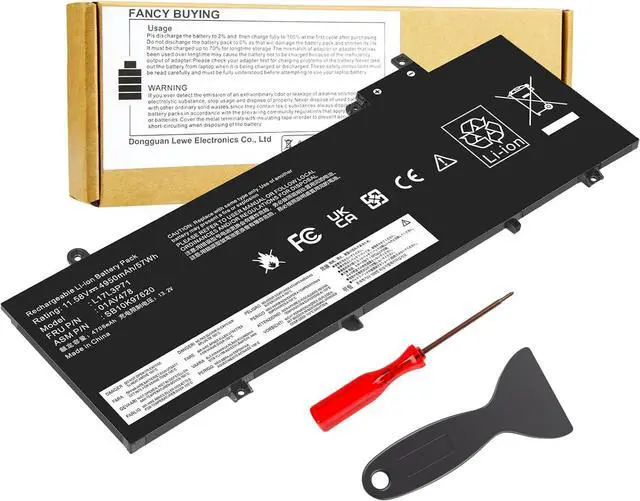
Fancy Buying 01AV479 L17L3P71 L17M3P72 Laptop Battery for Lenovo ThinkPad T480S Series Notebook 01AV478 01AV480 01AV479 SB10K97621 SB10K97622 SB10K97620 11.58V/57Wh
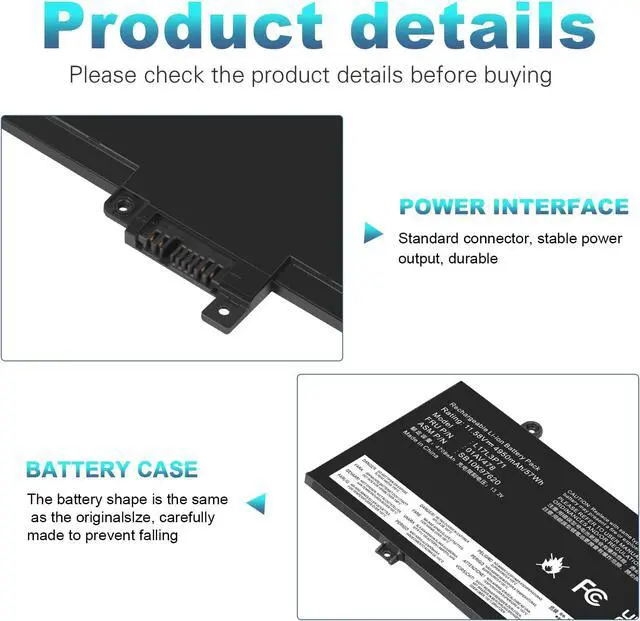
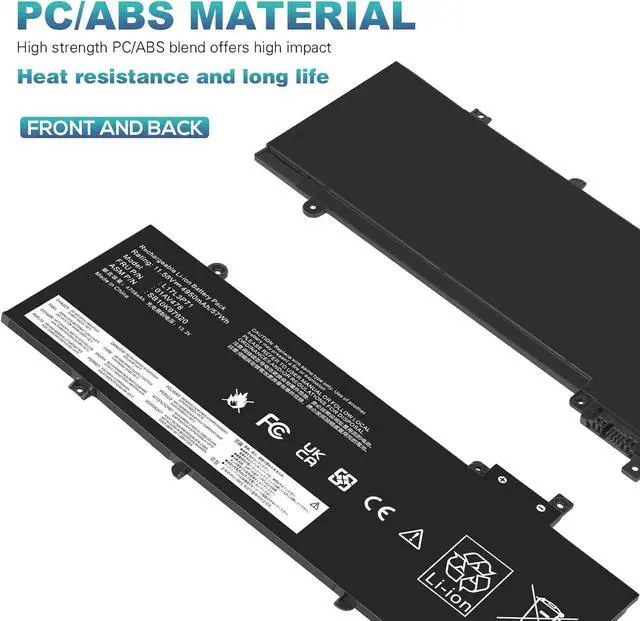
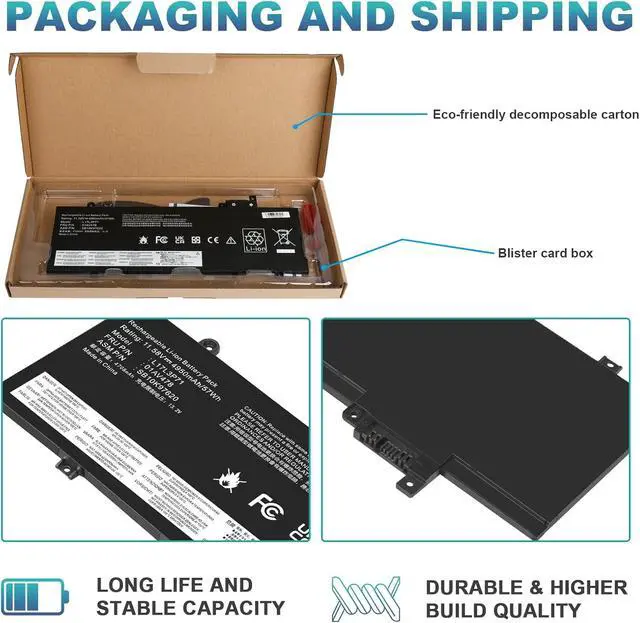
- Battery type: Lithium Polymer. Voltage: 11.58V. Capacity: 57Wh. 100% New from Manufacturer. Up to 500 recharge cycles over the life of the battery. The battery is durable and has overcurrent protection, anti-overcharge, anti-overdischarge and temperature control functions.
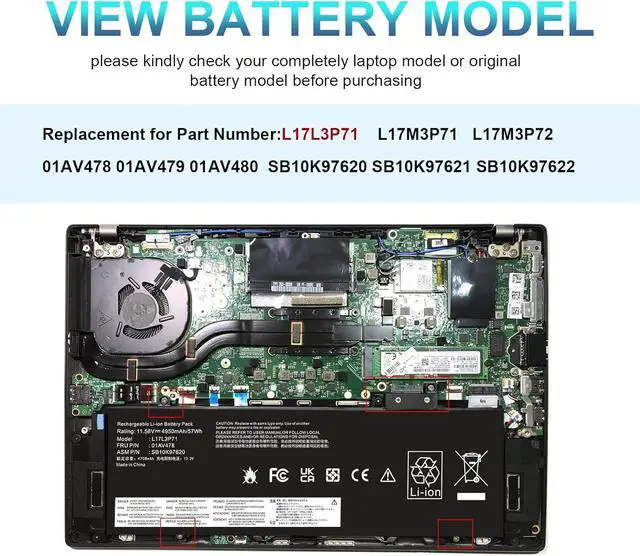
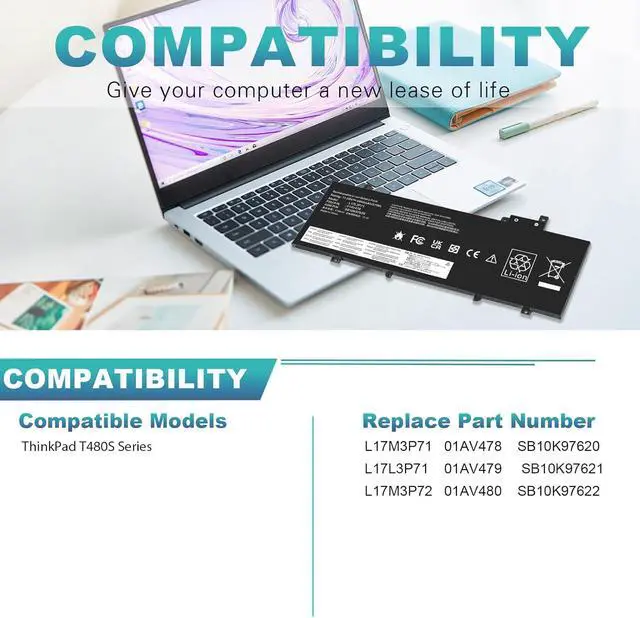
- Compatible Part Number: L17L3P71 L17M3P71 L17M3P72 01AV478 01AV480 01AV479 SB10K97621 SB10K97622 SB10K97620
- Compatible Models:Fit for Lenovo ThinkPad T480s Series laptop 1. Lenovo Thinkpad T480S 20L8 Series laptop.2. Lenovo Thinkpad T480S 20L7 Series laptop.
- Warranty & Support: Full refund in 30 days, 12 months warranty. If any issues about the product within 365 days, click the button "ASK A QUESTION" and CONTACT US, we will respond within 24 hours via emails and give you friendly after-sales service. Press [CTRL + F] to search your laptop model/part number.
- Security & Reliability: Our batteries are assembled from top quality material and circuit boards to ensure fast charges and low power consumption, 100% New
+
+
Overview
Specs
Reviews
Any questions? Our AI beta will help you find out quickly.
Try me now
Compatible Part Number:
01AV478 L17L3P71 SB10K97620 01AV480 L17M3P72 SB10K97622 01AV479 L17M3P71 SB10K97621
Compatible Models:
Lenovo Thinkpad T480S 20L7 20L8 Series laptop.
Install A New Battery:
1. You need to turn off your laptop and disconnect the power.
2. Remove the old battery, carefully install the new battery on the battery case, and connect the wiring of the new battery.
3. If you don't understand the above steps, you can search for the video about laptop battery installation on YouTube. Maybe it will help you.
Laptop Maintenance Tips:
1. New battery: For use a new battery, youd better try a few cycles of discharging to 5%. then charging up to 95%. So that it can be activated completely
2. Overuse: Do not always run out of a battery to 0%, this would make it damaged or usage life shortened
3. Charging sequence: when charging, first install the battery, then turn on the power, when fully charged, first cut off the power, then pull the power plug.
4. Long-term storage:Please store the unused battery fully charged.(Charge it once a month) Do not store at low power to prevent reduce the lifespan of a battery
5. Charger: Do not replace the laptop adapter casually. If the original adapter cannot be applied due to malfunction or damage, please replace the models, so as not to reduce the service life of the battery due to incompatibility.
Overload protection
Over-current protection
Over-voltage protection
High voltage protection
Short circuit protection
Over-temperature protection

01AV478 L17L3P71 SB10K97620 01AV480 L17M3P72 SB10K97622 01AV479 L17M3P71 SB10K97621
Compatible Models:
Lenovo Thinkpad T480S 20L7 20L8 Series laptop.
Install A New Battery:
1. You need to turn off your laptop and disconnect the power.
2. Remove the old battery, carefully install the new battery on the battery case, and connect the wiring of the new battery.
3. If you don't understand the above steps, you can search for the video about laptop battery installation on YouTube. Maybe it will help you.
Laptop Maintenance Tips:
1. New battery: For use a new battery, youd better try a few cycles of discharging to 5%. then charging up to 95%. So that it can be activated completely
2. Overuse: Do not always run out of a battery to 0%, this would make it damaged or usage life shortened
3. Charging sequence: when charging, first install the battery, then turn on the power, when fully charged, first cut off the power, then pull the power plug.
4. Long-term storage:Please store the unused battery fully charged.(Charge it once a month) Do not store at low power to prevent reduce the lifespan of a battery
5. Charger: Do not replace the laptop adapter casually. If the original adapter cannot be applied due to malfunction or damage, please replace the models, so as not to reduce the service life of the battery due to incompatibility.
Overload protection
Over-current protection
Over-voltage protection
High voltage protection
Short circuit protection
Over-temperature protection
Warranty & Returns
Warranty, Returns, And Additional Information
Warranty
- Please contact the Seller directly for warranty information. Warranty information may also be found on the Manufacturer's website.
- CONTACT
Return Policies
- Return for refund within: 30 days
- Return for replacement within: 30 days
- This item is covered by E-Transit Limited Return Policy
Manufacturer Contact Info
- For a directory of all our manufacturers, please click below.
- Manufacturers Directory
LOADING...