

Your Browsing History
- Free 30-day Returns
$162.99

Meet Your Seller

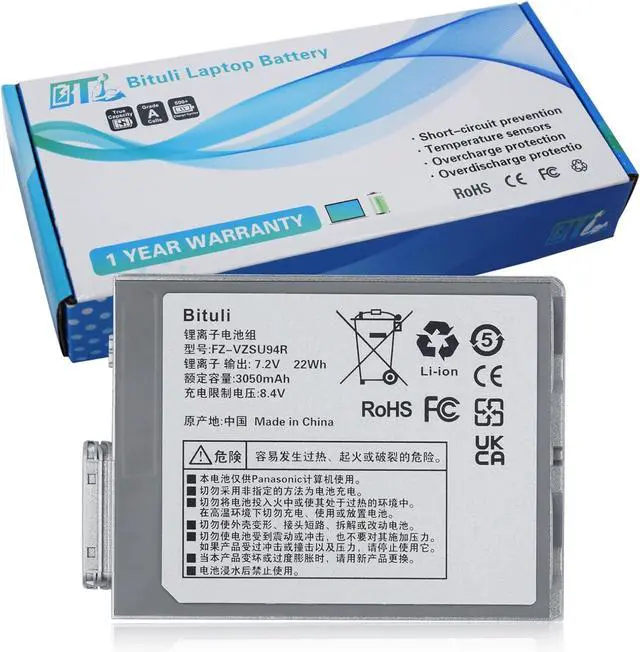
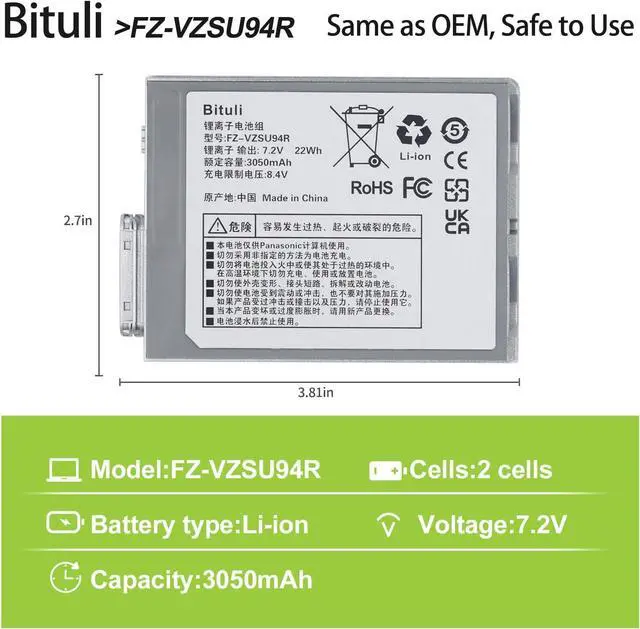


FZ-VZSU94W FZ-VZSU94R Laptop Battery Replacement for Panasonic Toughpad FZ-B2 FZ-M1 MK1 FZ-M1C FZ-VZSU94 FZ-VZSU94K FZ-VZSU94JS FZ-VZSU95 FZ-VZSU95W PAFZVZSU95W FZ-VZSU95JS 7.2V 22Wh
- Replacement Battery TypeVoltage:7.2V; Capacity: 22Wh/3050mAh.This battery provide the same battery life as the originalWe are a professional laptop battery manufacturer,We only provide the best quality batteries to ensure the best possible buying experience for our customers
- Compatible Part NumbersFZ-VZSU94 FZ-VZSU94W FZ-VZSU94JS FZ-VZSU94R FZ-VZSU94K FZ-VZSU95 FZ-VZSU95W FZ-VZSU95JS FZ-VZSU0JW FZ-VZSU0HW
- Compatible ModelsFor Panasonic FZ-M1 FZ-B1 FZ-B2 FZ-M1C series Toughpad FZ-B2 Toughpad FZ-M1
- Bituli QualityAll of Bituli products are Certified by CE, and UL for safety. Strict guidelines for compatibility, and standards compliance for environmental safety.Bituli battery packs are comprised of grade "A" cells with top quality ion battery materials that ensure Reliable performance extended battery life
- Bituli Support24 x 7 Email support, Rest assured with 30 days Refund12 months Replacement,For any other problems or advise please feel free to contact us,If you are not s
+
+
Overview
Specs
Reviews

Any questions? Our AI mode will help you find out quickly.
Try me now
1, Change your laptop power plan settings, and choose the power saver plan. Then Change advanced power settings, and scroll down to find processor power management. Click the On-battery option and reduce the processor state to 20%.
2, Always keep your laptop neat and clean. The dust easily enters the hardware through the vents which are meant to release the heat generated from various computer components.
3, Close Wi-Fi, Bluetooth, and other settings. This can help your computer save precious battery life.
1.New battery: For use a new battery, youd better try a few cycles of discharging to 5%. then charging up to 95%. So that it can be activated completely.
2.Overuse: Do not always run out of a battery to 0%, this would make it damaged or usage life shortened.
3.Charging sequence: when charging, first install the battery, then turn on the power, when fully charged, first cut off the power, then pull the power plug.
4.Long-term storage:Please store the unused battery fully charged.(Charge it once a month) Do not store at low power to prevent reduce the lifespan of a battery.
1. Could be caused by battery loss. Please re-install the battery and make sure that the battery cable and the motherboard interface are tightly inserted.
2. Maybe due to conductive material damage which the laptop motherboard and battery anode and cathode contact position, you can try to confirm it with your original battery.
3. Check whether the battery drive is in normal condition, if not, download the corresponding driver software to update.
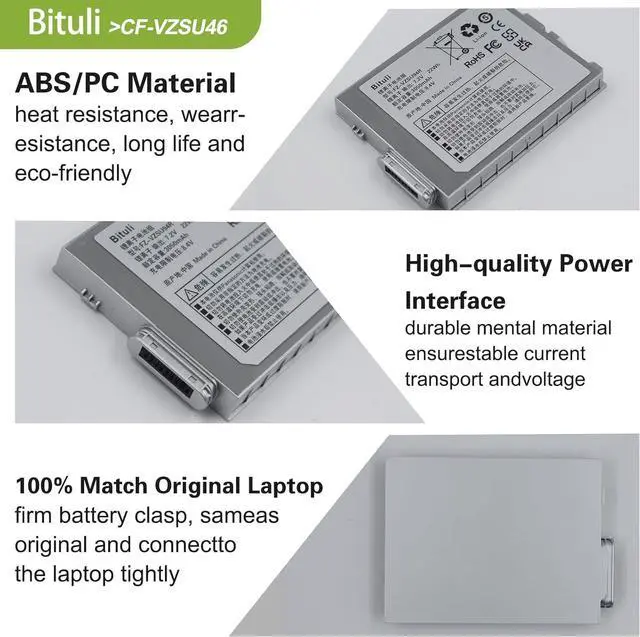
High quality materials and circuit boards are used to ensure durability and performance.
Class A batteries can be recharged up to 600 times during the battery life.
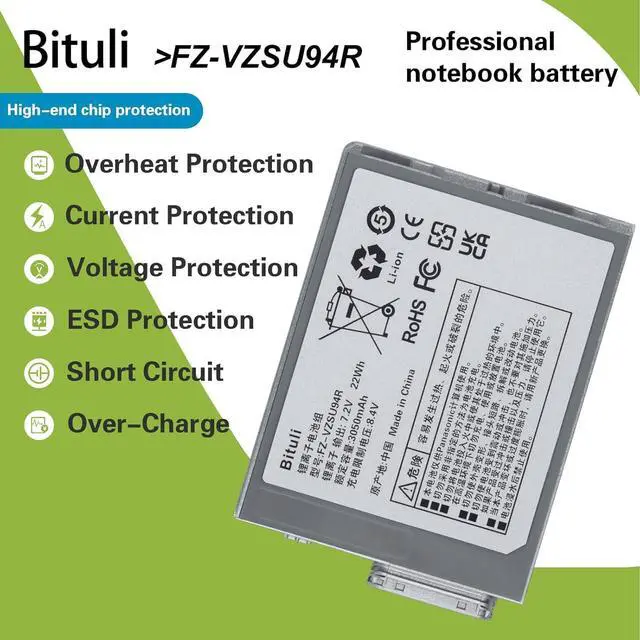
All products built-in circuit protection, to ensure safety and stability.
Ensure low power consumption and fast charging.
100% New from Manufacturer.
Same as OEM, Safe to Use.
Easy to install.
Compatible Part Numbers:FZ-VZSU94W FZ-VZSU94R FZ-VZSU94 FZ-VZSU94KFZ-VZSU94JS FZ-VZSU95 FZ-VZSU95W PAFZVZSU95W FZ-VZSU95JS.Compatible Machine Models:Fit for Panasonic FZ-M1 FZ-B1 FZ-B2 FZ-M1CCompatible Machine Models:Fit for Panasonic Toughpad FZ-B2Compatible Machine Models:for Panasonic Toughpad FZ-M1 Series Laptop 1. You need to turn off your laptop and disconnect the power.
2. Remove the old battery, carefully install the new battery on the battery case, and connect the wiring of the new battery.
3. If you don't understand the above steps, you can search for the video about laptop battery installation on YouTube. Maybe it will help you.
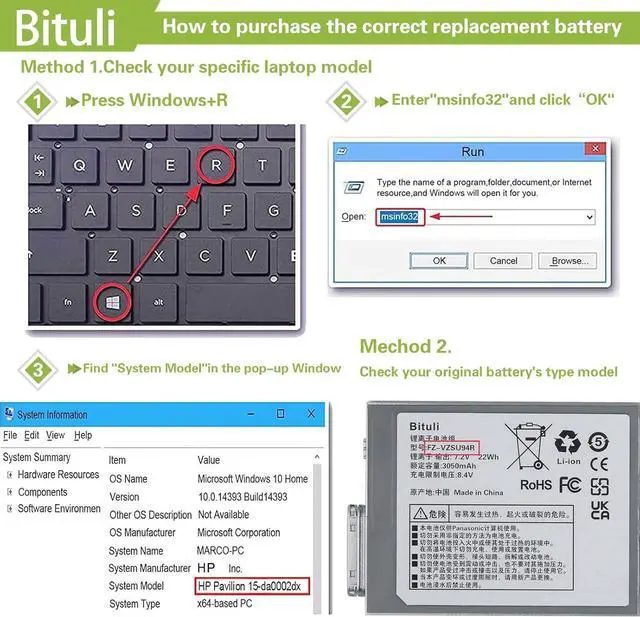
How To MaximizeThe Battery Life? Laptop Maintenance Tips: Why The Laptop Does Not Recognize The New Battery FZ-VZSU94W FZ-VZSU94R Laptop Battery Replacement for Panasonic Toughpad FZ-B2 FZ-M1 MK1 FZ-M1C FZ-VZSU94 FZ-VZSU94K FZ-VZSU94JS FZ-VZSU95 FZ-VZSU95W Bituli battery packs are comprised of grade "A" cells with top quality ion battery materials that ensure Reliable performance extended battery life. Item:Bituli FZ-VZSU94R Replacement Battery (Use"Ctrl"+"F" to find your laptop model) Easy to deal with various environments and say goodbye to low battery and get rid of long-term reliance on chargers The Tip Of Install A New Battery:
2, Always keep your laptop neat and clean. The dust easily enters the hardware through the vents which are meant to release the heat generated from various computer components.
3, Close Wi-Fi, Bluetooth, and other settings. This can help your computer save precious battery life.
1.New battery: For use a new battery, youd better try a few cycles of discharging to 5%. then charging up to 95%. So that it can be activated completely.
2.Overuse: Do not always run out of a battery to 0%, this would make it damaged or usage life shortened.
3.Charging sequence: when charging, first install the battery, then turn on the power, when fully charged, first cut off the power, then pull the power plug.
4.Long-term storage:Please store the unused battery fully charged.(Charge it once a month) Do not store at low power to prevent reduce the lifespan of a battery.
1. Could be caused by battery loss. Please re-install the battery and make sure that the battery cable and the motherboard interface are tightly inserted.
2. Maybe due to conductive material damage which the laptop motherboard and battery anode and cathode contact position, you can try to confirm it with your original battery.
3. Check whether the battery drive is in normal condition, if not, download the corresponding driver software to update.
High quality materials and circuit boards are used to ensure durability and performance.
Class A batteries can be recharged up to 600 times during the battery life.
All products built-in circuit protection, to ensure safety and stability.
Ensure low power consumption and fast charging.
100% New from Manufacturer.
Same as OEM, Safe to Use.
Easy to install.
Compatible Part Numbers:FZ-VZSU94W FZ-VZSU94R FZ-VZSU94 FZ-VZSU94KFZ-VZSU94JS FZ-VZSU95 FZ-VZSU95W PAFZVZSU95W FZ-VZSU95JS.Compatible Machine Models:Fit for Panasonic FZ-M1 FZ-B1 FZ-B2 FZ-M1CCompatible Machine Models:Fit for Panasonic Toughpad FZ-B2Compatible Machine Models:for Panasonic Toughpad FZ-M1 Series Laptop 1. You need to turn off your laptop and disconnect the power.
2. Remove the old battery, carefully install the new battery on the battery case, and connect the wiring of the new battery.
3. If you don't understand the above steps, you can search for the video about laptop battery installation on YouTube. Maybe it will help you.
How To MaximizeThe Battery Life? Laptop Maintenance Tips: Why The Laptop Does Not Recognize The New Battery FZ-VZSU94W FZ-VZSU94R Laptop Battery Replacement for Panasonic Toughpad FZ-B2 FZ-M1 MK1 FZ-M1C FZ-VZSU94 FZ-VZSU94K FZ-VZSU94JS FZ-VZSU95 FZ-VZSU95W Bituli battery packs are comprised of grade "A" cells with top quality ion battery materials that ensure Reliable performance extended battery life. Item:Bituli FZ-VZSU94R Replacement Battery (Use"Ctrl"+"F" to find your laptop model) Easy to deal with various environments and say goodbye to low battery and get rid of long-term reliance on chargers The Tip Of Install A New Battery:
Warranty & Returns
Warranty, Returns, And Additional Information
Warranty
- Please contact the Seller directly for warranty information. Warranty information may also be found on the Manufacturer's website.
- CONTACT
Return Policies
- Return for refund within: 30 days
- Return for replacement within: 30 days
- This item is covered by E-Transit Limited Return Policy
Manufacturer Contact Info
- For a directory of all our manufacturers, please click below.
- Manufacturers Directory
LOADING...