Your Browsing History
- Free 30-day Returns
$81.99
Meet Your Seller
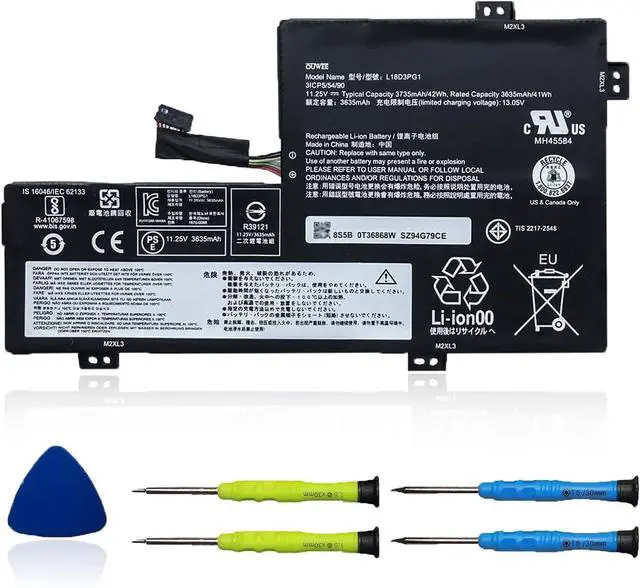
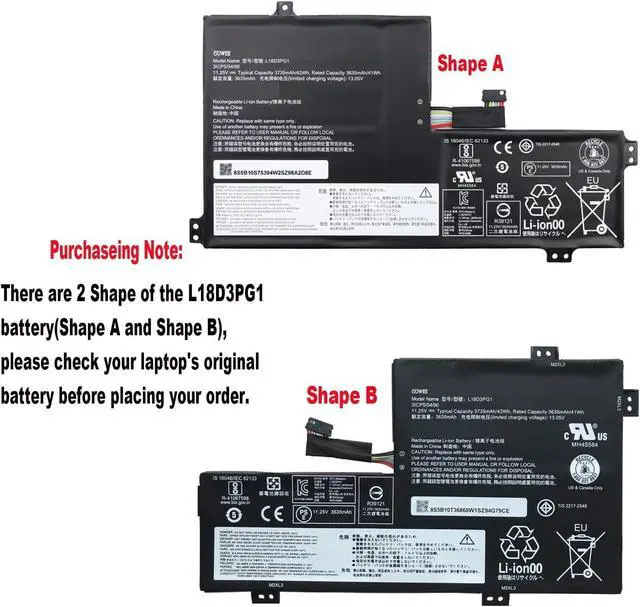
L18D3PG1 Laptop Battery Compatible with Lenovo 100E 300E Chromebook 2nd Gen MTK Series L17L3PB0 5B10W13945 5B10W13946 5B10W13947 L17M3PB0 5B10T36866 5B10T36867 5B10T36868 11.25V 42Wh(Shape-B)
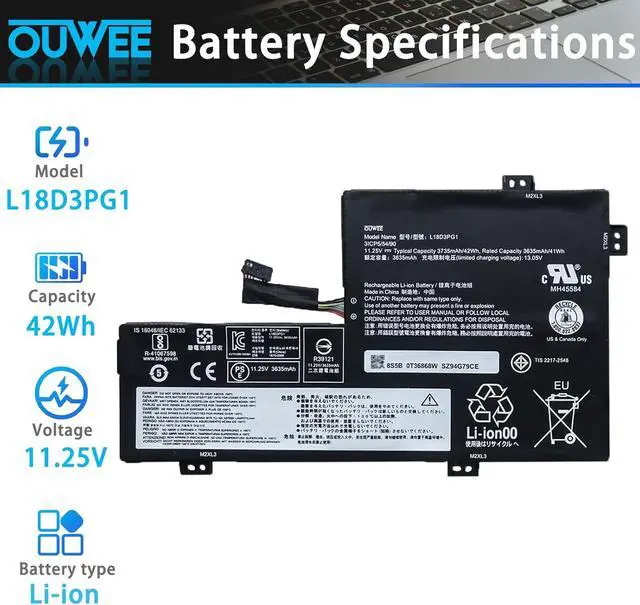
- Battery typeLi-ion. Voltage: 11.25V. Capacity: 42Wh 3735mAh .
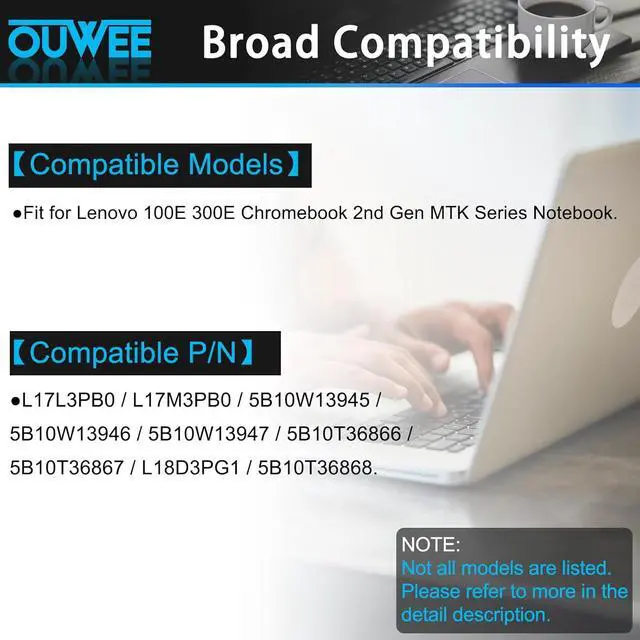
- Replacement For LaptopLenovo 100E 300E Chromebook 2nd Gen MTK Series Notebook.
- Compatible Part NumberL17L3PB0 L17M3PB0 5B10W13945 5B10W13946 5B10W13947 5B10T36866 5B10T36867 L18D3PG1 5B10T36868.
- ConnectorBefore placing your order,Please refer to the picture and check it.Because the products produced by different factories will have differences, such as size, cable length, interface, etc.
- Use SkillsIf the new battery is not recognized during the initial installation, please reinstall and check if the interface is fully connected.Discharge the new battery to 5% (not 0%), then charge and cycle 3-4 times to wake up the new battery.
+
+
Overview
Specs
Reviews
Any questions? Our AI beta will help you find out quickly.
Try me now
ModelL18D3PG1(Shape-B)Capacity42WhVoltage11.25VTypeLi-ionColorBlackConditionBrand New Fit for Lenovo 100E 300E Chromebook 2nd Gen MTK Series Notebook
Replacement for Part Number:
L17L3PB0 / L17M3PB0 / 5B10W13945 / 5B10W13946 / 5B10W13947 / 5B10T36866 / 5B10T36867 / L18D3PG1 / 5B10T36868.
Why your laptop can't detect the battery or display the battery level properly after installing the battery? It may be caused by a loose battery. Please check if the battery cable is installed correctly. It may be due to the damage of the conductive material caused by the laptop motherboard and the battery positive contact position, you can try to use the original battery to confirm. Check if the battery driver is normal, if not, please download the appropriate driver software to update.
Product information Compatible Models (use "Ctrl+F to find your model quickly") Common Troubleshooting Methods

Replacement for Part Number:
L17L3PB0 / L17M3PB0 / 5B10W13945 / 5B10W13946 / 5B10W13947 / 5B10T36866 / 5B10T36867 / L18D3PG1 / 5B10T36868.
Why your laptop can't detect the battery or display the battery level properly after installing the battery? It may be caused by a loose battery. Please check if the battery cable is installed correctly. It may be due to the damage of the conductive material caused by the laptop motherboard and the battery positive contact position, you can try to use the original battery to confirm. Check if the battery driver is normal, if not, please download the appropriate driver software to update.
Product information Compatible Models (use "Ctrl+F to find your model quickly") Common Troubleshooting Methods
Warranty & Returns
Warranty, Returns, And Additional Information
Warranty
- Please contact the Seller directly for warranty information. Warranty information may also be found on the Manufacturer's website.
- CONTACT
Return Policies
- Return for refund within: 30 days
- Return for replacement within: 30 days
- This item is covered by E-Transit Limited Return Policy
Manufacturer Contact Info
- For a directory of all our manufacturers, please click below.
- Manufacturers Directory
LOADING...