

Your Browsing History
- Free 30-day Returns
$79.99

Meet Your Seller


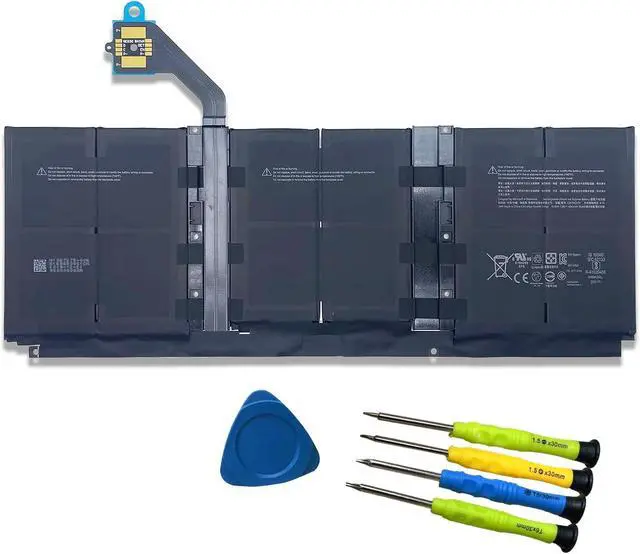
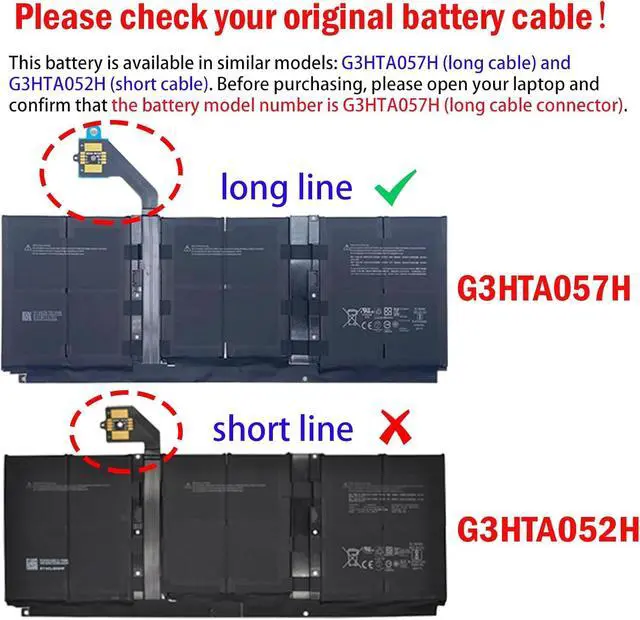



G3HTA057H G3HTA058H Battery Replacement for Microsoft Surface Laptop 3 15-Inch 1872 1873 1867 1868 Series 7.58V 45.8Wh 6041mAh (Not for Surface Laptop 3 13.5-Inch Laptop Battery)
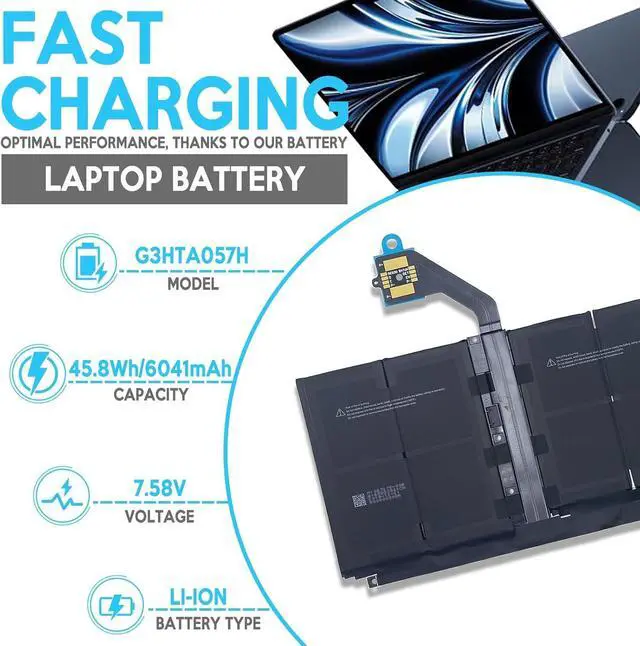
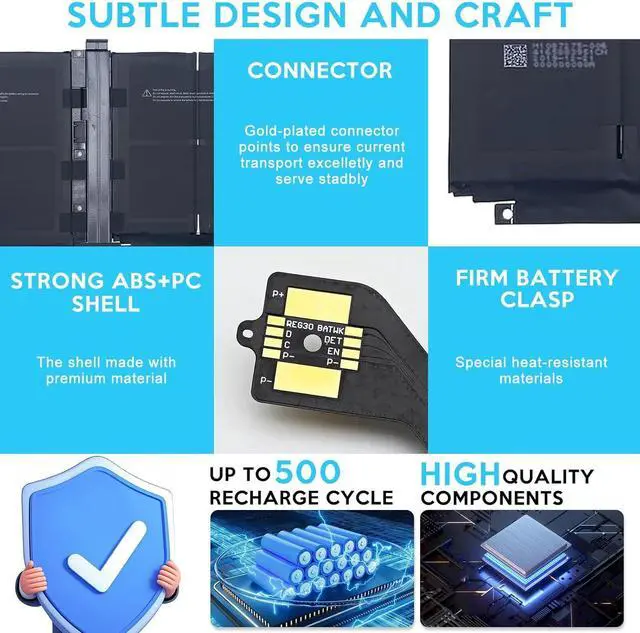
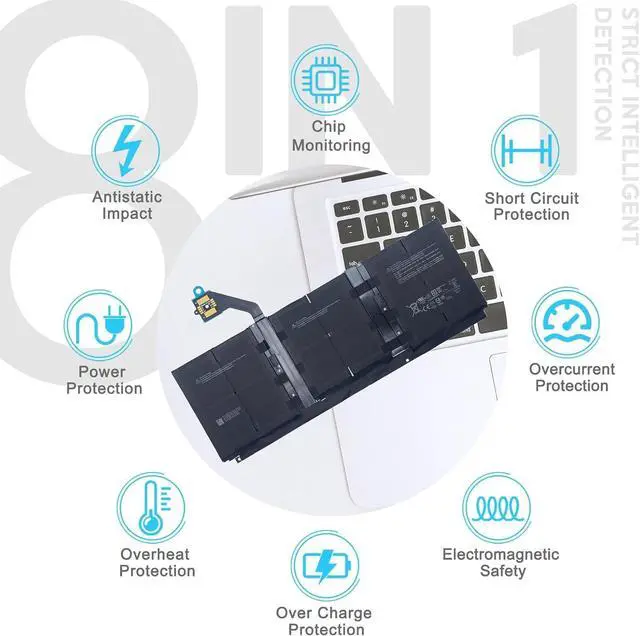
- Specifications Model: G3HTA057H // Battery type: Li-ion // Voltage: 7.58V // Capacity: 45.8Wh 6041mAh // 100% New from Manufacturer. Top circuit boards and smart chip
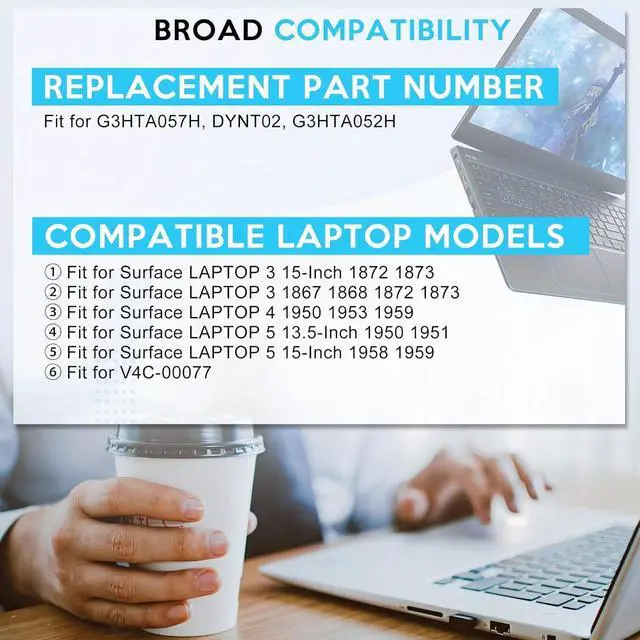
- Compatible Part NumberG3HTA057H G3HTA058H
- Compatible with Laptop ModelsFit for Microsoft Surface Laptop 3 Gen 1872 1873 15 Inch Keyboard Base(Not fit for 13.5 inch laptop)
- After ServiceReturn and exchange are permitted within 30 days, accompanied by a 12-month warranty. (NOTE: If you encounter any issues with the battery, please reach out to usunder "YOUR ORDER," select the "contact seller" option.)
- Gentle Reminder If the new battery is not recognized during the initial installation, please reinstall and check if the interface is fully connected. Discharge the new battery to 10% (not 0%), then charge and cycle 3-4 times to wake up the new battery
- Safety Features Please refer to the instructions before you installing the battery. All EFOHANA products are Certified by CE for safety, strictly test ensure b
+
+
Overview
Specs
Reviews

Any questions? Our AI mode will help you find out quickly.
Try me now
EFOHANA is committed to providing you with high quality laptop batteries, tablet batteries, adapters and other products. We will also provide you with high quality and efficient after-sales service to attract and retain more customers.
Compatible Models(Use "Ctrl"+"F" to find your laptop model)
For Microsoft Surface Laptop 3 1867 Series;
For Microsoft Surface Laptop 3 1868 Series;
For Microsoft Surface Laptop 3 1872 Series;
For Microsoft Surface Laptop 3 1873 Series;
For Microsoft Surface Laptop 3 13 Core i5-1035G7 Series.
We wanted to deliver a battery that doesn't only only last long, but also safe for use. Weve incorporated Grade A battery cells to ensure longer battery life, durability, and lower power consumption. All of our batteries offer 1000+ recharge cycles over life of battery.
You need to turn off your laptop and disconnect the power.
Disconnect the connection between the old battery and the motherboard to avoid unnecessary damage caused by disassembling the battery. Then unscrew the old battery screws one by one and carefully save each screw.
Remove the old battery, carefully install the new battery on the battery case, screw in the screw, and connect the wiring of the new battery.
If you don't understand the above steps, you can search for the video about laptop battery installation on YouTube. Maybe it will help you.
Welcome to EFOHANA Store: Why choose to buy our products Grade A Cells Application Scenarios: Install A New Battery:
Compatible Models(Use "Ctrl"+"F" to find your laptop model)
For Microsoft Surface Laptop 3 1867 Series;
For Microsoft Surface Laptop 3 1868 Series;
For Microsoft Surface Laptop 3 1872 Series;
For Microsoft Surface Laptop 3 1873 Series;
For Microsoft Surface Laptop 3 13 Core i5-1035G7 Series.
We wanted to deliver a battery that doesn't only only last long, but also safe for use. Weve incorporated Grade A battery cells to ensure longer battery life, durability, and lower power consumption. All of our batteries offer 1000+ recharge cycles over life of battery.
You need to turn off your laptop and disconnect the power.
Disconnect the connection between the old battery and the motherboard to avoid unnecessary damage caused by disassembling the battery. Then unscrew the old battery screws one by one and carefully save each screw.
Remove the old battery, carefully install the new battery on the battery case, screw in the screw, and connect the wiring of the new battery.
If you don't understand the above steps, you can search for the video about laptop battery installation on YouTube. Maybe it will help you.
Welcome to EFOHANA Store: Why choose to buy our products Grade A Cells Application Scenarios: Install A New Battery:
Warranty & Returns
Warranty, Returns, And Additional Information
Warranty
- Please contact the Seller directly for warranty information. Warranty information may also be found on the Manufacturer's website.
- CONTACT
Return Policies
- Return for refund within: 30 days
- Return for replacement within: 30 days
- This item is covered by E-Transit Limited Return Policy
Manufacturer Contact Info
- For a directory of all our manufacturers, please click below.
- Manufacturers Directory
LOADING...