

Your Browsing History
- Free 30-day Returns
$82.99

Meet Your Seller

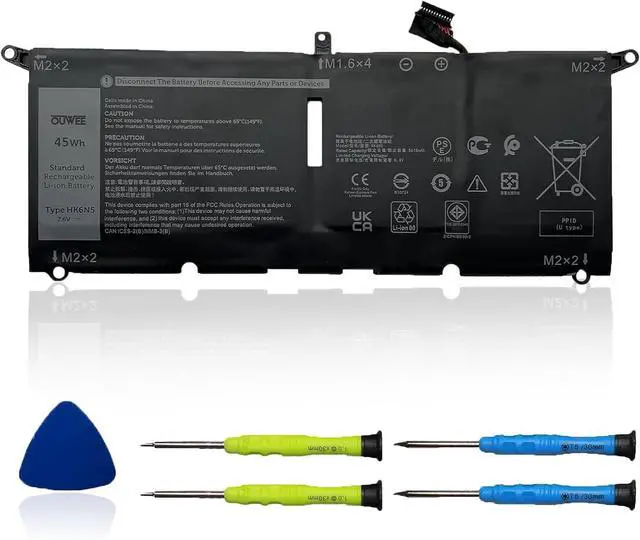



HK6N5 Laptop Battery Compatible with Dell XPS 9370 9380 7390 Inspiron 5390 5391 7490 Vostro 5390 5391 Latitude 3301 Inspiron 7390 7391 2-in-1 Series DXGH8 0H754V 0DGV24 0WDK63 7.6V 45Wh 5618mAh
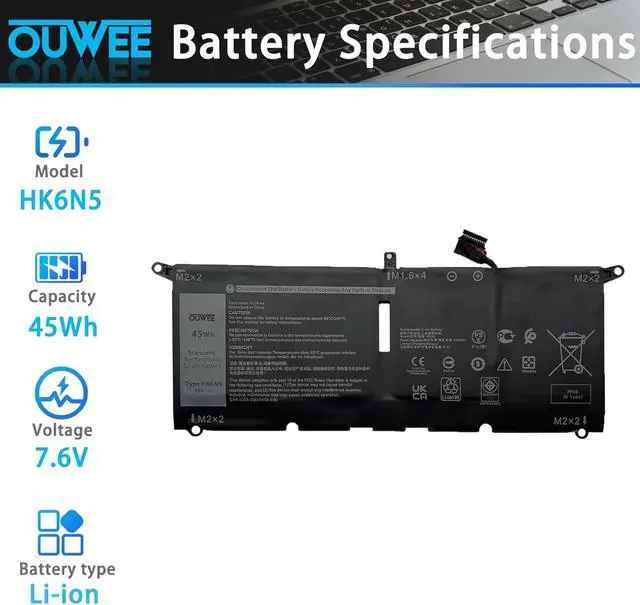
- Battery typeLi-ion. Voltage: 7.6V. Capacity: 45Wh 5618mAh .
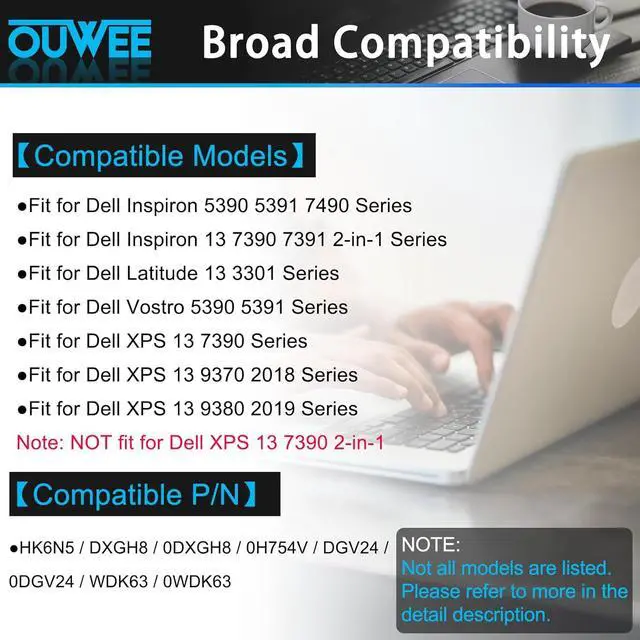
- Compatible Part NumberHK6N5 DXGH8 0DXGH8 0H754V DGV24 0DGV24 WDK63 0WDK63 .
- Replacement For LaptopDell XPS 9370 9380 7390 Inspiron 5390 5391 7490 Vostro 5390 5391 Latitude 3301 Inspiron 7390 7391 2-in-1 Series.
- ConnectorBefore placing your order,Please refer to the picture and check it.Because the products produced by different factories will have differences, such as size, cable length, interface, etc.
- Use SkillsIf the new battery is not recognized during the initial installation, please reinstall and check if the interface is fully connected.Discharge the new battery to 5% (not 0%), then charge and cycle 3-4 times to wake up the new battery.
+
+
Overview
Specs
Reviews

Any questions? Our AI mode will help you find out quickly.
Try me now
ModelHK6N5Capacity45WhVoltage7.6VTypeLi-ionColorBlackConditionBrand New Compatible Models (use "Ctrl+F to find your model quickly")
Fit for Dell Inspiron 5390 5391 7490 Series;
Fit for Dell Inspiron 13 7390 7391 2-in-1 Series;
Fit for Dell Latitude 13 3301 Series;
Fit for Dell Vostro 5390 5391 Series;
Fit for Dell XPS 13 7390 Series;
Fit for Dell XPS 13 9370 2018 Series;
Fit for Dell XPS 13 9380 2019 Series;
(Purchase Note: NOT fit for Fit for Dell XPS 13 7390 2-in-1)
Replacement for Part Number:
HK6N5DXGH80DXGH80H754VDGV240DGV24WDK630WDK63
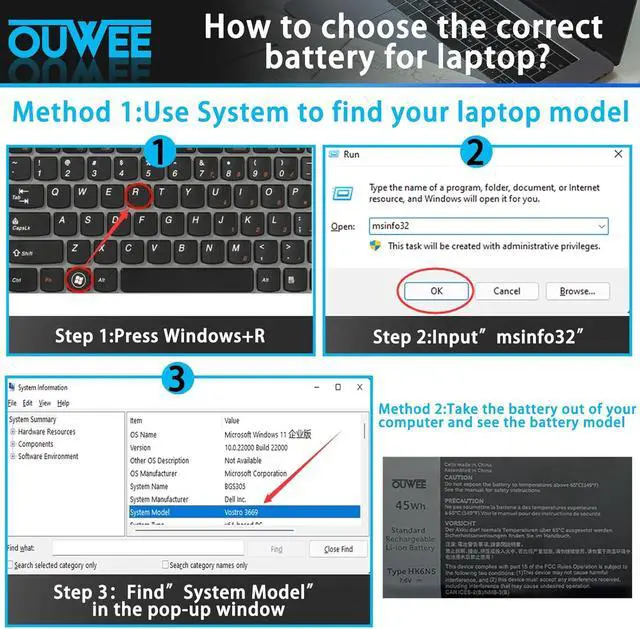
Why your laptop can't detect the battery or display the battery level properly after installing the battery? It may be caused by a loose battery. Please check if the battery cable is installed correctly. It may be due to the damage of the conductive material caused by the laptop motherboard and the battery positive contact position, you can try to use the original battery to confirm. Check if the battery driver is normal, if not, please download the appropriate driver software to update.
Product information Common Troubleshooting Methods
Fit for Dell Inspiron 5390 5391 7490 Series;
Fit for Dell Inspiron 13 7390 7391 2-in-1 Series;
Fit for Dell Latitude 13 3301 Series;
Fit for Dell Vostro 5390 5391 Series;
Fit for Dell XPS 13 7390 Series;
Fit for Dell XPS 13 9370 2018 Series;
Fit for Dell XPS 13 9380 2019 Series;
(Purchase Note: NOT fit for Fit for Dell XPS 13 7390 2-in-1)
Replacement for Part Number:
HK6N5DXGH80DXGH80H754VDGV240DGV24WDK630WDK63
Why your laptop can't detect the battery or display the battery level properly after installing the battery? It may be caused by a loose battery. Please check if the battery cable is installed correctly. It may be due to the damage of the conductive material caused by the laptop motherboard and the battery positive contact position, you can try to use the original battery to confirm. Check if the battery driver is normal, if not, please download the appropriate driver software to update.
Product information Common Troubleshooting Methods
Warranty & Returns
Warranty, Returns, And Additional Information
Warranty
- Please contact the Seller directly for warranty information. Warranty information may also be found on the Manufacturer's website.
- CONTACT
Return Policies
- Return for refund within: 30 days
- Return for replacement within: 30 days
- This item is covered by E-Transit Limited Return Policy
Manufacturer Contact Info
- For a directory of all our manufacturers, please click below.
- Manufacturers Directory
LOADING...