

Your Browsing History
- Free 30-day Returns
$90.99

Meet Your Seller


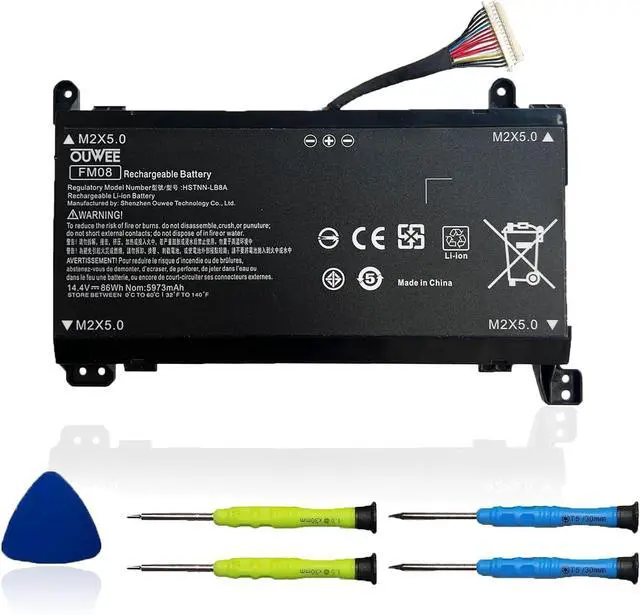



HSTNN-LB8B FM08 Laptop Battery Compatible with HP Omen 17-AN013TX 17-AN014TX 17-AN014NG 17-an008ur Series TPN-Q195 922752-421 922753-421 922976-855 14.4V 86Wh 5973mAh(16-Pin Connector)
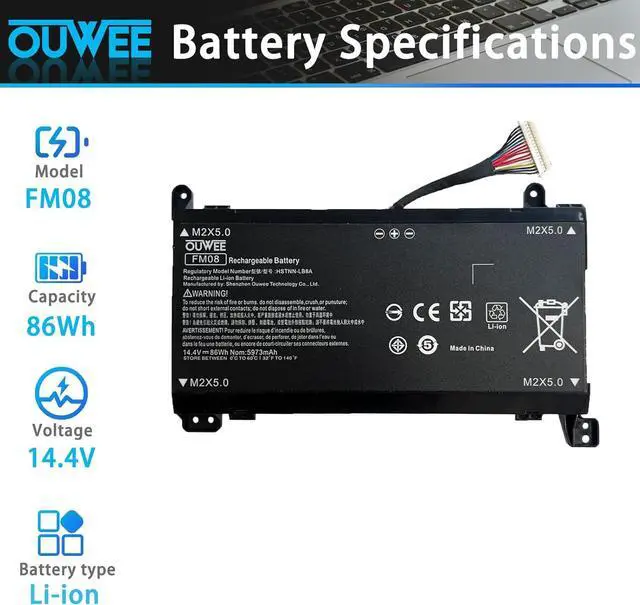
- Battery typeLi-ion. Voltage: 14.4V. Capacity: 86Wh 5973mAh .
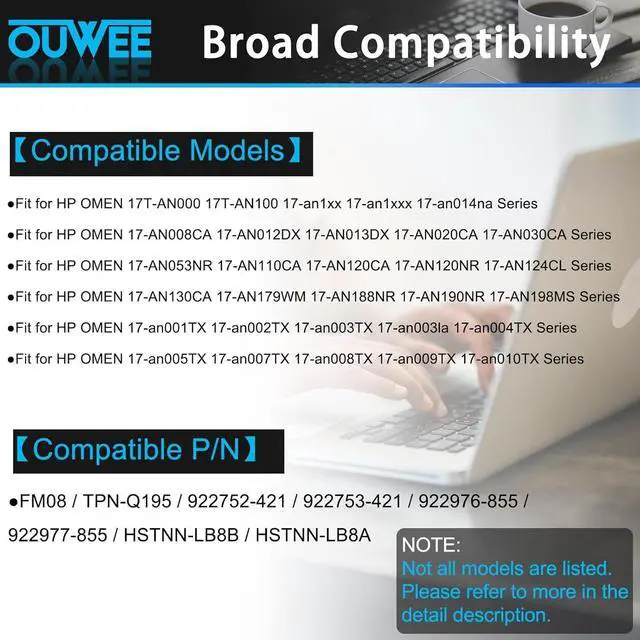
- Compatible Part NumberFM08 TPN-Q195 922752-421 922753-421 922976-855 922977-855 HSTNN-LB8B HSTNN-LB8A .
- Replacement For LaptopHP Omen 17-AN013TX 17-AN014TX 17-AN014NG 17-an008ur 17-an015ng 17-an013ng Series Notebook.
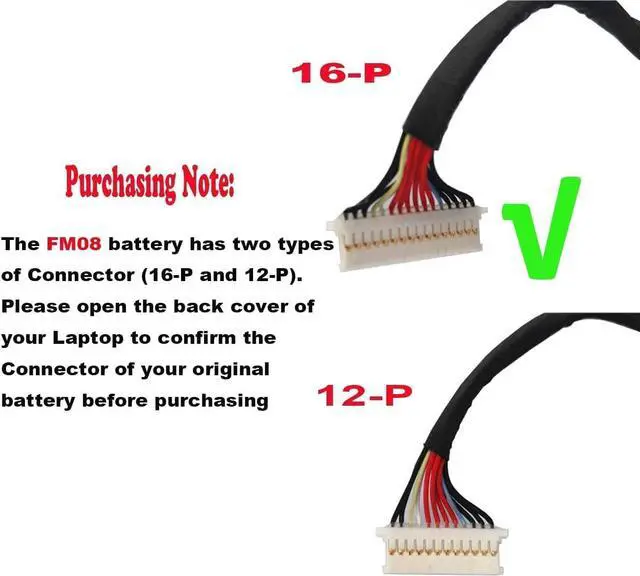
- ConnectorBefore placing your order,Please refer to the picture and check it.Because the products produced by different factories will have differences, such as size, cable length, interface, etc.
- Use SkillsIf the new battery is not recognized during the initial installation, please reinstall and check if the interface is fully connected.Discharge the new battery to 5% (not 0%), then charge and cycle 3-4 times to wake up the new battery.
+
+
Overview
Specs
Reviews

Any questions? Our AI mode will help you find out quickly.
Try me now
ModelFM08Capacity86WhVoltage14.4VTypeLi-ionColorBlackConditionBrand New Fit for HP OMEN 17T-AN000 17T-AN100 17-an1xx 17-an1xxx 17-an014na Series;
Fit for HP OMEN 17-AN008CA 17-AN012DX 17-AN013DX 17-AN020CA 17-AN030CA Series;
Fit for HP OMEN 17-AN053NR 17-AN110CA 17-AN120CA 17-AN120NR 17-AN124CL Series;
Fit for HP OMEN 17-AN130CA 17-AN179WM 17-AN188NR 17-AN190NR 17-AN198MS Series;
Fit for HP OMEN 17-an001TX 17-an002TX 17-an003TX 17-an003la 17-an004TX Series;
Fit for HP OMEN 17-an005TX 17-an007TX 17-an008TX 17-an009TX 17-an010TX Series.
Replacement for Part Number:
FM08 / TPN-Q195 / 922752-421 / 922753-421 / 922976-855 / 922977-855 / HSTNN-LB8B / HSTNN-LB8A
Why isnt your laptop detecting the battery or showing the correct battery level after installation? This could happen if the battery isnt properly connected. Make sure the battery cable is securely attached. Another possible cause is damaged conductive material between the laptops motherboard and the batterys positive contacttry testing with the original battery to verify. Also, check if the battery driver is functioning correctly. If not, download and install the latest driver update.
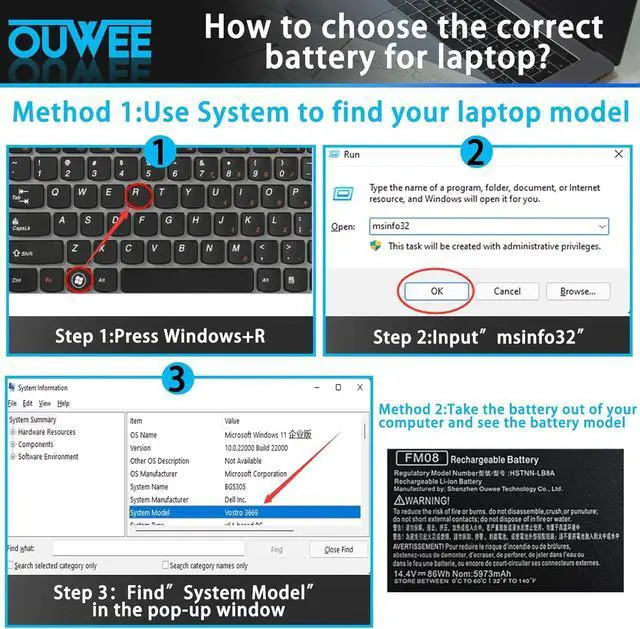
Product information Compatible Models (use "Ctrl+F to find your model quickly") Common Troubleshooting Methods
Fit for HP OMEN 17-AN008CA 17-AN012DX 17-AN013DX 17-AN020CA 17-AN030CA Series;
Fit for HP OMEN 17-AN053NR 17-AN110CA 17-AN120CA 17-AN120NR 17-AN124CL Series;
Fit for HP OMEN 17-AN130CA 17-AN179WM 17-AN188NR 17-AN190NR 17-AN198MS Series;
Fit for HP OMEN 17-an001TX 17-an002TX 17-an003TX 17-an003la 17-an004TX Series;
Fit for HP OMEN 17-an005TX 17-an007TX 17-an008TX 17-an009TX 17-an010TX Series.
Replacement for Part Number:
FM08 / TPN-Q195 / 922752-421 / 922753-421 / 922976-855 / 922977-855 / HSTNN-LB8B / HSTNN-LB8A
Why isnt your laptop detecting the battery or showing the correct battery level after installation? This could happen if the battery isnt properly connected. Make sure the battery cable is securely attached. Another possible cause is damaged conductive material between the laptops motherboard and the batterys positive contacttry testing with the original battery to verify. Also, check if the battery driver is functioning correctly. If not, download and install the latest driver update.
Product information Compatible Models (use "Ctrl+F to find your model quickly") Common Troubleshooting Methods
Warranty & Returns
Warranty, Returns, And Additional Information
Warranty
- Please contact the Seller directly for warranty information. Warranty information may also be found on the Manufacturer's website.
- CONTACT
Return Policies
- Return for refund within: 30 days
- Return for replacement within: 30 days
- This item is covered by E-Transit Limited Return Policy
Manufacturer Contact Info
- For a directory of all our manufacturers, please click below.
- Manufacturers Directory
LOADING...