

Your Browsing History
- Free 30-day Returns
$86.99

Meet Your Seller

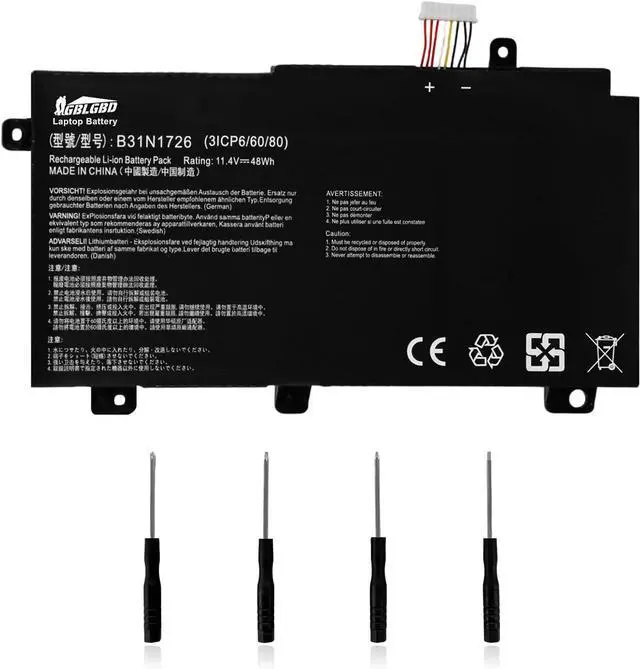



B31N1726 Replacement Battery for ASUS FX86 FX86FE FX86FM FX80 FX80G FX80GD FX80GE FX80GM TUF Gaming FX504GD FX505D FX505DT FX507 Series, Compatible with B31N1726-1, B31BNEH, B31BN91, A41LK9H
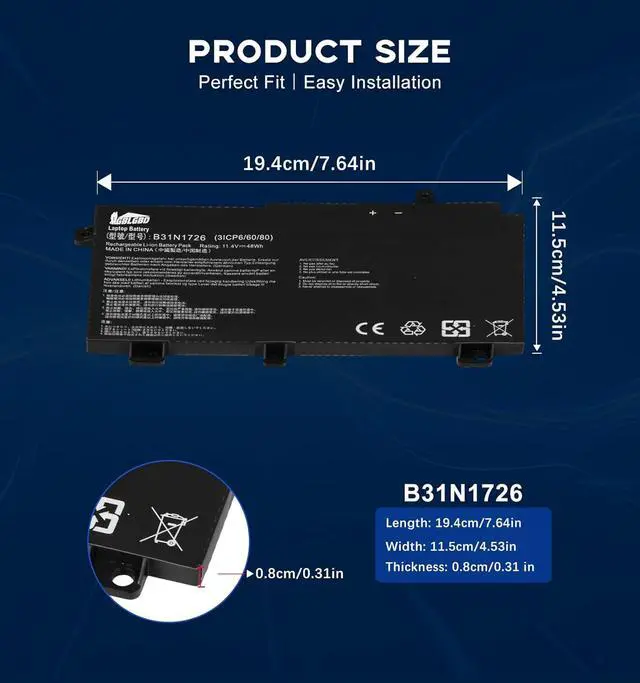
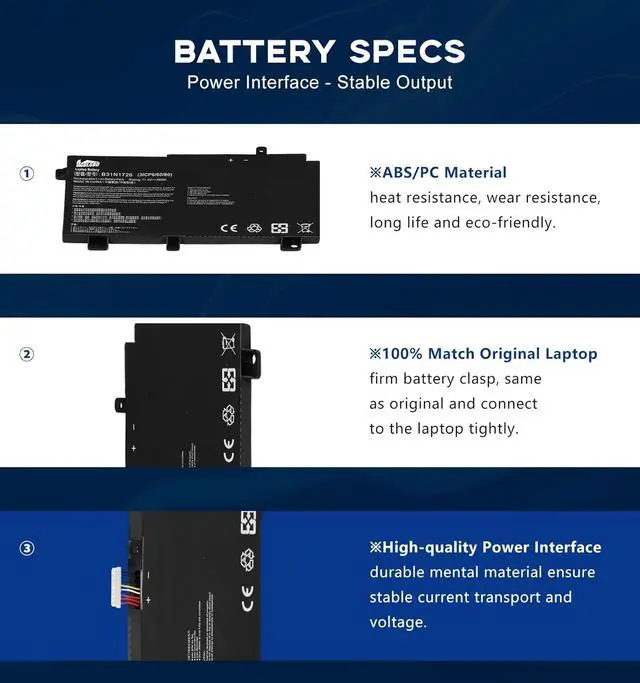
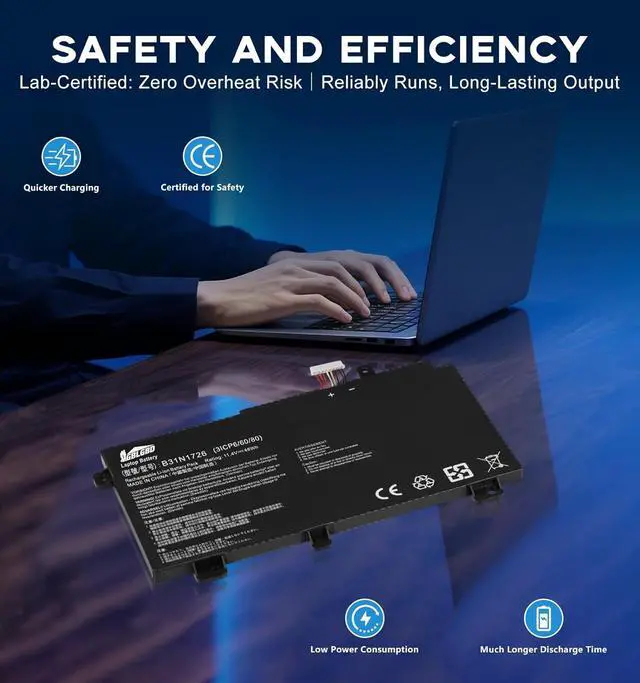
- Specifications: Replacement Battery B31N1726 for Asus, Voltage: 11.4V, Capacity: 48Wh, 4211mAh, 3-Cell. Type: rechargeable Li-ion battery, Package includes: 1 x B31N1726 battery, 1 x 5-IN-1 Screwdriver toolkit, 1 x User Manual. All our brand replacement laptop batteries are 100% brand-new from manufacturer owned by ourselves GBLGBD.
- Compatible with Laptop Models: ASUS FX80 / FX80G / FX80GD / FX80GE / FX80GM Series; ASUS FX86 / FX86FE / FX86FM Series; ASUS TUF Gaming FX504GD / FX504GE / FX504GM Series; ASUS TUF Gaming FX505D /FX505DT / FX505DV / FX505DU / FX505DY / FX505GE / FX505GD / FX505GM Series; ASUS TUF Gaming F15 FX507 Series; Asus TUF F17 Series. ASUS TUF Gaming FX506HE; ASUS TUF Gaming A15 FA506IU; ASUS TUF Gaming A17 FA706II; Asus TUF Gaming A15 FA506QR 2021.
- Replacement for Original Battery Part Numbers: B31N1726, B31N1726-1, B31BNEH, B31BN91, A41LK9H, 0B200-02910000, 0B200-02910200, 3ICP7/60/80.
- Safety Assured: CE/FCC/RoHS certified, built-in triple protection circuit fo
+
+
Overview
Specs
Reviews

Any questions? Our AI mode will help you find out quickly.
Try me now
1. Li-ion batteries: Have no "memory effect," so you dont need to fully discharge them before charging. Overcharging (keeping them at 100% for long periods) can degrade their health.
2. Avoid full charges and discharges: Keep the battery level between 20% and 80% as much as possible. Studies show that Li-ion batteries degrade faster when frequently charged to 100% or drained below 20%.
3. Unplug When Not Needed. Dont leave your laptop plugged in indefinitely after it reaches full charge.
4. Avoid Extreme Temperatures(ideally between 10°C and 30°C).
1. Charge your laptop in a cool, well-ventilated environment. High temperatures (e.g., leaving it in a hot car) can damage the battery even while charging.
2. In daily life, manage power settings. On Windows: Go to Settings > System > Power & battery and adjust the power plan to prioritize battery life (e.g., set the screen to dim after a short period, enable "Battery saver"). On macOS: Go to System Preferences > Battery and use "Low Power Mode" when running on battery.
3. Reduce power consumption, close unused apps.
1. Calibrate the Battery (Occasionally)
Some laptops may need periodic calibration to ensure the battery level indicator is accurate.
How to calibrate: Discharge the battery to around 10%, then charge it to 100% without interrupting the process. Do this once every 36 months (no need to do it frequently).
2. Check Battery Health
On Windows: Use the command powercfg /batteryreport to generate a battery report and view its capacity and wear level.
On macOS: Go to System Preferences > Battery > Battery Health to see if your battery needs replacement.
Yes, all of our laptop battery is li-ion or lithium-polymer battery, definitely rechargeable, but be sure to charge with the original AC adapter.
Compatible with Laptop Models:
ASUS FX80 / FX80G / FX80GD / FX80GE / FX80GM Series;
ASUS FX86 / FX86FE / FX86FM Series;
ASUS TUF Gaming FX504GD / FX504GE / FX504GM Series;
ASUS TUF Gaming FX505D /FX505DT / FX505DV / FX505DU / FX505DY / FX505GE / FX505GD / FX505GM Series;
ASUS TUF Gaming F15 FX507 Series;
Asus TUF F17 Series
ASUS TUF Gaming FX506HE; ASUS TUF Gaming A15 FA506IU; ASUS TUF Gaming A17 FA706II; Asus TUF Gaming A15 FA506QR 2021.
Replacement for Battery Original Part Numbers:
B31N1726, B31N1726-1, B31BNEH, B31BN91, A41LK9H, 0B200-02910000, 0B200-02910200, 3ICP7/60/80.
NOTE:
There are 2 kinds of designs for B31N1726 (Shape A and B), they are NOT fit for each other. The size, cable length, interface are different as the picture showed. Please open the back cover of your laptop.
Please check your battery part number, shape, size, connector type and laptop model before buy, thanks.
B31N1726 Laptop Battery Replacement
Most laptop manufacturers recommend keeping the battery within this range for regular use. This reduces stress on battery cells and slows capacity degradation.
How should I charge my laptop battery? How to keep the battery in good health and have a longer life? How to manage the battery periodic maintenance? Is the GBLGBD laptop battery rechargeable? Optimize Charging Habits for the Battery in Daily Use Charge between 20% and 80% for daily use
2. Avoid full charges and discharges: Keep the battery level between 20% and 80% as much as possible. Studies show that Li-ion batteries degrade faster when frequently charged to 100% or drained below 20%.
3. Unplug When Not Needed. Dont leave your laptop plugged in indefinitely after it reaches full charge.
4. Avoid Extreme Temperatures(ideally between 10°C and 30°C).
1. Charge your laptop in a cool, well-ventilated environment. High temperatures (e.g., leaving it in a hot car) can damage the battery even while charging.
2. In daily life, manage power settings. On Windows: Go to Settings > System > Power & battery and adjust the power plan to prioritize battery life (e.g., set the screen to dim after a short period, enable "Battery saver"). On macOS: Go to System Preferences > Battery and use "Low Power Mode" when running on battery.
3. Reduce power consumption, close unused apps.
1. Calibrate the Battery (Occasionally)
Some laptops may need periodic calibration to ensure the battery level indicator is accurate.
How to calibrate: Discharge the battery to around 10%, then charge it to 100% without interrupting the process. Do this once every 36 months (no need to do it frequently).
2. Check Battery Health
On Windows: Use the command powercfg /batteryreport to generate a battery report and view its capacity and wear level.
On macOS: Go to System Preferences > Battery > Battery Health to see if your battery needs replacement.
Yes, all of our laptop battery is li-ion or lithium-polymer battery, definitely rechargeable, but be sure to charge with the original AC adapter.
Compatible with Laptop Models:
ASUS FX80 / FX80G / FX80GD / FX80GE / FX80GM Series;
ASUS FX86 / FX86FE / FX86FM Series;
ASUS TUF Gaming FX504GD / FX504GE / FX504GM Series;
ASUS TUF Gaming FX505D /FX505DT / FX505DV / FX505DU / FX505DY / FX505GE / FX505GD / FX505GM Series;
ASUS TUF Gaming F15 FX507 Series;
Asus TUF F17 Series
ASUS TUF Gaming FX506HE; ASUS TUF Gaming A15 FA506IU; ASUS TUF Gaming A17 FA706II; Asus TUF Gaming A15 FA506QR 2021.
Replacement for Battery Original Part Numbers:
B31N1726, B31N1726-1, B31BNEH, B31BN91, A41LK9H, 0B200-02910000, 0B200-02910200, 3ICP7/60/80.
NOTE:
There are 2 kinds of designs for B31N1726 (Shape A and B), they are NOT fit for each other. The size, cable length, interface are different as the picture showed. Please open the back cover of your laptop.
Please check your battery part number, shape, size, connector type and laptop model before buy, thanks.
B31N1726 Laptop Battery Replacement
Most laptop manufacturers recommend keeping the battery within this range for regular use. This reduces stress on battery cells and slows capacity degradation.
How should I charge my laptop battery? How to keep the battery in good health and have a longer life? How to manage the battery periodic maintenance? Is the GBLGBD laptop battery rechargeable? Optimize Charging Habits for the Battery in Daily Use Charge between 20% and 80% for daily use
Warranty & Returns
Warranty, Returns, And Additional Information
Warranty
- Please contact the Seller directly for warranty information. Warranty information may also be found on the Manufacturer's website.
- CONTACT
Return Policies
- Return for refund within: 30 days
- Return for replacement within: 30 days
- This item is covered by E-Transit Limited Return Policy
Manufacturer Contact Info
- For a directory of all our manufacturers, please click below.
- Manufacturers Directory
LOADING...