

Your Browsing History
- Free 30-day Returns
$95.99

Meet Your Seller

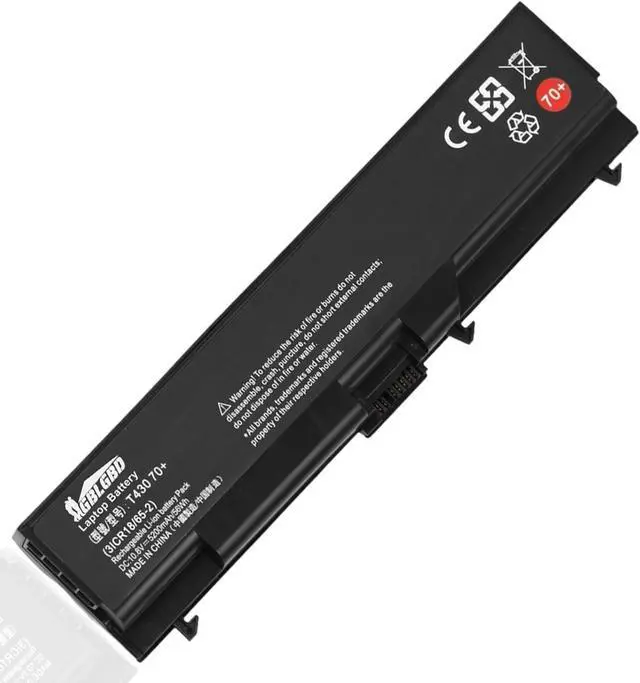

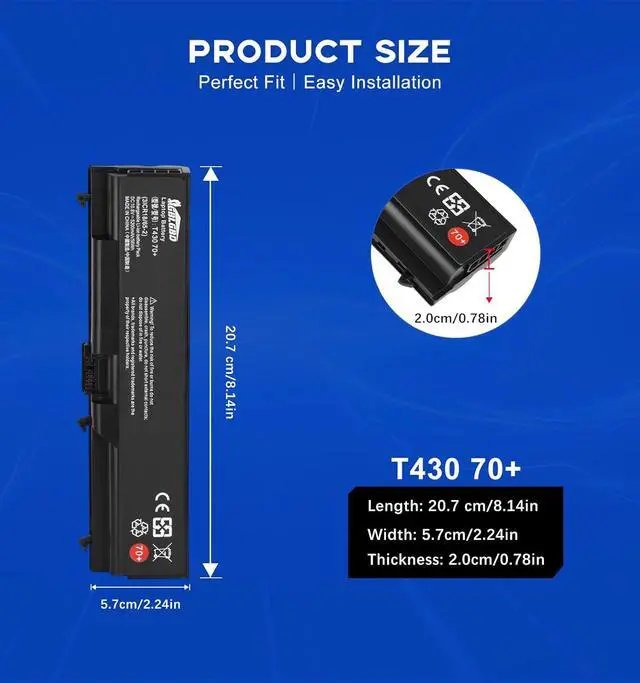
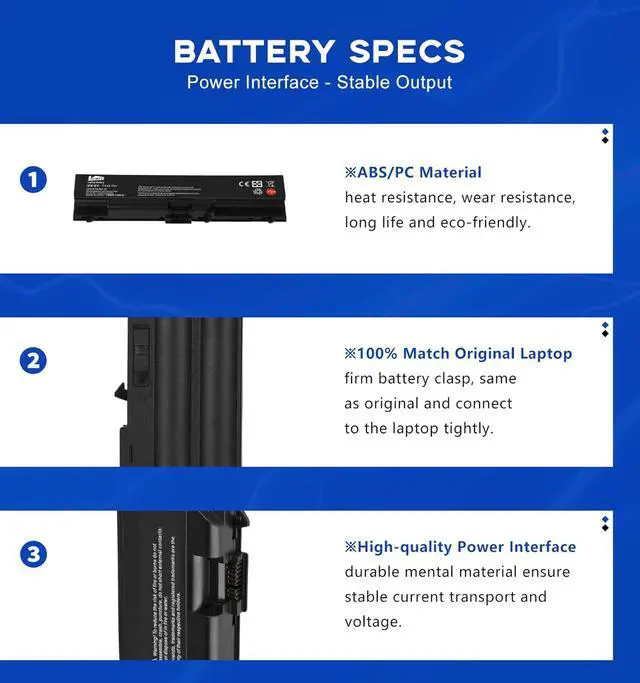





T430 70+ Replacement Battery for Lenovo ThinkPad T430 L530 W520 SL410 2842 SL510K Edge 14" 05787UJ, Compatible with Part Numbers 42T4737 51J0499 FRU 42T4702, 6-Cell 5200mAh Rechargeable Li-ion
- Specifications: Replacement Battery T430 70+ for Lenovo, Voltage: 10.8V, Capacity: 56Wh 5200mAh, 6-Cell. Type: rechargeable Li-ion battery, Package includes: 1 x T430 70+ battery, 1 x User Manual. All our brand replacement laptop batteries are 100% brand-new from manufacturer owned by ourselves GBLGBD.
- Compatible with Laptop Models: Lenovo ThinkPad L410 / 412 / 420 / 421 / 430 / 510 / 512 / 520 / 530, T410 / 410I / 420 / 420I / 430 / 430I / 510 / 510I / 520 / 520I / 530 / 530I, W510 / 520 / 530 / 530I, SL410 SL410K SL510 SL510K SL530 Edge 14" / 15", E40 / 50 / 420 / 425 / 520 / 525 / Edge 0578-47B Series. NOTE: NOT compatible with T410S, T420S, T430S, T530S.
- Replacement for Original Battery Part Numbers: 42T4235 / 4708 / 4714 / 4731 / 4733 / 4737 / 4753 /4756 / 4757 / 4763 / 4764 / 4798 / 4803 / 4819 / 4848 / 4849 / 4850 / 4851 / 4852 / 4911 / 4911 / 4912, 51J0499 / J0500, 57Y4185 / 4186 / 4545, ASM 42T4703 / 4752 / 4756 / 4794 / 4796, FRU 42T4702 / 4751 / 4755 / 4791 / 4793 / 4795
+
+
Overview
Specs
Reviews

Any questions? Our AI mode will help you find out quickly.
Try me now
1. Li-ion batteries: Have no "memory effect," so you dont need to fully discharge them before charging. Overcharging (keeping them at 100% for long periods) can degrade their health.
2. Avoid full charges and discharges: Keep the battery level between 20% and 80% as much as possible. Studies show that Li-ion batteries degrade faster when frequently charged to 100% or drained below 20%.
3. Unplug When Not Needed. Dont leave your laptop plugged in indefinitely after it reaches full charge.
4. Avoid Extreme Temperatures(ideally between 10°C and 30°C).
1. Charge your laptop in a cool, well-ventilated environment. High temperatures (e.g., leaving it in a hot car) can damage the battery even while charging.
2. In daily life, manage power settings. On Windows: Go to Settings > System > Power & battery and adjust the power plan to prioritize battery life (e.g., set the screen to dim after a short period, enable "Battery saver"). On macOS: Go to System Preferences > Battery and use "Low Power Mode" when running on battery.
3. Reduce power consumption, close unused apps.
1. Calibrate the Battery (Occasionally)
Some laptops may need periodic calibration to ensure the battery level indicator is accurate.
How to calibrate: Discharge the battery to around 10%, then charge it to 100% without interrupting the process. Do this once every 36 months (no need to do it frequently).
2. Check Battery Health
On Windows: Use the command powercfg /batteryreport to generate a battery report and view its capacity and wear level.
On macOS: Go to System Preferences > Battery > Battery Health to see if your battery needs replacement.
Yes, all of our laptop battery is li-ion or lithium-polymer battery, definitely rechargeable, but be sure to charge with the original AC adapter.
42T4235 / 4708 / 4714 / 4731 / 4733 / 4737 / 4753 /4756 / 4757 / 4763 / 4764 / 4798 / 4803 / 4819 / 4848 / 4849 / 4850 / 4851 / 4852 / 4911 / 4911 / 4912, 51J0499 / J0500, 57Y4185 / 4186 / 4545, ASM 42T4703 / 4752 / 4756 / 4794 / 4796, FRU 42T4702 / 4751 / 4755 / 4791 / 4793 / 4795 / 4797 / 4817 / 4819 (0A36303).
Lenovo Thinkpad T Series: T410 / 410I / 420 / 420I / 430 / 430I / 510 / 510I / 520 / 520I / 530 / 530I
Lenovo Thinkpad L Series: L410 / 412 / 420 / 421 / 430 / 510 / 512 / 520 / 530
Lenovo Thinkpad W Series: W510 / 520 / 530 / 530I
Lenovo ThinkPad SL410 Series: SL410 2842 / 2874, SL410k 2842
Lenovo ThinkPad SL510 series: SL510 2847 / 2875, SL510K
Lenovo ThinkPad Edge 14" Series: Edge 14" 05787UJ / 05787VJ / 05787WJ / 05787XJ / 05787YJ / 0578F7U
Lenovo ThinkPad Edge 15" Series: Edge 15" E420 / E425 / E520 / E525
NOTE: NOT compatible with T410S / 410SI / 420S / 420SI / 430S / 430SI / 440 / 450 / 510S / 520S / 530S, W500, P Series, X Series, E Series Tablet Notebooks.
For rst time use you must activate the battery rst, 3 steps:
1. Install the battery into the laptop.
2. Connect the laptop to the adapter and turn on the power.
3. Start the boot. After that the battery can be used normally.
How should I charge my laptop battery? How to keep the battery in good health and have a longer life? How to manage the battery periodic maintenance? Is the GBLGBD laptop battery rechargeable? Replacement for Original Part Numbers: Compatible with Laptop Models: HOW TO How to use the battery after receiving it?
2. Avoid full charges and discharges: Keep the battery level between 20% and 80% as much as possible. Studies show that Li-ion batteries degrade faster when frequently charged to 100% or drained below 20%.
3. Unplug When Not Needed. Dont leave your laptop plugged in indefinitely after it reaches full charge.
4. Avoid Extreme Temperatures(ideally between 10°C and 30°C).
1. Charge your laptop in a cool, well-ventilated environment. High temperatures (e.g., leaving it in a hot car) can damage the battery even while charging.
2. In daily life, manage power settings. On Windows: Go to Settings > System > Power & battery and adjust the power plan to prioritize battery life (e.g., set the screen to dim after a short period, enable "Battery saver"). On macOS: Go to System Preferences > Battery and use "Low Power Mode" when running on battery.
3. Reduce power consumption, close unused apps.
1. Calibrate the Battery (Occasionally)
Some laptops may need periodic calibration to ensure the battery level indicator is accurate.
How to calibrate: Discharge the battery to around 10%, then charge it to 100% without interrupting the process. Do this once every 36 months (no need to do it frequently).
2. Check Battery Health
On Windows: Use the command powercfg /batteryreport to generate a battery report and view its capacity and wear level.
On macOS: Go to System Preferences > Battery > Battery Health to see if your battery needs replacement.
Yes, all of our laptop battery is li-ion or lithium-polymer battery, definitely rechargeable, but be sure to charge with the original AC adapter.
42T4235 / 4708 / 4714 / 4731 / 4733 / 4737 / 4753 /4756 / 4757 / 4763 / 4764 / 4798 / 4803 / 4819 / 4848 / 4849 / 4850 / 4851 / 4852 / 4911 / 4911 / 4912, 51J0499 / J0500, 57Y4185 / 4186 / 4545, ASM 42T4703 / 4752 / 4756 / 4794 / 4796, FRU 42T4702 / 4751 / 4755 / 4791 / 4793 / 4795 / 4797 / 4817 / 4819 (0A36303).
Lenovo Thinkpad T Series: T410 / 410I / 420 / 420I / 430 / 430I / 510 / 510I / 520 / 520I / 530 / 530I
Lenovo Thinkpad L Series: L410 / 412 / 420 / 421 / 430 / 510 / 512 / 520 / 530
Lenovo Thinkpad W Series: W510 / 520 / 530 / 530I
Lenovo ThinkPad SL410 Series: SL410 2842 / 2874, SL410k 2842
Lenovo ThinkPad SL510 series: SL510 2847 / 2875, SL510K
Lenovo ThinkPad Edge 14" Series: Edge 14" 05787UJ / 05787VJ / 05787WJ / 05787XJ / 05787YJ / 0578F7U
Lenovo ThinkPad Edge 15" Series: Edge 15" E420 / E425 / E520 / E525
NOTE: NOT compatible with T410S / 410SI / 420S / 420SI / 430S / 430SI / 440 / 450 / 510S / 520S / 530S, W500, P Series, X Series, E Series Tablet Notebooks.
For rst time use you must activate the battery rst, 3 steps:
1. Install the battery into the laptop.
2. Connect the laptop to the adapter and turn on the power.
3. Start the boot. After that the battery can be used normally.
How should I charge my laptop battery? How to keep the battery in good health and have a longer life? How to manage the battery periodic maintenance? Is the GBLGBD laptop battery rechargeable? Replacement for Original Part Numbers: Compatible with Laptop Models: HOW TO How to use the battery after receiving it?
Warranty & Returns
Warranty, Returns, And Additional Information
Warranty
- Please contact the Seller directly for warranty information. Warranty information may also be found on the Manufacturer's website.
- CONTACT
Return Policies
- Return for refund within: 30 days
- Return for replacement within: 30 days
- This item is covered by E-Transit Limited Return Policy
Manufacturer Contact Info
- For a directory of all our manufacturers, please click below.
- Manufacturers Directory
LOADING...