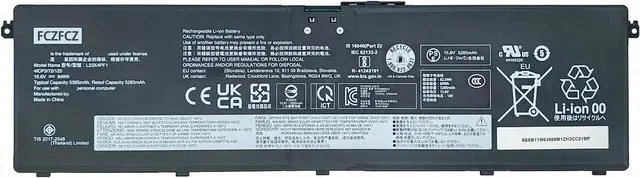
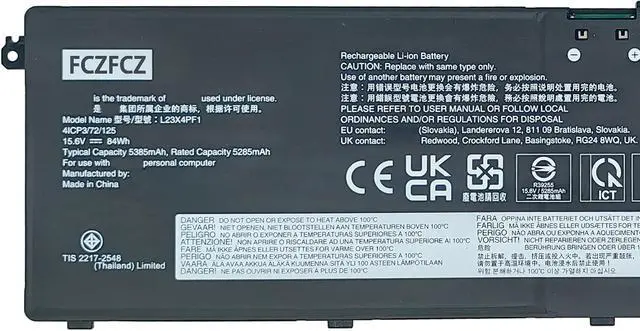
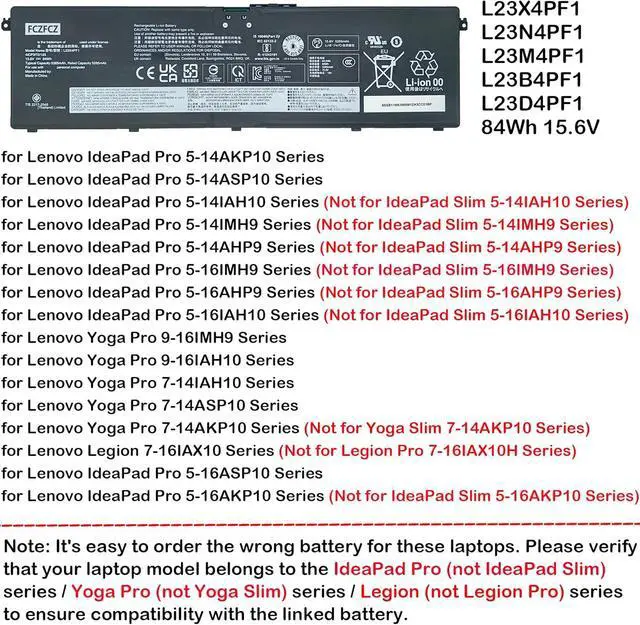
SpecificationsBattery Model:L23X4PF1 // Voltage:15.6V // Capacity:84Wh 5385mAh 4-cell // Color:Black // Condition:Brand New.
Replacement for Part NumberL23X4PF1 SB11M63868 5B11M63870 L23D4PF1 SB11M63875 5B11M63871 L23B4PF1 SB11M63869 5B11M63867 L23N4PF1 SB11M63874 5B11M63873 SB11M63866 5B11M63872
Compatible with Machine Modelsfor Lenovo IdeaPad Pro 5-14AKP10 (Type: 83JL) Series; for Lenovo IdeaPad Pro 5-14ASP10 (Type: 83LR) Series; for Lenovo IdeaPad Pro 5-14IAH10 (Type: 83JK) Series; for Lenovo IdeaPad Pro 5-14IMH9 (Type: 83D2) Series; for Lenovo IdeaPad Pro 5-14AHP9 (Type: 83D3) Series; for Lenovo IdeaPad Pro 5-16IMH9 (Type:83D4) Series; for Lenovo IdeaPad Pro 5-16AHP9 (Type: 83D5) Series; for Lenovo IdeaPad Pro 5 16IAH10 (Type: 83JM) Series; for Lenovo Yoga Pro 9-16IMH9 (Type: 83DN) Series; for Lenovo Yoga Pro 9-16IAH10 (Type: 83L0) Series
Compatible with Machine Modelsfor Lenovo Yoga Pro 7-14IAH10 (Type:83KF) Series; for Lenovo Yoga Pro 7-14ASP10 (Type:83LX) Series; for Lenovo Yoga Pro 7-14AKP10 (Type: 83KG) Series; for Lenovo Legion 7-16IAX10 (Type: 83KY) Series; for Lenovo IdeaPad Pro 5-16ASP10 (Type: 83LS) Series; for Lenovo IdeaPad Pro 5-16AKP10 (Type: 83JN) Series. (Note: It's easy to order the wrong battery for these laptops. Please verify that your laptop model belongs to the IdeaPad Pro (not IdeaPad Slim) series / Yoga Pro (not Yoga Slim) series / Legion (not Legion Pro) series to ensure compatibility with the linked battery.)
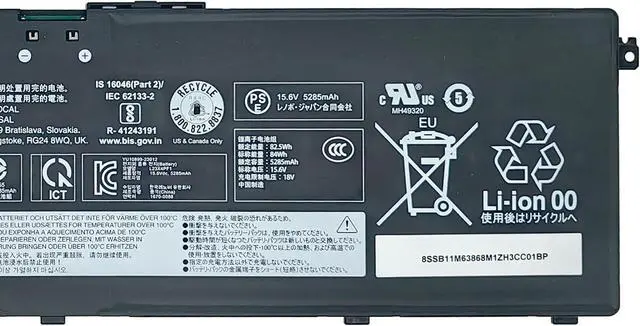
SafetyAll FCZFCZ products are Certified by CE, UL for safety. Each battery is factory tested before shipment and at good condition, and have its mark. Built-in circuit protection ensures both safety and stability. Each battery has high capacity to provide enduring, continual use.
InstructionsPlease open the back cover of the laptop before purchasing and confirm that the original battery type is the same as the picture. Please read the battery instruction manual carefully before installing the battery. Please install the battery correctly and ensure that the battery interface and the motherboard are firmly connected. Please use the original charger to charge the laptop. After battery installation, discharge the new battery to 5% (not 0%), then charge and cycle 3-4 times to wake up the new battery.





 here!
here!