Your Browsing History
- Free 30-day Returns
$117.99
Meet Your Seller
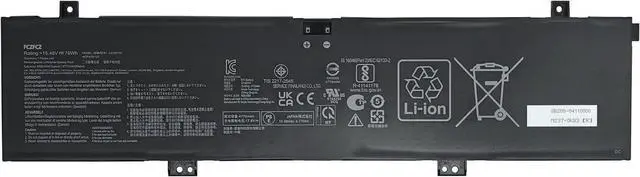
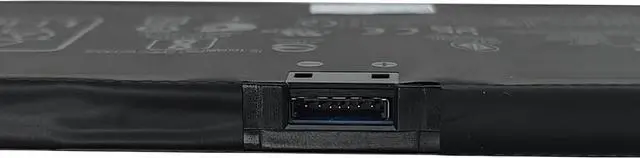
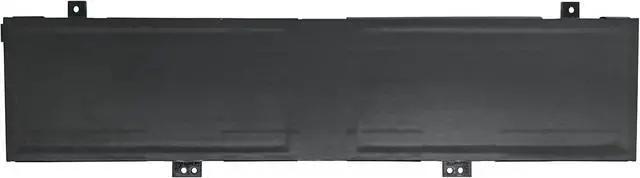
C41N2101 Battery 76Wh 4920mAh Replacement for Asus ROG Zephyrus G14 GA402RK GA402RJ TUF Dash F15 FX517 Zenbook Pro 17 UM6702RA UM6702RC Series 0B200-04110100 0B200-04110000 15.48V
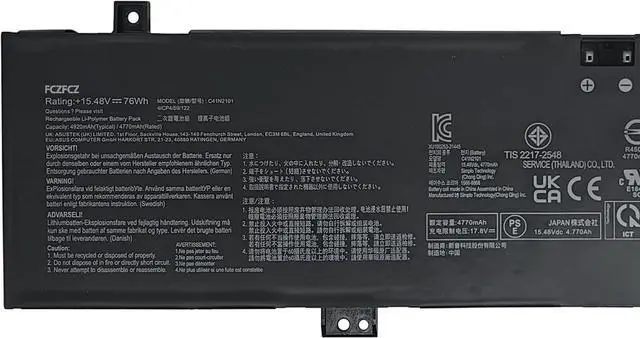
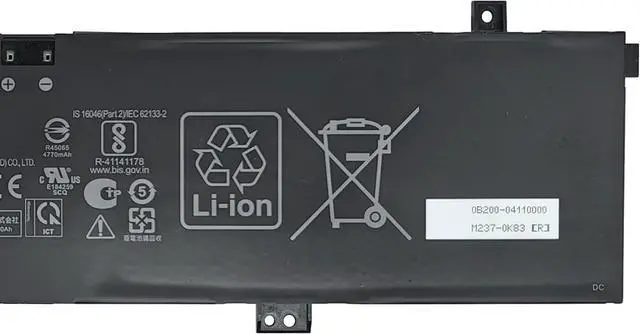
- SpecificationsBattery Model: C41N2101 // Voltage:15.48V // Capacity:76Wh 4920mAh // Color:Black // Condition:Brand New.
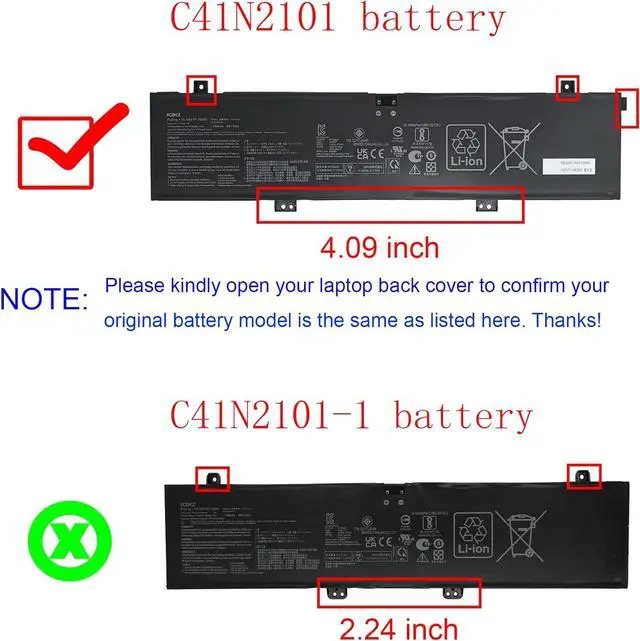
- Replacement for Part NumberC41N2101 0B200-04110100 0B200-04110000 (NOTE: Please kindly open your laptop back cover to confirm your original battery model is the same as listed here. Thanks!)
- Compatible with Machine Modelsfor ASUS ROG Zephyrus G14 GA402RK Series: GA402RK-012W GA402RK-L8148WS; for ASUS ROG Zephyrus G14 GA402RJ Series: GA402RJ-L4076W; for ASUS TUF DASH F15 FX517 Series; for ASUS TUF DASH F15 FX517ZC Series: FX517ZC-HN174W FX517ZC-HN059W; for ASUS TUF Dash F15 FX517ZM Series: FX517ZM-AS73; for ASUS Zenbook Pro 17 UM6702RA Series: UM6702RA-DB71; for ASUS Zenbook Pro 17 UM6702RC Series: UM6702RC-DS94T UM6702RC-M2115X UM6702RC-XB91.
- SafetyAll FCZFCZ products are Certified by CE, UL for safety. Each battery is factory tested before shipment and at good condition, and have its mark. Built-in circuit protection ensures both safety and stability. Eac
+
+
Overview
Specs
Reviews
Any questions? Our AI beta will help you find out quickly.
Try me now
SpecificationsBattery Model: C41N2101 // Voltage:15.48V // Capacity:76Wh 4920mAh // Color:Black // Condition:Brand New.
Replacement for Part NumberC41N2101 0B200-04110100 0B200-04110000 (NOTE: Please kindly open your laptop back cover to confirm your original battery model is the same as listed here. Thanks!)
Compatible with Machine Modelsfor ASUS ROG Zephyrus G14 GA402RK Series: GA402RK-012W GA402RK-L8148WS; for ASUS ROG Zephyrus G14 GA402RJ Series: GA402RJ-L4076W; for ASUS TUF DASH F15 FX517 Series; for ASUS TUF DASH F15 FX517ZC Series: FX517ZC-HN174W FX517ZC-HN059W; for ASUS TUF Dash F15 FX517ZM Series: FX517ZM-AS73; for ASUS Zenbook Pro 17 UM6702RA Series: UM6702RA-DB71; for ASUS Zenbook Pro 17 UM6702RC Series: UM6702RC-DS94T UM6702RC-M2115X UM6702RC-XB91.
SafetyAll FCZFCZ products are Certified by CE, UL for safety. Each battery is factory tested before shipment and at good condition, and have its mark. Built-in circuit protection ensures both safety and stability. Each battery has high capacity to provide enduring, continual use.
InstructionsPlease open the back cover of the laptop before purchasing and confirm that the original battery type is the same as the picture. Please read the battery instruction manual carefully before installing the battery. Please install the battery correctly and ensure that the battery interface and the motherboard are firmly connected. Please use the original charger to charge the laptop. After battery installation, discharge the new battery to 5% (not 0%), then charge and cycle 3-4 times to wake up the new battery.

Replacement for Part NumberC41N2101 0B200-04110100 0B200-04110000 (NOTE: Please kindly open your laptop back cover to confirm your original battery model is the same as listed here. Thanks!)
Compatible with Machine Modelsfor ASUS ROG Zephyrus G14 GA402RK Series: GA402RK-012W GA402RK-L8148WS; for ASUS ROG Zephyrus G14 GA402RJ Series: GA402RJ-L4076W; for ASUS TUF DASH F15 FX517 Series; for ASUS TUF DASH F15 FX517ZC Series: FX517ZC-HN174W FX517ZC-HN059W; for ASUS TUF Dash F15 FX517ZM Series: FX517ZM-AS73; for ASUS Zenbook Pro 17 UM6702RA Series: UM6702RA-DB71; for ASUS Zenbook Pro 17 UM6702RC Series: UM6702RC-DS94T UM6702RC-M2115X UM6702RC-XB91.
SafetyAll FCZFCZ products are Certified by CE, UL for safety. Each battery is factory tested before shipment and at good condition, and have its mark. Built-in circuit protection ensures both safety and stability. Each battery has high capacity to provide enduring, continual use.
InstructionsPlease open the back cover of the laptop before purchasing and confirm that the original battery type is the same as the picture. Please read the battery instruction manual carefully before installing the battery. Please install the battery correctly and ensure that the battery interface and the motherboard are firmly connected. Please use the original charger to charge the laptop. After battery installation, discharge the new battery to 5% (not 0%), then charge and cycle 3-4 times to wake up the new battery.
Warranty & Returns
Warranty, Returns, And Additional Information
Warranty
- Please contact the Seller directly for warranty information. Warranty information may also be found on the Manufacturer's website.
- CONTACT
Return Policies
- Return for refund within: 30 days
- Return for replacement within: 30 days
- This item is covered by E-Transit Limited Return Policy
Manufacturer Contact Info
- For a directory of all our manufacturers, please click below.
- Manufacturers Directory
LOADING...