

Your Browsing History
- Free 30-day Returns
$104.99

Meet Your Seller

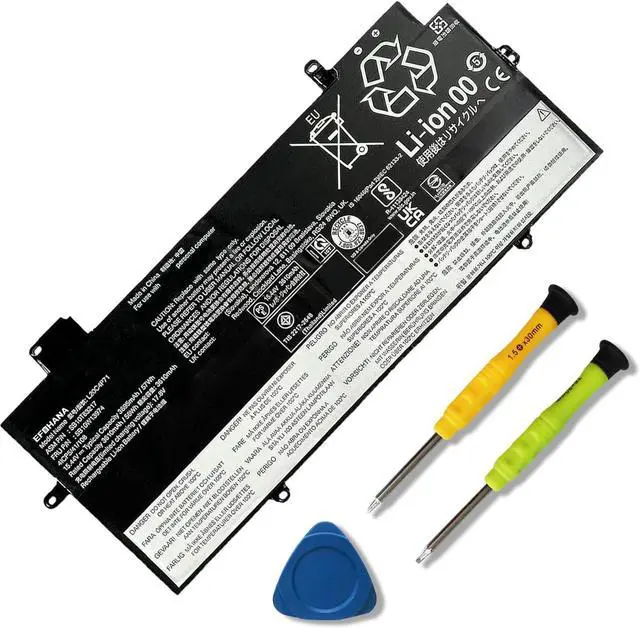
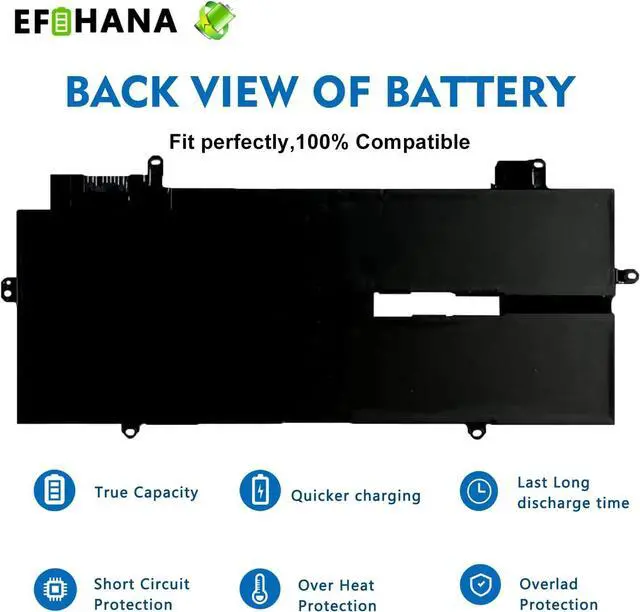


L20C4P71 L20M4P71 L20D4P71 L20L4P71 Laptop Battery Replacement for Lenovo ThinkPad X1 Carbon 9th 10th 11th Gen X1 Yoga 6th 7th 8th Gen Series 5B10W13974 SB10T83217 SB10T83216 5B10W13973 5B10W13975
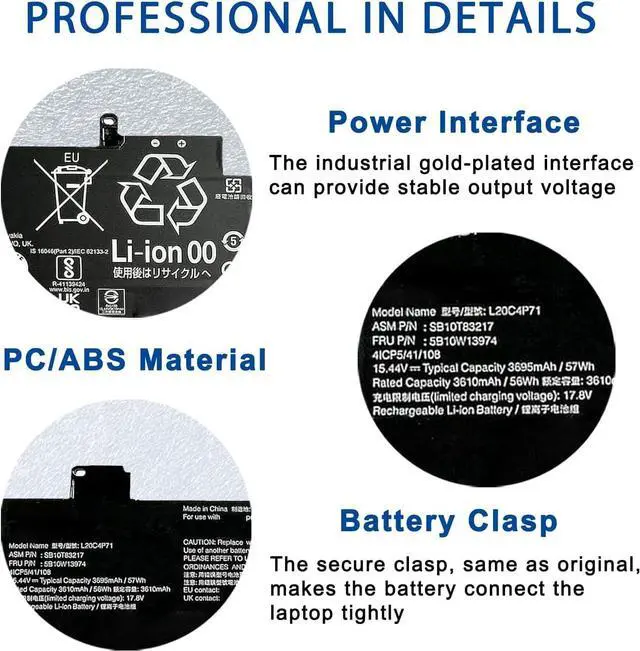
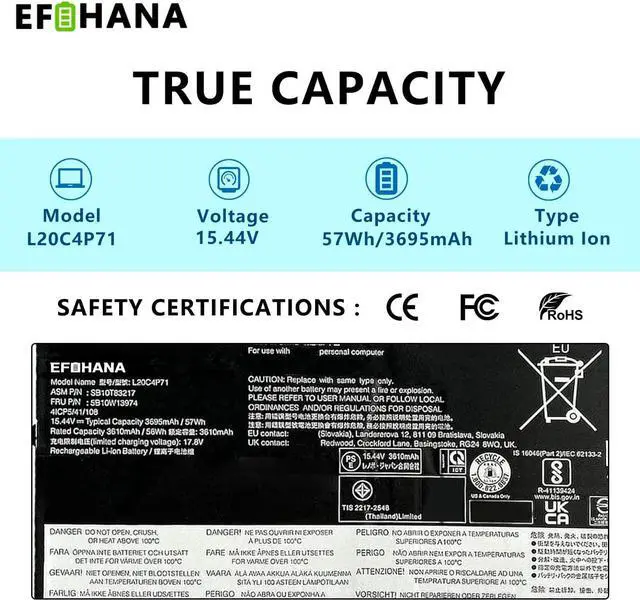
- [Specifications] Model: L20C4P71 // Battery type: Li-ion // Voltage: 15.44V // Capacity: 57Wh/3695mAh // 100% New from Manufacturer. Top circuit boards and smart chip
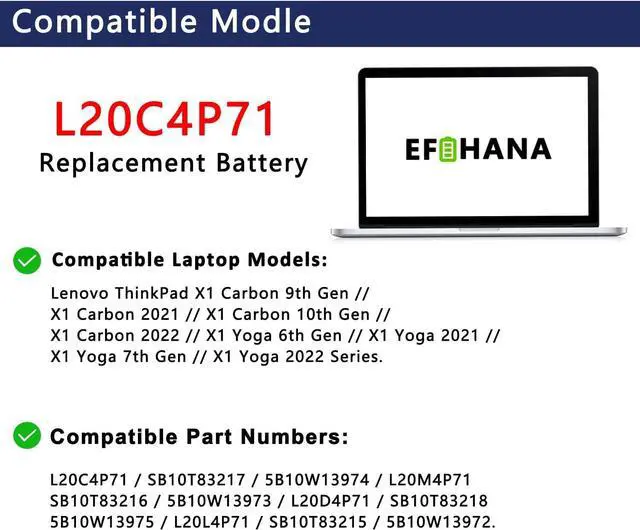
- [Compatible Part Number] Fit for L20C4P71 SB10T83217 5B10W13974 L20M4P71 SB10T83216 5B10W13973 L20D4P71 SB10T83218 5B10W13975 L20L4P71 SB10T83215 5B10W13972
- [Compatible with Laptop Models] Fit for Lenovo ThinkPad X1 Carbon 9th Gen (X1 Carbon 2021) Series; Fit for Lenovo ThinkPad X1 Carbon 10th Gen (X1 Carbon 2022) Series; Fit for Lenovo ThinkPad X1 Yoga 6th Gen (X1 Yoga 2021) Series; Fit for Lenovo ThinkPad X1 Yoga 7th Gen (X1 Yoga 2022) Series
- [After Service] Return and exchange are permitted within 30 days, accompanied by a 12-month warranty. (NOTE: If you encounter any issues with the battery, please reach out to usunder "YOUR ORDER," select the "contact seller" option.)
- [Gentle Reminder] If the new battery is not recognized during the initial installation, please reinstall and check if the interface is fully con
+
+
Overview
Specs
Reviews

Any questions? Our AI mode will help you find out quickly.
Try me now
How to choose the correct of battery?
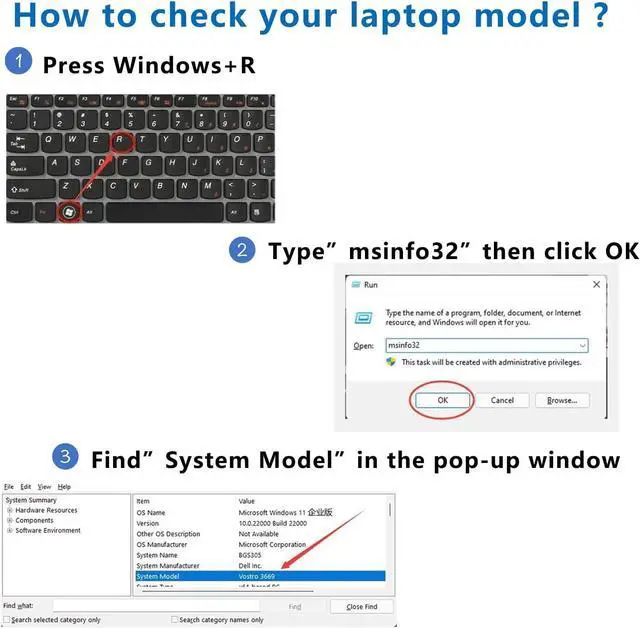
Methord 1: You have to find your specific laptop model before ordering a correct battery.
Step 1: Press Windows + R to open Run window.
Step 2: Input "msinfo32" in the empty box and click OK to open System Information.
Step 3: Keep in the System Summary section, and you will find the System Model item in the right pane.
Methord 2: Take the battery out of your computer and see the model of your battery.
Step 1: Switch off the laptop and unplug the power cable in case of electric shock.
Step 2: Remove the back panel with the screwdriver. You should to this with care avoiding any harm to the laptop components.
Step 3: Disconnect the cable connected to the battery and then take out the battery. After that, you can check the specifications of your battery.
Replacement for Part Number:
L20C4P71 SB10T83217 5B10W13974 L20M4P71 SB10T83216 5B10W13973 L20D4P71 SB10T83218 5B10W13975 L20L4P71 SB10T83215 5B10W13972
Compatible Models (use "Ctrl+F to find your model quickly")
Lenovo ThinkPad X1 Carbon 9th Gen (X1 Carbon 2021) Series
Lenovo ThinkPad X1 Carbon 10th Gen (X1 Carbon 2022) Series
Lenovo ThinkPad X1 Yoga 6th Gen (X1 Yoga 2021) Series
Lenovo ThinkPad X1 Yoga 7th Gen (X1 Yoga 2022) Series
We wanted to deliver a battery that doesn't only only last long, but also safe for use. Weve incorporated Grade A battery cells to ensure longer battery life, durability, and lower power consumption. All of our batteries offer 1000+ recharge cycles over life of battery.
You need to turn off your laptop and disconnect the power.
Disconnect the connection between the old battery and the motherboard to avoid unnecessary damage caused by disassembling the battery. Then unscrew the old battery screws one by one and carefully save each screw.
Remove the old battery, carefully install the new battery on the battery case, screw in the screw, and connect the wiring of the new battery.
If you don't understand the above steps, you can search for the video about laptop battery installation on YouTube. Maybe it will help you.
We specialize in providing our customers with products and services in the field of energy storage for laptops and power tools. We are confident in the performance of our products. Strict adherence to compatibility guidelines, quality control standards and environmental safety standards.
Grade A Cells Install A New Battery: What Do We Do?
Methord 1: You have to find your specific laptop model before ordering a correct battery.
Step 1: Press Windows + R to open Run window.
Step 2: Input "msinfo32" in the empty box and click OK to open System Information.
Step 3: Keep in the System Summary section, and you will find the System Model item in the right pane.
Methord 2: Take the battery out of your computer and see the model of your battery.
Step 1: Switch off the laptop and unplug the power cable in case of electric shock.
Step 2: Remove the back panel with the screwdriver. You should to this with care avoiding any harm to the laptop components.
Step 3: Disconnect the cable connected to the battery and then take out the battery. After that, you can check the specifications of your battery.
Replacement for Part Number:
L20C4P71 SB10T83217 5B10W13974 L20M4P71 SB10T83216 5B10W13973 L20D4P71 SB10T83218 5B10W13975 L20L4P71 SB10T83215 5B10W13972
Compatible Models (use "Ctrl+F to find your model quickly")
Lenovo ThinkPad X1 Carbon 9th Gen (X1 Carbon 2021) Series
Lenovo ThinkPad X1 Carbon 10th Gen (X1 Carbon 2022) Series
Lenovo ThinkPad X1 Yoga 6th Gen (X1 Yoga 2021) Series
Lenovo ThinkPad X1 Yoga 7th Gen (X1 Yoga 2022) Series
We wanted to deliver a battery that doesn't only only last long, but also safe for use. Weve incorporated Grade A battery cells to ensure longer battery life, durability, and lower power consumption. All of our batteries offer 1000+ recharge cycles over life of battery.
You need to turn off your laptop and disconnect the power.
Disconnect the connection between the old battery and the motherboard to avoid unnecessary damage caused by disassembling the battery. Then unscrew the old battery screws one by one and carefully save each screw.
Remove the old battery, carefully install the new battery on the battery case, screw in the screw, and connect the wiring of the new battery.
If you don't understand the above steps, you can search for the video about laptop battery installation on YouTube. Maybe it will help you.
We specialize in providing our customers with products and services in the field of energy storage for laptops and power tools. We are confident in the performance of our products. Strict adherence to compatibility guidelines, quality control standards and environmental safety standards.
Grade A Cells Install A New Battery: What Do We Do?
Warranty & Returns
Warranty, Returns, And Additional Information
Warranty
- Please contact the Seller directly for warranty information. Warranty information may also be found on the Manufacturer's website.
- CONTACT
Return Policies
- Return for refund within: 30 days
- Return for replacement within: 30 days
- This item is covered by E-Transit Limited Return Policy
Manufacturer Contact Info
- For a directory of all our manufacturers, please click below.
- Manufacturers Directory
LOADING...