

Your Browsing History
- Free 30-day Returns
$126.99

Meet Your Seller

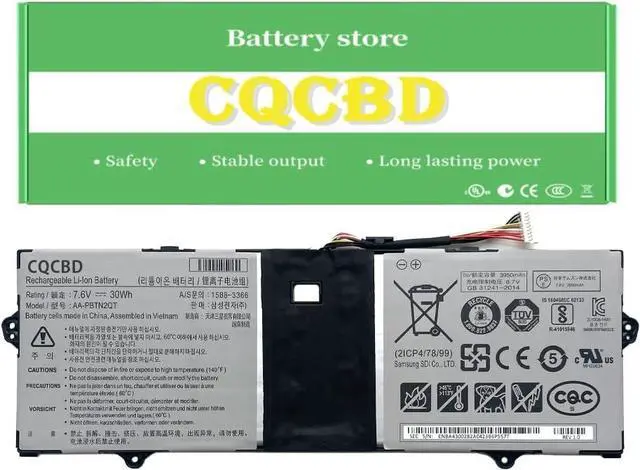
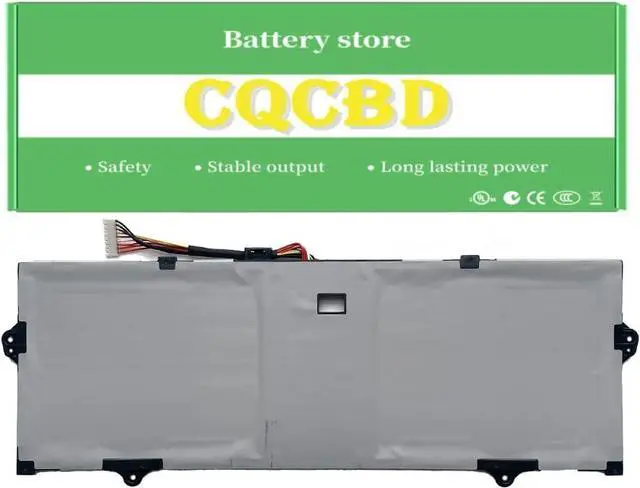




CQCQ AA-PBTN2QT Battery for Samsung Notebook 9 NP900X3N NP900X3N-K01US NP900X3N-K03CN NP900X3N-K04CN NP900X3N-K06CN NP900X3N-K09CN Series (7.6V 30Wh/3950mAh)
- Battery Type: Li-Polymer Voltage:7.6V Capacity:30Wh/3950mAh
- Compatible Part Number: AA-PBTN2QT
- Fit For: SAMSUNG Notebook 9 NP900X3N NP900X3N-K01US NP900X3N-K03CN NP900X3N-K04CN NP900X3N-K06CN NP900X3N-K09CN Series
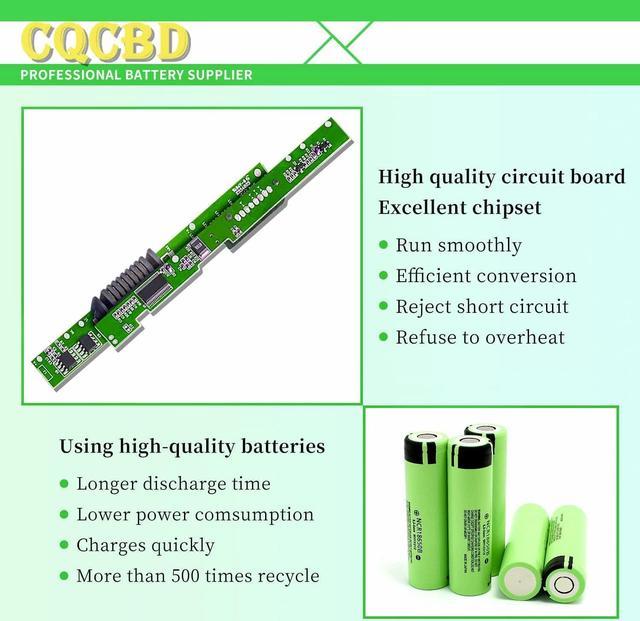
- Battery Condition:100% Brand New!Grade A cells ensure fast charges and low power consumption.
- How to install a new battery 1. emove the old battery, carefully install the new battery on the battery box, tighten the screws, and then connect the wires of the new battery. 2. If you have questions about installing a new battery, you can search for the installation of laptop/tablet models on YouTube. This method may help you.
- For Optimal Use battery 1.New battery received, discharge the battery to 5% (not 0%) for the fist use, then charge and cycle 3-4 times to wake up the new battery. The important point is to perform a full discharge and charge every other month to extend the battery life. 2.Do not connect adapter for a long time while using the battery. It may damage
+
+
Overview
Specs
Reviews

Any questions? Our AI mode will help you find out quickly.
Try me now
Battery Type: Li-Polymer Voltage:7.6V Capacity:30Wh/3950mAh
Compatible Part Number: AA-PBTN2QT
Fit For: SAMSUNG Notebook 9 NP900X3N NP900X3N-K01US NP900X3N-K03CN NP900X3N-K04CN NP900X3N-K06CN NP900X3N-K09CN Series
Battery Condition:100% Brand New!Grade A cells ensure fast charges and low power consumption.
How to install a new battery 1. emove the old battery, carefully install the new battery on the battery box, tighten the screws, and then connect the wires of the new battery. 2. If you have questions about installing a new battery, you can search for the installation of laptop/tablet models on YouTube. This method may help you.
For Optimal Use battery 1.New battery received, discharge the battery to 5% (not 0%) for the fist use, then charge and cycle 3-4 times to wake up the new battery. The important point is to perform a full discharge and charge every other month to extend the battery life. 2.Do not connect adapter for a long time while using the battery. It may damage the battery. Avoid artificial shocks, disassembly, crush or puncture. Do not dispose of it in fire or water.
Battery with 2 Year Satisfied Warranty We team offers every customer 100 percent satisfaction guarantee. If you have any problems while using this battery, please feel free to contactUs, we will reply within 12 hours. Please rest assured that we also have 2-year warranty.
Compatible Part Number: AA-PBTN2QT
Fit For: SAMSUNG Notebook 9 NP900X3N NP900X3N-K01US NP900X3N-K03CN NP900X3N-K04CN NP900X3N-K06CN NP900X3N-K09CN Series
Battery Condition:100% Brand New!Grade A cells ensure fast charges and low power consumption.
How to install a new battery 1. emove the old battery, carefully install the new battery on the battery box, tighten the screws, and then connect the wires of the new battery. 2. If you have questions about installing a new battery, you can search for the installation of laptop/tablet models on YouTube. This method may help you.
For Optimal Use battery 1.New battery received, discharge the battery to 5% (not 0%) for the fist use, then charge and cycle 3-4 times to wake up the new battery. The important point is to perform a full discharge and charge every other month to extend the battery life. 2.Do not connect adapter for a long time while using the battery. It may damage the battery. Avoid artificial shocks, disassembly, crush or puncture. Do not dispose of it in fire or water.
Battery with 2 Year Satisfied Warranty We team offers every customer 100 percent satisfaction guarantee. If you have any problems while using this battery, please feel free to contactUs, we will reply within 12 hours. Please rest assured that we also have 2-year warranty.
Warranty & Returns
Warranty, Returns, And Additional Information
Warranty
- Please contact the Seller directly for warranty information. Warranty information may also be found on the Manufacturer's website.
- CONTACT
Return Policies
- Return for refund within: 30 days
- Return for replacement within: 30 days
- This item is covered by E-Transit Limited Return Policy
Manufacturer Contact Info
- For a directory of all our manufacturers, please click below.
- Manufacturers Directory
LOADING...