

Your Browsing History
- Free 30-day Returns
$108.99

Meet Your Seller

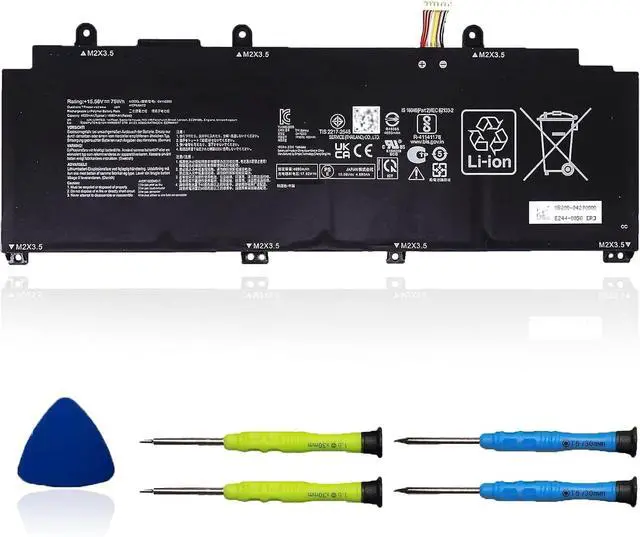
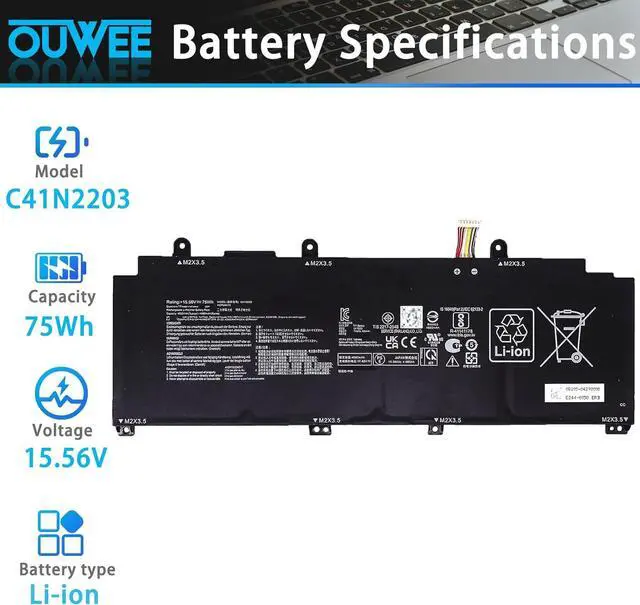
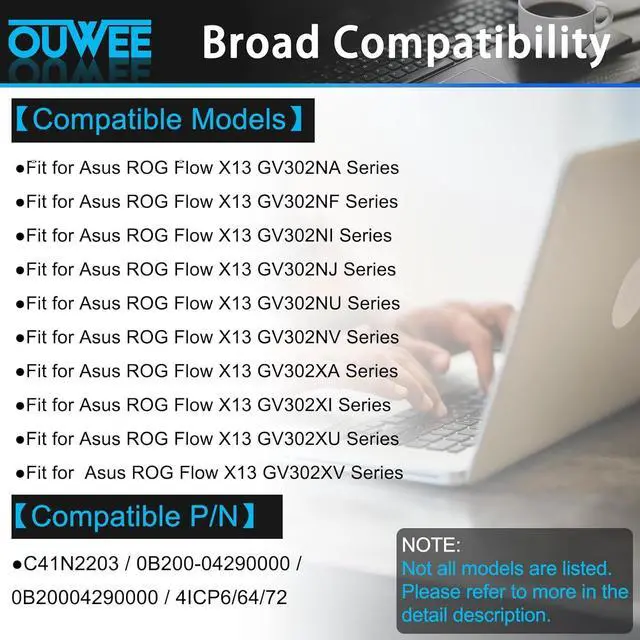



C41N2203 Laptop Battery Compatible with Asus ROG Flow X13 GV302NA GV302NF GV302NI GV302NJ GV302NU GV302NV GV302XA GV302XI GV302XU GV302XV Series 0B200-04290000 0B20004290000 75 Wh 4825mAh 15.56V
- SpecificationsC41N2203 battery for Asus ROG Flow X13 GV302NA GV302NF GV302NI GV302NJ GV302NU GV302NV GV302XA GV302XI GV302XU GV302XV Replacement Battery, Type: Li-ion; Voltage: 15.56V;Capacity: 75 Wh 4825mAh;Color: Black; Condition: New;
- Safe to UseAll OUWEE products are Certified by UL / CE / FCC / RoHS for safety. Strict guidelines for compatibility, strict quality control standards to ensure the true capacity, stable current and low self-discharge and standards compliance for environment safety. We are confident in the performance of the replacement battery.
- AdviceIn the event that the new battery fails to be recognized upon initial installation, kindly reinstall it and verify whether the interface is fully connected. Next, discharge the new battery to 5% (do not discharge it to 0%). Subsequently, charge the battery and perform 3 - 4 charge - discharge cycles to "wake up" the new battery.
+
+
Overview
Specs
Reviews

Any questions? Our AI mode will help you find out quickly.
Try me now
SpecificationsC41N2203 battery for Asus ROG Flow X13 GV302NA GV302NF GV302NI GV302NJ GV302NU GV302NV GV302XA GV302XI GV302XU GV302XV Replacement Battery, Type: Li-ion; Voltage: 15.56V;Capacity: 75 Wh 4825mAh;Color: Black; Condition: New;
Safe to UseAll OUWEE products are Certified by UL / CE / FCC / RoHS for safety. Strict guidelines for compatibility, strict quality control standards to ensure the true capacity, stable current and low self-discharge and standards compliance for environment safety. We are confident in the performance of the replacement battery.
AdviceIn the event that the new battery fails to be recognized upon initial installation, kindly reinstall it and verify whether the interface is fully connected. Next, discharge the new battery to 5% (do not discharge it to 0%). Subsequently, charge the battery and perform 3 - 4 charge - discharge cycles to "wake up" the new battery.
Safe to UseAll OUWEE products are Certified by UL / CE / FCC / RoHS for safety. Strict guidelines for compatibility, strict quality control standards to ensure the true capacity, stable current and low self-discharge and standards compliance for environment safety. We are confident in the performance of the replacement battery.
AdviceIn the event that the new battery fails to be recognized upon initial installation, kindly reinstall it and verify whether the interface is fully connected. Next, discharge the new battery to 5% (do not discharge it to 0%). Subsequently, charge the battery and perform 3 - 4 charge - discharge cycles to "wake up" the new battery.
Warranty & Returns
Warranty, Returns, And Additional Information
Warranty
- Please contact the Seller directly for warranty information. Warranty information may also be found on the Manufacturer's website.
- CONTACT
Return Policies
- Return for refund within: 30 days
- Return for replacement within: 30 days
- This item is covered by E-Transit Limited Return Policy
Manufacturer Contact Info
- For a directory of all our manufacturers, please click below.
- Manufacturers Directory
LOADING...