

Your Browsing History
- Free 30-day Returns
$126.99

Meet Your Seller

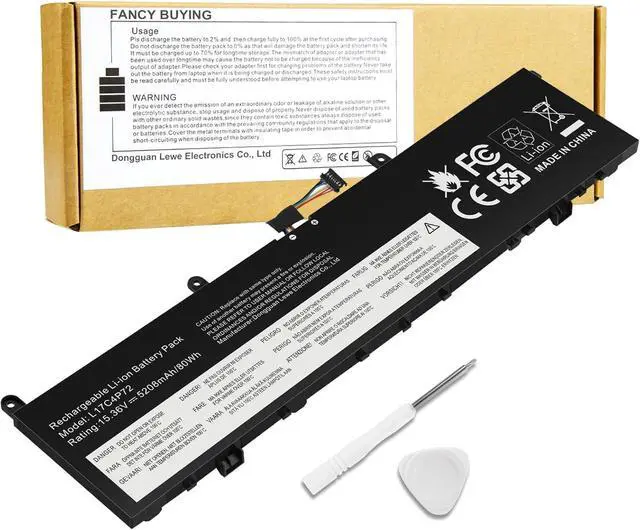
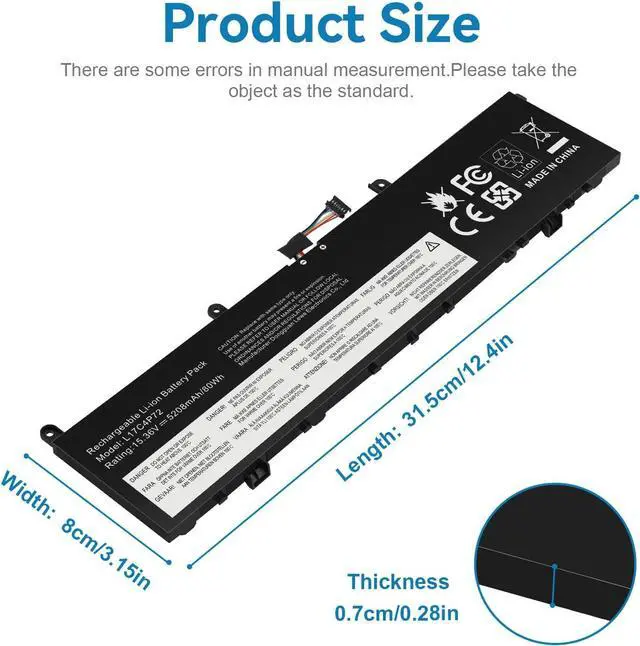
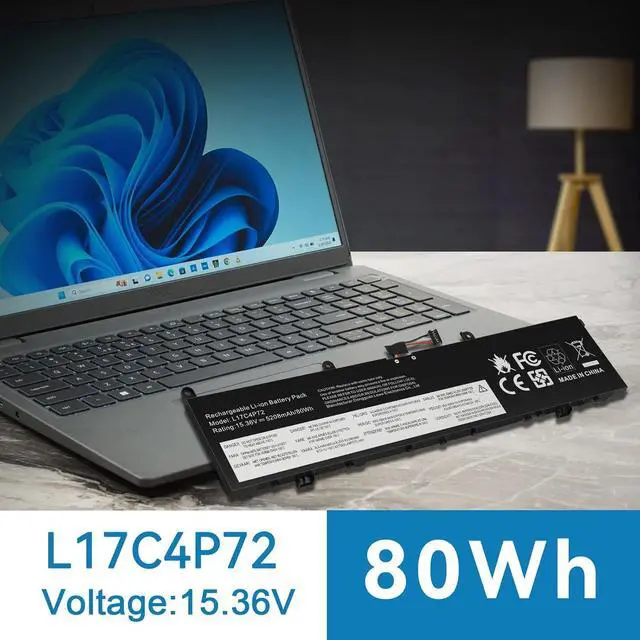


L17C4P72 L18M4P71 Laptop Battery Replacement for Lenovo ThinkPad X1 Extreme 1st Gen/2nd Gen ThinkPad P1 1st Gen/2nd Gen, L17M4P72 01AY968 01AY969 L18M4P71 01YU911 5B10V98091 SB10Q76929 SB10Q76928
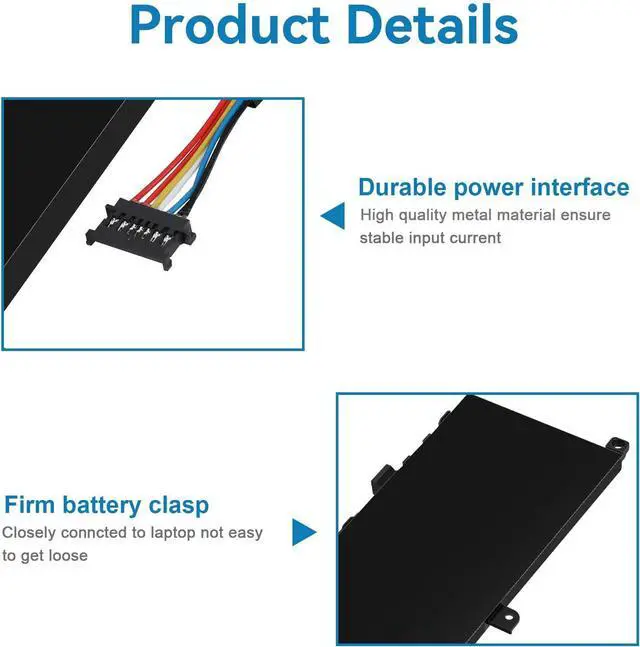
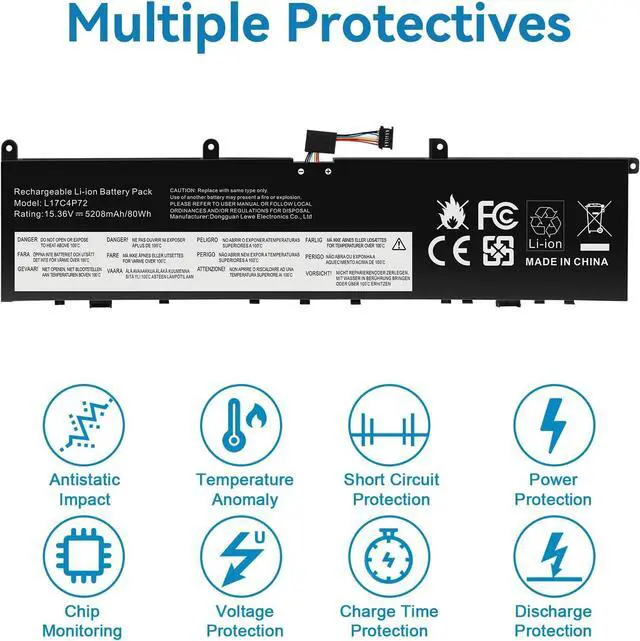
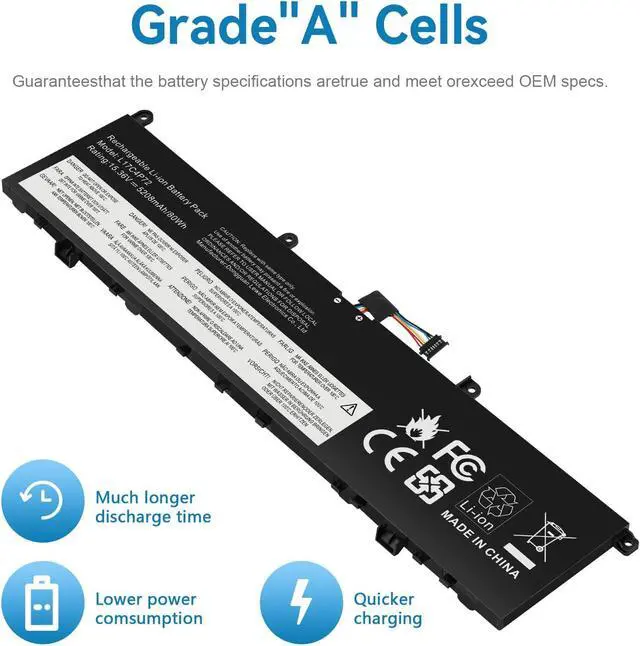
- Power Specs: Battery Type: Li-polymer Voltage: 15.36V Capacity: 80Wh; The battery is durable and has overcurrent protection, anti-overcharge, anti-overdischarge and temperature control functions.
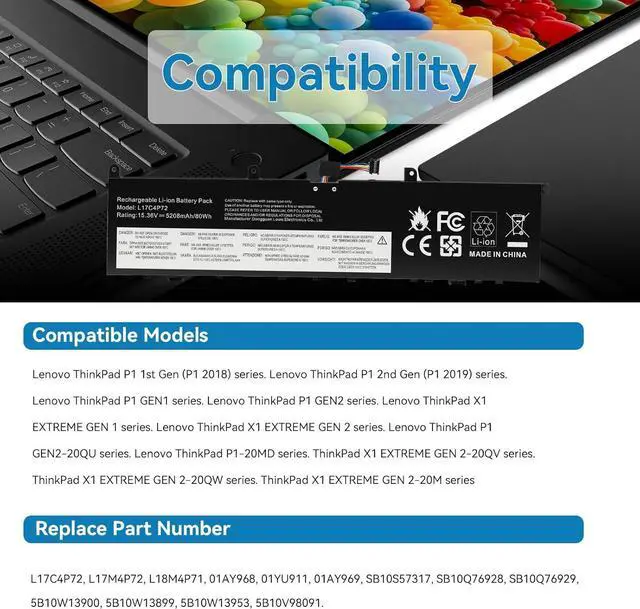
- COMPATIBLE P/N : L17C4P72, L17M4P72, L18M4P71, 01AY968, 01YU911, 01AY969, SB10S57317, SB10Q76928, SB10Q76929, 5B10W13900, 5B10W13899, 5B10W13953, 5B10V98091
- COMPATIBLE MODELS: Fit for Lenovo ThinkPad P1 1st Gen (P1 2018) series. Lenovo ThinkPad P1 2nd Gen (P1 2019) series. Lenovo ThinkPad P1 GEN1 series. Lenovo ThinkPad P1 GEN2 series. Lenovo ThinkPad X1 EXTREME GEN 1 series. Lenovo ThinkPad X1 EXTREME GEN 2 series. Lenovo ThinkPad P1 GEN2-20QU series. Lenovo ThinkPad P1-20MD series. ThinkPad X1 EXTREME GEN 2-20QV series. ThinkPad X1 EXTREME GEN 2-20QW series. ThinkPad X1 EXTREME GEN 2-20M series.
- Note: Before purchasing, pl open your laptop case, check and confirm your original battery model and appearance, compared with our battery image, make sure that's what you need. Especially the lo
+
+
Overview
Specs
Reviews

Any questions? Our AI mode will help you find out quickly.
Try me now
Replacement for Part Number:
L17C4P72, L17M4P72, L18M4P71, 01AY968, 01YU911, 01AY969, SB10S57317, SB10Q76928, SB10Q76929, 5B10W13900, 5B10W13899, 5B10W13953, 5B10V98091
Press [CTRL + F] to search your laptop model/part number.
ThinkPad P1 1st Gen (P1 2018) Series.
ThinkPad P1 2nd Gen (P1 2019) Series .
ThinkPad P1-20MD, ThinkPad P1-20MD0000MZ, ThinkPad P1-20MD000NGE, ThinkPad P1-20MD000SGE, ThinkPad P1-20MD002LUS , ThinkPad P1-20MDCTO1WW, ThinkPad P1-20ME
ThinkPad P1 GEN1 Series.
ThinkPad P1 GEN2 series. ThinkPad P1 GEN2-20QU
ThinkPad X1 EXTREME GEN 1 series:
ThinkPad X1 EXTREME-20MF000RGE, ThinkPad X1 EXTREME-20MF000SGE, ThinkPad X1 EXTREME-20MF000TG,E ThinkPad X1 EXTREME-20MF000WMZ, ThinkPad X1 EXTREME-20MF000XGE , ThinkPad X1 EXTREME-20MG, ThinkPad X1 EXTREME-20MGS0EQ0
ThinkPad X1 EXTREME GEN 2 series:
ThinkPad X1 EXTREME G2-20QV000KUS, ThinkPad X1 EXTREME GEN 2-20QV, ThinkPad X1 EXTREME GEN 2-20QV00CEGE, ThinkPad X1 EXTREME GEN 2-20QV00CMGE, ThinkPad X1 EXTREME GEN 2-20QV00CNGE,ThinkPad X1 EXTREME GEN 2-20QW
Install A New Battery:
1. You need to turn off your laptop and disconnect the power.
2. Remove the old battery, carefully install the new battery on the battery case, and connect the wiring of the new battery.
3. If you don't understand the above steps, you can search for the video about laptop battery installation on YouTube. Maybe it will help you.
Laptop Maintenance Tips:
1. New battery: For use a new battery, youd better try a few cycles of discharging to 5%. then charging up to 95%. So that it can be activated completely
2. Overuse: Do not always run out of a battery to 0%, this would make it damaged or usage life shortened
3. Charging sequence: when charging, first install the battery, then turn on the power, when fully charged, first cut off the power, then pull the power plug.
4. Long-term storage:Please store the unused battery fully charged.(Charge it once a month) Do not store at low power to prevent reduce the lifespan of a battery
5. Charger: Do not replace the laptop adapter casually. If the original adapter cannot be applied due to malfunction or damage, please replace the models, so as not to reduce the service life of the battery due to incompatibility.
Overload protection
Over-current protection
Over-voltage protection
High voltage protection
Short circuit protection
Over-temperature protection
L17C4P72, L17M4P72, L18M4P71, 01AY968, 01YU911, 01AY969, SB10S57317, SB10Q76928, SB10Q76929, 5B10W13900, 5B10W13899, 5B10W13953, 5B10V98091
Press [CTRL + F] to search your laptop model/part number.
ThinkPad P1 1st Gen (P1 2018) Series.
ThinkPad P1 2nd Gen (P1 2019) Series .
ThinkPad P1-20MD, ThinkPad P1-20MD0000MZ, ThinkPad P1-20MD000NGE, ThinkPad P1-20MD000SGE, ThinkPad P1-20MD002LUS , ThinkPad P1-20MDCTO1WW, ThinkPad P1-20ME
ThinkPad P1 GEN1 Series.
ThinkPad P1 GEN2 series. ThinkPad P1 GEN2-20QU
ThinkPad X1 EXTREME GEN 1 series:
ThinkPad X1 EXTREME-20MF000RGE, ThinkPad X1 EXTREME-20MF000SGE, ThinkPad X1 EXTREME-20MF000TG,E ThinkPad X1 EXTREME-20MF000WMZ, ThinkPad X1 EXTREME-20MF000XGE , ThinkPad X1 EXTREME-20MG, ThinkPad X1 EXTREME-20MGS0EQ0
ThinkPad X1 EXTREME GEN 2 series:
ThinkPad X1 EXTREME G2-20QV000KUS, ThinkPad X1 EXTREME GEN 2-20QV, ThinkPad X1 EXTREME GEN 2-20QV00CEGE, ThinkPad X1 EXTREME GEN 2-20QV00CMGE, ThinkPad X1 EXTREME GEN 2-20QV00CNGE,ThinkPad X1 EXTREME GEN 2-20QW
Install A New Battery:
1. You need to turn off your laptop and disconnect the power.
2. Remove the old battery, carefully install the new battery on the battery case, and connect the wiring of the new battery.
3. If you don't understand the above steps, you can search for the video about laptop battery installation on YouTube. Maybe it will help you.
Laptop Maintenance Tips:
1. New battery: For use a new battery, youd better try a few cycles of discharging to 5%. then charging up to 95%. So that it can be activated completely
2. Overuse: Do not always run out of a battery to 0%, this would make it damaged or usage life shortened
3. Charging sequence: when charging, first install the battery, then turn on the power, when fully charged, first cut off the power, then pull the power plug.
4. Long-term storage:Please store the unused battery fully charged.(Charge it once a month) Do not store at low power to prevent reduce the lifespan of a battery
5. Charger: Do not replace the laptop adapter casually. If the original adapter cannot be applied due to malfunction or damage, please replace the models, so as not to reduce the service life of the battery due to incompatibility.
Overload protection
Over-current protection
Over-voltage protection
High voltage protection
Short circuit protection
Over-temperature protection
Warranty & Returns
Warranty, Returns, And Additional Information
Warranty
- Please contact the Seller directly for warranty information. Warranty information may also be found on the Manufacturer's website.
- CONTACT
Return Policies
- Return for refund within: 30 days
- Return for replacement within: 30 days
- This item is covered by E-Transit Limited Return Policy
Manufacturer Contact Info
- For a directory of all our manufacturers, please click below.
- Manufacturers Directory
LOADING...