

Your Browsing History
- Free 30-day Returns
$99.99

Meet Your Seller


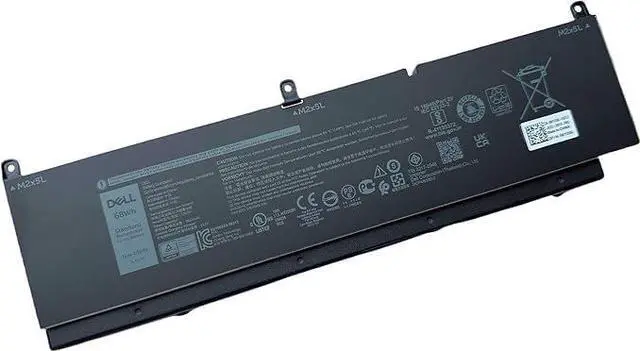
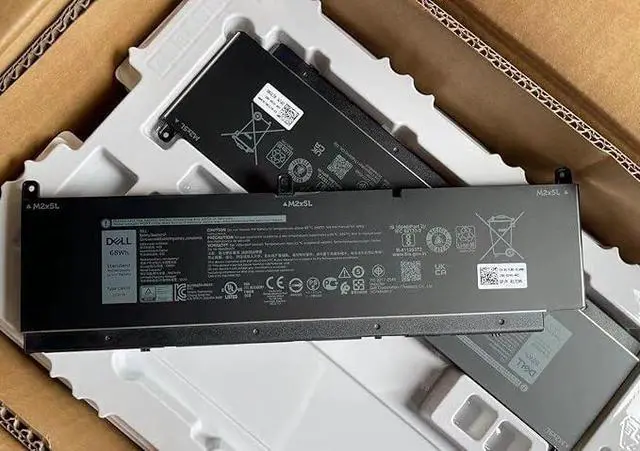


DELL C903V Laptop Battery Compatible with Dell Precision 7550 7560 7750 7760 Series Laptop, P44E001 P44E002 P93F001 P93F002 P/N: PKWVM 0CR72X CR72X 068N03 0447VR3V 447VR CPA-447VR 017C86 11.4V 68Wh
- [ Battery Information ]:6 Cell Standard Rechargeable Li-ion Battery , Best OEM Quality , Voltage &Capacity :11.4V 68Wh
- [Compatible Models ] : There are 2 batteries ( 6 Cell 95Wh --- PKWVM and 6 Cell 68Wh --- C903V) For the DELL Precision 7550 , Precision 7560, Precision 7750 , Precision 7760 laptop,Please choose the which one you are going to buy according to your laptop's original battery
- [ Warranty ]: Full Refund within 30 days , Replacement freely within 12 months
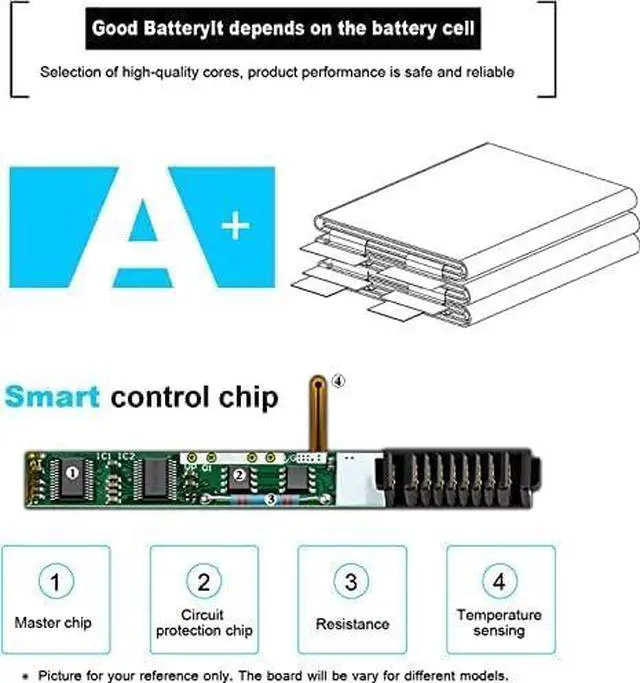
- [ Certified Security ]:100% Brand New from Manufacturer. Overcharge and Overdischarge Circuit Protection;Over-temperature and Short-circuit Protection; Up to 500 recharge cycles over the life of the battery
- TipsIf the new battery is not recognized during the initial installation, please reinstall and check if the interface is fully connected. Discharge the new battery to 5% (not 0%), then charge and cycle 3-4 times to wake up the new batter
+
+
Overview
Specs
Reviews

Any questions? Our AI mode will help you find out quickly.
Try me now
[ Battery Information ]:6 Cell Standard Rechargeable Li-ion Battery , Best OEM Quality , Voltage &Capacity :11.4V 68Wh
[Compatible Models ] : There are 2 batteries ( 6 Cell 95Wh --- PKWVM and 6 Cell 68Wh --- C903V) For the DELL Precision 7550 , Precision 7560, Precision 7750 , Precision 7760 laptop,Please choose the which one you are going to buy according to your laptop's original battery
[ Warranty ]: Full Refund within 30 days , Replacement freely within 12 months
[ Certified Security ]:100% Brand New from Manufacturer. Overcharge and Overdischarge Circuit Protection;Over-temperature and Short-circuit Protection; Up to 500 recharge cycles over the life of the battery
TipsIf the new battery is not recognized during the initial installation, please reinstall and check if the interface is fully connected. Discharge the new battery to 5% (not 0%), then charge and cycle 3-4 times to wake up the new batter
[Compatible Models ] : There are 2 batteries ( 6 Cell 95Wh --- PKWVM and 6 Cell 68Wh --- C903V) For the DELL Precision 7550 , Precision 7560, Precision 7750 , Precision 7760 laptop,Please choose the which one you are going to buy according to your laptop's original battery
[ Warranty ]: Full Refund within 30 days , Replacement freely within 12 months
[ Certified Security ]:100% Brand New from Manufacturer. Overcharge and Overdischarge Circuit Protection;Over-temperature and Short-circuit Protection; Up to 500 recharge cycles over the life of the battery
TipsIf the new battery is not recognized during the initial installation, please reinstall and check if the interface is fully connected. Discharge the new battery to 5% (not 0%), then charge and cycle 3-4 times to wake up the new batter
Warranty & Returns
Warranty, Returns, And Additional Information
Warranty
- Please contact the Seller directly for warranty information. Warranty information may also be found on the Manufacturer's website.
- CONTACT
Return Policies
- Return for refund within: 30 days
- Return for replacement within: 30 days
- This item is covered by E-Transit Limited Return Policy
Manufacturer Contact Info
- For a directory of all our manufacturers, please click below.
- Manufacturers Directory
LOADING...