

Your Browsing History
Best Sellers
- $200.99
- + FREE SHIPPING

Meet Your Seller

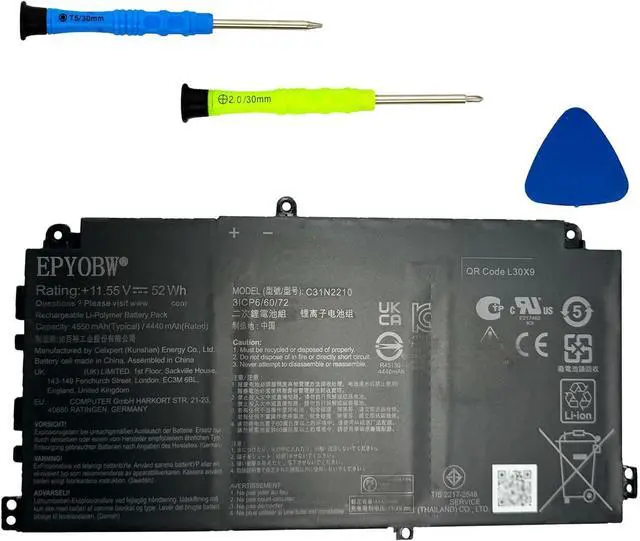
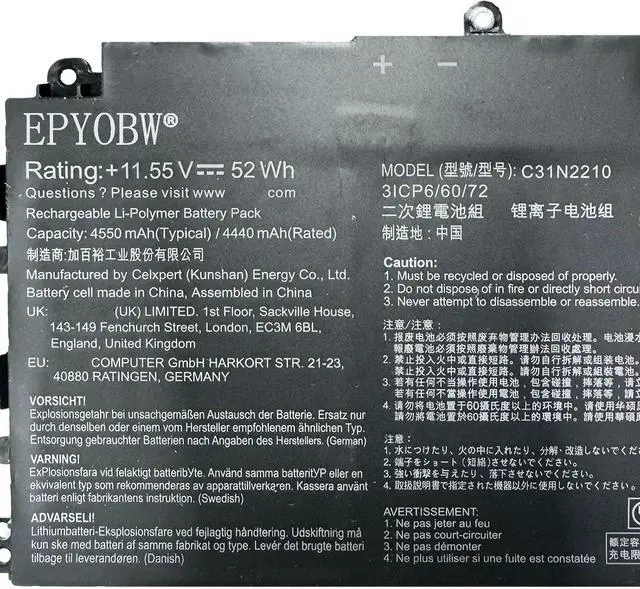
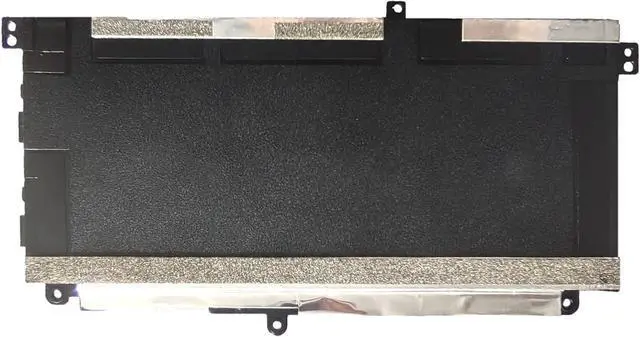


C31N2210 Laptop Battery 52Wh 4550mAh 11.55V Compatible with Asus ExpertBook B2 B2402C B2402CVA B2502C B2502CVA / ExpertBook B2 Flip B2402F B2402FVA B2502F Series 0B200-04370000 3ICP6/60/72
- SpecificationsBattery Model: C31N2210 / Voltage: 11.55V / Capacity: 52Wh 4550mAh / Color: Black / Condition: Brand New.
- Replace Part Number C31N2210 0B200-04370000 3ICP6/60/72
- Compatible with Laptop Models For Asus ExpertBook B2 B2402C Series; For Asus ExpertBook B2 B2402CVA Series; For Asus ExpertBook B2 B2502C Series ;For Asus ExpertBook B2 B2502CVA Series; For Asus ExpertBook B2 Flip B2402F Series; For Asus ExpertBook B2 Flip B2402FVA Series; For Asus ExpertBook B2 Flip B2502F Series; For Asus ExpertBook B2 Flip B2502FVA Series.
- Purchase SkillsPlease open the back cover of the laptop before ordering and make sure that the original battery model is consistent with the listing. After getting the battery, please install the battery correctly, make sure that the battery connector is firmly connected to the laptop motherboard, and use the original charger to charge the laptop.Discharge the new battery to 5% (not 0%), then charge and cycle 3-4 times to wake up the new battery.
+
+
Overview
Specs
Reviews

Any questions? Our AI mode will help you find out quickly.
Try me now
SpecificationsBattery Model: C31N2210 / Voltage: 11.55V / Capacity: 52Wh 4550mAh / Color: Black / Condition: Brand New.
Replace Part Number C31N2210 0B200-04370000 3ICP6/60/72
Compatible with Laptop Models For Asus ExpertBook B2 B2402C Series; For Asus ExpertBook B2 B2402CVA Series; For Asus ExpertBook B2 B2502C Series ;For Asus ExpertBook B2 B2502CVA Series; For Asus ExpertBook B2 Flip B2402F Series; For Asus ExpertBook B2 Flip B2402FVA Series; For Asus ExpertBook B2 Flip B2502F Series; For Asus ExpertBook B2 Flip B2502FVA Series.
Purchase SkillsPlease open the back cover of the laptop before ordering and make sure that the original battery model is consistent with the listing. After getting the battery, please install the battery correctly, make sure that the battery connector is firmly connected to the laptop motherboard, and use the original charger to charge the laptop.Discharge the new battery to 5% (not 0%), then charge and cycle 3-4 times to wake up the new battery.
EPYOBW PromiseAll EPYOBW's batteries are certificated by UL/CE/FCC/RoHS. Our batteries are tested by strict quality control standards to ensure that the capacity is true, stable current, low self-discharge.And we also have short circuit, overheat, and overload protections. We are confident in the performance of replacement batteries and professional service.
Replace Part Number C31N2210 0B200-04370000 3ICP6/60/72
Compatible with Laptop Models For Asus ExpertBook B2 B2402C Series; For Asus ExpertBook B2 B2402CVA Series; For Asus ExpertBook B2 B2502C Series ;For Asus ExpertBook B2 B2502CVA Series; For Asus ExpertBook B2 Flip B2402F Series; For Asus ExpertBook B2 Flip B2402FVA Series; For Asus ExpertBook B2 Flip B2502F Series; For Asus ExpertBook B2 Flip B2502FVA Series.
Purchase SkillsPlease open the back cover of the laptop before ordering and make sure that the original battery model is consistent with the listing. After getting the battery, please install the battery correctly, make sure that the battery connector is firmly connected to the laptop motherboard, and use the original charger to charge the laptop.Discharge the new battery to 5% (not 0%), then charge and cycle 3-4 times to wake up the new battery.
EPYOBW PromiseAll EPYOBW's batteries are certificated by UL/CE/FCC/RoHS. Our batteries are tested by strict quality control standards to ensure that the capacity is true, stable current, low self-discharge.And we also have short circuit, overheat, and overload protections. We are confident in the performance of replacement batteries and professional service.
Warranty & Returns
Warranty, Returns, And Additional Information
Warranty
- Please contact the Seller directly for warranty information. Warranty information may also be found on the Manufacturer's website.
- CONTACT
Return Policies
- Return for refund within: 30 days
- Return for replacement within: non-replaceable
- This item is covered by qinsihaoxue shop Return Policy
Manufacturer Contact Info
- For a directory of all our manufacturers, please click below.
- Manufacturers Directory
LOADING...
LOADING...