Your Browsing History
- Free 30-day Returns
$86.99
Meet Your Seller
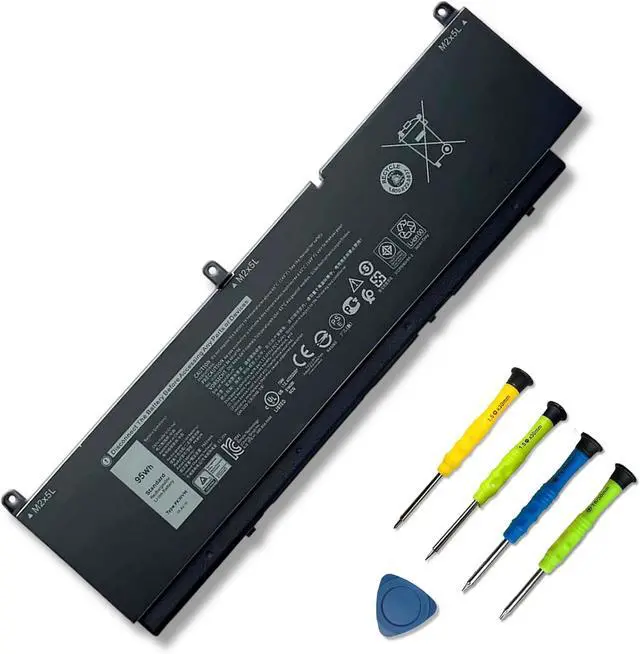
95Wh PKWVM Battery Compatible with Dell Precision 7550 7560 7750 7760 Mobile Workstation P44E P93F P44E001
- SpecificationsModel: PKWVM Voltage: 11.4V Capacity: 95Wh/7922mAh Battery type: Li-ion. Battery life: Up to 500 recharge cycles over the life of the battery. Also comes with installation tools
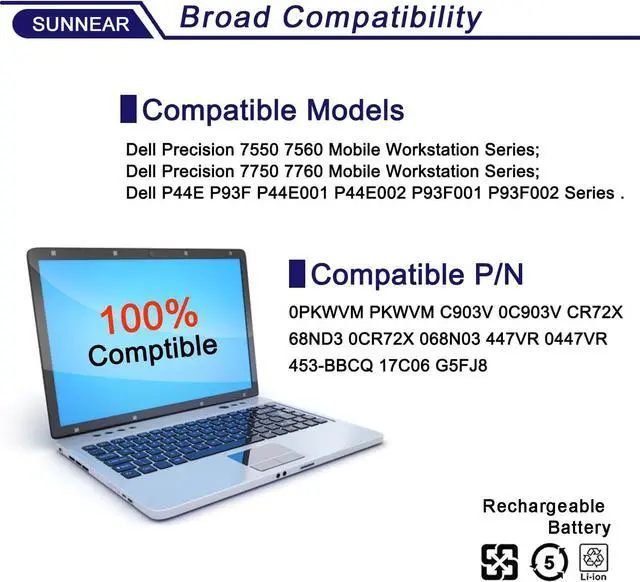
- Compatible Laptop/Notebook ModelsFor Dell Precision 7550 7560 / Precision 7750 7760 Series
- Compatible Part NumberPKWVM C903V 0CR72X CR72X 068N03 0447VR
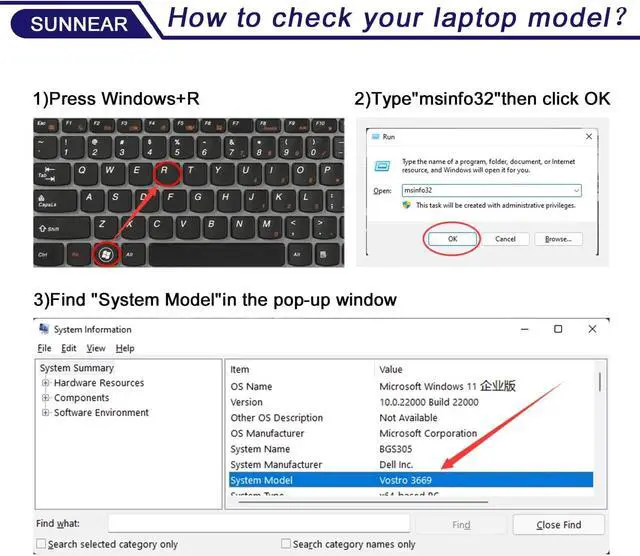
- Purchasing Note: Due to the complexity of laptop battery models, you may not be able to accurately determine the model you need to purchase,Please open the back cover of the laptop to confirm the original battery model number
- TipsIf the new battery is not recognized during the initial installation, please reinstall and check if the interface is fully connected. Discharge the new battery to 5% (not 0%), then charge and cycle 3-4 times to wake up the new battery
- Customer Service 24 x 7 email support. If you have any problem with battery, please Contact us - in YOUR ORDER options click the contact seller
+
+
Overview
Specs
Reviews
Any questions? Our AI beta will help you find out quickly.
Try me now
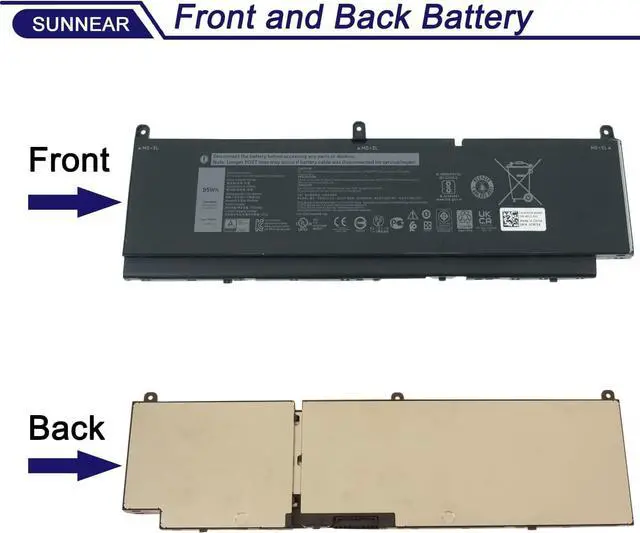
Please open your laptop case, check and confirm your original battery model and appearance, compared with our battery image, make sure that's what you need. Especially the location of the connector and the cable length (long or short).
1. When you get the new battery, run it down to 5% (not 0%), then power it up to 95%, and repeat this cycle 3-4 times to wake up the new battery.
2. The important point is to carry out a full run-down and power-up cycle every other month to extend the battery life.
3. When using the battery, do not keep it connected to the adapter for a long time, as this may damage the battery.
4. Avoid subjecting the battery to manual impact, disassembly, crushing, or puncturing. Do not dispose of the battery in fire or water.
Please read before purchasing Battery Maintenance Methods for Optimal Use

1. When you get the new battery, run it down to 5% (not 0%), then power it up to 95%, and repeat this cycle 3-4 times to wake up the new battery.
2. The important point is to carry out a full run-down and power-up cycle every other month to extend the battery life.
3. When using the battery, do not keep it connected to the adapter for a long time, as this may damage the battery.
4. Avoid subjecting the battery to manual impact, disassembly, crushing, or puncturing. Do not dispose of the battery in fire or water.
Please read before purchasing Battery Maintenance Methods for Optimal Use
Warranty & Returns
Warranty, Returns, And Additional Information
Warranty
- Please contact the Seller directly for warranty information. Warranty information may also be found on the Manufacturer's website.
- CONTACT
Return Policies
- Return for refund within: 30 days
- Return for replacement within: 30 days
- This item is covered by E-Transit Limited Return Policy
Manufacturer Contact Info
- For a directory of all our manufacturers, please click below.
- Manufacturers Directory
LOADING...