

Your Browsing History
- Free 30-day Returns
$83.99

Meet Your Seller

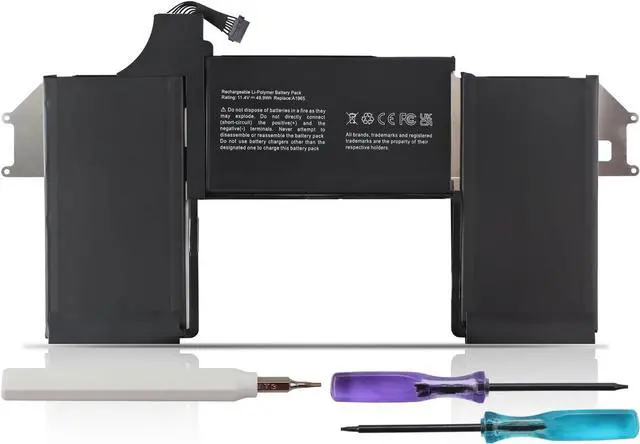
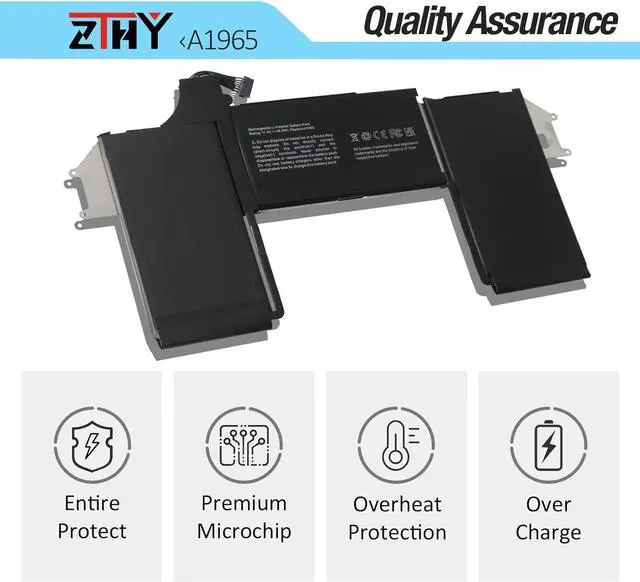
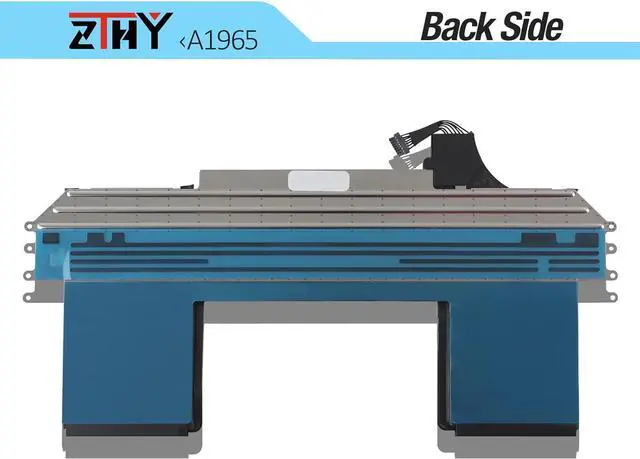
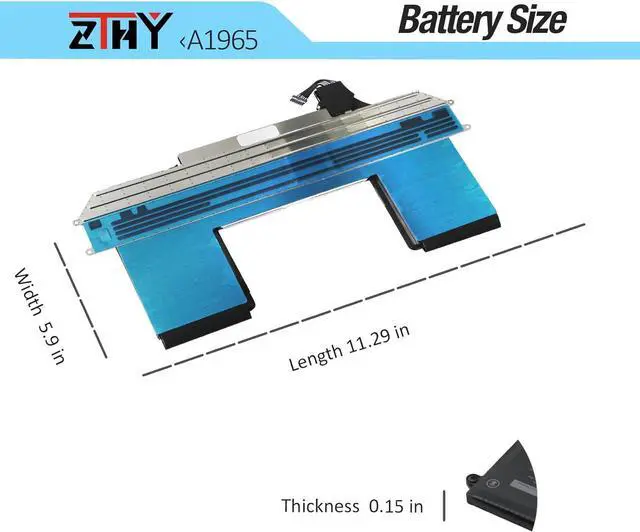


A1965 A1932 A2179 Battery Compatible with MacBook Air 13" A1932(Late 2018 2019) A2179 (Early 2020) EMC 3184 3302 MacBookAir8,1 8,2 9,1 MRE82LL/A MRE92LL/A MVFH2LL/A MVFM2LL/A MRE82B/A 11.4V 49.9Wh
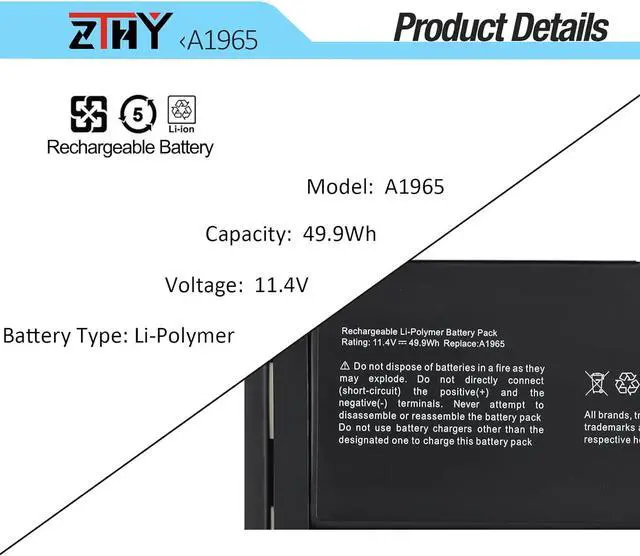
- Specifications: Color: Black. Voltage: 11.4V. Capacity: 49.9Wh. New from Manufacturer.
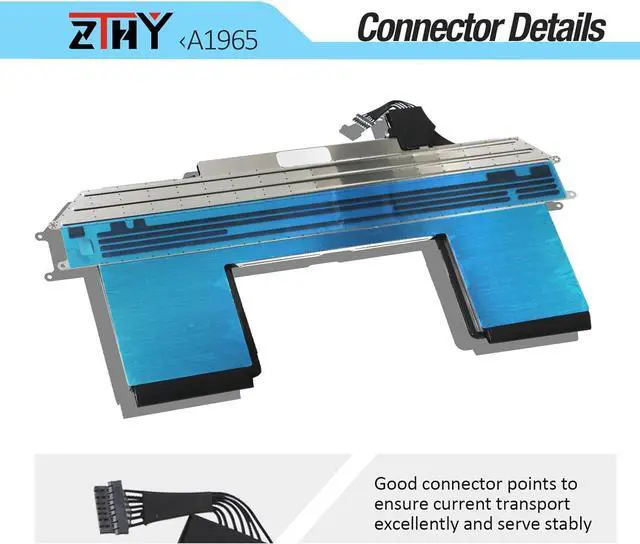
- Replace Part Number: Compatible with MacBook Air A1965 020-02459 A1932(EMC 3184) A1965(3ICP4/63/119) A2179(EMC 3302) 020-02455 661-11676
- Compatible Models: Replacement for MacBook Air 13" 13.3" Late 2018 2019 A1932(EMC 3184), Early 2020 A2179(EMC 3302) A1965, MRE82LL/A, MVFH2LL/A, MVFM2LL/A, MVFK2LL/A, MVFJ2LL/A, MVFN2LL/A, MVFL2LL/A, MREE2LL/A, MREC2LL/A, MREA2LL/A, MREF2LL/A, MRE92LL/A, MWTJ2LL/A, MVH22LL/A, MVH52LL/A, MVH42LL/A, MWTL2LL/A, MWTK2LL/A
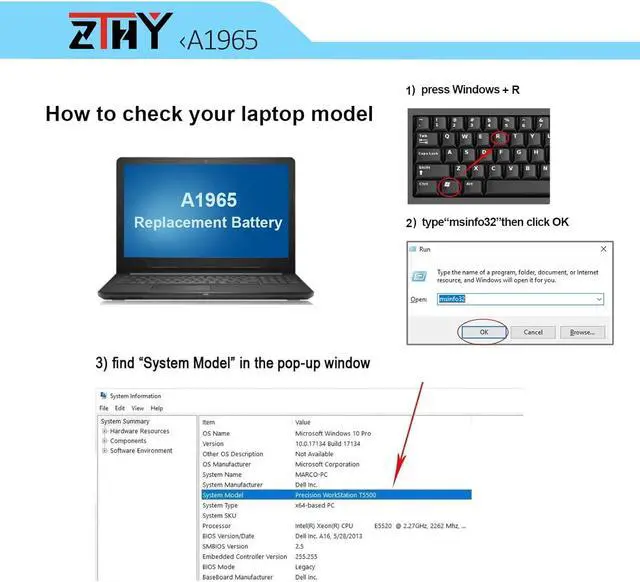
- Attention: The product disassembly of this MacBook is a bit complicated, especially removing the glued battery from the MacBook Pro. We recommend that you search for related battery replacement videos on the Internet in advance, or seek the help of professional technicians when installing the battery. We will not take any responsibility for any damage caused by improper operation. Hope to understand
- Note: If the new battery is not recognized durin
+
+
Overview
Specs
Reviews

Any questions? Our AI mode will help you find out quickly.
Try me now
Compatible Part NumberA1965 020-02459 A1932(EMC 3184) A1965(3ICP4/63/119) A2179(EMC 3302) 020-02455 661-11676Compatible ModelReplacement for MacBook Air (Retina, 13-inch, 2018) Model A1932:Compatible ModelMacBook Air Late 2018 A1932 MRE82LL/A MRE82FN/A 1.6GHz Core i5 MacBookAir8,1Compatible ModelMacBook Air Late 2018 A1932 MRE92LL/A MRE92HN/A 1.6 GHz MacBookAir8,1Compatible ModelMacBook Air Late 2018 A1932 MREE2LL/A MREE2HN/A Core 15 1.6GHz MacBookAir8,1Compatible ModelMacBook Air Late 2018 A1932 MREF2LL/A MREF2FN/A Core 15 1.6Ghz MacBookAir8,1Compatible ModelMacBook Air Late 2018 A1932 MREA2LL/A MREA2HN/A Core i5 1.6GHz MacBookAir8,1Compatible ModelMacBook Air Late 2018 A1932 MREC2LL/A MREC2FN/A Core i5 1.6GHz MacBookAir8,1Compatible ModelMacBook Air Late 2018 A1932 MUQT2LL/A MUQU2LL/ACompatible ModelReplacement for MacBook Air (Retina, 13-inch, 2019) Model A1932:Compatible ModelMacBook Air Mid 2019 A1932 MVFM2LL/A MVFM2X/A Core i5 1.6GHz MacBookAir8,2Compatible ModelMacBook Air Mid 2019 A1932 MVFM2LL/A MVFM2X/A Core i5 1.6GHz MacBookAir8,2Compatible ModelMacBook Air Mid 2019 A1932 MVFH2LL/A MVFH2ZP/A 3.6GHz Core i5 MacBookAir8,2Compatible ModelMacBook Air Mid 2019 A1932 MVFK2LL/A MVFK2TU/A Core i5 1.6GHz MacBookAir8,2Compatible ModelMacBook Air Mid 2019 A1932 MVFL2LL/A MVFL2TU/A Core i5 1.6GHz MacBookAir8,2Compatible ModelMacBook Air Mid 2019 A1932 MVFJ2LL/A MVFJ2ZE/A 1.6GHz Core i5 MacBookAir8,2Compatible ModelMacBook Air Mid 2019 A1932 MVFN2LL/A MVFN2X/A 1.6 GHz Core i5 MacBookAir8,2Compatible ModelMacBook Air Mid 2019 A1932 MVH62LL/A MVH82LL/ACompatible ModelReplacement for MacBook Air (Retina, 13-inch, 2020) Model A2179:Compatible ModelMacBook Air Early 2020 A2179 MWTJ2LL/A MWTJ2B/A Core i3 MacBookAir9,1Compatible ModelMacBook Air Early 2020 A2179 MVH22LL/A MVH22ZP/A Core i5 MacBookAir9,1Compatible ModelMacBook Air Early 2020 A2179 MVH52LL/A MVH52ZP/A Intel Core i5 MacBookAir9,1Compatible ModelMacBook Air Early 2020 A2179 BTO/CTO Core 17 MacBookAir9,1Compatible ModelMacBook Air Early 2020 A2179 MVH42LL/A MVH42ZP/A 1.1 GHz Core i5 MacBookAir9,1Compatible ModelMacBook Air Early 2020 A2179 MWTK2LL/A MWTK2ZP/A 1.1 GHz Core i3 MacBookAir9,1Compatible ModelMacBook Air Early 2020 A2179 MWTL2LL/A MWTL2ZP/A 1.1 GHz Core i3 MacBookAir9,1 What do I need to be aware of when I receive a battery?
You need to check its appearance, confirm the model, read the instruction manual. Cycle and charge it 5 to 6 times to activate the maximum usage space of the battery. When not in use temporarily, charge the battery to 50%-60%.
What should I do if laptop won't boot up after installing a new battery?
1.Check if the battery is properly seated and connections are clean. 2.Try charging it or use the adapter alone to start. 3.Examine hardware links, like RAM and adapters. 4.Reset BIOS settings if needed. 5.Enter Safe Mode to fix system issues.
How should I do if the battery is not recognised?
If it is not recognised, it is recommended to update the BIOS settings or please disconnecting the old battery, and holding down the power button for 20 seconds, then connect the new battery.
What should I do if the battery expands?
1.Power off your laptop and disconnect it from any power source. 2.Carefully remove the swollen battery from the laptop in a well-ventilated area, avoid pressing or squeezing the battery during removal.
What can you do if you are not satisfied with the battery?
Please Contact ZTHY, we'll help you. Our battery have 12 months replace a new one and 30 days moeny back guarrante.
1, You need to turn off your laptop and disconnect the power.
2, Disconnect the connection between the old battery and the motherboard to avoid unnecessary damage caused by disassembling the battery. Then unscrew the old battery screws one by one and carefully save each screw.
3, Remove the old battery, carefully install the new battery on the battery case, screw in the screw, and c
You need to check its appearance, confirm the model, read the instruction manual. Cycle and charge it 5 to 6 times to activate the maximum usage space of the battery. When not in use temporarily, charge the battery to 50%-60%.
What should I do if laptop won't boot up after installing a new battery?
1.Check if the battery is properly seated and connections are clean. 2.Try charging it or use the adapter alone to start. 3.Examine hardware links, like RAM and adapters. 4.Reset BIOS settings if needed. 5.Enter Safe Mode to fix system issues.
How should I do if the battery is not recognised?
If it is not recognised, it is recommended to update the BIOS settings or please disconnecting the old battery, and holding down the power button for 20 seconds, then connect the new battery.
What should I do if the battery expands?
1.Power off your laptop and disconnect it from any power source. 2.Carefully remove the swollen battery from the laptop in a well-ventilated area, avoid pressing or squeezing the battery during removal.
What can you do if you are not satisfied with the battery?
Please Contact ZTHY, we'll help you. Our battery have 12 months replace a new one and 30 days moeny back guarrante.
1, You need to turn off your laptop and disconnect the power.
2, Disconnect the connection between the old battery and the motherboard to avoid unnecessary damage caused by disassembling the battery. Then unscrew the old battery screws one by one and carefully save each screw.
3, Remove the old battery, carefully install the new battery on the battery case, screw in the screw, and c
Warranty & Returns
Warranty, Returns, And Additional Information
Warranty
- Please contact the Seller directly for warranty information. Warranty information may also be found on the Manufacturer's website.
- CONTACT
Return Policies
- Return for refund within: 30 days
- Return for replacement within: 30 days
- This item is covered by E-Transit Limited Return Policy
Manufacturer Contact Info
- For a directory of all our manufacturers, please click below.
- Manufacturers Directory
LOADING...