

Your Browsing History

Meet Your Seller

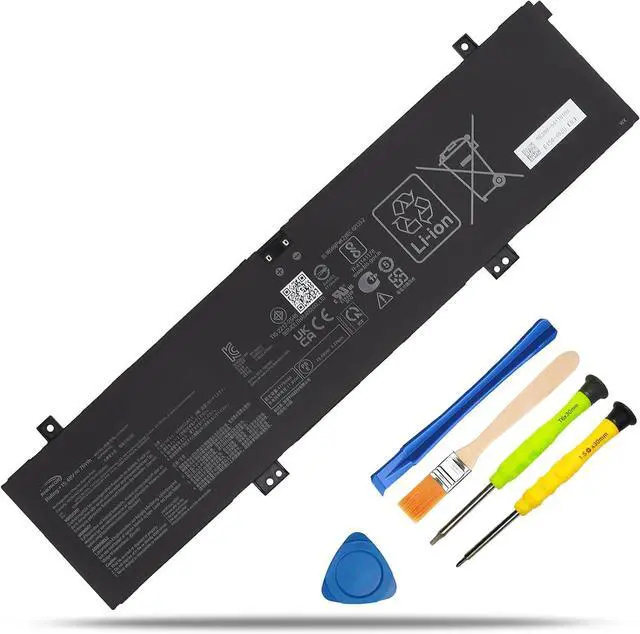
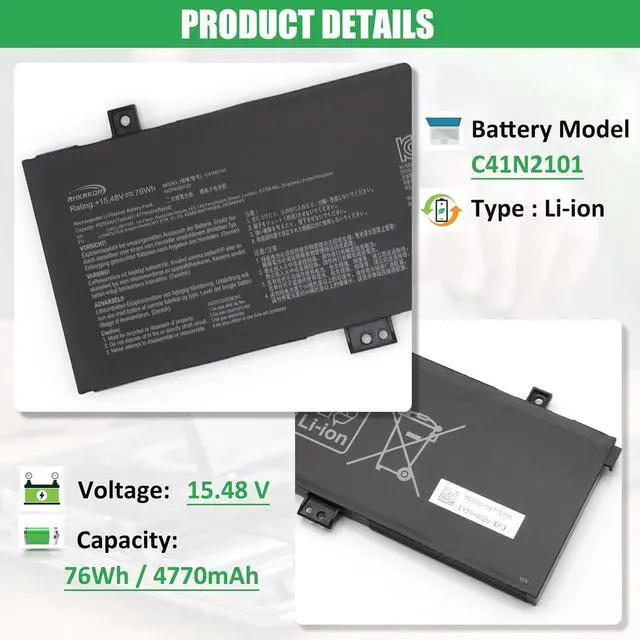
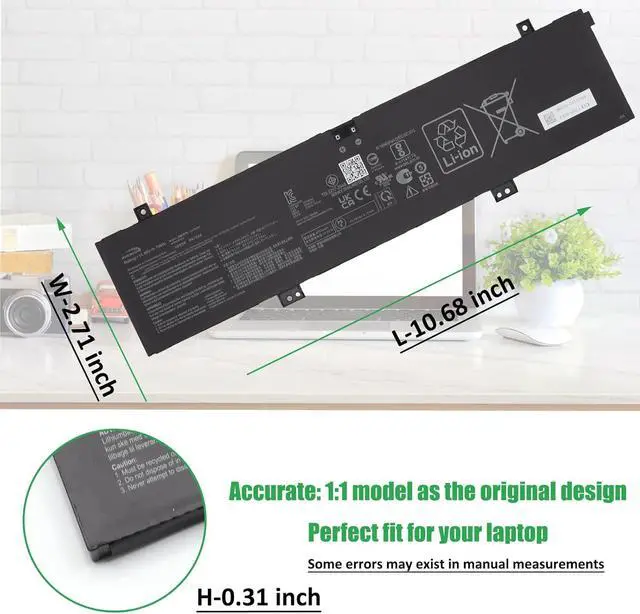


C41N2101 Battery Replacement for ASUS ROG Zephyrus G14 GA402 GA402R GA402RJ GA402NI GA402NJ GA402NV TUF Dash F15 FX517 FX517ZC FX517ZE Zenbook Pro 14 UM6702RA UX8402ZA 15X K6501ZM M6501RR 76Wh
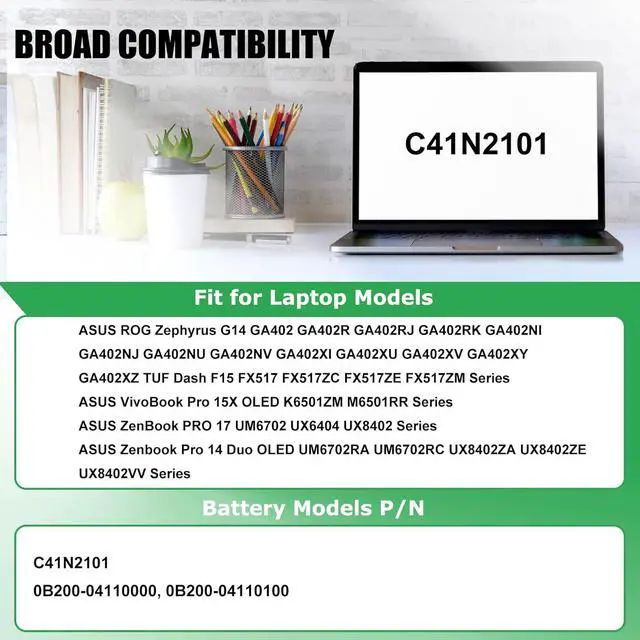
- COMPATIBLE LAPTOP MODELS: Fit for ASUS ROG Zephyrus G14 GA402 GA402R GA402RJ GA402RK GA402NI GA402NJ GA402NU GA402NV GA402XI GA402XU GA402XV GA402XY GA402XZ TUF Dash F15 FX517 FX517ZC FX517ZE FX517ZM Series, for ASUS VivoBook Pro 15X OLED K6501ZM M6501RR Series, for ASUS ZenBook PRO 17 UM6702 UX6404 UX8402 Series, for ASUS Zenbook Pro 14 Duo OLED UM6702RA UM6702RC UX8402ZA UX8402ZE UX8402VV Series
- BATTERY SPECIFICATION: Model Name: C41N2101; Voltage: 15.48V; Capacity: 76Wh / 4920mAh; Battery Type: Li-ion; Condition: 100% brand new from manufacturer; Color: Black; Packaged come with: 1*battery + battery installation screwdrivers + 1*instruction for laptop battery
- COMPATIBLE PART NUMBER: Battery C41N2101 0B200-04110100 0B200-04110000
- QUALITY ASSURANCE & NOTE: RHKRKQN battery adopt Grade "A" battery cells to ensure longer battery life, durability, and lower power consumption; All our products are certified by CE, UL for safety; Before purchasing, please open the back cover of yo
+
+
Overview
Reviews

Any questions? Our AI mode will help you find out quickly.
Try me now
1, Turn off your laptop and disconnect the power.
2, Unscrew the laptop case screws one by one and carefully save each screw. Then be careful to disconnect the connection between the old battery and the motherboard, avoid unnecessary damage caused by disassembling the battery.
3, Remove the old battery, carefully install the new battery on the battery case, and then install the battery cable connector on the slot. ( Please check the new battery if it's the same with your original battery before installation)
4, You can also search for the video about laptop battery installation on YouTube etc. Maybe it will help you.
TIPS: We provide universal installation tools for most batteries for free. We do not sell tools individually, If the tools are not fit for your laptop, we have no other tools to replace, please understand.
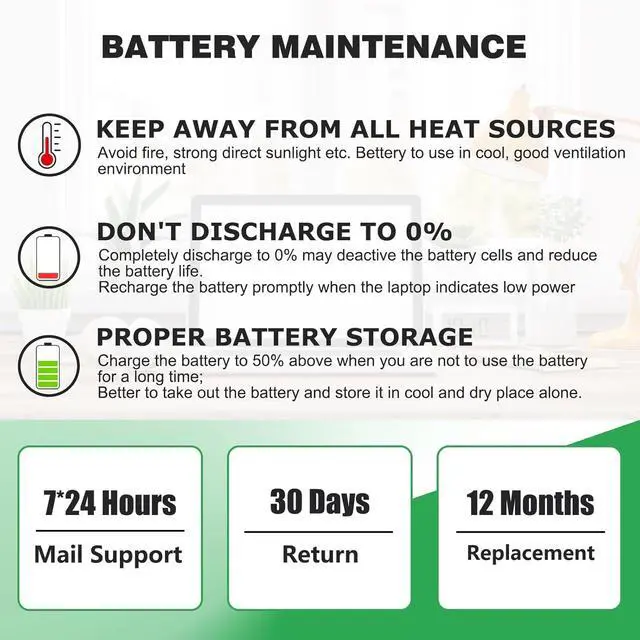
Usually the new battery you received is already about 50% charged to maintain the battery activity. During long-distance transportation and storage in warehouses, there may be natural power consumption. Please charge it to full for the first time, and then discharge to 10%-20%, cycle 3~4 times.
The battery life depends on the laptop's CPU processor speed, applications, screen brightness, external ports for wireless devices, and the life of the battery itself etc, so the actual battery life may vary from your original model.
Under normal use, most batteries can last about 3 hours. Some batteries with high capacity could last 5~8 hours. If you found the new battery could only last a short time or drop fast, please inquire for help, we will help you until it be solved.
Tip: Please look at the physical properties of batteries correctly. Battery itself is a consumption product, it will be affected by the number of times the battery is used, the user's habits, the use of environmental temperature and other factors and gradually shorten their own use of time.
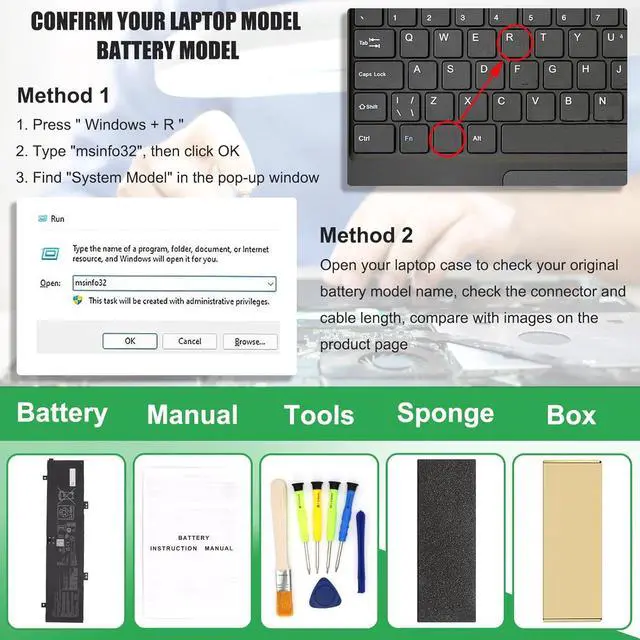
Method 1: Check your laptop model name by pressing [Win] + [R] key and entering [msinfo32] or [dxdiag], click OK to find your System Model. Then use your laptop model name to search the correct replacement battery
Method 2: Check your original battery model name and shape by opening your laptop back cover. Compare it with our product image
Note Before Purchasing
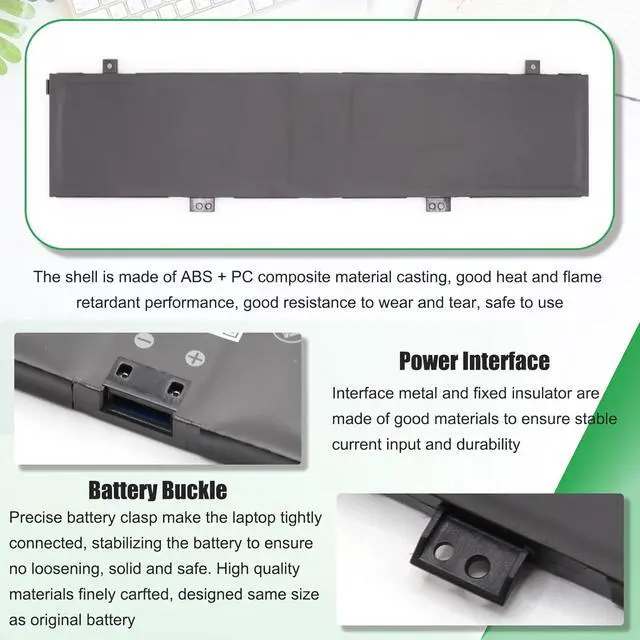
Some compatible laptop models and replacement batteries are complicated, there may be a difference in battery model name, shape, buckle location, connector type, cable length ( long or short ) etc
We suggest you open your laptop to check and confirm your original battery model and appearance, compared with our battery image, make sure that's what you need
Compatible Laptop Models: (use "Ctrl+F" to find your model quickly):
for ASUS ROG Zephyrus G14 GA402 Series
for ASUS ROG Zephyrus G14 GA402NI Series: GA402NI-0004 GA402NI-N2012W
for ASUS ROG Zephyrus G14 GA402NJ Series:
GA402NJ-L4034W GA402NJ-L4049W GA402NJ-L4063W GA402NJ-0001 GA402NJ-DS71-CA GA402NJ-L4056W GA402NJ-L4062W
for ASUS ROG Zephyrus G14 GA402NU Series: GA402NU-R74050 GA402NU-N2023WS GA402NU-N2027W
for ASUS ROG Zephyrus G14 GA402NV Series: GA402NV-0003 GA402NV-018W GA402NV-N2016W GA402NV-N2030W GA402NV-N2032W
for ASUS ROG Zephyrus G14 GA402R Series
for ASUS ROG Zephyrus G14 GA402RJ Series:
GA402RJ-L4044W GA402RJ-L4081W GA402RJ-L8018W GA402RJ-L8030W GA402RJ-L8092W GA402RJ-L8099W GA402RJ-L8106W
GA402RJ-L8116W GA402RJ-L8145W GA402RJ-L8146W GA402RJ-L8147W GA402RJ-L4076W GA402RJ-L4076T GA402RJ-L4045
GA402RJ-L4046 GA402RJ-008W GA402RJ-4081W
for ASUS ROG Zephyrus G14 GA402RK Series:
GA402RK-L4055W GA402RK-L8032W GA402RK-L8052W GA402RK-L8056W GA402RK-L8072W GA402RK-L8087W GA402RK-L8032X
GA402RK-L8091W GA402RK-L8093W GA402RK-L8132W GA402RK-L8133W GA402RK-L8134W GA402RK-L8135W GA402RK-L8150W
GA402RK-L8152W GA402RK-L8170W GA402RK-XS96 GA402RK-L8150WS GA402RK-L8032W-BE
for ASUS ROG Zephyrus G14 GA402XI Series:
G
2, Unscrew the laptop case screws one by one and carefully save each screw. Then be careful to disconnect the connection between the old battery and the motherboard, avoid unnecessary damage caused by disassembling the battery.
3, Remove the old battery, carefully install the new battery on the battery case, and then install the battery cable connector on the slot. ( Please check the new battery if it's the same with your original battery before installation)
4, You can also search for the video about laptop battery installation on YouTube etc. Maybe it will help you.
TIPS: We provide universal installation tools for most batteries for free. We do not sell tools individually, If the tools are not fit for your laptop, we have no other tools to replace, please understand.
Usually the new battery you received is already about 50% charged to maintain the battery activity. During long-distance transportation and storage in warehouses, there may be natural power consumption. Please charge it to full for the first time, and then discharge to 10%-20%, cycle 3~4 times.
The battery life depends on the laptop's CPU processor speed, applications, screen brightness, external ports for wireless devices, and the life of the battery itself etc, so the actual battery life may vary from your original model.
Under normal use, most batteries can last about 3 hours. Some batteries with high capacity could last 5~8 hours. If you found the new battery could only last a short time or drop fast, please inquire for help, we will help you until it be solved.
Tip: Please look at the physical properties of batteries correctly. Battery itself is a consumption product, it will be affected by the number of times the battery is used, the user's habits, the use of environmental temperature and other factors and gradually shorten their own use of time.
Method 1: Check your laptop model name by pressing [Win] + [R] key and entering [msinfo32] or [dxdiag], click OK to find your System Model. Then use your laptop model name to search the correct replacement battery
Method 2: Check your original battery model name and shape by opening your laptop back cover. Compare it with our product image
Note Before Purchasing
Some compatible laptop models and replacement batteries are complicated, there may be a difference in battery model name, shape, buckle location, connector type, cable length ( long or short ) etc
We suggest you open your laptop to check and confirm your original battery model and appearance, compared with our battery image, make sure that's what you need
Compatible Laptop Models: (use "Ctrl+F" to find your model quickly):
for ASUS ROG Zephyrus G14 GA402 Series
for ASUS ROG Zephyrus G14 GA402NI Series: GA402NI-0004 GA402NI-N2012W
for ASUS ROG Zephyrus G14 GA402NJ Series:
GA402NJ-L4034W GA402NJ-L4049W GA402NJ-L4063W GA402NJ-0001 GA402NJ-DS71-CA GA402NJ-L4056W GA402NJ-L4062W
for ASUS ROG Zephyrus G14 GA402NU Series: GA402NU-R74050 GA402NU-N2023WS GA402NU-N2027W
for ASUS ROG Zephyrus G14 GA402NV Series: GA402NV-0003 GA402NV-018W GA402NV-N2016W GA402NV-N2030W GA402NV-N2032W
for ASUS ROG Zephyrus G14 GA402R Series
for ASUS ROG Zephyrus G14 GA402RJ Series:
GA402RJ-L4044W GA402RJ-L4081W GA402RJ-L8018W GA402RJ-L8030W GA402RJ-L8092W GA402RJ-L8099W GA402RJ-L8106W
GA402RJ-L8116W GA402RJ-L8145W GA402RJ-L8146W GA402RJ-L8147W GA402RJ-L4076W GA402RJ-L4076T GA402RJ-L4045
GA402RJ-L4046 GA402RJ-008W GA402RJ-4081W
for ASUS ROG Zephyrus G14 GA402RK Series:
GA402RK-L4055W GA402RK-L8032W GA402RK-L8052W GA402RK-L8056W GA402RK-L8072W GA402RK-L8087W GA402RK-L8032X
GA402RK-L8091W GA402RK-L8093W GA402RK-L8132W GA402RK-L8133W GA402RK-L8134W GA402RK-L8135W GA402RK-L8150W
GA402RK-L8152W GA402RK-L8170W GA402RK-XS96 GA402RK-L8150WS GA402RK-L8032W-BE
for ASUS ROG Zephyrus G14 GA402XI Series:
G
Warranty & Returns
Warranty, Returns, And Additional Information
Warranty
- Please contact the Seller directly for warranty information. Warranty information may also be found on the Manufacturer's website.
- CONTACT
Return Policies
- Return for refund within: 30 days
- Return for replacement within: 30 days
- This item is covered by Bloomify Return Policy
Manufacturer Contact Info
- For a directory of all our manufacturers, please click below.
- Manufacturers Directory
LOADING...