

Your Browsing History

Meet Your Seller

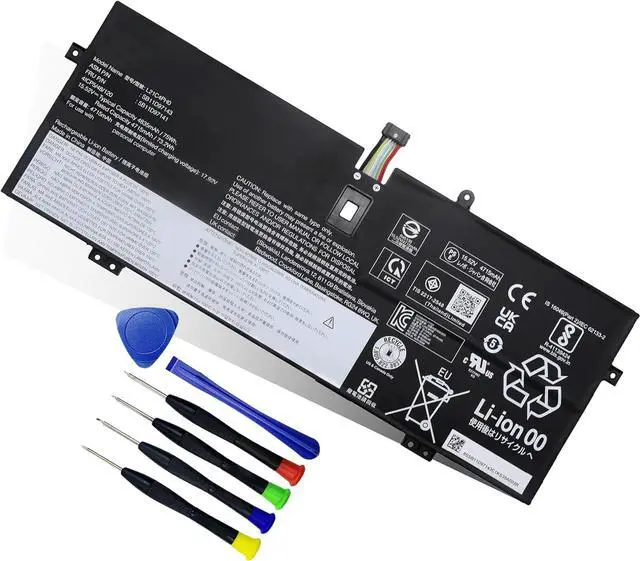
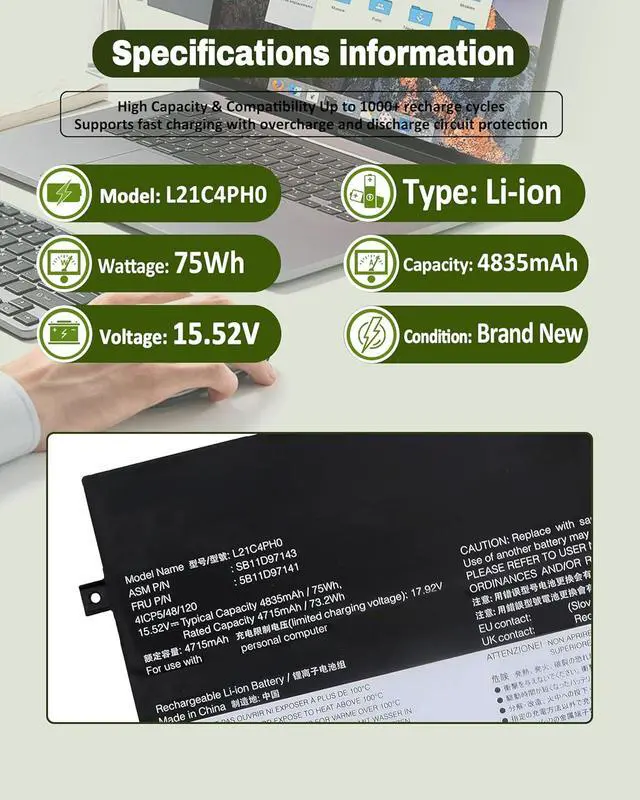

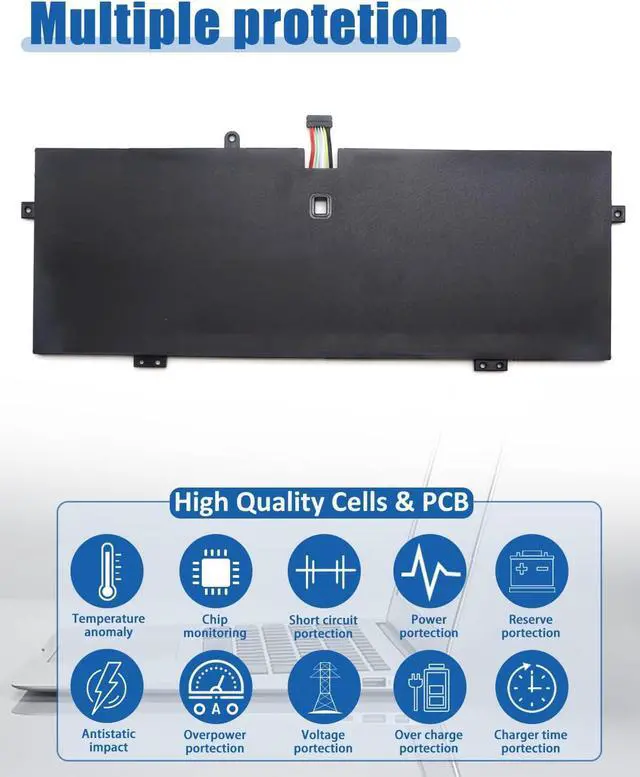


75Wh L21C4PH0 L21B4PH0 Battery Replacement for Lenovo IdeaPad Yoga 9-14IAP7 Type 82LU/ Yoga 9-14IRP8 Type 83B1 Series Notebook L21D4PH0 SB11D97143 SB11D97136 15.52V 4835mAh
Limited time offer, ends 08/02 By Bloomify
- Battery SpecificationsModel Name: L21C4PH0 Battery, Battery Type:Lithium_ion Voltage: 15.52V; Capacity: 75Wh 4835mAh; Cells: 3-cell; Color: Black. More than 500 cycles, Packages includes: 1x L21C4PH0 Battery for IdeaPad Yoga 9 14IAP7 Series Laptop ,1 Set x Screwdrivers,1x Instruction for Laptop Battery
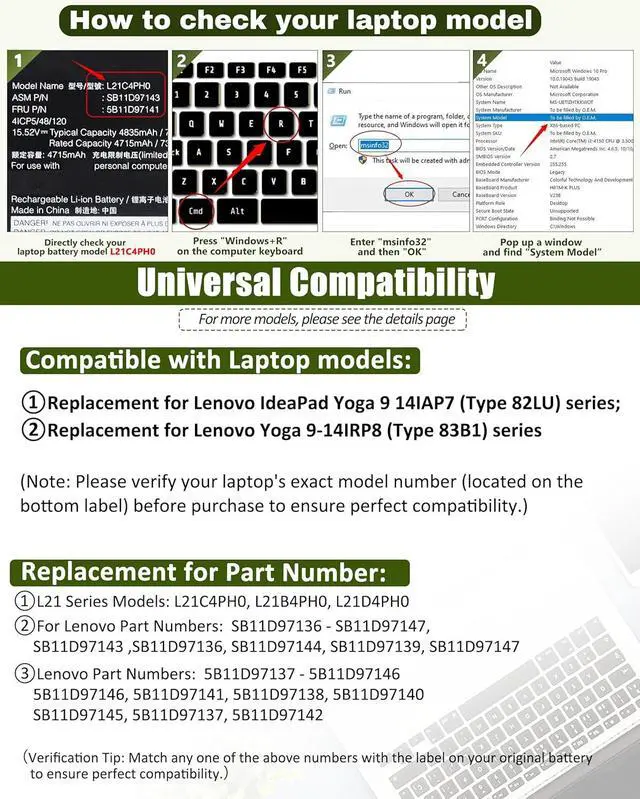
- Compatible Part NumberL21C4PH0 SB11D97143 5B11D97141 SB11D97136 5B11D97146 L21B4PH0 SB11D97145 5B11D97137 SB11D97139 5B11D97142 L21D4PH0 SB11D97144 5B11D97138 SB11D97147 5B11D97140
- Compatible ModelsReplacement for Lenovo IdeaPad Yoga 9 14IAP7 (Type 82LU) series; Replacement for Lenovo Yoga 9-14IRP8 (Type 83B1) series
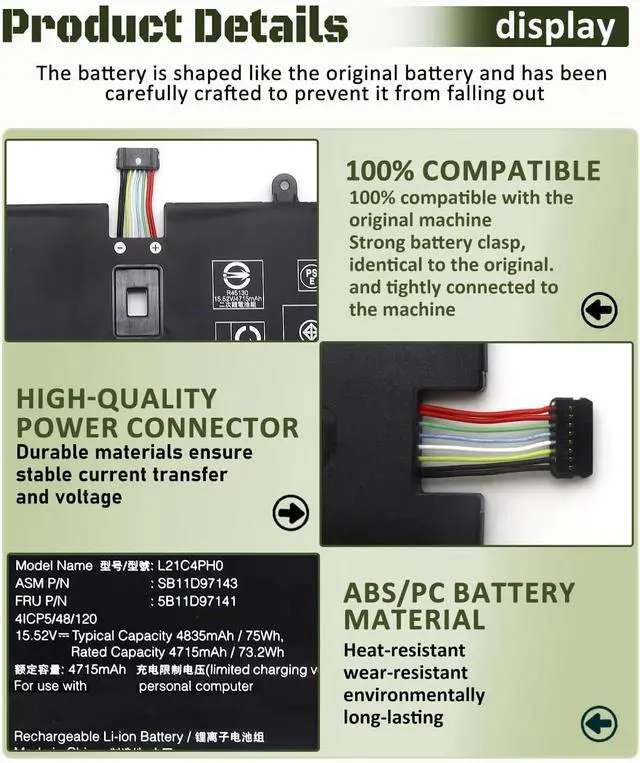
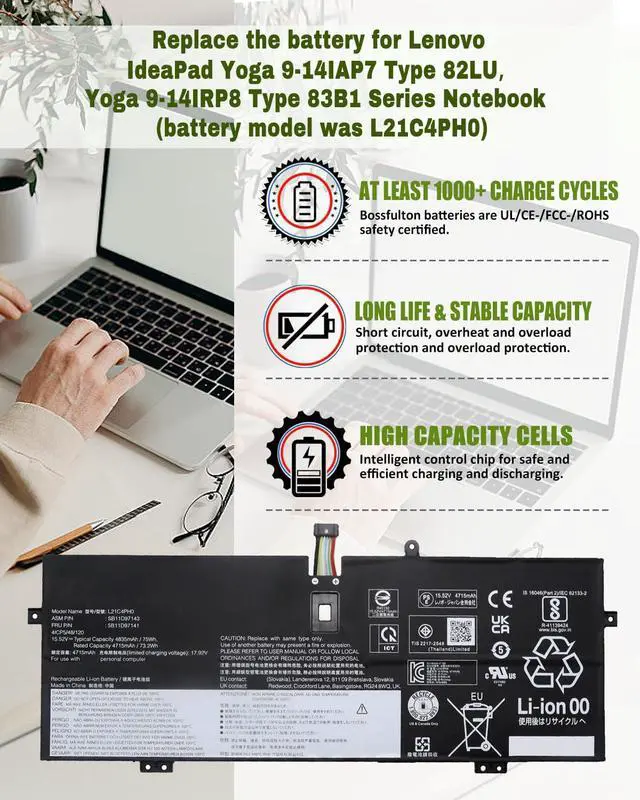
- Durable & Safe & ReliableEvery our products replacement battery is engineered for durability, safety, and reliability. Backed by UL, CE, FCC, and RoHS certifications, they meet the highest standards for performance and environmental safety. Our confidence stems from stringent compatibility testing and rigorous quality control throughout production.
- What
+
+
Overview
Reviews

Any questions? Our AI beta will help you find out quickly.
Try me now
Method 1: Using System Information to Find Your Laptop Model
Open the Run Window: Press the Windows + R keys simultaneously to bring up the Run window.
Access System Information: Type msinfo32 into the input box and click OK to launch the System Information tool.
Locate the System Model: In the System Summary section, you will find the System Model item listed in the right pane. This will provide you with the exact model of your laptop, which is crucial for identifying the compatible battery.
Method 2: Checking the Battery and Laptop Model Directly
Power Off and Unplug: Before you begin, ensure that your laptop is turned off and the power cord is disconnected to avoid any risk of electric shock.
Remove the Back Panel: Carefully use a screwdriver to remove the back panel of your laptop. Please proceed with caution to prevent any damage to the internal components.
Disconnect and Remove the Battery: Gently disconnect the cable attached to the battery and remove it from the laptop. Once the battery is out, you can easily check its specifications, including the type, capacity, and model number.
Replacement for Lenovo IdeaPad Yoga 9-14IAP7 Series - Type 82LU
Replacement for Lenovo Yoga-9 14IRP8 Series -Type 83B1
Battery Model:L21C4PH0Battery Capacity:75Wh 4835mAhBattery Voltage:15.52VBattery Cells: 4-CellWhat's in the box: 1* battery + 1* instruction manual + 1* screwdriver kitCondition: Grade "A" cells,100% brand New from ManufacturerBattery life: With a cycle at least 600+ cyclesCompatible with Laptop models:Replacement for Lenovo IdeaPad Yoga 9-14IAP7 Series - Type 82LUCompatible with Laptop models:Replacement for Lenovo Yoga-9 14IRP8 Series -Type 83B1Replacement Part Number:L21C4PH0 / SB11D97143 / 5B11D97141 / SB11D97136 / 5B11D97146Replacement Part Number:L21B4PH0 / SB11D97145 / 5B11D97137 / SB11D97139 / 5B11D97142Replacement Part Number:L21D4PH0 / SB11D97144 / 5B11D97138 / SB11D97147 / 5B11D97140 New Batteries: When using a new battery, fully activate the battery by discharging it to 5% (not 0%) and then recharging it to 95% 3-4 times.
Overuse: Do not always use the battery at 0%, as this may damage the battery or shorten its life.
Charging sequence: When charging, install the battery first, then turn on the power, when fully charged, cut off the power first, then unplug the power.
Long-term storage: Please store the unused batteries fully charged (charging once a month), do not store them at low battery level, which may shorten the life of the batteries.
Charger: Please do not change the laptop adapter arbitrarily, do not connect the adapter for a long time when using the battery, if the original adapter can not be used due to malfunction or damage, please change the model to avoid reducing the life of the battery due to incompatibility.
It may be caused by a missing battery. Please reinstall the battery and make sure the battery connection cable is plugged tightly with the motherboard connector.
It may be due to damage to the conductive material at the positive and negative contacts between the laptop motherboard and the battery, you can try to confirm with the original battery.
Check whether the battery driver is normal, if not, please download the appropriate driver software to update.
How to Choose the Right Battery for Your Laptop? Compatible with Laptop models: Press[Ctrl + F]to search for your type Battery For Lenovo Yoga 9i (battery model was L21C4PH0), Battery Specifications: Maintenance tips for laptop batteries: Why does my laptop not recognize this battery?
Open the Run Window: Press the Windows + R keys simultaneously to bring up the Run window.
Access System Information: Type msinfo32 into the input box and click OK to launch the System Information tool.
Locate the System Model: In the System Summary section, you will find the System Model item listed in the right pane. This will provide you with the exact model of your laptop, which is crucial for identifying the compatible battery.
Method 2: Checking the Battery and Laptop Model Directly
Power Off and Unplug: Before you begin, ensure that your laptop is turned off and the power cord is disconnected to avoid any risk of electric shock.
Remove the Back Panel: Carefully use a screwdriver to remove the back panel of your laptop. Please proceed with caution to prevent any damage to the internal components.
Disconnect and Remove the Battery: Gently disconnect the cable attached to the battery and remove it from the laptop. Once the battery is out, you can easily check its specifications, including the type, capacity, and model number.
Replacement for Lenovo IdeaPad Yoga 9-14IAP7 Series - Type 82LU
Replacement for Lenovo Yoga-9 14IRP8 Series -Type 83B1
Battery Model:L21C4PH0Battery Capacity:75Wh 4835mAhBattery Voltage:15.52VBattery Cells: 4-CellWhat's in the box: 1* battery + 1* instruction manual + 1* screwdriver kitCondition: Grade "A" cells,100% brand New from ManufacturerBattery life: With a cycle at least 600+ cyclesCompatible with Laptop models:Replacement for Lenovo IdeaPad Yoga 9-14IAP7 Series - Type 82LUCompatible with Laptop models:Replacement for Lenovo Yoga-9 14IRP8 Series -Type 83B1Replacement Part Number:L21C4PH0 / SB11D97143 / 5B11D97141 / SB11D97136 / 5B11D97146Replacement Part Number:L21B4PH0 / SB11D97145 / 5B11D97137 / SB11D97139 / 5B11D97142Replacement Part Number:L21D4PH0 / SB11D97144 / 5B11D97138 / SB11D97147 / 5B11D97140 New Batteries: When using a new battery, fully activate the battery by discharging it to 5% (not 0%) and then recharging it to 95% 3-4 times.
Overuse: Do not always use the battery at 0%, as this may damage the battery or shorten its life.
Charging sequence: When charging, install the battery first, then turn on the power, when fully charged, cut off the power first, then unplug the power.
Long-term storage: Please store the unused batteries fully charged (charging once a month), do not store them at low battery level, which may shorten the life of the batteries.
Charger: Please do not change the laptop adapter arbitrarily, do not connect the adapter for a long time when using the battery, if the original adapter can not be used due to malfunction or damage, please change the model to avoid reducing the life of the battery due to incompatibility.
It may be caused by a missing battery. Please reinstall the battery and make sure the battery connection cable is plugged tightly with the motherboard connector.
It may be due to damage to the conductive material at the positive and negative contacts between the laptop motherboard and the battery, you can try to confirm with the original battery.
Check whether the battery driver is normal, if not, please download the appropriate driver software to update.
How to Choose the Right Battery for Your Laptop? Compatible with Laptop models: Press[Ctrl + F]to search for your type Battery For Lenovo Yoga 9i (battery model was L21C4PH0), Battery Specifications: Maintenance tips for laptop batteries: Why does my laptop not recognize this battery?
Warranty & Returns
Warranty, Returns, And Additional Information
Warranty
- Please contact the Seller directly for warranty information. Warranty information may also be found on the Manufacturer's website.
- CONTACT
Return Policies
- Return for refund within: 30 days
- Return for replacement within: 30 days
- This item is covered by Bloomify Return Policy
Manufacturer Contact Info
- For a directory of all our manufacturers, please click below.
- Manufacturers Directory
LOADING...