for ASUS for Predator for Helios 300 PH317-53 AN515-54 N18C4 PH315-52 for Nitro 5 AN515-43 US Laptop Keyboard Easy to Replace(Red US Backlit)
  •  
  • $76.99 
  • $72.99
  • Price alert
    Shop it at NeweggBusiness.

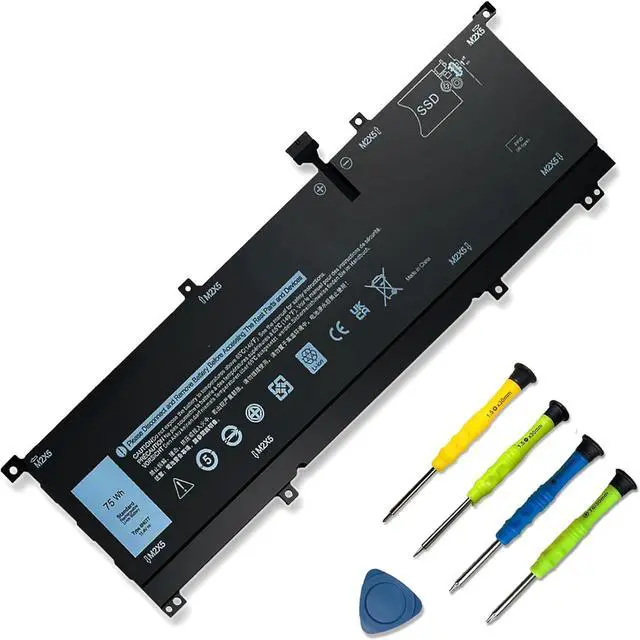
    8N0T7 Laptop Battery Replacement for DELL XPS 15 9575 2-in-1 Precision 5530 2-in-1 Series15-9575-D2801TS D1805TS D2605TS D1605TS i5-8305G i7-8705G P73F P73F001 TMFYT 0TMFYT 08N0T7 75Wh

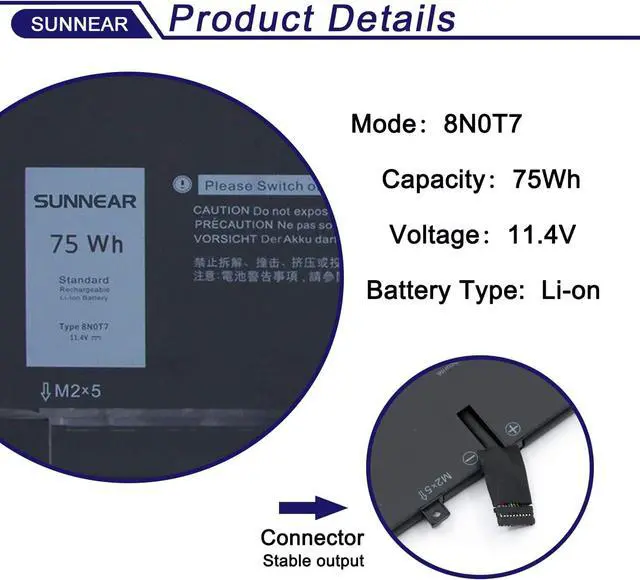
    • SpecificationsModel: 8N0T7 Voltage: 11.4V Capacity: 75Wh/6254mAh Battery type: Li-ion. Also comes with installation tools
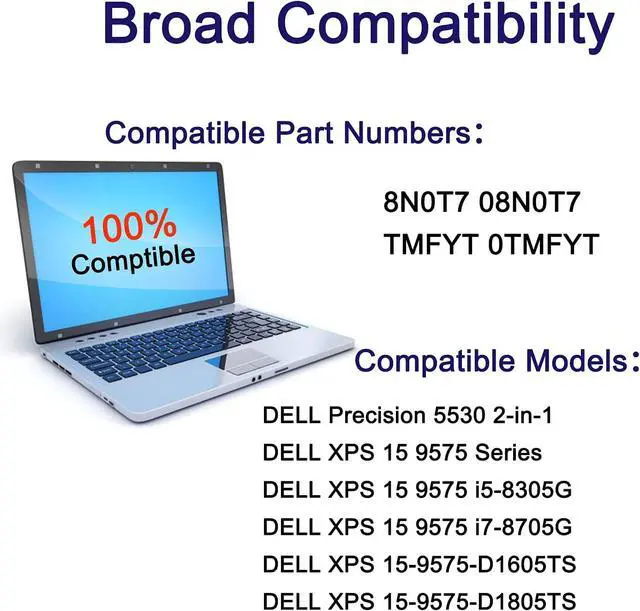
    • Compatible Laptop/Notebook ModelsFor Dell XPS 15 9575 Series.Dell XPS 15 9575 2-in-1 Series. DELL XPS 15-9575-D1605TS, XPS 15-9575-D1805TS, XPS 15-9575-D2605TS, XPS 15-9575-D2601TS, XPS 15-9575-D2805TS, XPS 15-9575-D2801TS, XPS 15 9575 i5-8305G, XPS 15 9575 i7-8705G Series. Dell Precision 5530 2-in-1 Series.P73F P73F001
    • Compatible Part Number 8N0T7 08N0T7 TMFYT 0TMFYT d69v4 451-bcjq
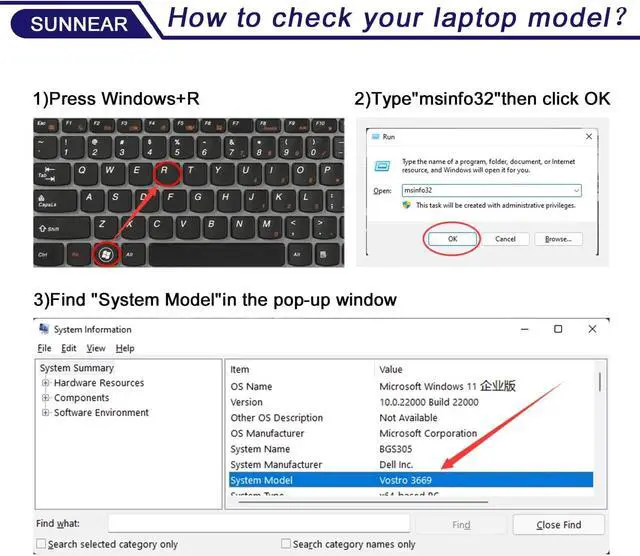
    • Purchasing Note: Due to the complexity of laptop battery models, you may not be able to accurately determine the model you need to purchase,Please open the back cover of the laptop to confirm the original battery model number
    • TipsIf the new battery is not recognized during the initial installation, please reinstall and check if the interface is fully connected. Run the new battery down to 5% (not 0%), then top up its power and complete 3-4 power cycles to wake up the
    +
    +
    Overview
    Reviews
    avatar

    Any questions? Our AI beta will help you find out quickly.

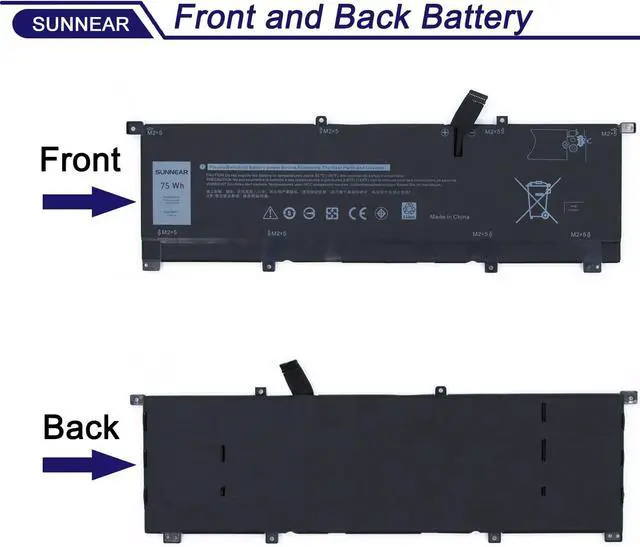
    Please open your laptop case, check and confirm your original battery model and appearance, compared with our battery image, make sure that's what you need. Especially the location of the connector and the cable length (long or short).
    1. When you get the new battery, run it down to 5% (not 0%), then power it up to 95%, and repeat this cycle 3-4 times to wake up the new battery.
    2. The important point is to carry out a full run-down and power-up cycle every other month to extend the battery life.
    3. When using the battery, do not keep it connected to the adapter for a long time, as this may damage the battery.
    4. Avoid subjecting the battery to manual impact, disassembly, crushing, or puncturing. Do not dispose of the battery in fire or water.
    Please read before purchasing Battery Maintenance Methods for Optimal Use

    Warranty & Returns

    Warranty, Returns, And Additional Information

    Warranty

    • Please contact the Seller directly for warranty information. Warranty information may also be found on the Manufacturer's website.
    • CONTACT

    Return Policies

    Manufacturer Contact Info

    LOADING...