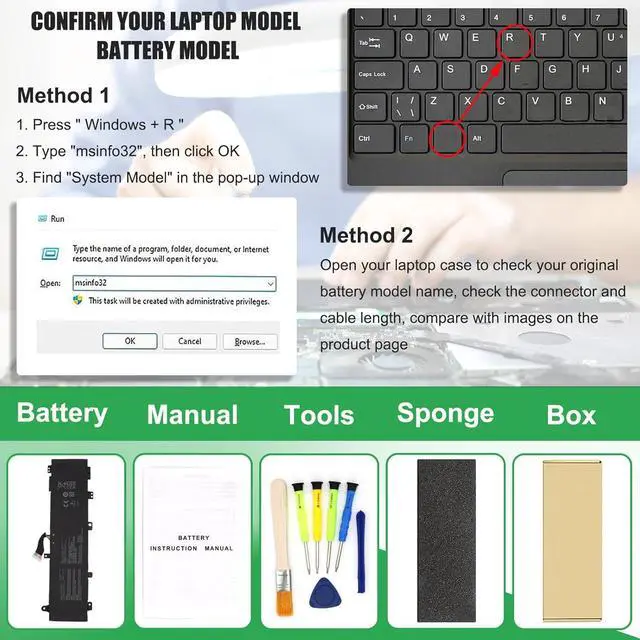
Method 1: Check your laptop model name by pressing [Win] + [R] key and entering [msinfo32] or [dxdiag], click OK to find your System Model. Then use your laptop model name to search the correct replacement battery
Method 2: Check your original battery model name and shape by opening your laptop back cover. Compare it with our product image
Note Before Purchasing
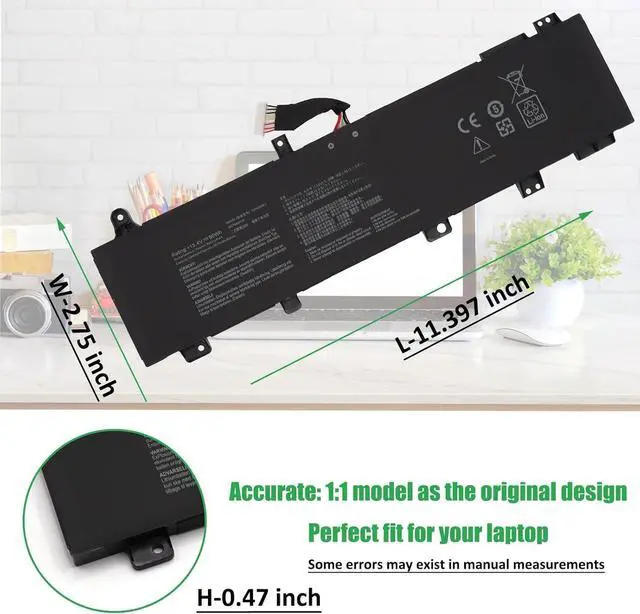
Some compatible laptop models and replacement batteries are complicated, there may be a difference in battery model name, shape, buckle location, connector type, cable length ( long or short ) etc
We suggest you open your laptop to check and confirm your original battery model and appearance, compared with our battery image, make sure that's what you need
Important Note:
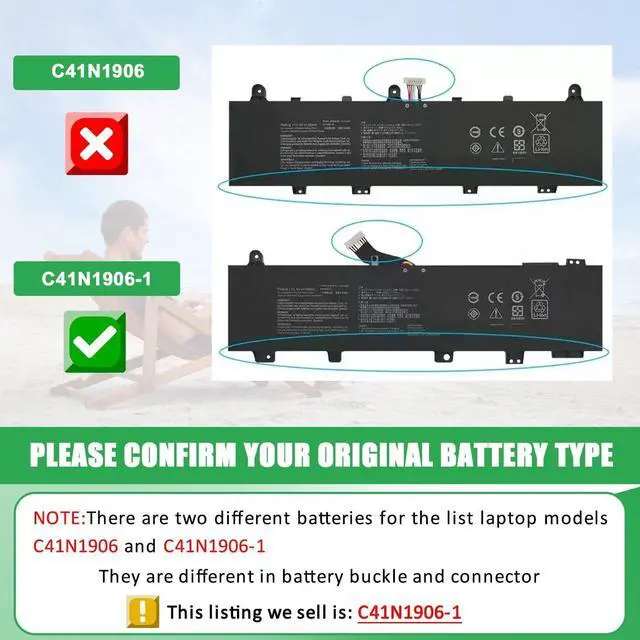
There are two different batteries for the listed laptop models: C41N1906-1 & C41N1906
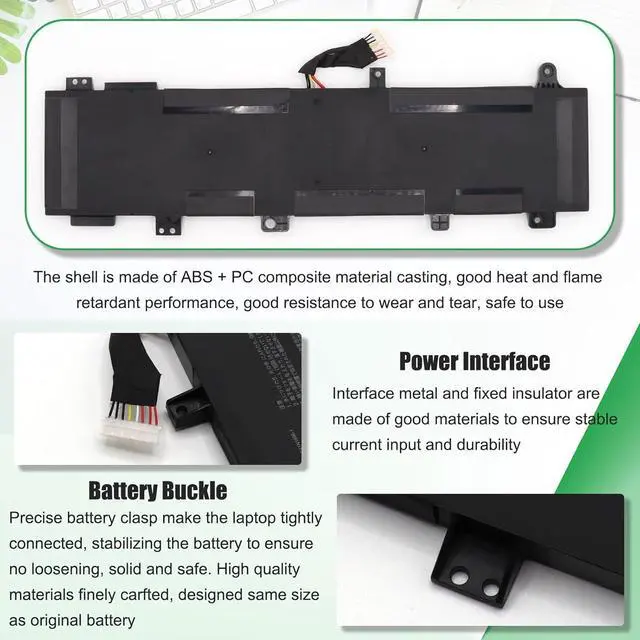
They are different in battery buckle and connector, and not compatible with each other
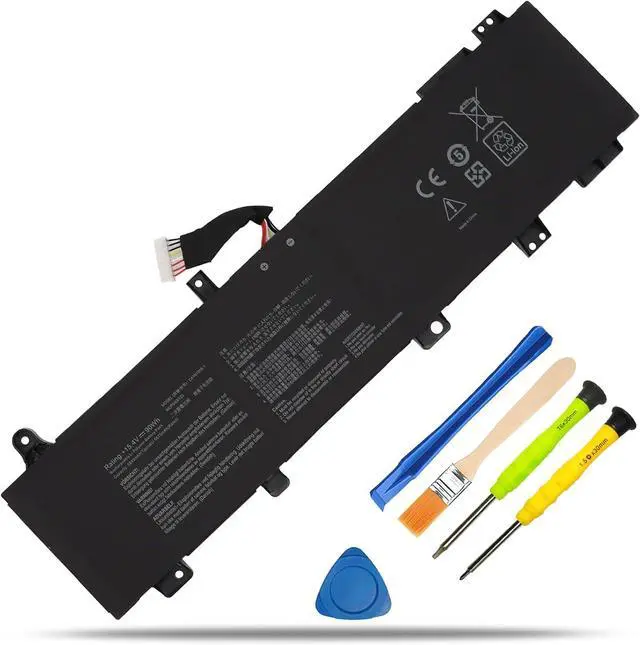
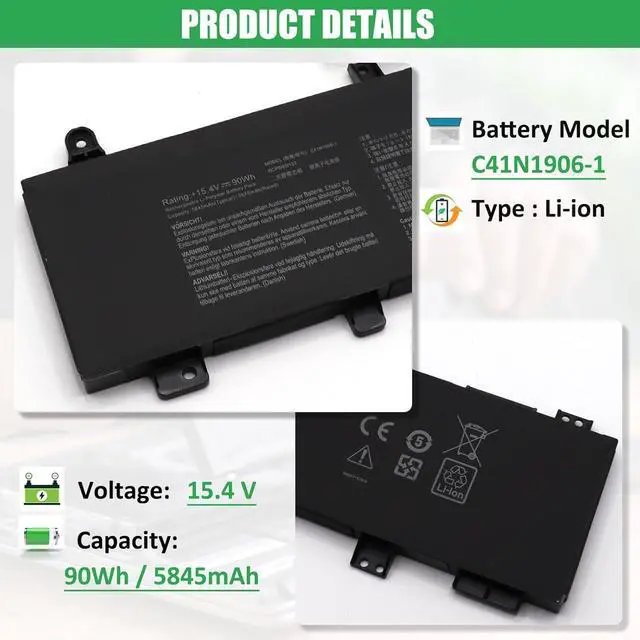
This listing we sell is C41N1906-1
In order to save your time, please open your laptop to check and confirm your original battery model and appearance, compared with our battery image, make sure you get the right battery
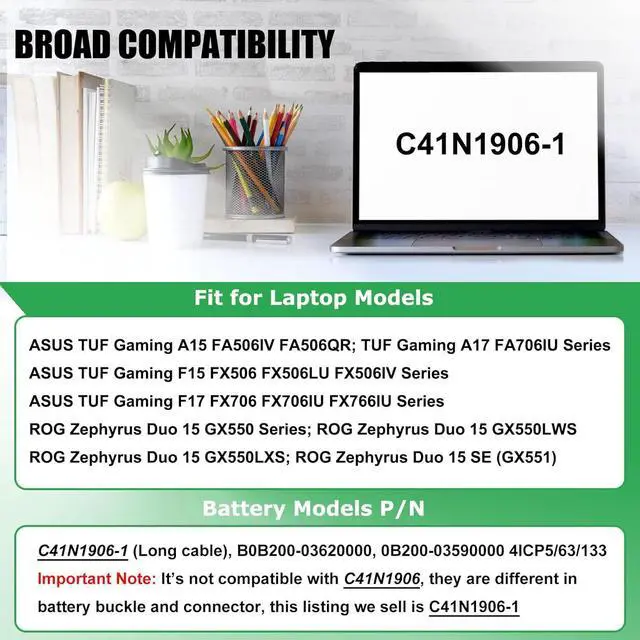
Compatible Laptop Models (use "Ctrl+F to find your model quickly"):
Replacement for ASUS TUF Gaming A15 FA506IV
Replacement for ASUS TUF Gaming A15 FA506QR
Replacement for ASUS TUF Gaming A17 FA706IU
Replacement for ASUS TUF Gaming F15 FX506
Replacement for ASUS TUF Gaming F15 FX506LU
Replacement for ASUS TUF Gaming F15 FX506IV
Replacement for ASUS TUF Gaming F17 FX706
Replacement for ASUS TUF Gaming F17 FX706IU
Replacement for ASUS TUF Gaming F17 FX766IU
Replacement for ASUS ROG Zephyrus Duo 15 GX550
Replacement for ASUS ROG Zephyrus Duo 15 GX550LWS
Replacement for ASUS ROG Zephyrus Duo 15 GX550LXS
Replacement for ASUS ROG Zephyrus Duo 15 SE (GX551)
NOTE: Not all models are listed, for more accurate, please open your laptop to check and confirm your original battery model
Battery Usage Maintenance Tips
1. New battery received, please discharge to roughly 10% ~ 20%, then charge it to full. Repeat 3 ~ 5 times to maximize initial battery performance. ( Usually the battery received with about 50% charged )
2. Do not discharge to 0%, it may damage the battery cells and accelerates the aging of battery. ( When the battery is very low, the laptop may suddenly shut down )
3. After the battery power is exhausted, please charge in time, if not charged for a long time, it may lead to battery damage
4. If you plan not to use your laptop for a long time, you need to charge it to more than 70% for storage, and the best storage time is no more than 3 months
5. If you often connect the charger to use the laptop, please use the battery power regularly, more than once a week
6. Please use the original charger or well-known brand charger, inferior charger will affect the normal charging of the battery
7. Regularly clean fan dust to increase heat dissipation and reduce power consumption, which can effectively extend the battery life
8. Percentage of remaining battery and estimate time may fluctuate up and down during battery discharge according to your operating of different software, this is normarl condition. Please pay attention to the actual use time is in the normal range
Reasons and solutions for laptop not recognizing battery
1. Could be caused by battery loose. Remove the battery and try to reinstall, make sure the connector is tighly connected ( Most batteries won't charge, you can try reinstalling the battery first )
2. May be due to conductive material damaged which the laptop motherboard and battery anode and cathode contact position, you can try to confirm it with your original battery
3. Check whether the battery drive is in normal condition, if not, download the corresponding driver software to update