• $90.99
  • Price alert
    Shop it at NeweggBusiness.

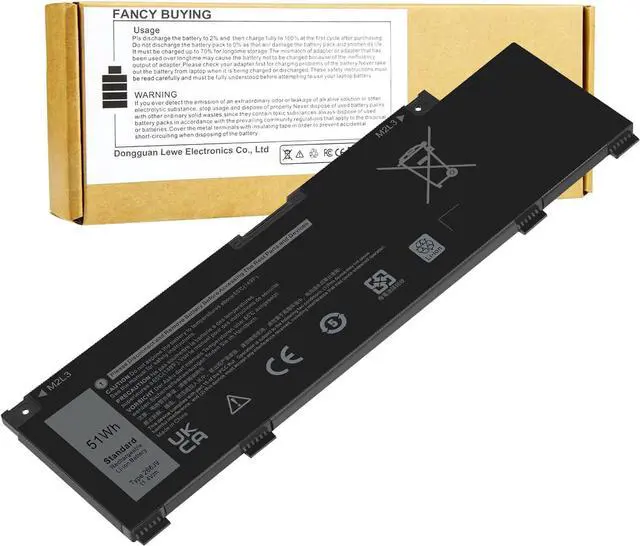
    (11.4V 51Wh) 266J9 MV07R Battery Replacement for Dell G3 15 3500 3590 3790 G5 15 5500 SE 5505 P89F Inspiron 5490 INS 15PR-1545W 1548BR 1645W 1742BR 1742W Series 0415CG C9VNH PN1VN M4GWP 0M4GWP 0JJRRD

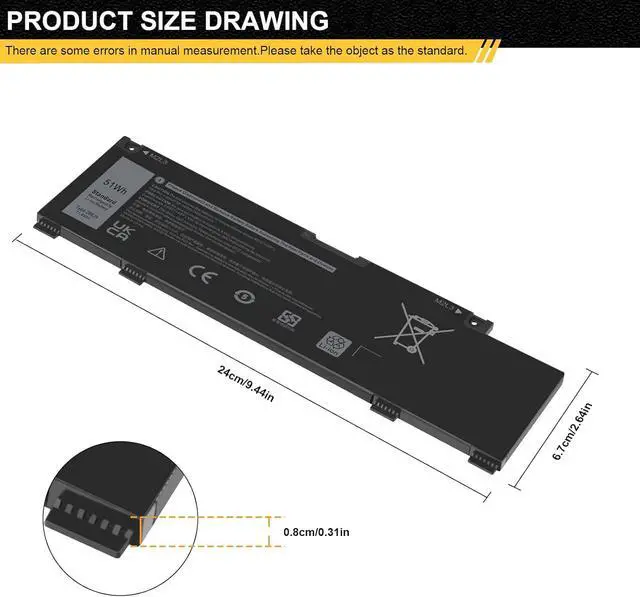
    • Specifications Model: 266J9; Battery Type: Lithium polymer; Voltage: 11.4V; Capacity: 51Wh; Cells: 3 cells; Color: Black
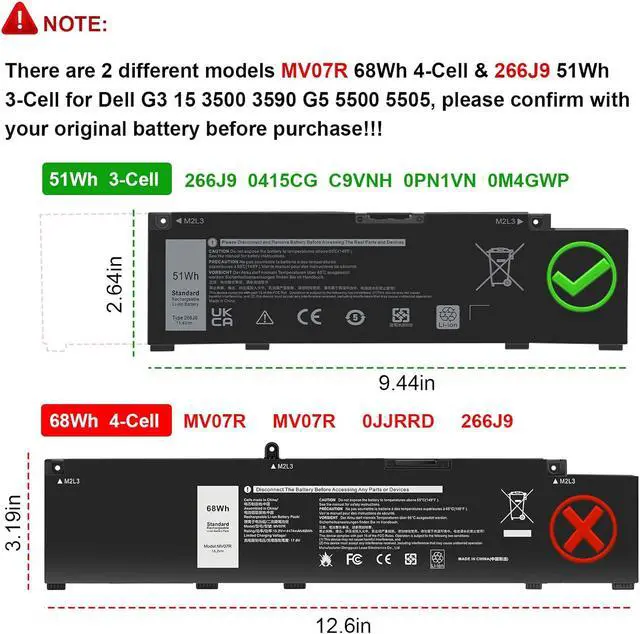
    • Compatible Part NumberMV07R 266J9 0JJRRD 0415CG C9VNH 0PN1VN 0M4GWP (Note: There are 2 different models MV07R 68Wh 4-Cell & 266J9 51Wh 3-Cell for Dell G3 15 3500 3590 G5 5500 5505, please confirm with your original battery before purchase)
    • Compatible withFor Dell G3 15 3500 3590 G5 5500 5505 SE Series Notebook.(Purchasing Note: There are 2 battery MV07R 68Wh 4-Cell and 266J9 51Wh 3-Cell of the dell G3 3500 3590 G5 5500 5505 SE laptop,Please choose the which one you are going to replace and according to your laptop's original battery)
    • Compatible withfor Dell G3 3500 3590 G5 5500 5505 INS 5490 INS 15PR-1545W 1548BR 1645W 1648BR 1742BR 1742W 1748BR Series; Replacement for Dell P89F P89F001 P89F002 P89F003 P89F004 Laptop
    • Security and Stable QualityAll of our products are certified by CE, FCC for safety. Strict guidelines for compatibility, and standards co
    +
    +
    Overview
    Reviews
    avatar

    Any questions? Our AI beta will help you find out quickly.

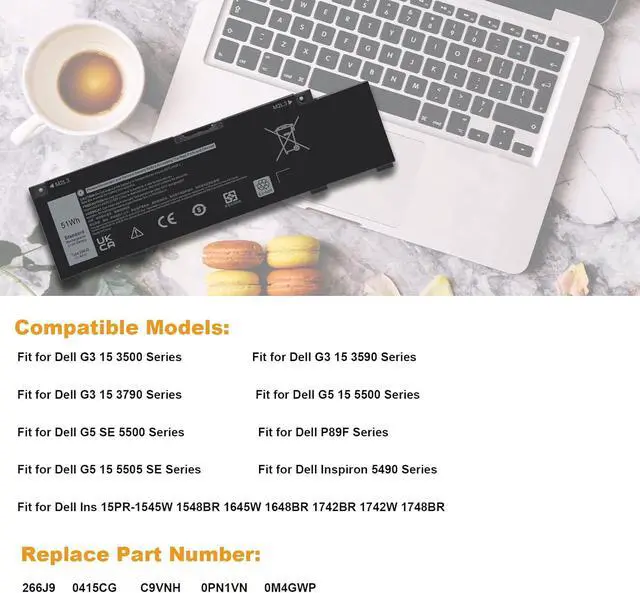
    Replacement for Part Number:
    266J9 MV07R 0JJRRD 0415CG C9VNH 0PN1VN 0M4GWP
    Compatible with Laptop Models:
    for Dell G3 15 3500 Series;
    for Dell G3 15 3590 Series;
    for Dell G3 15 3790 Series;
    for Dell G5 15 5500 Series;
    for Dell G5 SE 5500 Series;
    forDell P89F P89F001 P89F002 P89F003 P89F004 Series;
    for Dell G5 15 5505 SE Series;
    for Dell Inspiron 5490 Series;
    for Dell Ins 15PR-1545W 1548BR 1645W 1648BR 1742BR 1742W 1748BR.
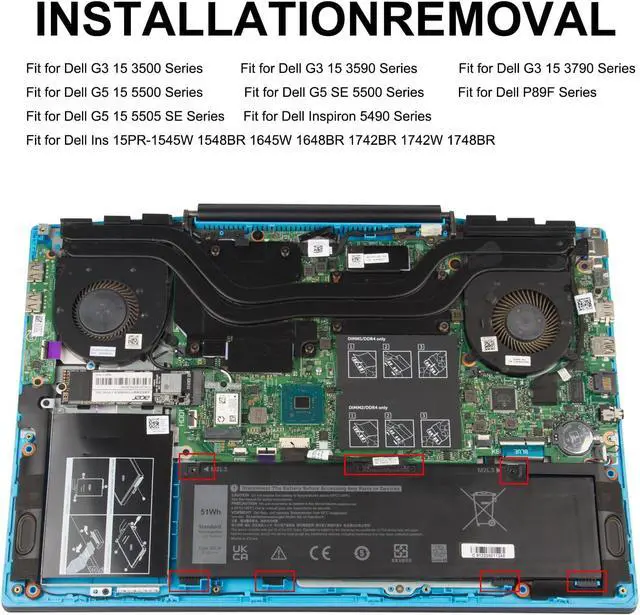
    Install A New Battery:
    1. You need to turn off your laptop and disconnect the power.
    2. Remove the old battery, carefully install the new battery on the battery case, and connect the wiring of the new battery.
    3. If you don't understand the above steps, you can search for the video about laptop battery installation on YouTube. Maybe it will help you.
    Laptop Maintenance Tips:
    1. New battery: For use a new battery, youd better try a few cycles of discharging to 5%. then charging up to 95%. So that it can be activated completely
    2. Overuse: Do not always run out of a battery to 0%, this would make it damaged or usage life shortened
    3. Charging sequence: when charging, first install the battery, then turn on the power, when fully charged, first cut off the power, then pull the power plug.
    4. Long-term storage:Please store the unused battery fully charged.(Charge it once a month) Do not store at low power to prevent reduce the lifespan of a battery
    5. Charger: Do not replace the laptop adapter casually. If the original adapter cannot be applied due to malfunction or damage, please replace the models, so as not to reduce the service life of the battery due to incompatibility.
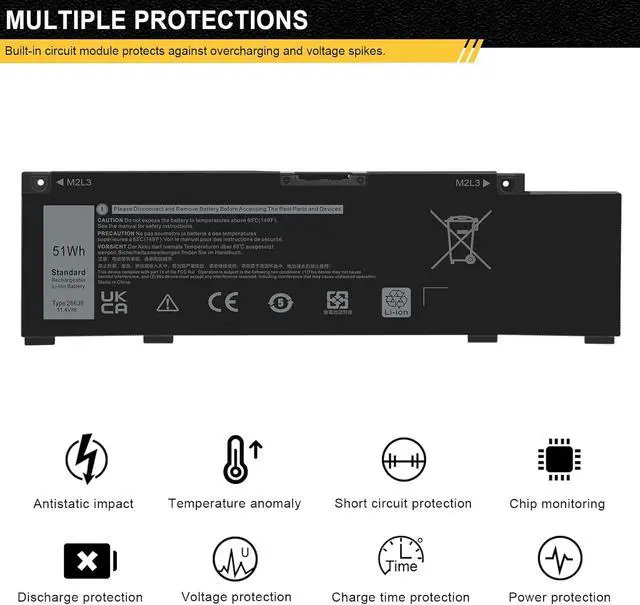
    Overload protection
    Over-current protection
    Over-voltage protection
    High voltage protection
    Short circuit protection
    Over-temperature protection

    Warranty & Returns

    Warranty, Returns, And Additional Information

    Warranty

    • Please contact the Seller directly for warranty information. Warranty information may also be found on the Manufacturer's website.
    • CONTACT

    Return Policies

    Manufacturer Contact Info

    LOADING...