We are a professional laptop battery provider,
We are always working hard to ensure high quality laptop battery standards.
Your satisfaction is our team goal, your support is our most precious wealth.
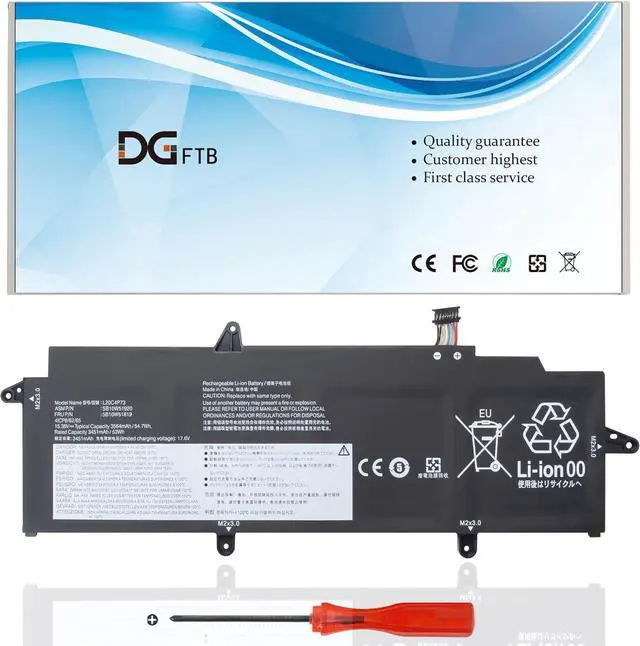
Voltage: 15.36V
Capacity: 54.7Wh/3564mAh/4-Cell
Battery Condition: Brand New
Battery Type: Lithium Ion
ThinkPad X13 G2 20SX001UUS, ThinkPad X13 G2 20T3S31Y00, ThinkPad X13 G2 20W8001YAU, ThinkPad X13 G2 20WK001MGE, ThinkPad X13 G2 20WK001RGE,
ThinkPad X13 G2 20WK001XMX, ThinkPad X13 G2 20WK001YPB, ThinkPad X13 G2 20WK0022MX, ThinkPad X13 G2 20WK0024GE, ThinkPad X13 G2 20WK0029CK,
ThinkPad X13 G2 20WK002GIV, ThinkPad X13 G2 20WK002JGE, ThinkPad X13 G2 20WK002WAU, ThinkPad X13 G2 20WK005LUS, ThinkPad X13 G2 20WK005PUS,
ThinkPad X13 G2 20WK005RUS, ThinkPad X13 G2 20WK006PZA, ThinkPad X13 G2 20WK008UAU, ThinkPad X13 G2 20WK008VAU, ThinkPad X13 G2 20WK0092AU
ThinkPad X13 G2 20WK0093AU, ThinkPad X13 G2 20WK009CUS, ThinkPad X13 G2 20WK009EUS, ThinkPad X13 G2 20WK00A7GE, ThinkPad X13 G2 20WK00AFPB,
ThinkPad X13 G2 20WK00AGMB, ThinkPad X13 G2 20WK00AJGE, ThinkPad X13 G2 20WK00AVUK, ThinkPad X13 G2 20WK00BPTW, ThinkPad X13 G2 20WKS00400,
ThinkPad X13 G2 20WKS00M00, ThinkPad X13 G2 AMD 20XH001KGE.
1,Disconnect the connection between the old battery and the motherboard to avoid unnecessary damage caused by disassembling the battery. Then unscrew the old battery screws one by one and carefully save each.
2, Remove the old battery, carefully install the new battery on the battery case, and connect the wiring of the new battery.
3, If you don't understand the above steps, you can search for the video about laptop battery installation on YouTube. Maybe it will help you
Welcome to DGTFB Specification: Install A New Battery: