Usually not, when the device first charges the battery, due to the unstable voltage and current, it may cause the battery to be half-charged (sometimes more, sometimes less). The device stops charging the battery. If this happens, please don't worry, just take the battery out of the device and charge it again.
It is possible that a new battery charged for the first time may require several iterations of this process. Please be assured that this is normal.
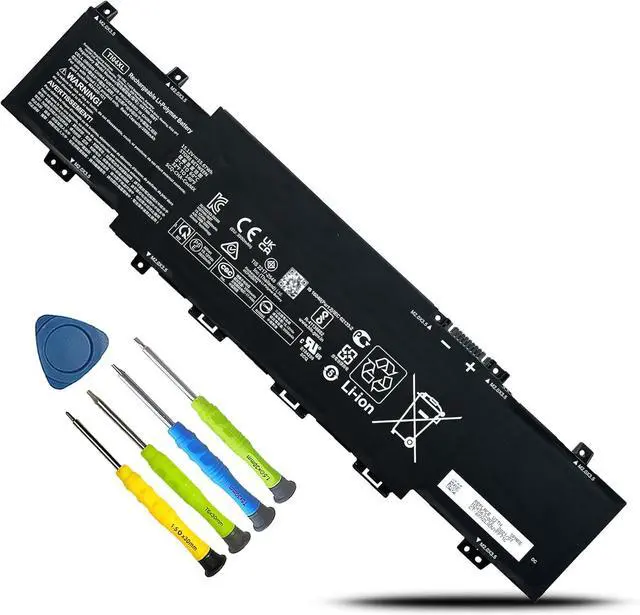
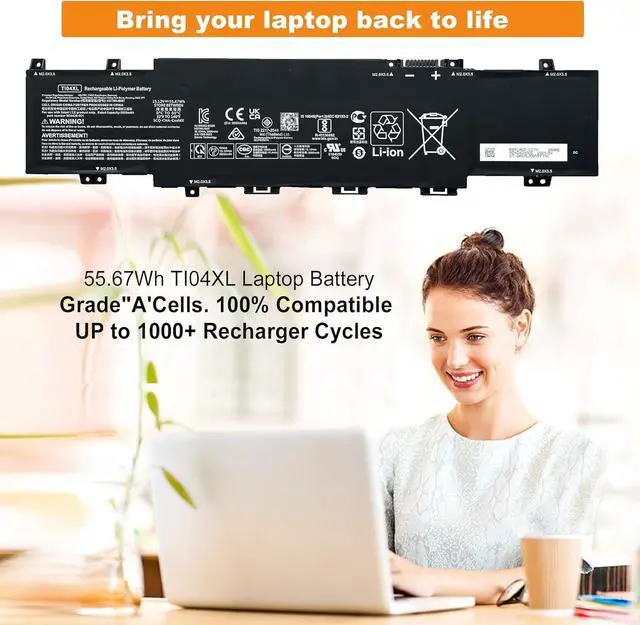
We are a professional laptop/tablet battery provider, dedicated to providing different types of high-quality batteries for our customers to bring their laptops back to life again.
The main outstanding features include.
Batteries are 100% new from the manufacturer
Grade A batteries ensure fast charging and low power consumption
High efficiency and high conversion rate.
Up to 100+ charging cycles
Our goal is to solve all your Battery problems. Thanks for your choice and trust, Enjoy your shopping!
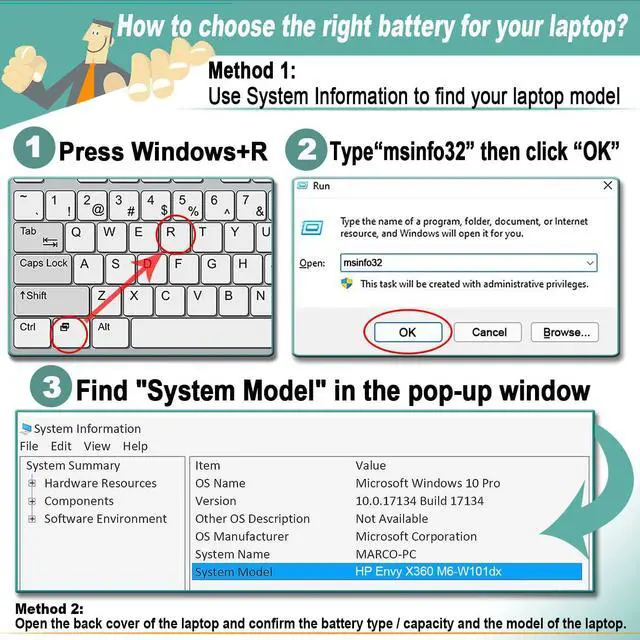
Method 1: Use System Information to find your laptop model
Step 1: Press "Windows + R" to open the Run window.
Step 2: Type "msinfo32" in the empty box and click OK to open System Information.
Step 3: Keep in the "System Summary" section and you will find the "System Model " item in the right pane.
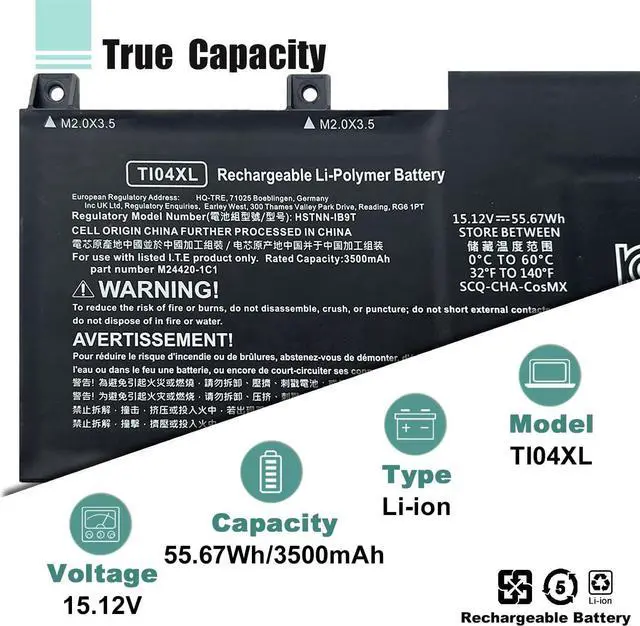
Method 2: Open the back cover of the laptop and confirm the battery type and capacity, as well as the model of the laptop.
Step 1: Turn off the laptop and unplug the power cord (to prevent electric shock)
Step 2: Remove the back panel with a screwdriver. (Please proceed with care to avoid damage to the laptop's components.)
Step 3: Disconnect the cable connected to the battery and remove it. After that, you can check the specifications of your battery.
For HP Envy 17 Envy 17-ch Series Laptop
For HP Envy 17m-ch0013dx 17.3" series
For HP Envy 17M-CH Series
For HP Envy 17-CH Series:
Hp ENVY 17-ch0001nv/ 17-CH0017NN/ 17-ch0000np/ 17-ch0023ur/ 17-ch0010ur/ 17-ch0004ur/ 17-ch0500nz/ 17-ch1005ur/ 17-ch0102nw/ 17-ch1001nz/ 17-ch0908ng/ 17-ch1414nw/ 17-ch1011nb/ 17-ch0000nz/ 17-CH0997NZ/ 17-ch0000nc/ 17-ch0015ur/ 17-ch0007nb/ 17-ch0002nv/ 17-ch0180ng/ 17-ch1003nc/ 17-ch0990nd/ 17-ch1990nd/ 17-ch0775ng/ 17-ch1096nf/ 17-ch0039nf/ 17-ch0001np/ 17-CH0022UR/ 17-ch0000nn/ 17-ch0021nf/ 17-ch0010nb/ 17-ch0004nc/ 17-ch0455ng/ 17-ch1005na/ 17-ch0081nf/ 17-ch1001nm/ 17-ch0904nz/ 17-ch1356ng/ 17-ch1010nl/ 17-ch0002nl/ 17-ch0016ur/ 17-CH0082NF/ 17-ch0027ur/ 17-ch0014ur/ 17-ch0006ua/ 17-ch0002no/ 17-ch0175ng/ 17-ch1002nz/ 17-ch0977nz/ 17-ch1960nd/ 17-ch0706nz/ 17-ch1018nb/ 17-ch0001nm/ 17-CH0506NZ/ 17-ch0000nl/ 17-ch0019nw/ 17-ch0009ua/ 17-ch0003ua/ 17-ch0290nd/ 17-ch1004nb/ 17-ch0063nf/ 17-ch1000nz/ 17-ch0828no/ 17-ch1300ng/ 17-ch1009nb/ 17-ch0002nc/ 17-CH0005UA/ 17-CH0108NF/ 17-ch0025ur/ 17-ch0013nn/ 17-ch0006nb/ 17-ch0550nz/ 17-ch1007nm/ 17-ch0110nf/ 17-ch1002nm/ 17-ch0957nz/ 17-ch1755ng/ 17-ch0659ng/ 17-ch1015nb/ 17-ch0001nb/ 17-CH0011NB/ 17-ch0000nj/ 17-ch0018ur/ 17-ch0009nm/ 17-ch0003nf/ 17-ch0220nd/ 17-ch1003nz/ 17-ch0998nb/ 17-ch1000nm/ 17-ch0799nz/ 17-ch1220nd/ 17-ch1008nb/ 17-ch0001ua/ 17-CH0010CA/ 17-CH0750NZ/ 17-ch0024nn/ 17-ch0011ur/ 17-ch0005nc/ 17-ch0500sa/ 17-ch1006nv/ 17-ch0104nw/ 17-ch1002na/ 17-ch0944nz/ 17-ch1424nw/ 17-ch1011nm/ 17-ch0000sf/ 17-CH0902NG/ 17-ch0000nf/ 17-ch0017ur/ 17-ch0007ua/ 17-ch0003ca/ 17-ch0185ng/ 17-ch1003nq/ 17-ch0995nd/ 17-ch1995nd/ 17-ch0777ng/ 17-ch1112nw/ 17-ch0057nf/ 17-ch0001nt/ 17-CH0021NN/ 17-ch0000no/ 17-ch0022nn/ 17-ch0010nm/ 17-ch0004np/ 17-ch0500na/ 17-ch1005nb/ 17-ch0094nf/ 17-ch1001ns/ 17-ch0907nz/ 17-ch1404nw/ 17-ch1010nq/ 17-ch0000ns/ 17-CH0058NG/ 17-ch0029nia/ 17-ch0015nb/ 17-ch0006ur/ 17-ch0002nt/ 17-ch0176ng/ 17-ch1002ur/ 17-ch0980nd/ 17-ch1980nd/ 17-ch0757ng/ 17-ch1035no/ 17-ch0029nw/ 17-ch0001no/ 17-CH0478NG/ 17-ch0000nm/ 17-ch0020na/ 17-ch0009ur/ 17-ch0003ur/ 17-ch0356ng/ 17-ch1004ur/ 17-ch0076ng/ 17-ch1000ur/ 17-ch0880ng/ 17-ch1355