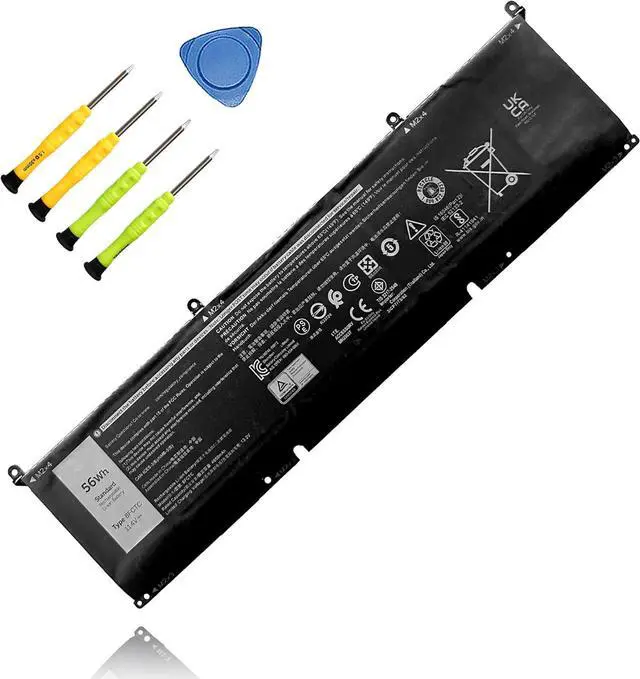
TAICROWNE is a brand focused on selling batteries. We are committed to providing quality service and products for every customer.
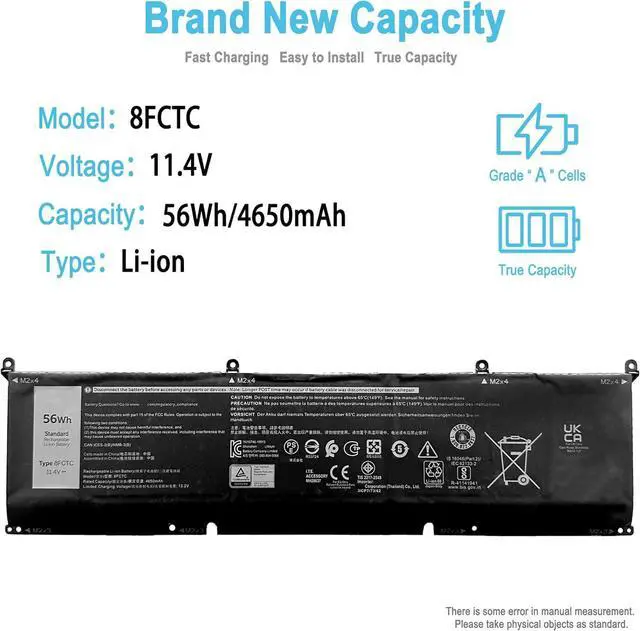
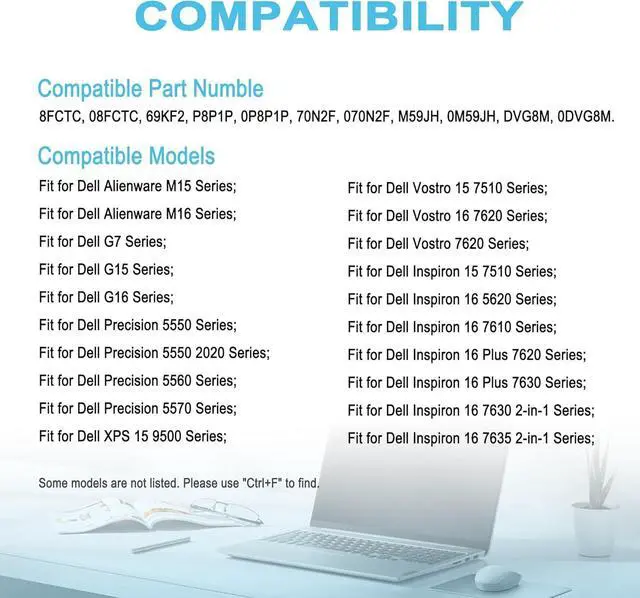
Compatible with Part Numbers: 8FCTC, 08FCTC, 69KF2, P8P1P, 0P8P1P, 70N2F, 070N2F, M59JH, 0M59JH, DVG8M, 0DVG8M.
Compatible Laptop Models: (use "Ctrl+F to find your model quickly")
Fit for Dell Alienware M15 Series:
Fit for Dell Alienware M15 2020 ALW15M-5758W, Alienware M15 R3, Alienware M15 R4, Alienware M15 R4 2021, Alienware M15 R5, Alienware M15 Ryzen Edition R5, Alienware M15 R6, M15 R7, Alienware M15 R7 AMD Series.
Fit for Dell Alienware M16 Series:
Fit for Dell Alienware M16 R1, Alienware M16 R1 AMD, Alienware M17 R3 2020, Alienware M17 R3 P45E, Alienware M17 R4 2021 Series.
Fit for Dell G7 Series:
Fit for Dell G7 15 7500 Series.
Fit for Dell G15 Series:
Fit for Dell G15 5510, 5511, 5515, 5520, 5521, 5521 Special Edition, 5525, 5530 Series.
Fit for Dell G16 Series:
Fit for Dell G16 7620, 7630 Series.
Fit for Dell Precision 5550 Series;
Fit for Dell Precision 5550 2020 Series;
Fit for Dell Precision 5560 Series;
Fit for Dell Precision 5570 Series;
Fit for Dell XPS 15 9500 Series:
Fit for Dell XPS 15 9500, XPS 15 9500 Core i7 4K UHD, XPS 15 9510, XPS 15 9520, XPS 15 9530 Series.
Fit for Dell Vostro 15 7510 Series;
Fit for Dell Vostro 16 7620 Series;
Fit for Dell Vostro 7620 Series;
Fit for Dell Inspiron 15 7510 Series;
Fit for Dell Inspiron 16 5620 Series;
Fit for Dell Inspiron 16 7610 Series;
Fit for Dell Inspiron 16 Plus 7620 Series;
Fit for Dell Inspiron 16 Plus 7630 Series;
Fit for Dell Inspiron 16 7630 2-in-1 Series;
Fit for Dell Inspiron 16 7635 2-in-1 Series;
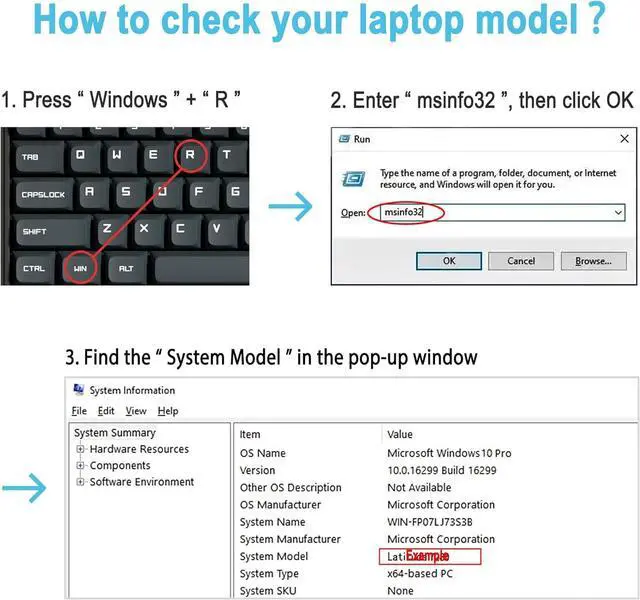
Method 1
View your laptop model on your computer: Press the Win +R, type msinfo32 in the box, and click OK to find your computer model. Find replacement batteries based on your laptop model.
Method 2
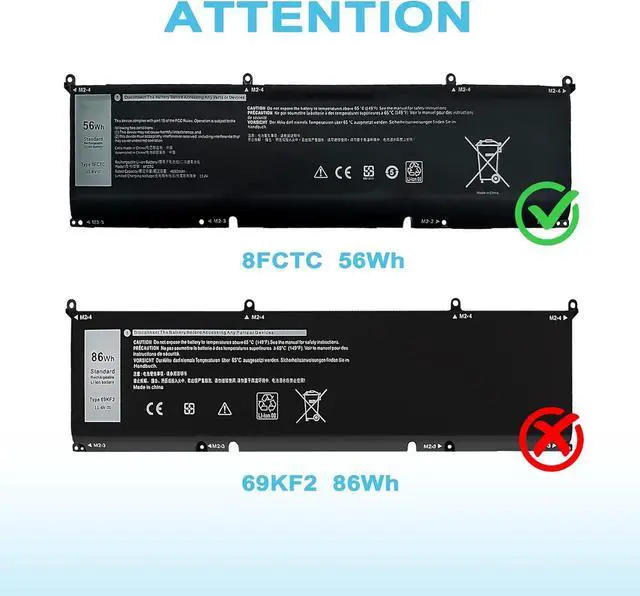
Remove the back cover of your laptop to view the type, capacity and model of the original battery.
Turn off the laptop and unplug the power cable.
Turn the laptop over and remove the back cover with a screwdriver to avoid damaging the laptop components.
View the battery type, capacity and model.
Power down your laptop and disconnect it from the power source.
Flip the laptop over and use a screwdriver to carefully remove the bottom panel. Take care not to damage any internal components.
Disconnect the cable connecting the battery, unscrew the old battery, remove the old battery, and carefully install the new battery on the battery box.
If you do not understand the above installation steps, you can search for laptop battery installation videos online or find professional technicians to install.
Welcome to TAICROWNE How to purchase the correct replacement battery? Install A New Battery