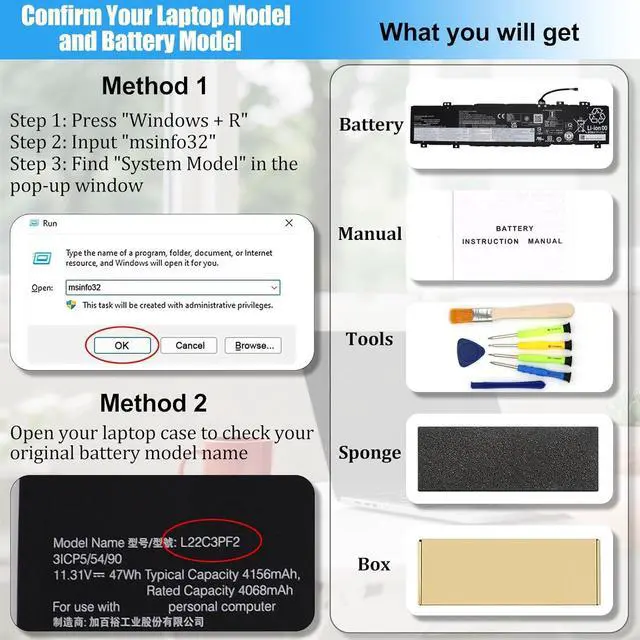
Laptop model (Printed on the A side or bottom case, such as MacBook A2289, ThinkPad T14 Gen2)
Battery Part Number or Model Name (On the label when the battery is removed, such as HP MU06, Dell 0V9HXX, R73TC, XVJNP)
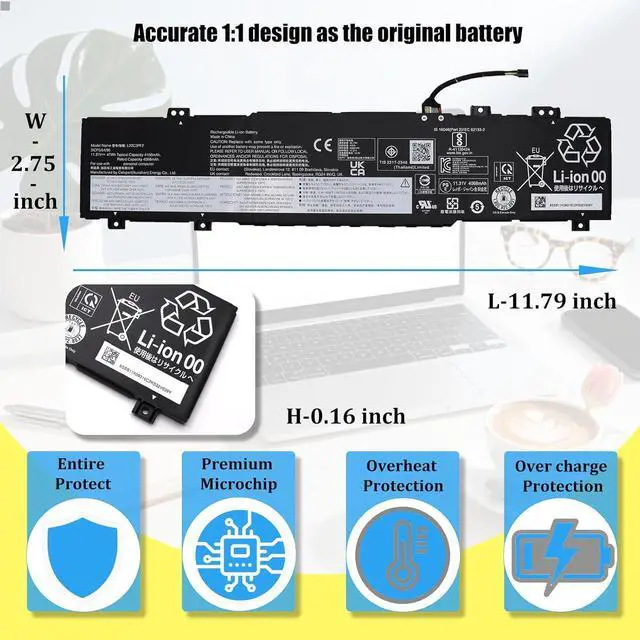
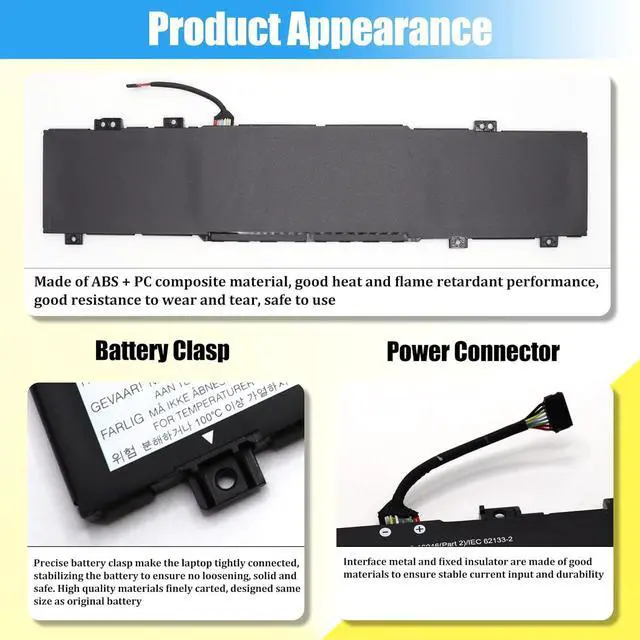
Battery shape + interface direction (card slot position, cable length, number of positioning posts)
Courteous and sincere recommendations
Most customers purchase the wrong batteries because some compatible laptop models and replacement batteries are complicated. Please be sure to confirm your original battery model and appearance, compared with our battery image, make sure that's what you need
If you're not sure, you can also take photos of the old battery, compare the front and back, interface, and send them to us to confirm "whether it can fit properly" to avoid the compatibility issue
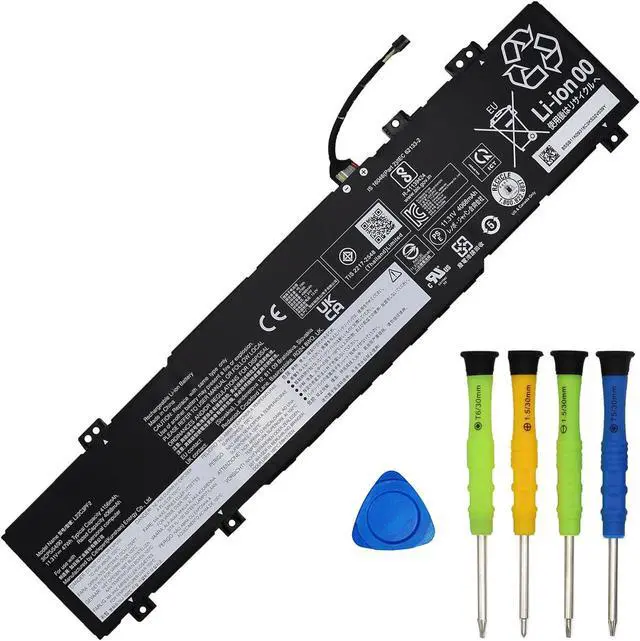
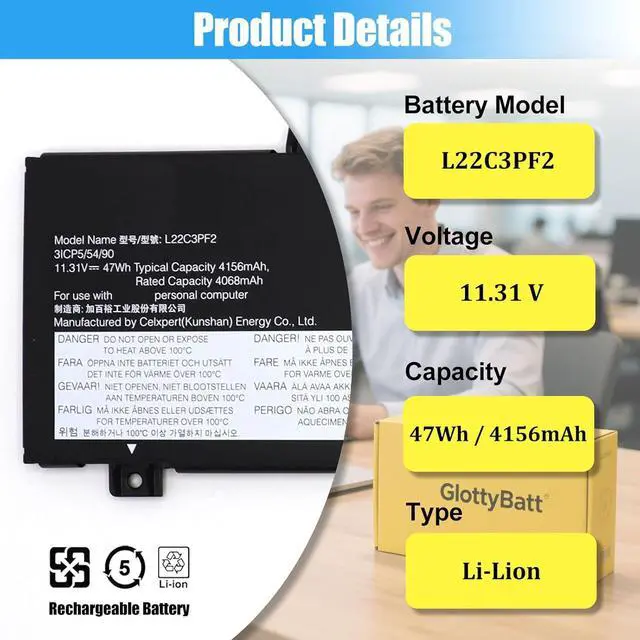
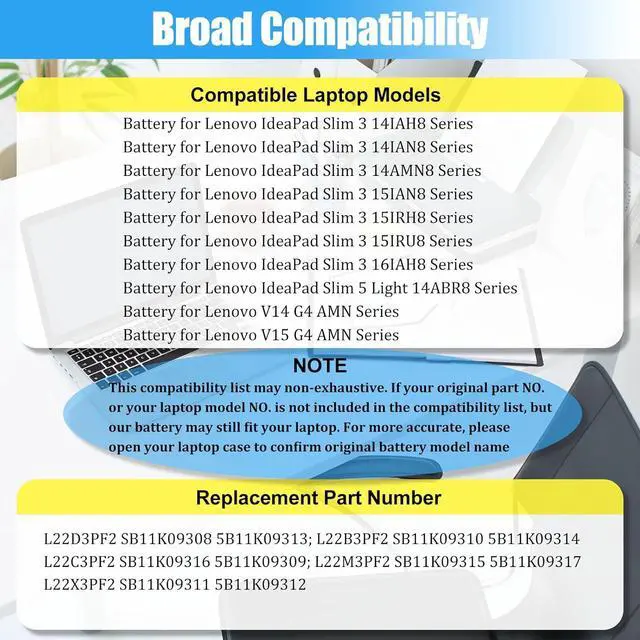
Battery ModelL22C3PF2Battery TypeLi-ionBattery Voltage11.31VBattery Capacity47W / 4156mAhBattery Condition100% Brand New From ManufacturerPackaging1* L22C3PF2 Battery+1*Manual+1*Tool Kits Compatible Laptop Models:
Replacement for Lenovo IdeaPad Slim 3 Series:
For IdeaPad Slim 3 14ABR8 (Type: 82XL)
For IdeaPad Slim 3 14AMN8 (Type: 82XN)
For IdeaPad Slim 3 14IAH8 (Type: 83EQ)
For IdeaPad Slim 3 14IAN8 (Type: 82XA)
For IdeaPad Slim 3 14IRH8 (Type: 83EL)
For IdeaPad Slim 3 14IRU8 (Type: 82X6)
For IdeaPad Slim 3 14IRU9 (Type: 83E5)
For IdeaPad Slim 3 15ABR8 (Type: 82XM)
For IdeaPad Slim 3 15AMN8 (Type: 82XQ)
For IdeaPad Slim 3 15IAH8 (Type: 83ER)
For IdeaPad Slim 3 15IAN8 (Type: 82XB)
For IdeaPad Slim 3 15IRH8 (Type: 83EM)
For IdeaPad Slim 3 15IRU8 (Type: 82X7)
For IdeaPad Slim 3 15IRU9 (Type: 83E6)
For IdeaPad Slim 3 16ABR8 (Type: 82XR)
For IdeaPad Slim 3 16IAH8 (Type: 83ES)
For IdeaPad Slim 3 16IRH8 (Type: 83EN)
For IdeaPad Slim 3 16IRU8 (Type: 82X8)
For IdeaPad Slim 3 16IRU9 (Type: 83E7)
Replacement for Lenovo IdeaPad Slim 5 Series:
For IdeaPad Slim 5 Light-14ABR8 (Type: 82XS)
Replacement for Lenovo V Series:
For Lenovo V14 G4 AMN (Type: 82YT, 83GE)
For Lenovo V14 G4 IAN (Type: 82YV)
For Lenovo V14 G5 IRL (Type: 83GU, 83HD)
For Lenovo V15 G4 AMN (Type: 82YU, 83CQ)
For Lenovo V15 G4 IAN (Type: 82YW); V15 G5 IRL (Type: 83GW, 83HF)
Our batteries have undergone strict testing and perfectly match the listed models, enabling plug-and-play functionality
Laptop Battery Usage and Maintenance Guide
I. Battery Usage and Maintenance Tips
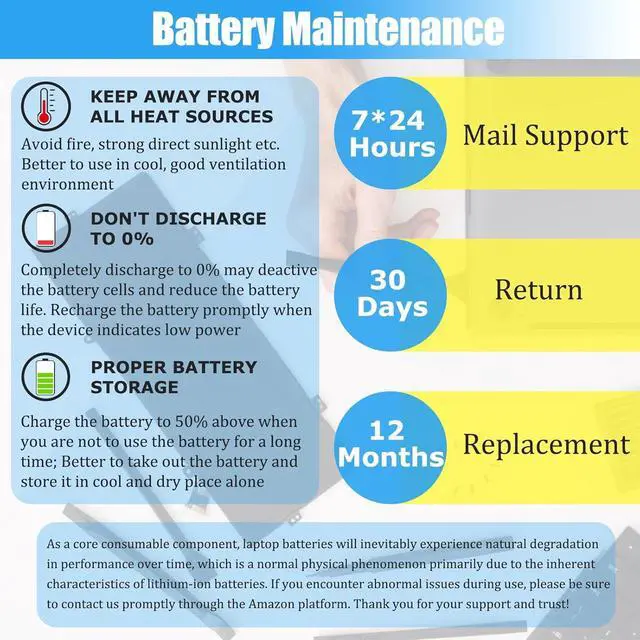
Activation Method for New Batteries: After receiving a new battery (usually with an initial charge of approximately 50%), first discharge the battery to 10% - 20%, then fully charge it. Repeat this process 3 - 5 times to maximize the initial performance of the battery
Avoid Over-discharging: Do not discharge the battery to 0%, as this may damage the battery cells and accelerate battery aging. When the battery level is extremely low, the laptop may shut down suddenly
Charge in a Timely Manner: After the battery is exhausted, charge it promptly. If the battery is not charged for a long time, it may be damaged
Storage for Long-term Inactivity: If you plan not to use the laptop for a long time, charge the battery to more than 70% before storing it, and the optimal storage period should not exceed 3 months
Use the Battery Regularly: If you often use the laptop with the charger connected, it is recommended to use the battery power (i.e., disconnect the charger) at least once a week to maintain battery activity
Choose Compliant Chargers: Use original chargers or chargers from well-known brands. Poor-quality chargers will affect the normal charging of the battery and may even damage the battery
Maintain Device Heat Dissipation: Clean the fan dust regularly to improve the device's heat dissipation effect, reduce power consumption, and effectively extend the battery life
Explanation of Battery Level Fluctuatio