

Your Browsing History

Meet Your Seller
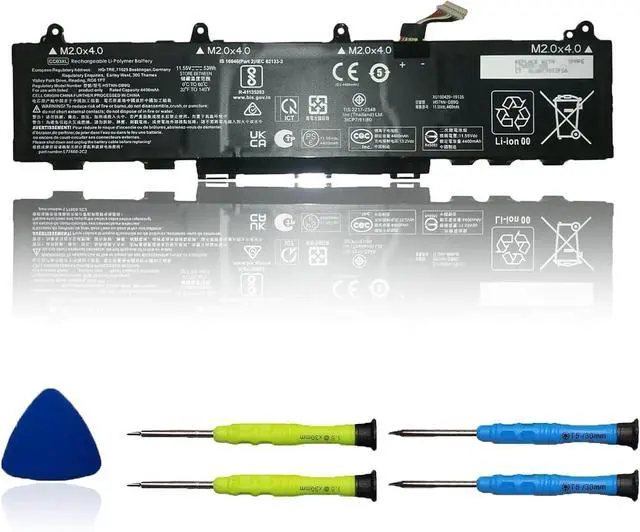
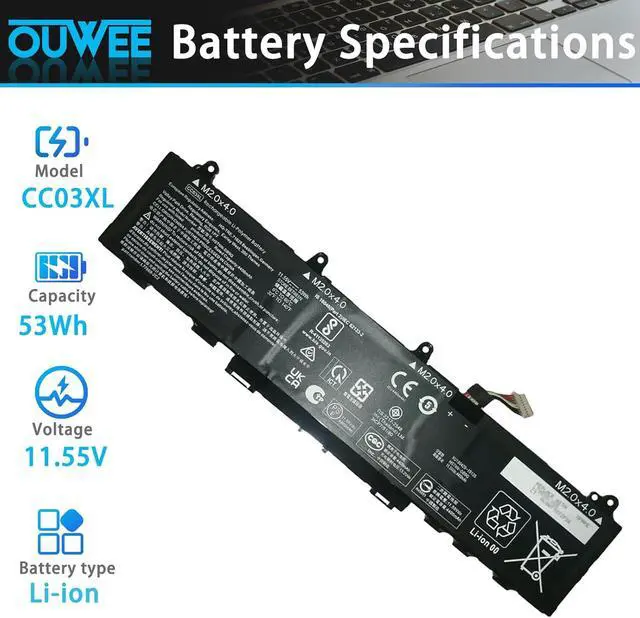
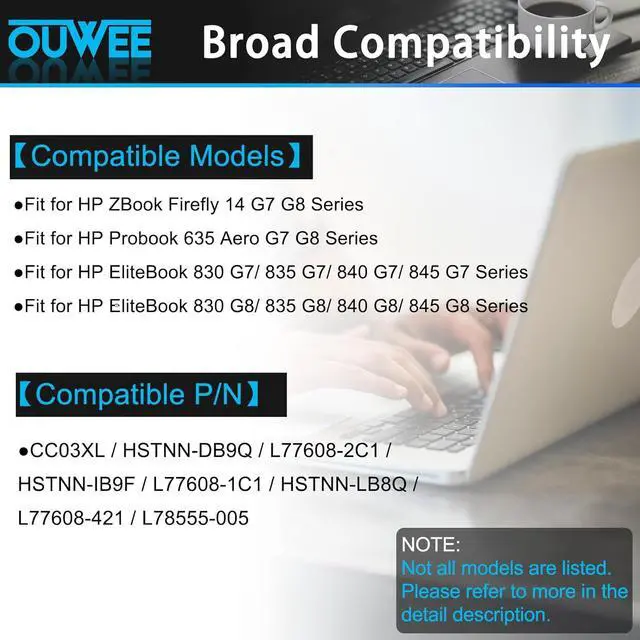



CC03XL Laptop Battery Compatible with HP ZBook Firefly 14 G7 G8 EliteBook 830 835 840 845 G7 G8 Series HSTNN-DB9Q L77608-2C1 HSTNN-IB9F L77608-1C1 HSTNN-LB8Q L77608-421 L78555-005 53Wh(Shape-A)
Limited time offer, ends 08/13 By Gearsonicx
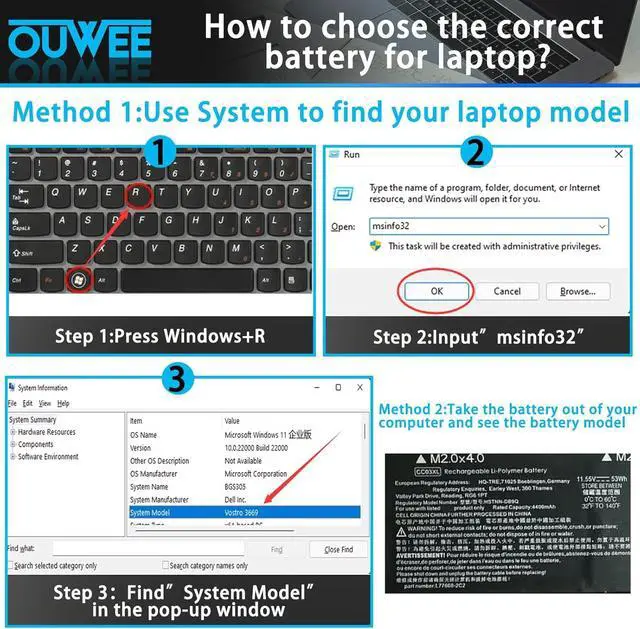
- Battery typeFor HP elitebook 840 g8 battery,Li-ion. Voltage: 11.55V . Capacity: 53Wh 4400mAh
- Replacement For LaptopFor HP elitebook 840 g7 battery,for HP Probook 635 Aero G7 G8 Series,HP ZBook Firefly 14 G7 G8,HP EliteBook 830 G7 G8 835 G7 G8 840 G7 G8 845 G7 G8 Series Notebook
- Compatible Part NumberFor HP zbook firefly 14 inch g8 battery, CC03XL HSTNN-DB9Q L77608-2C1 HSTNN-IB9F L77608-1C1 HSTNN-LB8Q L77608-421 L78555-005
- ConnectorFor CC03XL battery, Before placing your order,Please refer to the picture and check it.Because the products produced by different factories will have differences, such as size, cable length, interface, etc
- Use SkillsFor HP 840 g7 battery,If the new battery is not recognized during the initial installation, please reinstall and check if the interface is fully connected.Discharge the new battery to 5% (not 0%), then charge and cycle 3-4 times to wake up the new battery
+
+
Overview
Reviews

Any questions? Our AI beta will help you find out quickly.
Try me now
Battery typeFor HP elitebook 840 g8 battery,Li-ion. Voltage: 11.55V . Capacity: 53Wh 4400mAh
Replacement For LaptopFor HP elitebook 840 g7 battery,for HP Probook 635 Aero G7 G8 Series,HP ZBook Firefly 14 G7 G8,HP EliteBook 830 G7 G8 835 G7 G8 840 G7 G8 845 G7 G8 Series Notebook
Compatible Part NumberFor HP zbook firefly 14 inch g8 battery, CC03XL HSTNN-DB9Q L77608-2C1 HSTNN-IB9F L77608-1C1 HSTNN-LB8Q L77608-421 L78555-005
ConnectorFor CC03XL battery, Before placing your order,Please refer to the picture and check it.Because the products produced by different factories will have differences, such as size, cable length, interface, etc
Use SkillsFor HP 840 g7 battery,If the new battery is not recognized during the initial installation, please reinstall and check if the interface is fully connected.Discharge the new battery to 5% (not 0%), then charge and cycle 3-4 times to wake up the new battery
Replacement For LaptopFor HP elitebook 840 g7 battery,for HP Probook 635 Aero G7 G8 Series,HP ZBook Firefly 14 G7 G8,HP EliteBook 830 G7 G8 835 G7 G8 840 G7 G8 845 G7 G8 Series Notebook
Compatible Part NumberFor HP zbook firefly 14 inch g8 battery, CC03XL HSTNN-DB9Q L77608-2C1 HSTNN-IB9F L77608-1C1 HSTNN-LB8Q L77608-421 L78555-005
ConnectorFor CC03XL battery, Before placing your order,Please refer to the picture and check it.Because the products produced by different factories will have differences, such as size, cable length, interface, etc
Use SkillsFor HP 840 g7 battery,If the new battery is not recognized during the initial installation, please reinstall and check if the interface is fully connected.Discharge the new battery to 5% (not 0%), then charge and cycle 3-4 times to wake up the new battery
Warranty & Returns
Warranty, Returns, And Additional Information
Warranty
- Please contact the Seller directly for warranty information. Warranty information may also be found on the Manufacturer's website.
- CONTACT
Return Policies
- Return for refund within: 30 days
- Return for replacement within: 30 days
- This item is covered by Gearsonicx Return Policy
Manufacturer Contact Info
- For a directory of all our manufacturers, please click below.
- Manufacturers Directory
LOADING...