• $99.99
  • Price alert
    Shop it at NeweggBusiness.

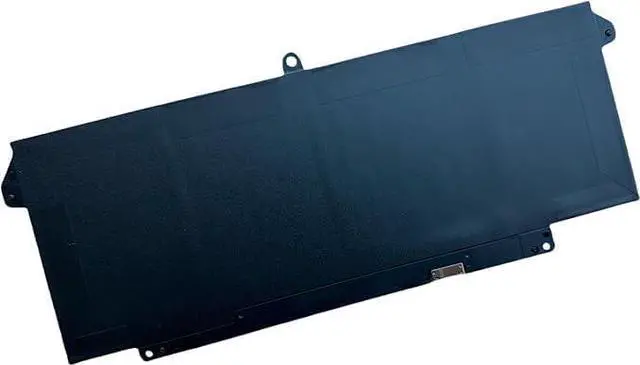
    DELL 9JM71 11.4V 42Wh for Dell Latitude 5320/5320 2-in-1, Latitude 7320/7320 2-in-1,Latitude 7420/7420 2-in-1,Latitude 7520 Series, P/N:0TN2GY TN2GY 9JM71 4M1JN 1PP63 HDGJ8 MHR4G P133G P134G P135G

    • [ Battery Information ]:3-Cell Standard Rechargeable , Best OEM Quality , Voltage &Capacity :11.4V 42Wh
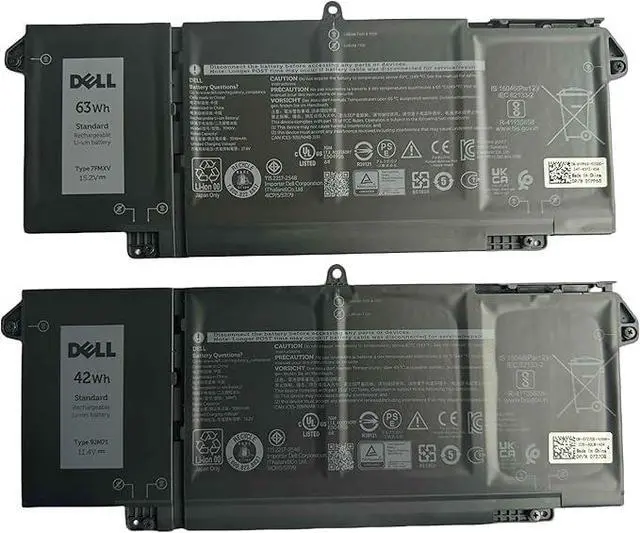
    • [ Attention ]:There are 2 models fit for the laptop: 3 Cell -- 9JM71 42Wh 4 Cell -- 7FMXV 63Wh their size are same ,just capacity are different . So check your original , then choose correct one . Pleast note : Not compatible with Dell Latitude 7320 Detachable Laptop (It use 9F4FN 7.6V 40Wh battery )
    • [ Warranty ]: Full Refund within 60 days , Replacement freely within 12 months
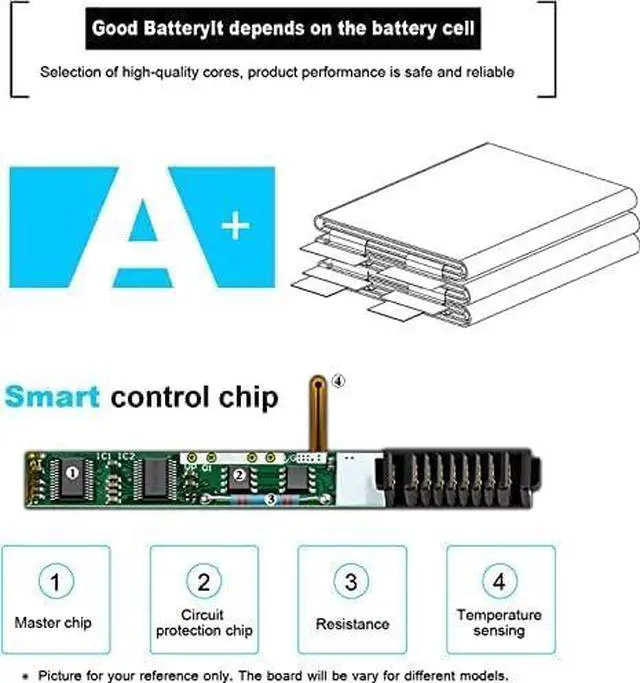
    • [ Certified Security ]:100% Brand New from Manufacturer. Overcharge and Overdischarge Circuit Protection;Over-temperature and Short-circuit Protection; Up to 500 recharge cycles over the life of the battery
    • TipsIf the new battery is not recognized during the initial installation, please reinstall and check if the interface is fully connected. Discharge the new battery to 5% (not 0%), then charge and cycle 3-4 times to wake up the new batter

    +
    +
    Overview
    Reviews
    avatar

    Any questions? Our AI beta will help you find out quickly.

    [ Battery Information ]:3-Cell Standard Rechargeable , Best OEM Quality , Voltage &Capacity :11.4V 42Wh
    [ Attention ]:There are 2 models fit for the laptop: 3 Cell -- 9JM71 42Wh 4 Cell -- 7FMXV 63Wh their size are same ,just capacity are different . So check your original , then choose correct one . Pleast note : Not compatible with Dell Latitude 7320 Detachable Laptop (It use 9F4FN 7.6V 40Wh battery )
    [ Warranty ]: Full Refund within 60 days , Replacement freely within 12 months
    [ Certified Security ]:100% Brand New from Manufacturer. Overcharge and Overdischarge Circuit Protection;Over-temperature and Short-circuit Protection; Up to 500 recharge cycles over the life of the battery
    TipsIf the new battery is not recognized during the initial installation, please reinstall and check if the interface is fully connected. Discharge the new battery to 5% (not 0%), then charge and cycle 3-4 times to wake up the new batter


    Warranty & Returns

    Warranty, Returns, And Additional Information

    Warranty

    • Please contact the Seller directly for warranty information. Warranty information may also be found on the Manufacturer's website.
    • CONTACT

    Return Policies

    Manufacturer Contact Info

    LOADING...