• $108.99
  • Price alert
    Shop it at NeweggBusiness.

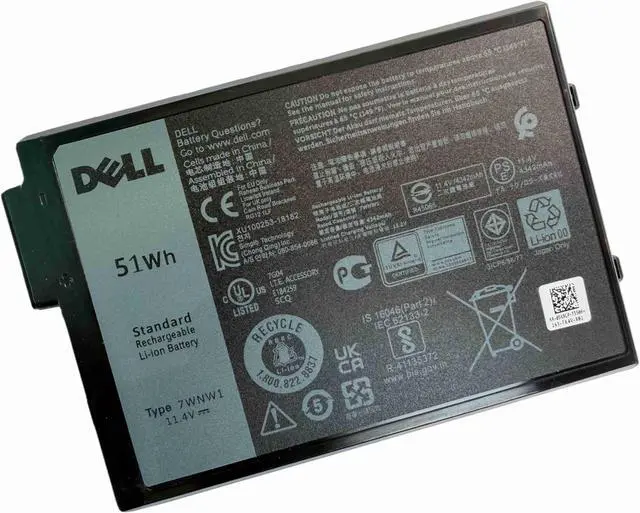
    DELL 7WNW1 11.4V 4342mAh 51Wh 3-Cell Lithum-Ion notebook Battery For DELL Latitude 5420 Rugged,5424 Rugged Series P85G P86G P137G P85G001 P86G001 P137G001 P137G002 P/N: DMF8C GK3D3 6NNCF DP3KF DMF0C

    • [ Battery Information ]:3-Cell Lithium Ion , Voltage &Capacity :11.4V 4342mAh 51Wh .
    • [ Warranty ]: Full Refund within 60 days , Replacement within 12 months ,Anytime email support .
    • [ Certified Security ]:100% Brand New from Manufacturer. Overcharge and Overdischarge Circuit,Protection;Over-temperature and Short-circuit Protection; Up to 500 recharge cycles over the life of the battery.
    • [ SANISI Concept ]: Product Quality and Service must be perfect ! We will let every customer feel satisfied . [ Package Contents ]:1 pcs Brand New OEM Battery
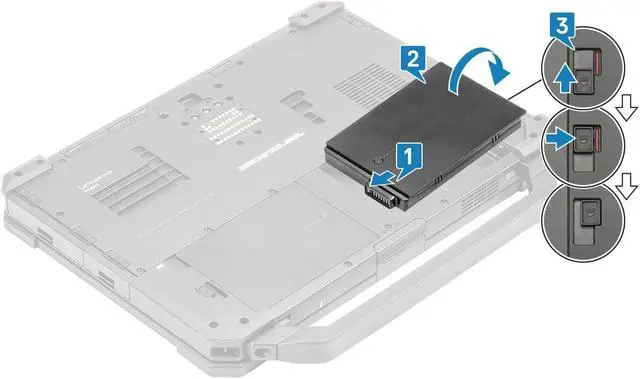
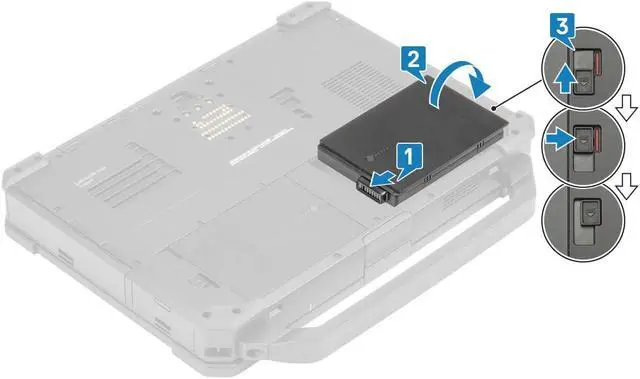
    • Note: Usually we dont know the exact battery model that we need to buy, So Please open the back cover of the laptop to confirm the original battery model number. If the new battery is not recognized during the initial installation, please reinstall and check if the interface is fully connected. also please check coin-cell battery from the system board if well . Discharge the new battery to 1% --- 5% (not 0%), then charge and
    +
    +
    Overview
    Reviews
    [ Battery Information ]:3-Cell Lithium Ion , Voltage &Capacity :11.4V 4342mAh 51Wh .
    [ Warranty ]: Full Refund within 60 days , Replacement within 12 months ,Anytime email support .
    [ Certified Security ]:100% Brand New from Manufacturer. Overcharge and Overdischarge Circuit,Protection;Over-temperature and Short-circuit Protection; Up to 500 recharge cycles over the life of the battery.
    [ SANISI Concept ]: Product Quality and Service must be perfect ! We will let every customer feel satisfied . [ Package Contents ]:1 pcs Brand New OEM Battery
    Note: Usually we dont know the exact battery model that we need to buy, So Please open the back cover of the laptop to confirm the original battery model number. If the new battery is not recognized during the initial installation, please reinstall and check if the interface is fully connected. also please check coin-cell battery from the system board if well . Discharge the new battery to 1% --- 5% (not 0%), then charge and cycle 3-4 times to wake up the new battery.

    Warranty & Returns

    Warranty, Returns, And Additional Information

    Warranty

    • Please contact the Seller directly for warranty information. Warranty information may also be found on the Manufacturer's website.
    • CONTACT

    Return Policies

    Manufacturer Contact Info

    LOADING...