

Your Browsing History
- Free 30-day Returns
$99.99

Meet Your Seller


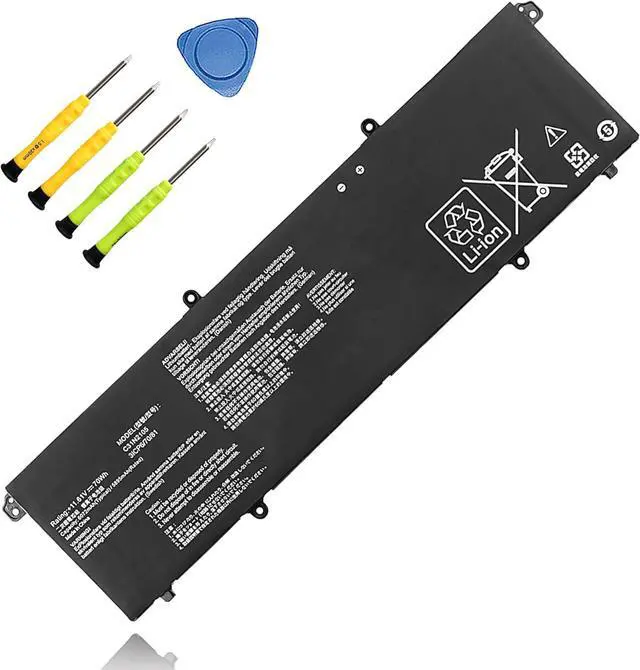


70Wh C31N2105 Replacement Laptop Battery for ASUS Vivobook 15X x1503 M1503 Vivobook pro15 M6500 K6500 VivobookS 15 S3502 K3502 Zenbook 14X OLED UX3404 Series 11.61V 6072mAh
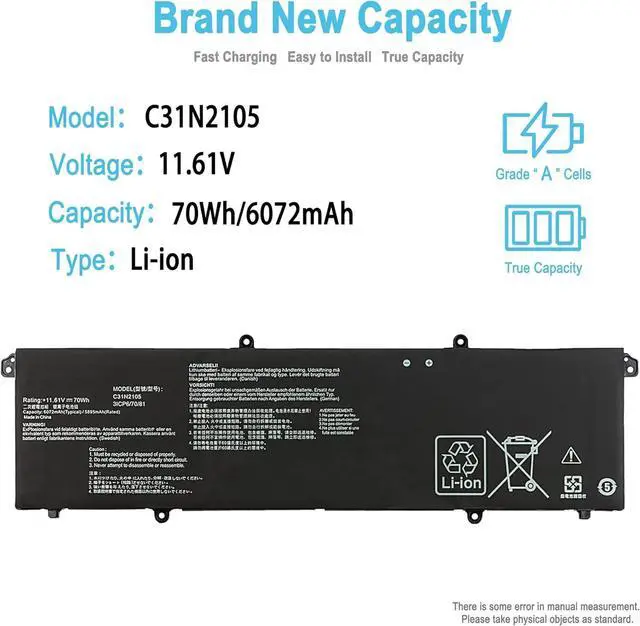
- SpecificationBattery Type: Li-ion; Voltage: 11.61V; Capacity: 70Wh/6072mAh; Packages includes: 1 battery, 2 Screwdrivers, 1 Instruction Manual. Condition: 100% brand new from manufacturer.
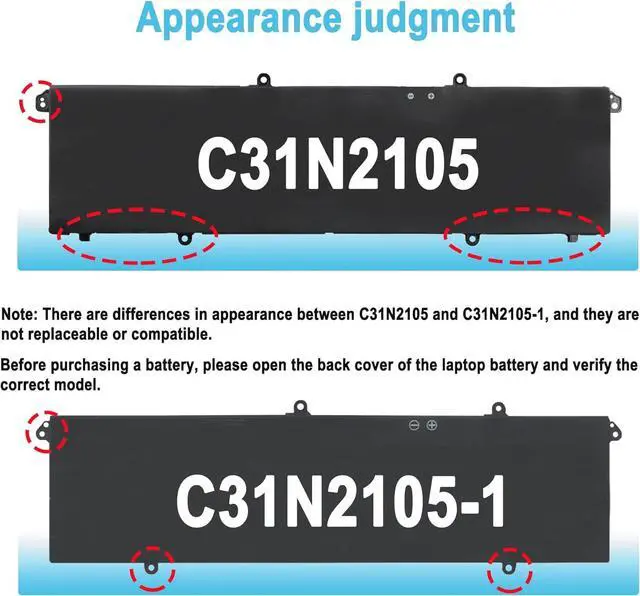
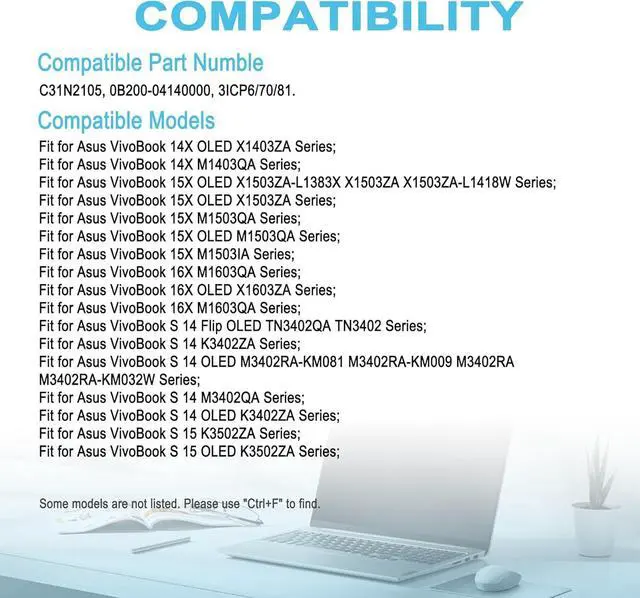
- Replacement Battery Part NumbersC31N2105, 0B200-04140000.(Not compatible with C31N1905 and cannot be used as a replacement.)
- Compatible ModelFit for Asus VivoBook 15X OLED X1503ZA Series; Fit for Asus VivoBook 15X OLED M1503QA Series; Fit for Asus VivoBook 15X M1503IA Series; Fit for Asus VivoBook S 15 OLED K3502ZA Series; Fit for Asus VivoBook S 15X M3502QA Series;
- Compatible ModelFit for Asus VivoBook S 14X UX3404VC Series; Fit for Asus VivoBook S 16X M6500QF Series.Fit for Asus VivoBook Pro 15 OLED K6500ZE Series;
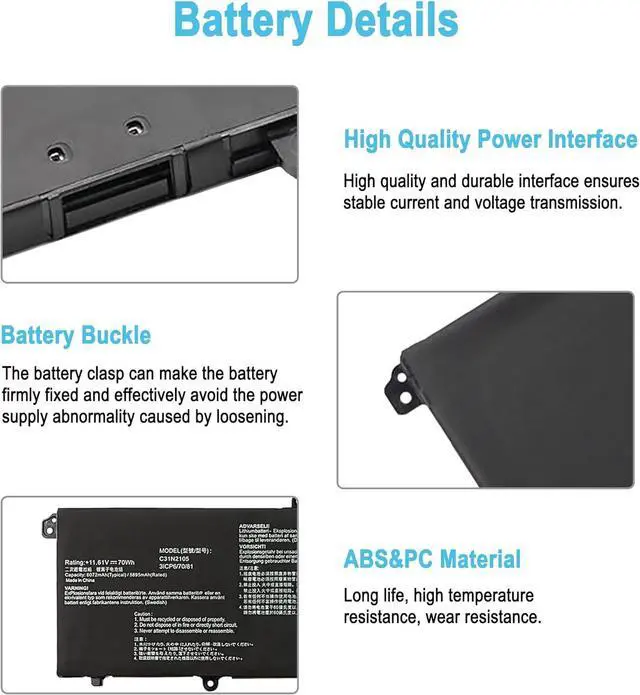
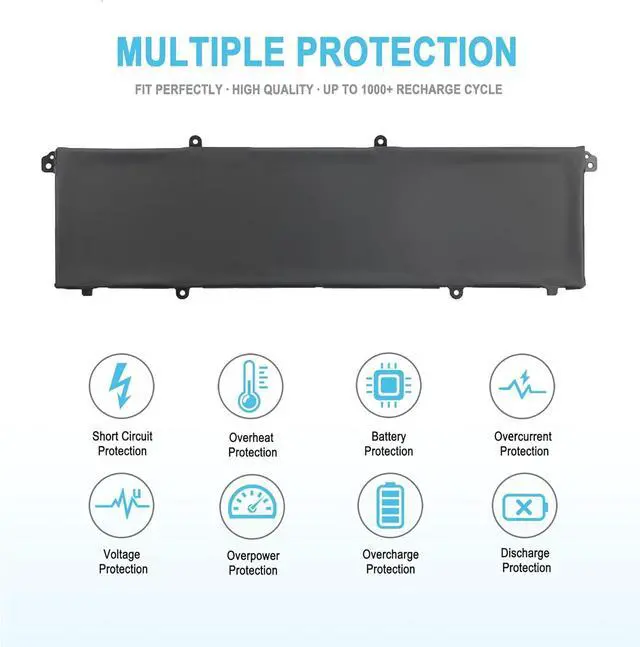
- Security/QualityAll batteries are UL, CE, FCC, RoHS safety certification, built-in over charge, over discharge, over temperature, short circuit protection. The battery offers up to 1000 charge cycles and uses grade A battery cells to improve charging speed and batt
+
+
Overview
Specs
Reviews

Any questions? Our AI mode will help you find out quickly.
Try me now
TAICROWNE is a brand focused on selling batteries. We are committed to providing quality service and products for every customer.
Compatible with Part Numbers:
C31N2105, 0B200-04140000.
(Not compatible with C31N1905 and cannot be used as a replacement.)
(Not compatible with C31N2105-1 and cannot be used as a replacement.)
Compatible Laptop Models: (use "Ctrl+F to find your model quickly")
Fit for Asus VivoBook 15X OLED X1503ZA Series
Fit for Asus VivoBook 15X OLED M1503QA Series
Fit for Asus VivoBook 15X OLED M1503IA Series:
Fit for Asus Vivobook 15X OLED S1503QA Series
Fit for Asus VivoBook S 15 OLED K3502ZA Series;
Fit for Asus VivoBook S 15 OLED M3502QA Series;
Fit for Asus Vivobook S 15 OLED S3502ZA Series;
Fit for Asus VivoBook Pro 15 M6500QF Series.
Fit for Asus VivoBook Pro 15 OLED K6500ZE Series.
Fit for Asus zenbook 14X UX3404VC Series
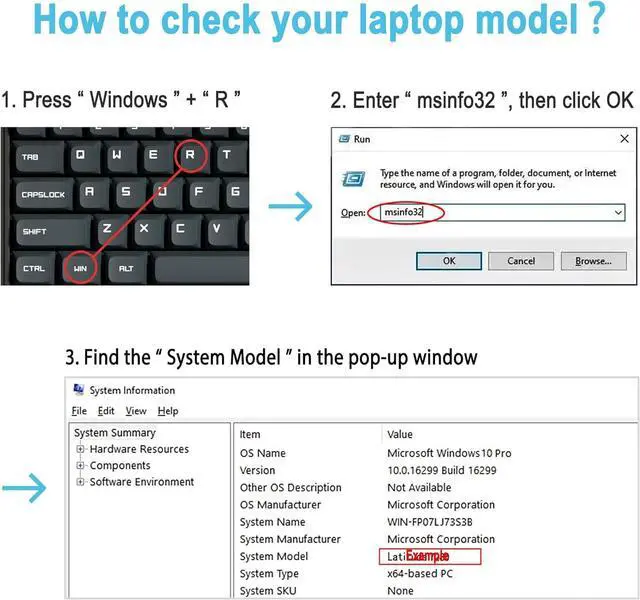
Method 1
View your laptop model on your computer: Press the Win +R, type msinfo32 in the box, and click OK to find your computer model. Find replacement batteries based on your laptop model.
Method 2
Remove the back cover of your laptop to view the type, capacity and model of the original battery.
Turn off the laptop and unplug the power cable.
Turn the laptop over and remove the back cover with a screwdriver to avoid damaging the laptop components.
View the battery type, capacity and model.
Power down your laptop and disconnect it from the power source.
Flip the laptop over and use a screwdriver to carefully remove the bottom panel. Take care not to damage any internal components.
Disconnect the cable connecting the battery, unscrew the old battery, remove the old battery, and carefully install the new battery on the battery box.
If you do not understand the above installation steps, you can search for laptop battery installation videos online or find professional technicians to install.
Welcome to TAICROWNE How to purchase the correct replacement battery? Install A New Battery
Compatible with Part Numbers:
C31N2105, 0B200-04140000.
(Not compatible with C31N1905 and cannot be used as a replacement.)
(Not compatible with C31N2105-1 and cannot be used as a replacement.)
Compatible Laptop Models: (use "Ctrl+F to find your model quickly")
Fit for Asus VivoBook 15X OLED X1503ZA Series
Fit for Asus VivoBook 15X OLED M1503QA Series
Fit for Asus VivoBook 15X OLED M1503IA Series:
Fit for Asus Vivobook 15X OLED S1503QA Series
Fit for Asus VivoBook S 15 OLED K3502ZA Series;
Fit for Asus VivoBook S 15 OLED M3502QA Series;
Fit for Asus Vivobook S 15 OLED S3502ZA Series;
Fit for Asus VivoBook Pro 15 M6500QF Series.
Fit for Asus VivoBook Pro 15 OLED K6500ZE Series.
Fit for Asus zenbook 14X UX3404VC Series
Method 1
View your laptop model on your computer: Press the Win +R, type msinfo32 in the box, and click OK to find your computer model. Find replacement batteries based on your laptop model.
Method 2
Remove the back cover of your laptop to view the type, capacity and model of the original battery.
Turn off the laptop and unplug the power cable.
Turn the laptop over and remove the back cover with a screwdriver to avoid damaging the laptop components.
View the battery type, capacity and model.
Power down your laptop and disconnect it from the power source.
Flip the laptop over and use a screwdriver to carefully remove the bottom panel. Take care not to damage any internal components.
Disconnect the cable connecting the battery, unscrew the old battery, remove the old battery, and carefully install the new battery on the battery box.
If you do not understand the above installation steps, you can search for laptop battery installation videos online or find professional technicians to install.
Welcome to TAICROWNE How to purchase the correct replacement battery? Install A New Battery
Warranty & Returns
Warranty, Returns, And Additional Information
Warranty
- Please contact the Seller directly for warranty information. Warranty information may also be found on the Manufacturer's website.
- CONTACT
Return Policies
- Return for refund within: 30 days
- Return for replacement within: 30 days
- This item is covered by Deep Source Trading Shop Return Policy
Manufacturer Contact Info
- For a directory of all our manufacturers, please click below.
- Manufacturers Directory
LOADING...