

Your Browsing History
- Free 30-day Returns
$77.99

Meet Your Seller


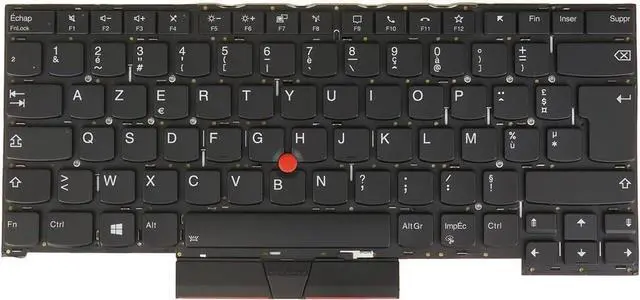


Laptop Computer Replacement Keyboard for Lenovo ThinkPad T14s Gen 1, T490s T495s, 20T0 20T1 20UH 20UJ 20QJ 20QK 20NX 20NY Backlit (FR French AZERTY Français Layout)
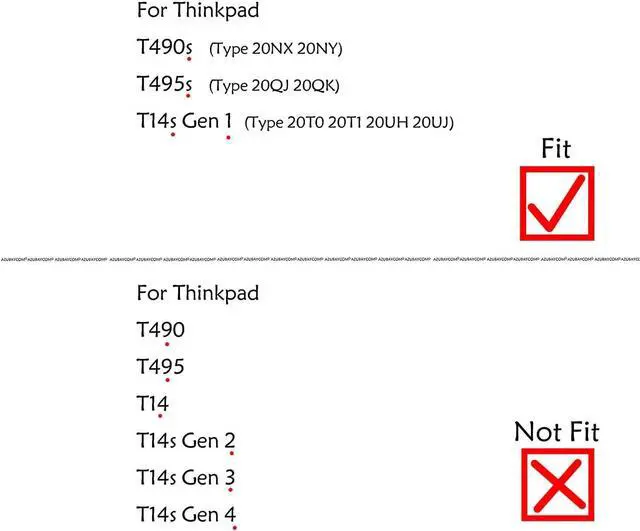
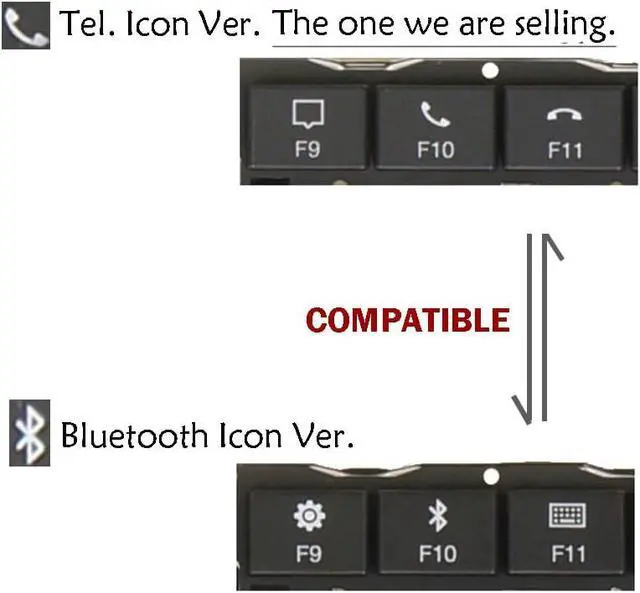
- [Compatible] Many laptop model names are quite similar, but they are not exactly identical. You can utilize the 'CTRL+F' shortcut keys to ensure that the keyboard model we offer matches your laptop's precisely.
- [High Quality] Our keyboards have been tested. They feature responsive keys for smooth typing, clear characters on the keycaps, and a comfortable tactile feel.
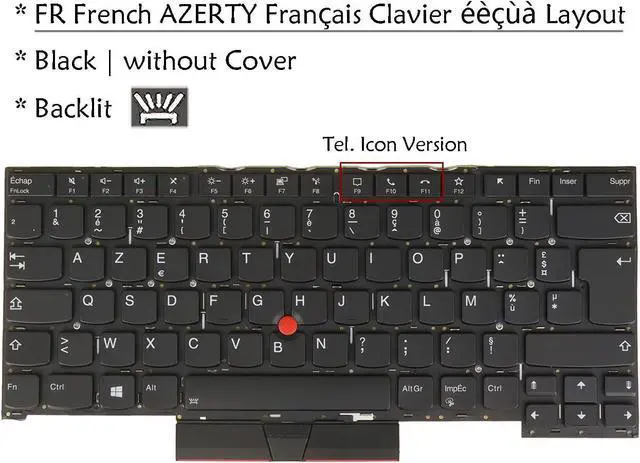
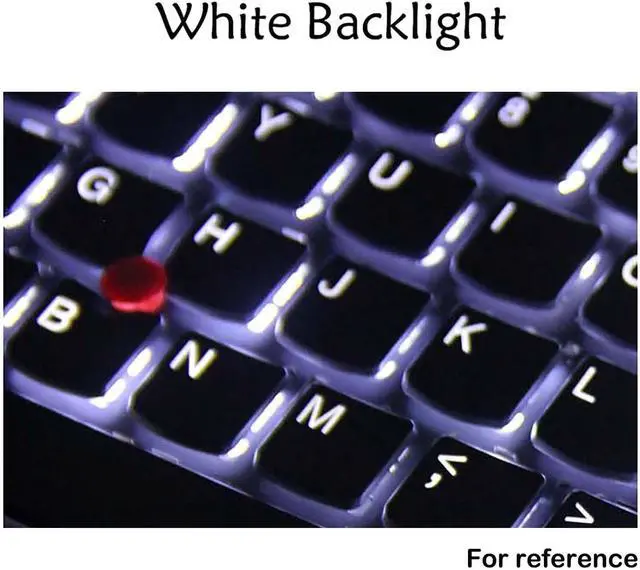
- [Item specifics] Brand: AzubayCom || without Frame or without Cover || with Backlight || Black Color || FR French Français AZERTY Layout
- [Key Hinges] If you're purchasing a keyboard for the purpose of swapping the keycaps, please contact us to check the design of the key hinges.
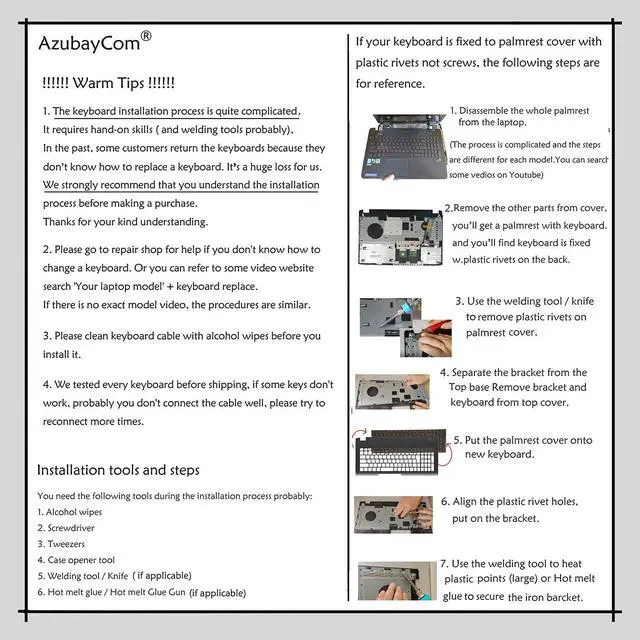
- [Installation] The process of installing the keyboard is rather intricate and demands practical skills. (It might even require welding tools to melt the plastic points.) We strongly recommend that you understand the installation process before your order.
- [Reconnect] Before installing the keyboard, please clean the keyboard connector cable u
+
+
Overview
Specs
Reviews

Any questions? Our AI mode will help you find out quickly.
Try me now
[Compatible] Many laptop model names are quite similar, but they are not exactly identical. You can utilize the 'CTRL+F' shortcut keys to ensure that the keyboard model we offer matches your laptop's precisely.
[High Quality] Our keyboards have been tested. They feature responsive keys for smooth typing, clear characters on the keycaps, and a comfortable tactile feel.
[Item specifics] Brand: AzubayCom || without Frame or without Cover || with Backlight || Black Color || FR French Français AZERTY Layout
[Key Hinges] If you're purchasing a keyboard for the purpose of swapping the keycaps, please contact us to check the design of the key hinges.
[Installation] The process of installing the keyboard is rather intricate and demands practical skills. (It might even require welding tools to melt the plastic points.) We strongly recommend that you understand the installation process before your order.
[Reconnect] Before installing the keyboard, please clean the keyboard connector cable using alcohol wipes. If certain keys don't function properly, it's likely that you haven't connected the ribbon cable of our keyboard to your laptop properly. In such a case, please try reconnecting it several times.
[Backlit] If your original laptop keyboard doesn't have a backlight and you want to replace it with a backlit laptop keyboard, please make sure that there is a backlight interface on your motherboard.
[High Quality] Our keyboards have been tested. They feature responsive keys for smooth typing, clear characters on the keycaps, and a comfortable tactile feel.
[Item specifics] Brand: AzubayCom || without Frame or without Cover || with Backlight || Black Color || FR French Français AZERTY Layout
[Key Hinges] If you're purchasing a keyboard for the purpose of swapping the keycaps, please contact us to check the design of the key hinges.
[Installation] The process of installing the keyboard is rather intricate and demands practical skills. (It might even require welding tools to melt the plastic points.) We strongly recommend that you understand the installation process before your order.
[Reconnect] Before installing the keyboard, please clean the keyboard connector cable using alcohol wipes. If certain keys don't function properly, it's likely that you haven't connected the ribbon cable of our keyboard to your laptop properly. In such a case, please try reconnecting it several times.
[Backlit] If your original laptop keyboard doesn't have a backlight and you want to replace it with a backlit laptop keyboard, please make sure that there is a backlight interface on your motherboard.
Warranty & Returns
Warranty, Returns, And Additional Information
Warranty
- Please contact the Seller directly for warranty information. Warranty information may also be found on the Manufacturer's website.
- CONTACT
Return Policies
- Return for refund within: 30 days
- Return for replacement within: 30 days
- This item is covered by Deep Source Trading Shop Return Policy
Manufacturer Contact Info
- For a directory of all our manufacturers, please click below.
- Manufacturers Directory
LOADING...