Your Browsing History
- Free 30-day Returns
$914.99
Meet Your Seller
Sponsored Products
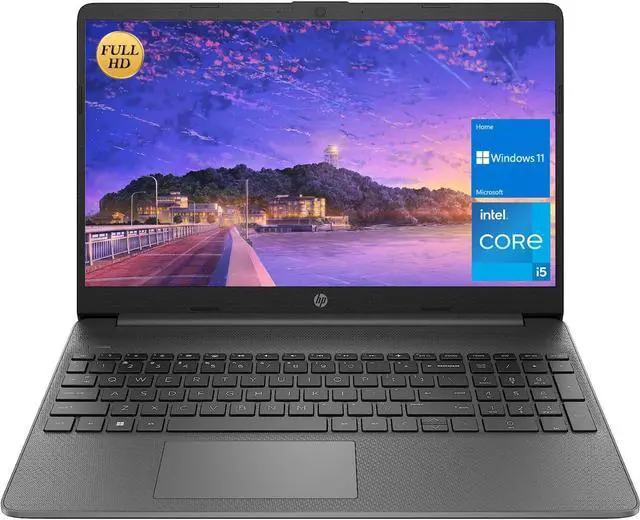
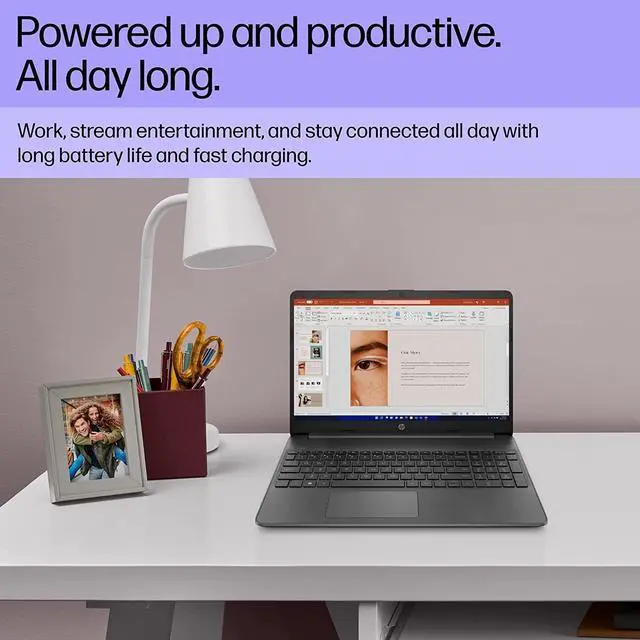
HP 15.6 FHD Newest Flagship Business Laptop, Intel 4-Core i3-1215U up to 4.4GHz (Beat i5-1155G7), 32GB RAM, 1TB NVMe SSD, Fast Charge, Numpad, Bluetooth, Wi-Fi, HDMI, Windows 11,w/GM Accessory, Gray
- HP 15.6 FHD Newest Flagship Business Laptop, Intel 4-Core i3-1215U up to 4.4GHz (Beat i5-1155G7), 32GB RAM, 1TB NVMe SSD, Fast Charge, Numpad, Bluetooth, Wi-Fi, HDMI, Windows 11,w/GM Accessory, Gray
+
+
Overview
Specs
Reviews
Any questions? Our AI beta will help you find out quickly.
Try me now
We sells computers with upgraded configurations. If the computer has modifications (listed above), then the manufacturer box is opened for it to be tested and inspected and to install the upgrades to achieve the specifications as advertised. If no modifications are listed, the item is unopened and untested. Defects & blemishes are significantly reduced by our in depth inspection & testing. Switching out of S mode in Windows 11 Windows 11 in S mode is designed for security and performance, exclusively running apps from the Microsoft Store. If you want to install an app that isn't available in the Microsoft Store, you'll need to switch out of S mode
1. On your PC running Windows 11 in S mode, open Settings > System > Activation.
2. In the Switch to Windows 11 Pro section, select Go to the Store. (If you also see an "Upgrade your edition of Windows" section, be careful not to click the "Go to the Store" link that appears there. )
3. On the Switch out of S mode (or similar) page that appears in the Microsoft Store, select the Get button. After you see a confirmation message on the page, you'll be able to install apps from outside of the Microsoft Store.
Standing screen display size: 15.6 Inches Max
Screen Resolution: 1920x1080
Pixels Processor: 4.4 GHz core_i3-1215U
RAM: Upgraded to 32GB DDR4
Hard Drive: Upgraded to 1TB
SSD Graphics Coprocessor: Intel UHD
Graphics Chipset Brand: Intel
Card Description: Integrated
Wireless Type: Bluetooth, 802.11 a/b/g/n Number of
USB 2.0 Ports: 1 Number of
USB 3.0 Ports: 1
Average Battery Life (in hours): 10 Hours
Hardware Platform: PC
Operating System: Windows 11
Home Item Weight: 5.1 pounds
Product Dimensions: 14.11 x 0.71 x 9.53 inches
Color: Gray Number of
Processors: 6 Computer
Memory Type: DDR4 SDRAM
Hard Drive Interface: ESATA
Optical Drive Type: No

1. On your PC running Windows 11 in S mode, open Settings > System > Activation.
2. In the Switch to Windows 11 Pro section, select Go to the Store. (If you also see an "Upgrade your edition of Windows" section, be careful not to click the "Go to the Store" link that appears there. )
3. On the Switch out of S mode (or similar) page that appears in the Microsoft Store, select the Get button. After you see a confirmation message on the page, you'll be able to install apps from outside of the Microsoft Store.
Standing screen display size: 15.6 Inches Max
Screen Resolution: 1920x1080
Pixels Processor: 4.4 GHz core_i3-1215U
RAM: Upgraded to 32GB DDR4
Hard Drive: Upgraded to 1TB
SSD Graphics Coprocessor: Intel UHD
Graphics Chipset Brand: Intel
Card Description: Integrated
Wireless Type: Bluetooth, 802.11 a/b/g/n Number of
USB 2.0 Ports: 1 Number of
USB 3.0 Ports: 1
Average Battery Life (in hours): 10 Hours
Hardware Platform: PC
Operating System: Windows 11
Home Item Weight: 5.1 pounds
Product Dimensions: 14.11 x 0.71 x 9.53 inches
Color: Gray Number of
Processors: 6 Computer
Memory Type: DDR4 SDRAM
Hard Drive Interface: ESATA
Optical Drive Type: No
Warranty & Returns
Warranty, Returns, And Additional Information
Warranty
- Please contact the Seller directly for warranty information. Warranty information may also be found on the Manufacturer's website.
- CONTACT
Return Policies
- Return for refund within: 30 days
- Return for replacement within: 30 days
- This item is covered by JMDesign Return Policy
Manufacturer Contact Info
- For a directory of all our manufacturers, please click below.
- Manufacturers Directory
LOADING...