OUT OF STOCK
This item is currently out of stock and it may or may not be restocked.
Price alert
Shop it at NeweggBusiness.

Meet Your Seller

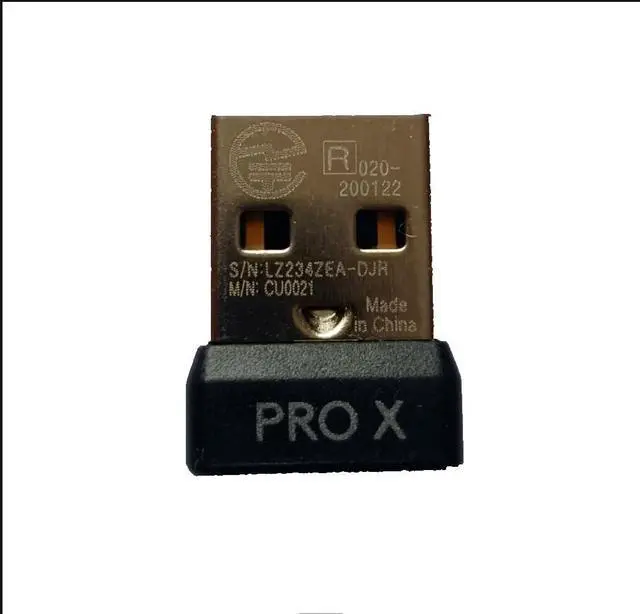
EXMUMCMR USB Dongle Mouse Receiver Adapter Replacement for Logitech G PRO X Superlight Wireless Mouse

  • Package Contain: 1X PRO X USB Dongle Mouse Receiver Adapter.
  • Fitment: Fit for Logitech G PRO X Superlight Wireless Mouse.
  • Connect the mouse with a USB cable, turn on the mouse switch, then download the latest version of G HUB software, open the software and insert the receiver, a pairing prompt will pop up automatically, click pairing, then select the unpaired receiver and the mouse model that needs to be paired, click pairing, Pull out the USB cable, turn off the mouse switch, and immediately turn on the mouse switch to complete the pairing. (Note: Due to the pairing test, opening the software may display other mouse models, please ignore the display and it will display normally after performing the pairing operation)
  • If there is no USB data connection cable, you need to download the latest version of G HUB. On the main interface of the software, turn on the mouse switch, insert the receiver, and follow the prompts to complete the pairing again.
  • Note: This item i
+
+
Overview
Specs
Reviews
avatar

Any questions? Our AI beta will help you find out quickly.

Fitment: Fit for Logitech G PRO X Superlight Wireless Mouse.
Note:
This USB Dongle Mouse Receiver Adapter is not original parts, the mention of brand names and any related model designation above is only for purposes of demonstrating compatibility.
NO installation instruction and recommend professional installation.

Warranty & Returns

Warranty, Returns, And Additional Information

Warranty

  • Please contact the Seller directly for warranty information. Warranty information may also be found on the Manufacturer's website.
  • CONTACT

Return Policies

  • Return for refund within: 30 days
  • Return for replacement within: 30 days
  • This item is covered by JMDesign Return Policy

Manufacturer Contact Info

LOADING...