

Your Browsing History
- Free 30-day Returns
$48.99

Meet Your Seller

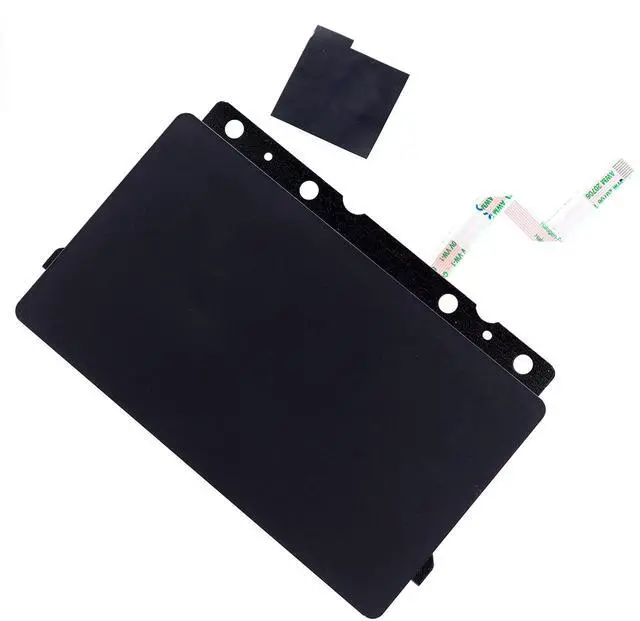
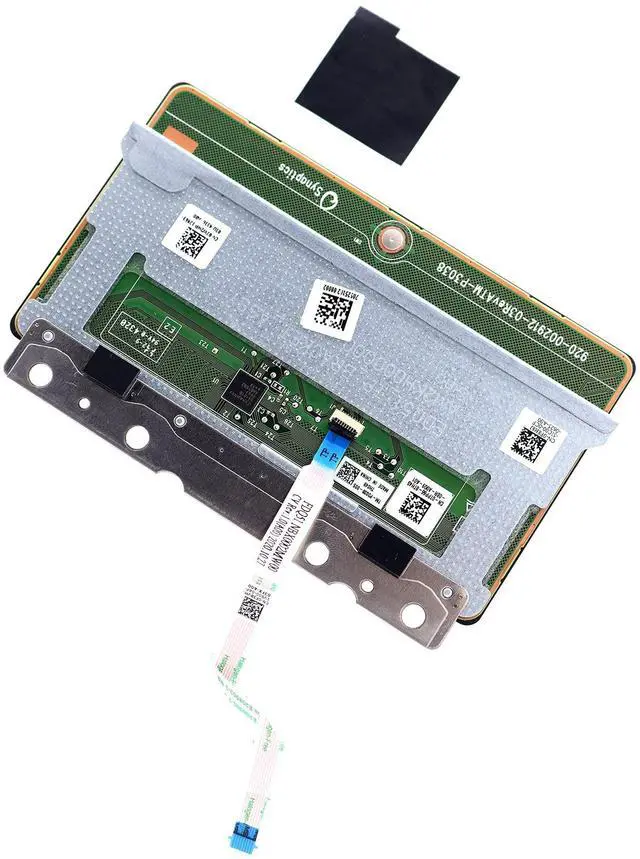
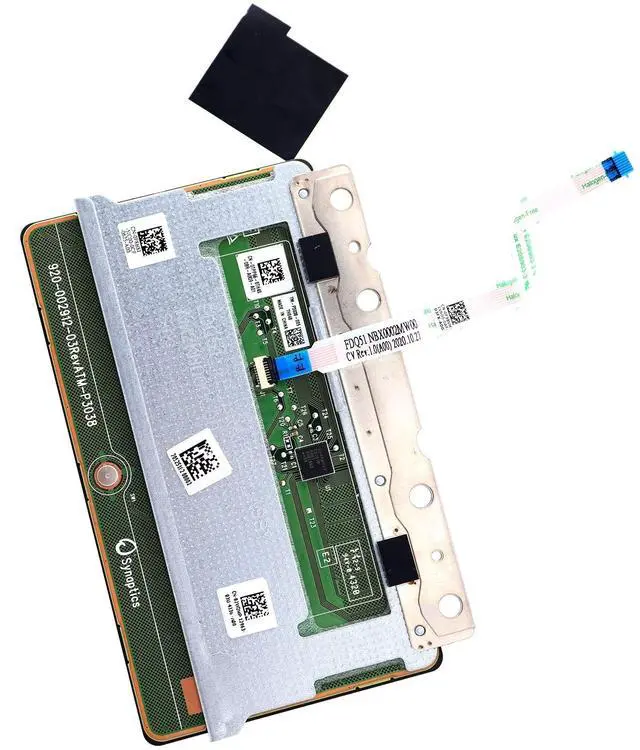


Deal4GO Touchpad Sensor Board Trackpad Module F8H8J TPP66 2W2MP w/ FDQ51 Cable for Dell Alienware M15 R3 M15 R4 M17 R3 M17 R4
- Compatible with Dell Alienware M15 R3, M15 R2, M15 R4, M17 R3, M17 R4 series ONLY. (NOT FIT for M15 M17 R2 and other series)
- Manufacturer Part Number(s): F8H8J, 0F8H8J, CN-0F8H8J. 2W2MP, 02W2MP, CN-02W2MP. TPP66, 0TPP66, CN-0TPP66.
- Ribbon Flex Cable P/N: FDQ51 NBX0002MW00, F38VM, 0F38VM, CN-0F38VM
- Replacement and Replace your faulty, cracked or broken Trackpad.
- Each Pack come with: 1x Touchpad Sensor Board w/ Flex Cable (Black)
+
+
Overview
Specs
Reviews

Any questions? Our AI mode will help you find out quickly.
Try me now
This is the Left and Right Mouse Buttons with Touchpad bracket, compatible with the A1ienware M15 R2 R3 & R4, M17 R3 & R4 gaming laptops series.
Manufacturer Part Number (s): D
P/N: F8H8J, 0F8H8J, CN-0F8H8J. 2W2MP, 02W2MP, CN-02W2MP. TPP66, 0TPP66, CN-0TPP66.
Ribbon Flex Cable P/N: FDQ51 NBX0002MW00, F38VM, 0F38VM, CN-0F38VM.
Condition: Original and new condition without original box shippingInstalling the
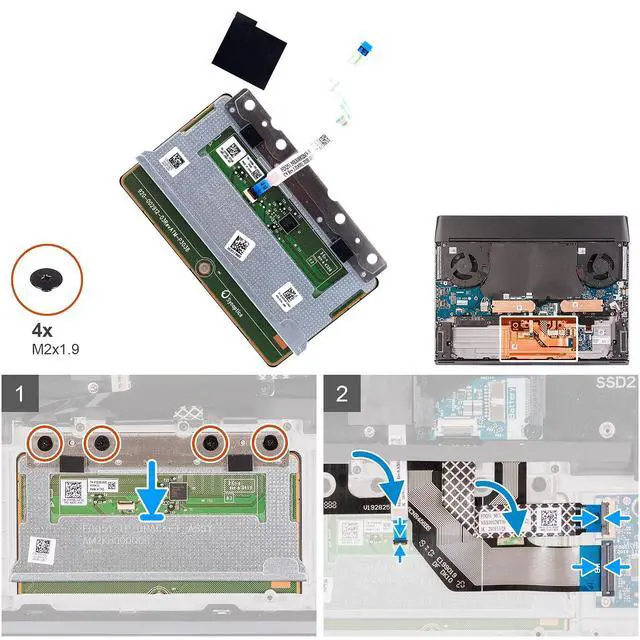
Touchpad: 1. Place the touchpad into the slot on the palm-rest assembly.
(NOTE: Turn the computer over and open the display. Ensure that the touchpad is equally aligned along all four sides. )2. Replace the four (M2x 1.9 ) screws that secure the touchpad to the palm-rest assembly. 3. Connect the touchpad cable to the touchpad and close the latch.
(NOTE: This step is only applicable when the touchpad cable is not being replaced. )4. Fold down the keyboard cable. 5. Connect the keyboard cable to the keyboard-controller board and close the latch. 6. Connect the keyboard-controller board cable to the keyboard-controller board and close the latch. Reference list of compatible with
Dell Laptop Models: - A1ienware M15 R2- A1ienware M15 R3- A1ienware M15 R4- A1ienware M17 R3- A1ienware M17 R4What's in the Box1x Touchpad Sensor Board w/ Flex Cable (Black) 4x screws
Manufacturer Part Number (s): D
P/N: F8H8J, 0F8H8J, CN-0F8H8J. 2W2MP, 02W2MP, CN-02W2MP. TPP66, 0TPP66, CN-0TPP66.
Ribbon Flex Cable P/N: FDQ51 NBX0002MW00, F38VM, 0F38VM, CN-0F38VM.
Condition: Original and new condition without original box shippingInstalling the
Touchpad: 1. Place the touchpad into the slot on the palm-rest assembly.
(NOTE: Turn the computer over and open the display. Ensure that the touchpad is equally aligned along all four sides. )2. Replace the four (M2x 1.9 ) screws that secure the touchpad to the palm-rest assembly. 3. Connect the touchpad cable to the touchpad and close the latch.
(NOTE: This step is only applicable when the touchpad cable is not being replaced. )4. Fold down the keyboard cable. 5. Connect the keyboard cable to the keyboard-controller board and close the latch. 6. Connect the keyboard-controller board cable to the keyboard-controller board and close the latch. Reference list of compatible with
Dell Laptop Models: - A1ienware M15 R2- A1ienware M15 R3- A1ienware M15 R4- A1ienware M17 R3- A1ienware M17 R4What's in the Box1x Touchpad Sensor Board w/ Flex Cable (Black) 4x screws
Warranty & Returns
Warranty, Returns, And Additional Information
Warranty
- Please contact the Seller directly for warranty information. Warranty information may also be found on the Manufacturer's website.
- CONTACT
Return Policies
- Return for refund within: 30 days
- Return for replacement within: 30 days
- This item is covered by CloudBeast Return Policy
Manufacturer Contact Info
- For a directory of all our manufacturers, please click below.
- Manufacturers Directory
LOADING...