Your Browsing History
Meet Your Seller
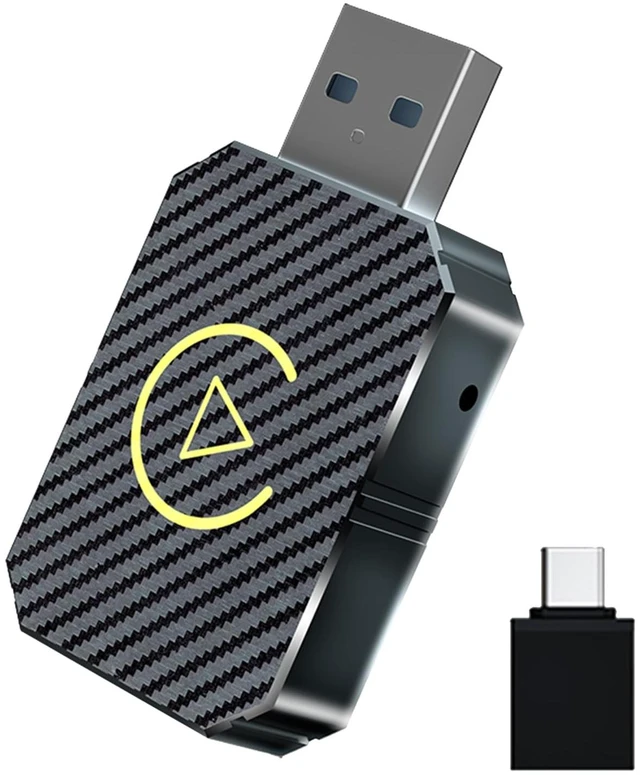
Wireless CarPlay Adapter 2026 Upgraded,CarPlay & Android Auto 2-in-1, Mini USB Design for Cars with Wired CarPlay,Fast Auto-Connect,Plug & Play,for iOS 10+, Android 11+ Version (Stripe)
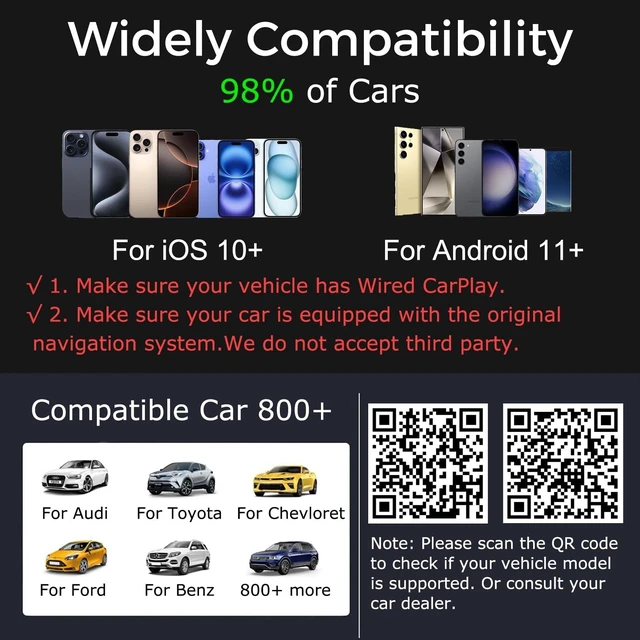
- Important Tips Before Buying This adapter is exclusively for cars with factory-wired CarPlay/Android Auto(Not support Tesla)make sure your vehicle meets this requirement first!It supports new versions running iOS10 and above, updated models above iphone6, and Android smartphones that support the latest Android auto function. Android 11 or later is required. It includes a Type-C adapter to ensure compatibility with the USB and USB-c ports of various vehicles and devices,It supports over 800 vehicle models (Do not purchase if your car does not have CarPlay/Android auto built-in.)
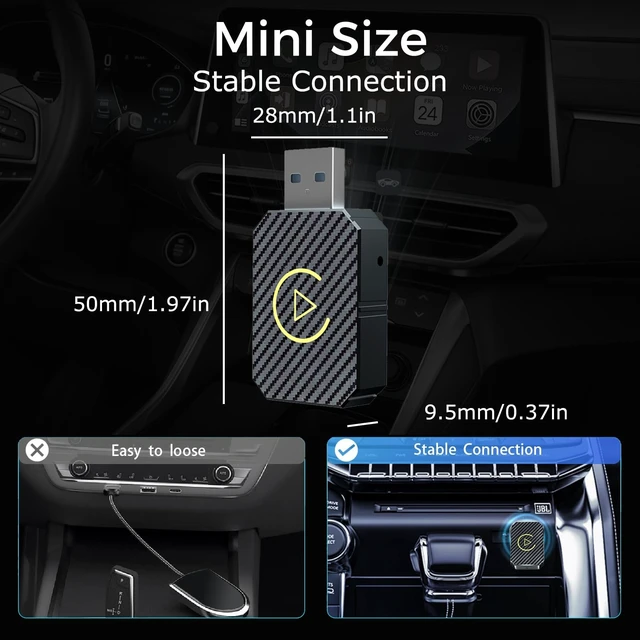
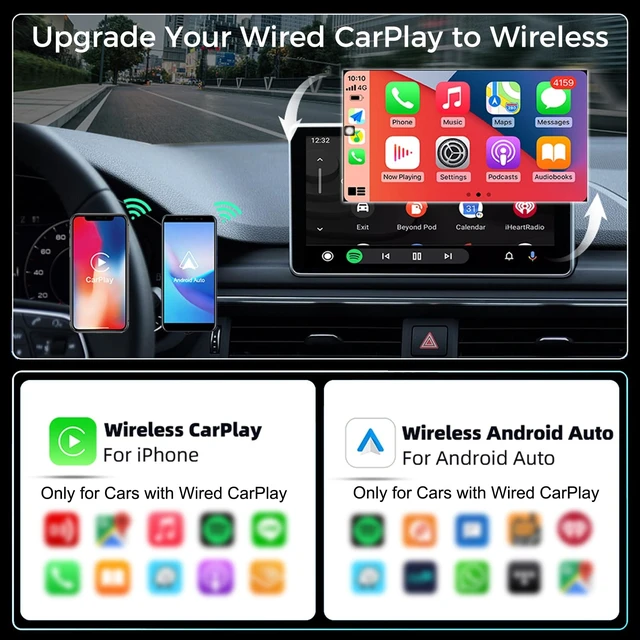
- Effortless Wireless CarPlay ExperiencerUpgrade Wired to Wireless in seconds - Instantly convert factory CarPlay/Android Auto systems without cables(Please use the data port instead of the charging port). Enjoy navigation, Spotify/Music streaming, hands-free calls, and voice commands for safer driving and a clutter-free dashboard(Note: Your vehicle must be equipped with built-in wired CarPlay or
+
+
Overview
Specs
Reviews
Any questions? Our AI mode will help you find out quickly.
Try me now
SpecificationsWi-Fi signal name/Bluetooth signal name: Smart
box-xxxxInput interface: USB-A Male/Equipped with USB-A TYPE-C externall
AdapterInput voltage: 5VWi-Fi
Bluetooth module frequency: Bluetooth 2.4GH z, Wi-Fi 2.4 - 5.8GH zSupport
Bluetooth version: Bluetooth 2.1 +EDR/ 3.0 /4.
X/5Wi-Fi format: WEP/WPA2/WPA3-SAE PERSONAL MFP
Applicable system version: iOS10+Support
mobile phone: iPhone 6 & later iPhone modelsConfirm
Carplay FunctionMethod 1: Plug your iphone into the main USB port of the car. lf the car has an Apple Carplay function, the app will pop up on the screen requesting permission on your phone.
Method 2: if there is a Carplay icon in the car stereo menu, that your car has built-in Apple Carplay.
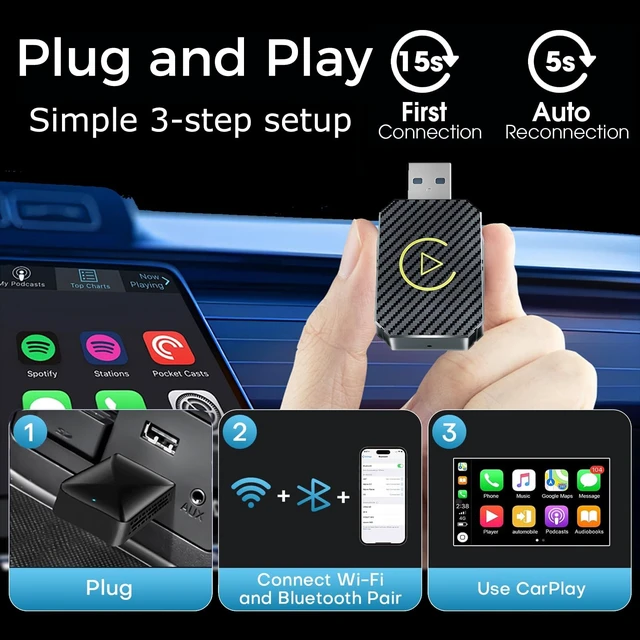
Method 3: Contact your car dealer for help. Setup Step1. Start the car and open iphone's Bluetooth2. Connect the Wireless Carplay Adapter to your vehicle's USB or USB C port (Information transmission port). 3. Wait for 15 seconds (some cars need to select the Carplay icon on the display screen), a connection window will pop up. 4. Open the Bluetooth interface of the mobile phone, find the Bluetooth signal of the Wireless carplay Adapter"Smart box-xxxx", Click pairing, the phone will prompt "Bluetooth pairing request", click all prompts "allow", wait a few seconds to connect successfully. (Most will automatically access whether the phone matches, no need to manually click)5. When the car screen switches to the carplay control interface, it means that the connection has been successful. 6. After the intial pairing, when you use the Wireless Carplay Adapter again, it will automatically connect to your iPhone (ensure that your phone's Wi-Fi and Bluetooth are enabled). In certain cars, you may need to tap the CarPlay icon on your car's display to initiate the connection. Android Auto link methodThe default is carplay mode.
lf you need to link to Android Auto, you need to manually turn on the car's settings switch.
Wireless Android Auto connectionsteps: 1. Make sure your phone is connected toBluetooth2. Turn on Bluetooth and WiFi on your phone3. Search for Bluetooth on your phone for pairing4. After connecting to Bluetooth, it will automatically recognize and connect to
Android AutoNotice: 1. This product is suitable for iPhone and overseas versions of Android Auto Wireless Carplay
Adapter Display Name: Smart box-xxx. (xxx represents a separate code for each product. )2. Before use, ensure your car has wired CarPlay function. 3. Ensure your iPhone is iPhone 6 or later models, operating system is iOS 10 or higher. (Mobile phone with Carplay function) 4. lf car has customized features(such as front-facing camera monitoring, car 360 surround monitoring, etc. ), After a successful connection, black screen may appear. This is not a product issue. 5. When connect, ensure iPhone connect Wireless Carplay Adapter instead of car. 6. When connecting, ensure the user's phone is connected Wireless Carplay Adapter.
Pay More AttentionNotice: iphone bluetooth plays a pairing role, subsequent work will be supported by iphone WiFi (Automatic settings), when next use, keep Bluetooth on for automatic connection. 1. While using Wireless CarPlay feature, ensure iphone not connected with other Wi-Fi, otherwise, it will lead to conflicts. 2. The automatic connection function requires iPhone Wi-Fi and Bluetooth on. In addition, please set the Wireless Carplay Adapter's Wi-Fi signal network to "Auto Join". A.
Settings>WLAN>Ask to Join Networks: select "Notify"; B. Settings>WLAN>Click the"(! )" symbol on the far right of "Smart box -xxxx">Turn on"Auto-Join". 3. After pairing, the Wireless Carplay Adapter will disconnect the Bluetooth connection, ensure iphone's Bluetooth not make any other connections, otherwise it may cause conflicts. A. Settings>Bluetooth>Choose the Bluetooth that comes with the car like "Car model xxxx">Click the exception mark: select "Forget This Device"; What's in the Box1x Wireless Carplay Adapter1x USB to USB C Adapter1x User ManualFAQs & Troubleshooti

box-xxxxInput interface: USB-A Male/Equipped with USB-A TYPE-C externall
AdapterInput voltage: 5VWi-Fi
Bluetooth module frequency: Bluetooth 2.4GH z, Wi-Fi 2.4 - 5.8GH zSupport
Bluetooth version: Bluetooth 2.1 +EDR/ 3.0 /4.
X/5Wi-Fi format: WEP/WPA2/WPA3-SAE PERSONAL MFP
Applicable system version: iOS10+Support
mobile phone: iPhone 6 & later iPhone modelsConfirm
Carplay FunctionMethod 1: Plug your iphone into the main USB port of the car. lf the car has an Apple Carplay function, the app will pop up on the screen requesting permission on your phone.
Method 2: if there is a Carplay icon in the car stereo menu, that your car has built-in Apple Carplay.
Method 3: Contact your car dealer for help. Setup Step1. Start the car and open iphone's Bluetooth2. Connect the Wireless Carplay Adapter to your vehicle's USB or USB C port (Information transmission port). 3. Wait for 15 seconds (some cars need to select the Carplay icon on the display screen), a connection window will pop up. 4. Open the Bluetooth interface of the mobile phone, find the Bluetooth signal of the Wireless carplay Adapter"Smart box-xxxx", Click pairing, the phone will prompt "Bluetooth pairing request", click all prompts "allow", wait a few seconds to connect successfully. (Most will automatically access whether the phone matches, no need to manually click)5. When the car screen switches to the carplay control interface, it means that the connection has been successful. 6. After the intial pairing, when you use the Wireless Carplay Adapter again, it will automatically connect to your iPhone (ensure that your phone's Wi-Fi and Bluetooth are enabled). In certain cars, you may need to tap the CarPlay icon on your car's display to initiate the connection. Android Auto link methodThe default is carplay mode.
lf you need to link to Android Auto, you need to manually turn on the car's settings switch.
Wireless Android Auto connectionsteps: 1. Make sure your phone is connected toBluetooth2. Turn on Bluetooth and WiFi on your phone3. Search for Bluetooth on your phone for pairing4. After connecting to Bluetooth, it will automatically recognize and connect to
Android AutoNotice: 1. This product is suitable for iPhone and overseas versions of Android Auto Wireless Carplay
Adapter Display Name: Smart box-xxx. (xxx represents a separate code for each product. )2. Before use, ensure your car has wired CarPlay function. 3. Ensure your iPhone is iPhone 6 or later models, operating system is iOS 10 or higher. (Mobile phone with Carplay function) 4. lf car has customized features(such as front-facing camera monitoring, car 360 surround monitoring, etc. ), After a successful connection, black screen may appear. This is not a product issue. 5. When connect, ensure iPhone connect Wireless Carplay Adapter instead of car. 6. When connecting, ensure the user's phone is connected Wireless Carplay Adapter.
Pay More AttentionNotice: iphone bluetooth plays a pairing role, subsequent work will be supported by iphone WiFi (Automatic settings), when next use, keep Bluetooth on for automatic connection. 1. While using Wireless CarPlay feature, ensure iphone not connected with other Wi-Fi, otherwise, it will lead to conflicts. 2. The automatic connection function requires iPhone Wi-Fi and Bluetooth on. In addition, please set the Wireless Carplay Adapter's Wi-Fi signal network to "Auto Join". A.
Settings>WLAN>Ask to Join Networks: select "Notify"; B. Settings>WLAN>Click the"(! )" symbol on the far right of "Smart box -xxxx">Turn on"Auto-Join". 3. After pairing, the Wireless Carplay Adapter will disconnect the Bluetooth connection, ensure iphone's Bluetooth not make any other connections, otherwise it may cause conflicts. A. Settings>Bluetooth>Choose the Bluetooth that comes with the car like "Car model xxxx">Click the exception mark: select "Forget This Device"; What's in the Box1x Wireless Carplay Adapter1x USB to USB C Adapter1x User ManualFAQs & Troubleshooti
Warranty & Returns
Warranty, Returns, And Additional Information
Warranty
- Please contact the Seller directly for warranty information. Warranty information may also be found on the Manufacturer's website.
- CONTACT
Return Policies
- Return for refund within: 30 days
- Return for replacement within: 30 days
- This item is covered by SmartJoy Shop Return Policy
Manufacturer Contact Info
- For a directory of all our manufacturers, please click below.
- Manufacturers Directory
LOADING...