Your Browsing History
- Free 30-day Returns
$114.99
Meet Your Seller
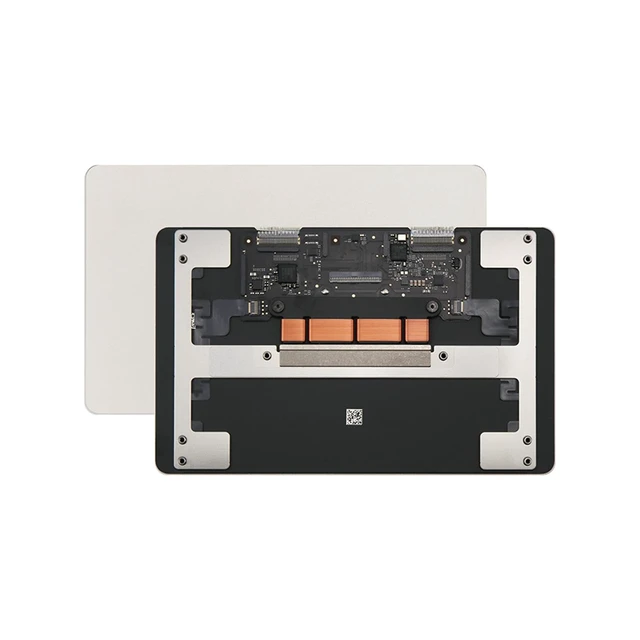
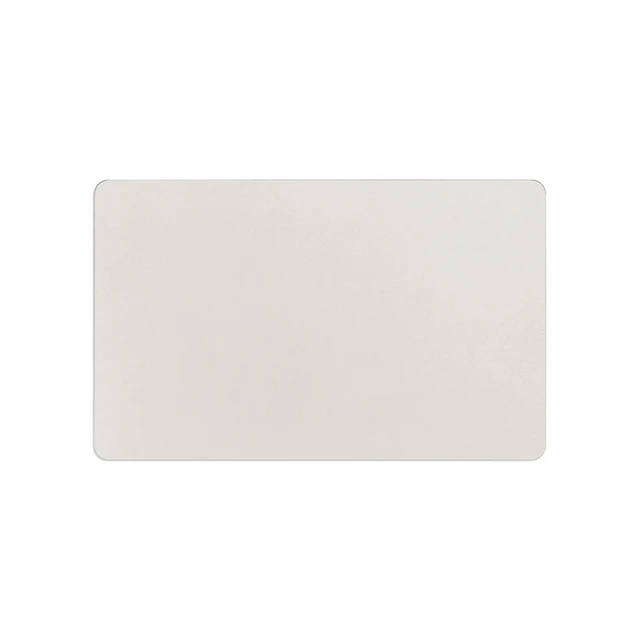
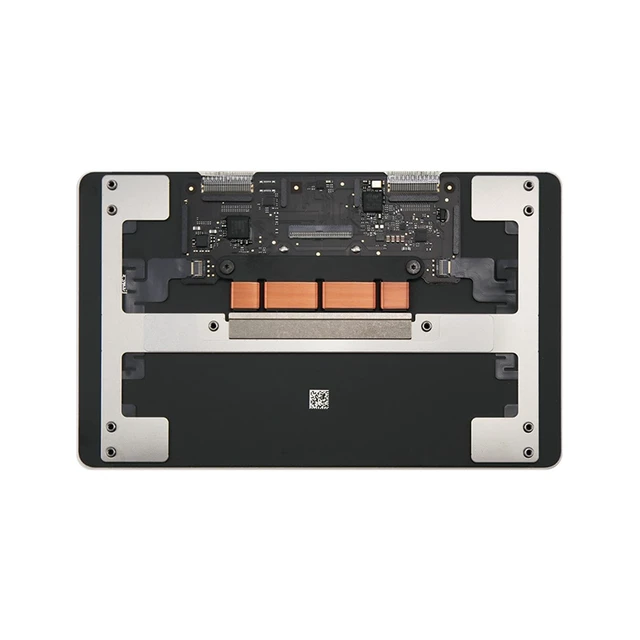
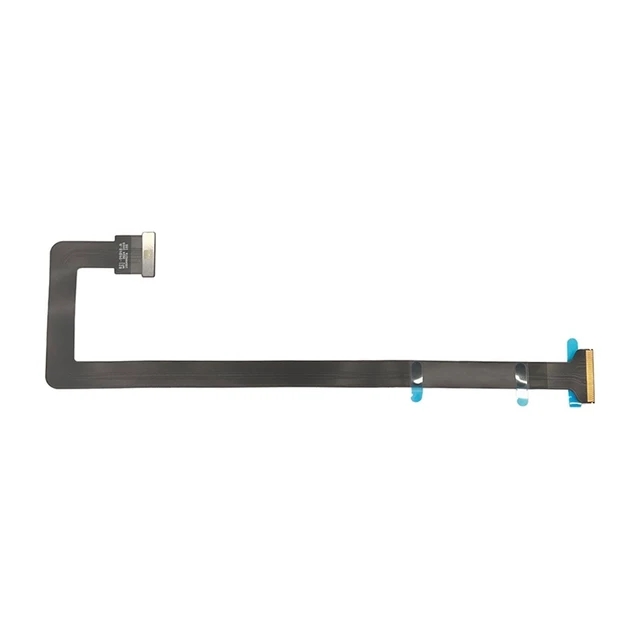
iPartsleader A3449 Trackpad Replacement for MacBook Air (Retina,13-inch,M5,2026) Force Touch Touchpad with Cable 821-04848-A EMC 8877 (Starlight)
- Compatible ModelsDo to A2681 A3113 A3240 Model, Compatible with Macbook Air A3449 (Retina,13-inch,M5,2026) Model, : Mac17,3 : MDH74xx/A, MDH84xx/A, MDH84xx/A, MDHA4xx/A, MDHC4xx/A, MDHD4xx/A, MDHE4xx/A, MDHF4xx/A, MDHG4xx/A, MDHH4xx/A, MDHJ4xx/A, MDHK4xx/A
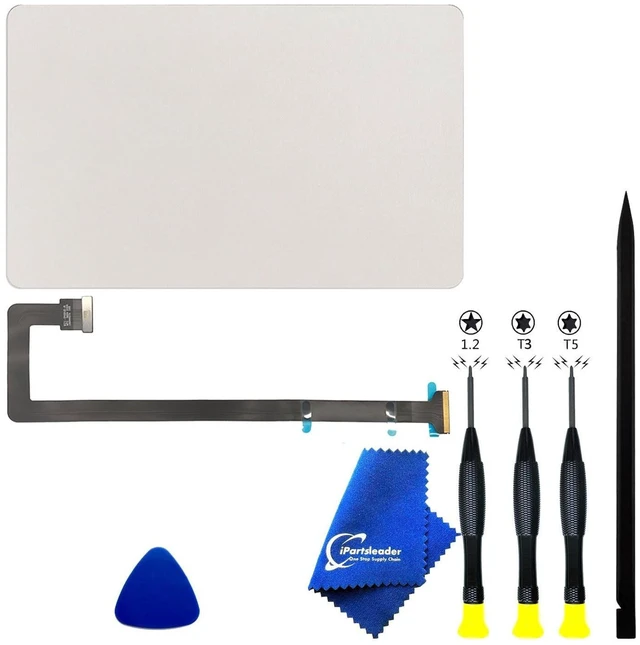
- What's Include[ ]: 1PC*Trackpad+1PC*Flex cable [ ]: 1PC*Anti Static Pry Bar Black,1PC*Triangle Opening Pick,1PC*Fiber Polishing Cloth,1PC*P5 Pentalobe Screwdriver(Remove Bottom Case Use),1PC*T5 Torx Screwdriver(Remove Trackpad Mount Screws Use),1PC*T3 Torx Screwdriver(Remove the IPD connector cowling use)
- APN and PPNTrackpad: APN 661-59739 (Silver) 661-59740 (Starlight) 661-59741 (Midnight) 661-59742 (Sky Blue),Cable: PPN 821-04848-A
- FunctionsForce Touch Technology: Employs four pressure sensors to distinguish between a light click and a deep "Force Click," enabling different levels of interaction in macOS.Haptic Feedback (Taptic Engine): A linear actuator provides precise tactile vibrations that mimic the feel of a mec
+
+
Overview
Specs
Reviews
Any questions? Our AI mode will help you find out quickly.
Try me now
Compatible ModelsDo to A2681 A3113 A3240 Model, Compatible with Macbook Air A3449 (Retina, 13-inch, M5, 2026)
Model,: Mac17, 3: MDH74xx/A, MDH84xx/A, MDH84xx/A, MDHA4xx/A, MDHC4xx/A, MDHD4xx/A, MDHE4xx/A, MDHF4xx/A, MDHG4xx/A, MDHH4xx/A, MDHJ4xx/A, MDHK4xx/A ^^
What's Include[ ]: 1PC*Trackpad+1PC*Flex
cable [ ]: 1PC*Anti Static Pry Bar Black, 1PC*Triangle Opening Pick, 1PC*Fiber Polishing Cloth, 1PC*P5 Pentalobe Screwdriver (Remove Bottom Case Use), 1PC*T5 Torx Screwdriver (Remove Trackpad Mount Screws Use), 1PC*T3 Torx Screwdriver (Remove the IPD connector cowling use) ^^ APN and PPN
Trackpad: APN 661-59739 (Silver) 661-59740 (Starlight) 661-59741 (Midnight) 661-59742 (Sky Blue), Cable: PPN 821-04848-A ^^
FunctionsForce Touch Technology: Employs four pressure sensors to distinguish between a light click and a deep "Force Click, " enabling different levels of interaction in macOS.
Haptic Feedback (Taptic Engine): A linear actuator provides precise tactile vibrations that mimic the feel of a mechanical click.
Multi-Touch Gesture Support: Enables advanced navigation such as pinch-to-zoom, rotating, and multi-finger swipes for Mission
Control Precision Tracking: High-resolution sensors allow for pixel-perfect cursor movement and pressure-sensitive drawing in creative applications. ^^ Common FailuresNo "Click"
Sensation: Usually a software freeze or a failure of the Taptic Engine. It can also occur if the battery is completely dead, as haptics require power.
Erratic Cursor Movement: Often caused by a swollen battery pressing against the underside of the trackpad, or surface contamination/liquid on the glass.
Complete Input Failure: Typically a damaged or corroded Trackpad Flex Cable, which also carries the signal for the keyboard in this model.
Glass Cracking: Physical impact or extreme pressure. While the sensors may still work, the structural integrity and multi-touch accuracy are compromised.
^^ RepairabilityModular Component: The trackpad is a separate assembly from the keyboard and top case, making it individually replaceable.
Access Barriers: To reach the trackpad, the bottom cover must be removed, and the battery must be partially or fully displaced, as it sits directly over the trackpad screws and cable.
Flex Cable Sensitivity: The connection is made via a thin, fragile ribbon cable. This cable is often the actual point of failure rather than the trackpad glass itself. ^^ Pro-TipIf both your keyboard and trackpad stop responding at the same time, the trackpad flex cable is the first part you should inspect, as it acts as a bridge for both input signals to the logic board

Model,: Mac17, 3: MDH74xx/A, MDH84xx/A, MDH84xx/A, MDHA4xx/A, MDHC4xx/A, MDHD4xx/A, MDHE4xx/A, MDHF4xx/A, MDHG4xx/A, MDHH4xx/A, MDHJ4xx/A, MDHK4xx/A ^^
What's Include[ ]: 1PC*Trackpad+1PC*Flex
cable [ ]: 1PC*Anti Static Pry Bar Black, 1PC*Triangle Opening Pick, 1PC*Fiber Polishing Cloth, 1PC*P5 Pentalobe Screwdriver (Remove Bottom Case Use), 1PC*T5 Torx Screwdriver (Remove Trackpad Mount Screws Use), 1PC*T3 Torx Screwdriver (Remove the IPD connector cowling use) ^^ APN and PPN
Trackpad: APN 661-59739 (Silver) 661-59740 (Starlight) 661-59741 (Midnight) 661-59742 (Sky Blue), Cable: PPN 821-04848-A ^^
FunctionsForce Touch Technology: Employs four pressure sensors to distinguish between a light click and a deep "Force Click, " enabling different levels of interaction in macOS.
Haptic Feedback (Taptic Engine): A linear actuator provides precise tactile vibrations that mimic the feel of a mechanical click.
Multi-Touch Gesture Support: Enables advanced navigation such as pinch-to-zoom, rotating, and multi-finger swipes for Mission
Control Precision Tracking: High-resolution sensors allow for pixel-perfect cursor movement and pressure-sensitive drawing in creative applications. ^^ Common FailuresNo "Click"
Sensation: Usually a software freeze or a failure of the Taptic Engine. It can also occur if the battery is completely dead, as haptics require power.
Erratic Cursor Movement: Often caused by a swollen battery pressing against the underside of the trackpad, or surface contamination/liquid on the glass.
Complete Input Failure: Typically a damaged or corroded Trackpad Flex Cable, which also carries the signal for the keyboard in this model.
Glass Cracking: Physical impact or extreme pressure. While the sensors may still work, the structural integrity and multi-touch accuracy are compromised.
^^ RepairabilityModular Component: The trackpad is a separate assembly from the keyboard and top case, making it individually replaceable.
Access Barriers: To reach the trackpad, the bottom cover must be removed, and the battery must be partially or fully displaced, as it sits directly over the trackpad screws and cable.
Flex Cable Sensitivity: The connection is made via a thin, fragile ribbon cable. This cable is often the actual point of failure rather than the trackpad glass itself. ^^ Pro-TipIf both your keyboard and trackpad stop responding at the same time, the trackpad flex cable is the first part you should inspect, as it acts as a bridge for both input signals to the logic board
Warranty & Returns
Warranty, Returns, And Additional Information
Warranty
- Please contact the Seller directly for warranty information. Warranty information may also be found on the Manufacturer's website.
- CONTACT
Return Policies
- Return for refund within: 30 days
- Return for replacement within: non-replaceable
- This item is covered by FoundationSurge Return Policy
Manufacturer Contact Info
- For a directory of all our manufacturers, please click below.
- Manufacturers Directory
LOADING...