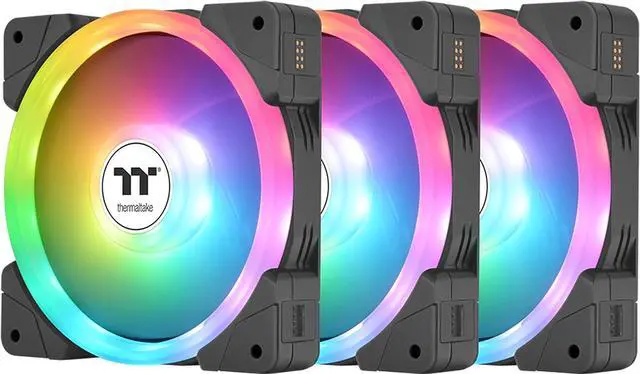
The Thermaltake SWAFAN EX 12 ARGB is a three-pack of 120mm PC case fans for desktop builders who want adjustable cooling, motherboard-synced lighting, and flexible airflow direction, with reversible blades and a magnetic connection system.
Recommended For
- PC builders creating a visible ARGB showcase who want lighting on the fan face while setting intake or exhaust direction with the included standard and reverse blades.
- Builders installing several fans side by side who want to reduce visible wiring: the magnetic connectors daisy-chain the fans, with up to three fans included in this pack.
- PC builders who want to change airflow direction after choosing a fan location, such as arranging case intake and exhaust, without turning the fan frame around and hiding its ARGB-lit side.
- Builders whose motherboard has a 5V addressable-RGB header and who want to coordinate the fans’ lighting through motherboard RGB software.
Real-World Use Scenarios
- When building a glass-sided PC, use the reverse blades where you want intake airflow but also want the fan’s visible side facing into the case; you can arrange airflow without making the fan backs the focal point.
- When adding several fans to adjacent case mounts, connect them magnetically in a chain; this reduces separate cable runs and makes a multi-fan installation tidier.
- When fitting 120 mm fans to a compatible radiator, air cooler, or filtered case panel, use them to move air through that restriction; the actual cooling result depends on the cooler, case, and fan-speed settings.
- When dusting a PC, pop out the fan blades to clean them separately; dry them thoroughly and reapply the included bearing lubricant if needed before reinstalling.
- When matching fans to a motherboard-controlled lighting theme, connect the ARGB lighting to a compatible 5V motherboard header; the lighting can then be synchronized through supported motherboard software.




 here!