Your Browsing History
- Free 30-day Returns
$45.79
Ships from China.
Meet Your Seller
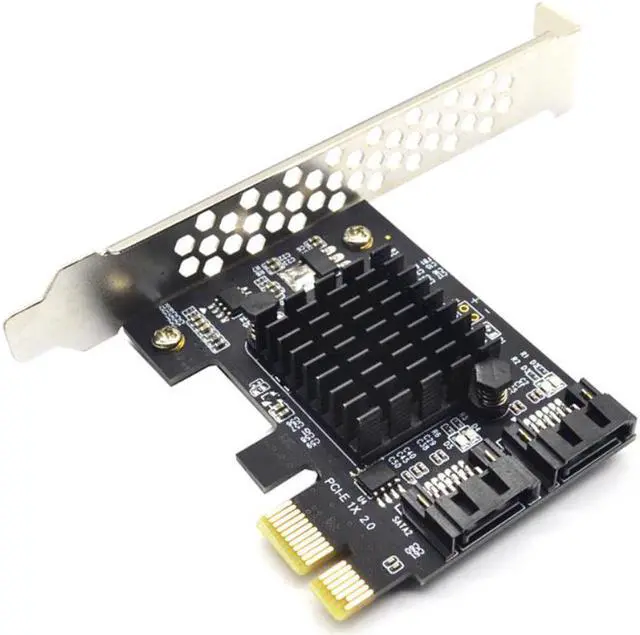
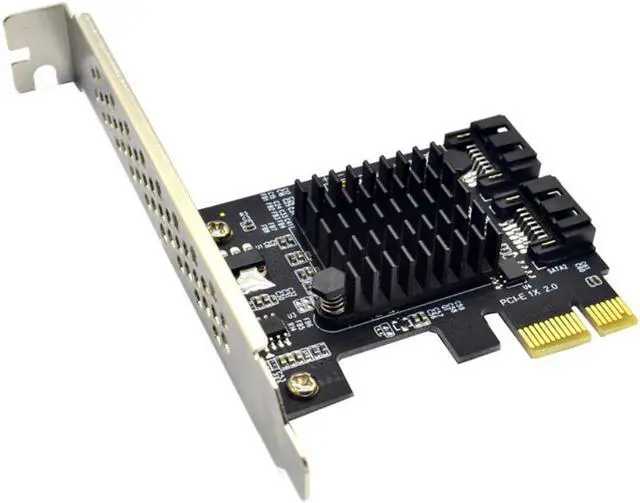
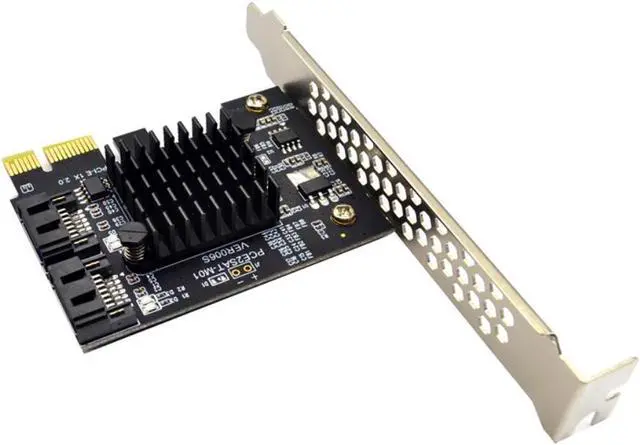
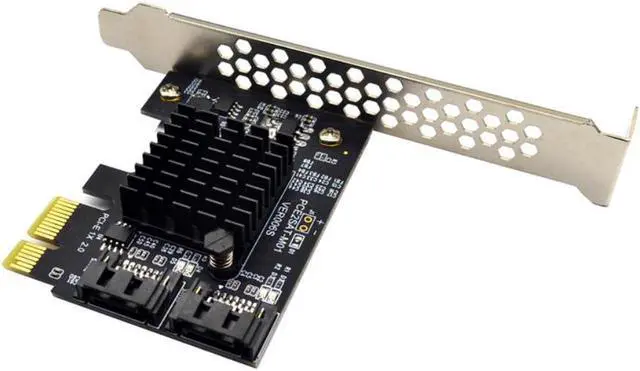
Add On Card Controller SATA 3 PCIE SATA3 PCIE/PCI-E SATA Card/Expansion/Multiplier PCI Express SATA Port Marvell 88SE9125
Limited time offer, ends 07/22 By YuXuan Technology
- Add On Card Controller SATA 3 PCIE SATA3 PCIE/PCI-E SATA Card/Expansion/Multiplier PCI Express SATA Port Marvell 88SE9125
+
+
Overview
Specs
Reviews
Any questions? Our AI beta will help you find out quickly.
Try me now
Add On Card Controller SATA 3 PCIE SATA3 PCIE/PCI-E SATA Card/Expansion/Multiplier PCI Express SATA Port Marvell 88SE9125
About Description:
Specification:
Meets Serial ATA 3.0 specification, backward compatible with SATA 2.0 SATA 1.0
Compliant with PCI-Express v 2.0 specification, backward compatible with PCI-Express v 1.0.
Supports communication speeds of 6.0 Gbps, 3.0 Gbps, and 1.5 Gbps
Support Gen 1i, Gen 1x, Gen 2i, Gen 2m, Gen 2x, and Gen 3i.
Supports Four SATA
Support AHCI 1.0 mode and IDE mode
Support native command queue (NCQ)
Supports FIS based on port multiplier switches or command switches.
Hot-swappable and hot-swappable.
Compatible with SATA6G, 3G and 1.5G Hard Drives
Bus interface: PCI-Express x1 slot(Compatible PCI-E X2 X4 X8 X16 )
Extension ports: 2 Port SATA 3.0 interfaces
Feature: with large heat sink for long time safe working
Main Chips: Marvell 88SE9125
System Requirements:
Windows 10/8/7 (32/64 bit) / Vista (32/64 bit) / XP/2003/2008/linux
System disk and PCIE to SATA 3.0 adapter card connection conditions and solutions:
1. PCIE to SATA 3.0 SATA interface mode is AHCI mode, if you want to insert the system disk in our card, the premise is that your system disk installed on the motherboard must be AHCI mode installation, otherwise it can not pass Our card adapter card boot system.
2. If it is determined that the system disk is inserted in the AHCI mode of the SATA interface mounting system on the mainboard, then the hard disk can be directly inserted into our card, and then the mainboard BIOS is set to start the system disk as the first boot.
3. the above two conditions are available, if you still can not start, or repeatedly restart, then the motherboard hard drive interface and our adapter card conflict, the solution is to enter the motherboard BIOS, the motherboard's hard disk interface options set to Disabled, save and restart to boot the system
Attention: Don't Support as System
You'll receive:
1 x PCI-E TO 2 SATA Expansion Card
1 x Low Profile Bracket

About Description:
Specification:
Meets Serial ATA 3.0 specification, backward compatible with SATA 2.0 SATA 1.0
Compliant with PCI-Express v 2.0 specification, backward compatible with PCI-Express v 1.0.
Supports communication speeds of 6.0 Gbps, 3.0 Gbps, and 1.5 Gbps
Support Gen 1i, Gen 1x, Gen 2i, Gen 2m, Gen 2x, and Gen 3i.
Supports Four SATA
Support AHCI 1.0 mode and IDE mode
Support native command queue (NCQ)
Supports FIS based on port multiplier switches or command switches.
Hot-swappable and hot-swappable.
Compatible with SATA6G, 3G and 1.5G Hard Drives
Bus interface: PCI-Express x1 slot(Compatible PCI-E X2 X4 X8 X16 )
Extension ports: 2 Port SATA 3.0 interfaces
Feature: with large heat sink for long time safe working
Main Chips: Marvell 88SE9125
System Requirements:
Windows 10/8/7 (32/64 bit) / Vista (32/64 bit) / XP/2003/2008/linux
System disk and PCIE to SATA 3.0 adapter card connection conditions and solutions:
1. PCIE to SATA 3.0 SATA interface mode is AHCI mode, if you want to insert the system disk in our card, the premise is that your system disk installed on the motherboard must be AHCI mode installation, otherwise it can not pass Our card adapter card boot system.
2. If it is determined that the system disk is inserted in the AHCI mode of the SATA interface mounting system on the mainboard, then the hard disk can be directly inserted into our card, and then the mainboard BIOS is set to start the system disk as the first boot.
3. the above two conditions are available, if you still can not start, or repeatedly restart, then the motherboard hard drive interface and our adapter card conflict, the solution is to enter the motherboard BIOS, the motherboard's hard disk interface options set to Disabled, save and restart to boot the system
Attention: Don't Support as System
You'll receive:
1 x PCI-E TO 2 SATA Expansion Card
1 x Low Profile Bracket
Warranty & Returns
Warranty, Returns, And Additional Information
Warranty
- Please contact the Seller directly for warranty information. Warranty information may also be found on the Manufacturer's website.
- CONTACT
Return Policies
- Return for refund within: 30 days
- Return for replacement within: 30 days
- This item is covered by YuXuan Technology Return Policy
Manufacturer Contact Info
- For a directory of all our manufacturers, please click below.
- Manufacturers Directory
LOADING...